

Product description
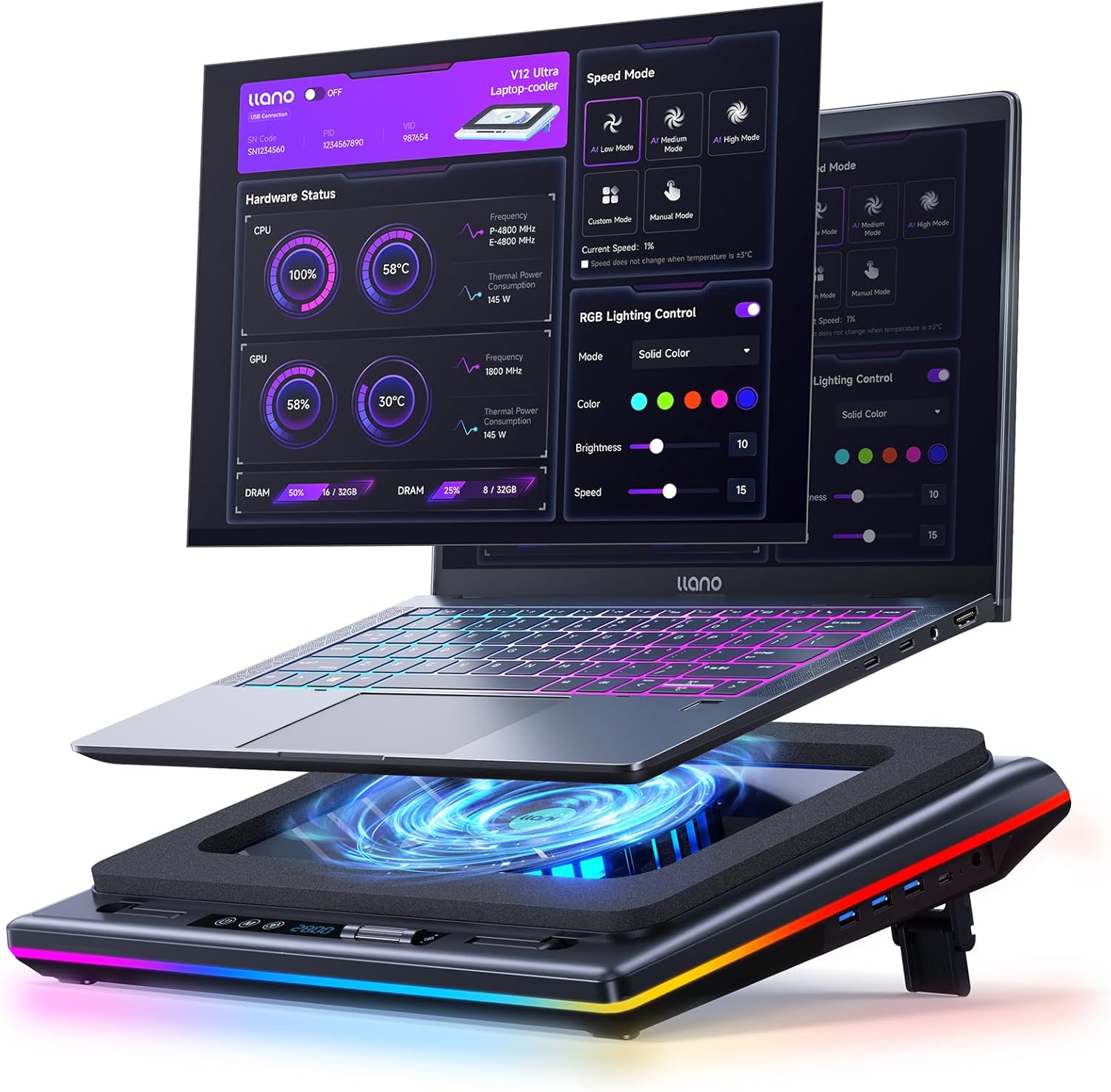
Smart Cooling, Ultimate Performance –llano V12 Ultra RGB Laptop Cooling Pad
The video showcases the product in use.The video guides you through product setup.The video compares multiple products.The video shows the product being unpacked. llano V12 Ultra Laptop Cooling Pad Merchant Video


1 Intelligent Control
2 Turbo-Pressure Cooling
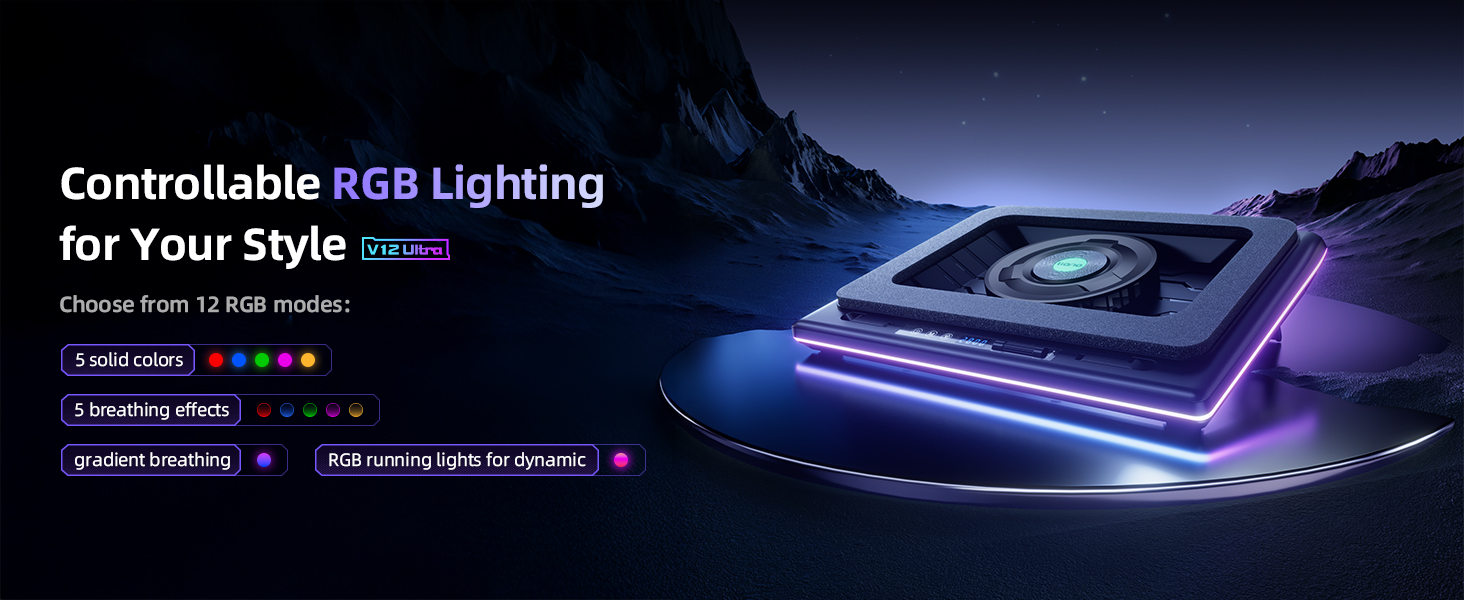
3 Dynamic RGB Lighting
4 for 15.6″ to 19″ Laptops

1 Control Description
2 What’s in the Box
3 Ergonomic Design
4 Removable Dust-Filter
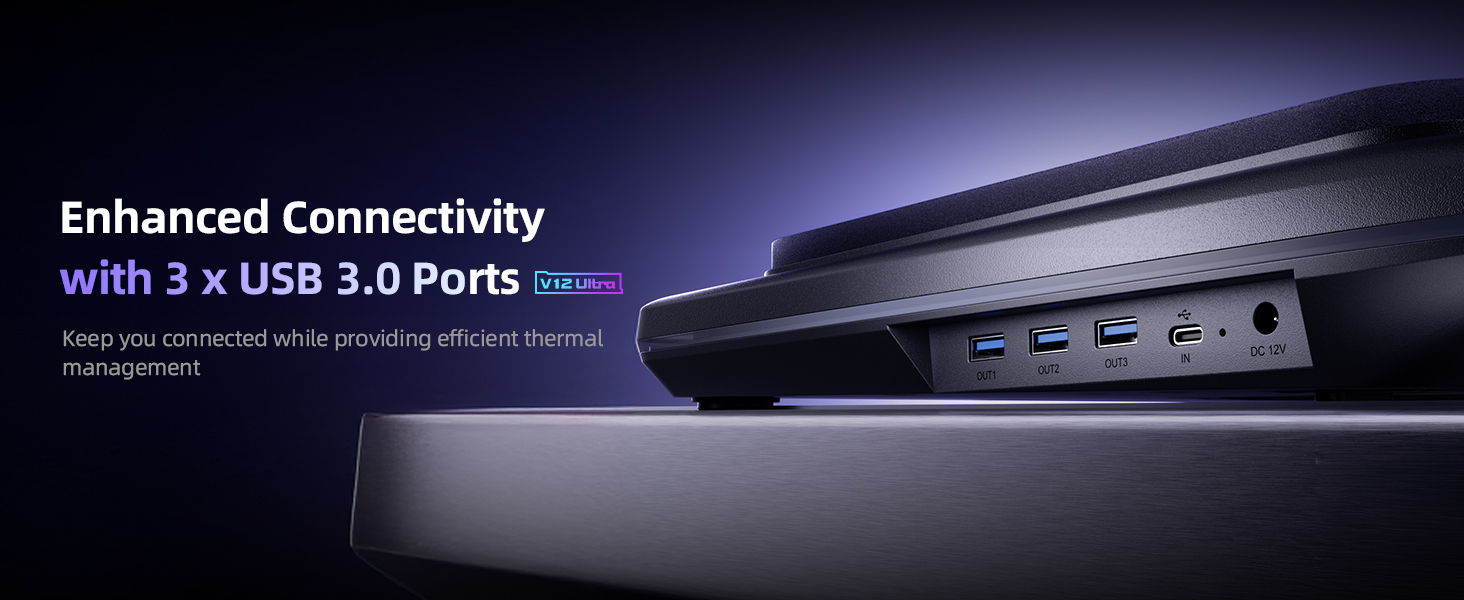
5 External 3*USB 3.0 Ports
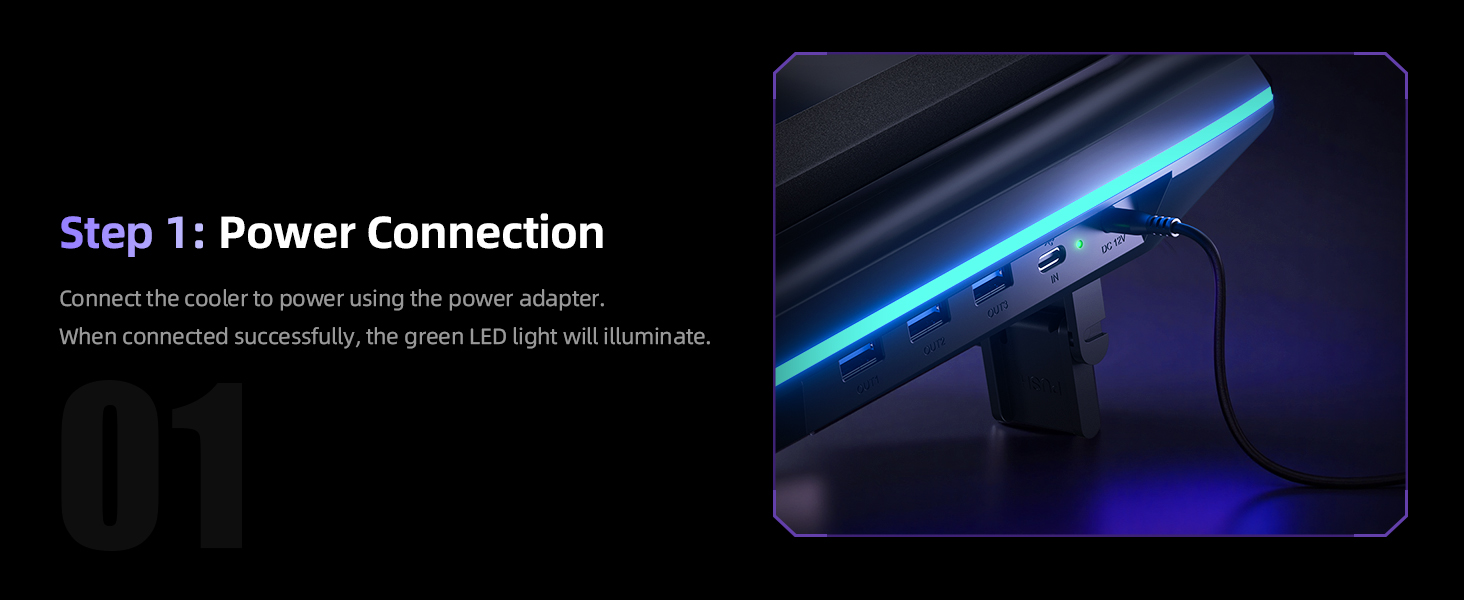
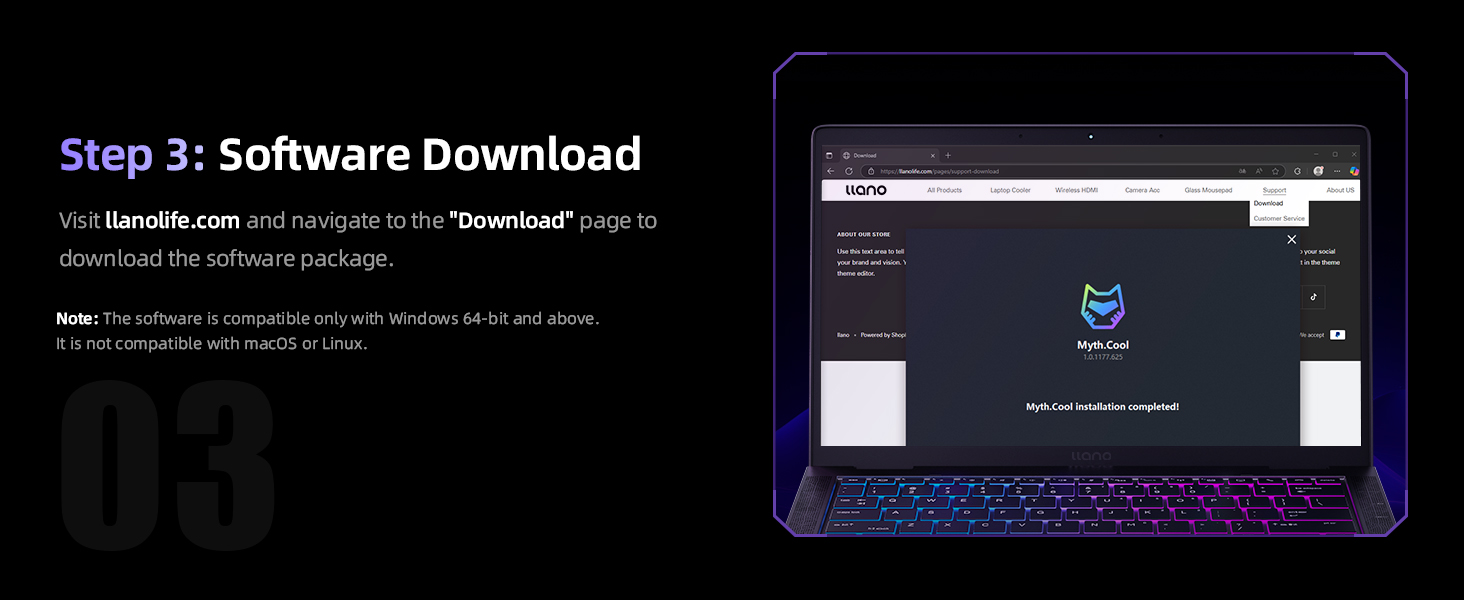
1 Power Connection 2 Power On the Cooler 3 Software Download 4 Open the Software 5 Manual Control
V12 Ultra Laptop Cooling Pad Specifications
Model V12 Ultra Dimensions & Weight 16.9″L x 12.9″W x 2.7″H ; 4 Pounds Compatible Laptop Size 15.6 ” and above (including 17.3″, 18.4″, and 19″ laptops) Power Supply 36W Power Adapter: Type A – 2 pin Plug, 12V / 3A, 5.5×2.1mm DC, 6.6ft Cord Fan Speed Range 300-2800 RPM Turbo Fan Size 5.5 inches Rich Feature Integration 3 * Position Adjustable Stand; 5 RGB Color Options; 3 x USB 3.0 Hub; Removable Dust Filter Smart Software Control Modes 3 Intelligent Modes ( Low / Medium / High) Manual Control Modes 2 Manual Mode (software customization, custom settings adjusted via software / scroll wheel customization, physical adjustments using a scroll wheel) -44°C in 90s Under full load, the 2800 RPM turbo fan delivers up to a 20–25°C temperature drop for both CPU and GPU in just 90 seconds. (Data provided by llano Laboratory) What’s in the Package Laptop Cooler * 1, 36W Power Adapter * 1, USB-A to C Cable * 1, Dust Cover * 1, Memory Foam * 1, User Manual * 1 How to Download the Software Visit llanolife.com and navigate to the “Download” page to download the software package.(Note: The software is compatible only with Windows 10 64-bit and above. It is not compatible with macOS or Linux. In addition, without software, you can manually control.) Noise & Cooling Note Higher fan speed (2800 RPM) provides strong cooling but may generate noticeable noise. The V12 Ultra improves noise control with intelligent frequency conversion via the Myth.cool software, offering better sound optimization than V12. Q1 Cooling Performance The V12 Ultra Gaming Laptop Cooling Pad features a 5.5-inch turbo fan capable of reaching up to 2800 RPM. Lab tests show that it can reduce CPU and GPU temperatures by up to 25°C in just 90 seconds, effectively preventing thermal throttling and enhancing both gaming and work performance. Q2 Noise Levels At low speeds, the noise level is approximately 27dB, which is nearly silent. When the fan reaches its maximum speed of 2800 RPM, the noise level may rise to around 70dB. To minimize noise, we recommend using the smart AI control mode, which automatically adjusts the fan speed based on your laptop’s workload, ensuring efficient cooling with lower noise levels. Q3 Compatibility The V12 Ultra Gaming Laptop Cooling Pad is designed for laptops with screen sizes of 15.6 inches and above, including popular models such as the ASUS ROG Strix G16, MSI Katana 15, and Alienware M18. Ensure your laptop fits within these dimensions for the best experience.
llano Laptop Cooling Pad Series, Keep Your Laptop Ice Cold!
Add to Cart
Add to Cart
Customer Reviews
4.3 out of 5 stars 157
4.5 out of 5 stars 2,174
4.5 out of 5 stars 431
4.5 out of 5 stars 242
Price
$149.99$149.99
$95.99$95.99
$98.99$98.99
$112.49$112.49
$85.49$85.49
$109.99$109.99
RGB
12 Dynamic Modes
10 Dynamic Modes
10 Dynamic Modes
/
12 Dynamic Modes
/
Turbo Fan Size
5.5″
5.5″
5.5″
5.5″
4.72″
4.72″
RPM
2800
2800
2800
2800
3500
3500
Adapter Power
36W
36W
36W
36W
18W
12W
Compatible Laptop Size
15.6″-19″
15.6″-19″
15.6″-19″
15.6″-19″
13″-17.3″
13″-17.3″
Extend Ports
3 * USB-A 3.0
3*USB-A
3*USB-A
3*USB-A
2*USB-A & 2*USB-C
/
Intelligent Control
✔
✘
✘
✘
✘
✘
Adjustable Height
✔
✔
✔
✔
✔
✔
Removable Dust-Filter
✔
✔
✔
✔
✔
✔
Intelligent AI Temperature Control with Myth.cool Software: Safeguard your laptop with our cutting-edge cooling technology! The llano V12 Ultra features three smart cooling modes (Low/Medium/High) that automatically adjust fan speed based on your laptop’s workload. Experience efficient cooling with minimal noise—perfect for gaming, working, or streaming. Download the software from “llanolife.com/Download” for seamless control, or opt for manual operation with a simple scroller.
Turbo-Pressure Cooling for Rapid Heat Dissipation: Unlock your laptop’s full potential with our powerful 5.5″ turbo fan, reaching speeds of up to 2800 RPM. The AI-enhanced 360° airflow design has been lab-tested to reduce CPU/GPU temperatures by an impressive 22°C in just 90 seconds. This high-performance cooling solution minimizes noise while preventing overheating during intense gaming sessions or heavy multitasking, ensuring optimal performance when you need it most.
Wide Compatibility: Designed for laptops with screen sizes of 15.6 inches and above, the V12 Ultra laptop fan cooling stand is compatible with ASUS ROG Strix G16 / MSI Katana 15 / Alienware M18 , perfect for gaming laptops and workstations alike.
Ergonomic Design with 3 Adjustable Heights: Work and play comfortably with our ergonomic design featuring three adjustable tilt options (15°, 12°, 3°). Customize your viewing and typing angles to alleviate neck and shoulder strain, making it ideal for long gaming marathons or extended work hours. The sturdy adjustable foot stand ensures stability and promotes better posture, enhancing both comfort and performance.
Easy-to-Clean Removable Dust Filter: Maintain peak performance effortlessly with our detachable dust mesh filter. Designed to trap dust and debris, it ensures consistent airflow while extending the lifespan of both the cooler and your laptop. No tools required—simply remove the filter, clean it, and reattach for hassle-free maintenance, keeping your cooling system running like new.
Vibrant RGB Lighting & Versatile USB 3.0 Hub: Elevate your gaming setup with dynamic RGB lighting featuring 4 effects and 5 vibrant color options to match your style. Additionally, our cooling pad includes three high-speed USB 3.0 ports (5 Gbps) for connecting peripherals like mice, keyboards, and controllers without cluttering your laptop. Transform your cooling pad into a multifunctional hub for ultimate convenience.
What’S in the Package: Laptop Cooler * 1, 36W Power Adapter * 1, USB-A to C Cable * 1, Dust Cover * 1, Memory Foam * 1, User Manual * 1
High Power Output: Equipped with a 36W power output, the cooling pad provides robust performance, ensuring that your laptop remains cool even during demanding tasks.
13 reviews for llano V12 Ultra Laptop Cooling Pad with Smart Software Control, RGB Gaming Laptop Fan Cooler Stand, 5.5″ Turbo Fan, Adjustable Speed, 3*USB 3.0 Ports, 3 Height Stands, for 15.6″-19″ Laptops, Black
Add a review
Original price was: $186.99.$149.99Current price is: $149.99.


Governales –
Very Cool Temps
Amazing Cooler. Cools my Acer Nitro V16 Awesomely. Temps 50C-60C
Vickie –
Definitely worth every penny.
It’s amazing, keeps laptop cooler even under more strenuous games. I play ark on ultra+ settings and it keeps it cool. Can be loud on those settings, but headset makes it unnoticed. The only problem is if you want to take it with you, most bags won’t carry it. I recommend getting a 55l travel laptop bag so it can go with. I have pets so the filter is a huge bonus as well.
UmerW –
Good Product from a utility perspective but certainly not worth its $150 price
Prior to ordering this product, I had gone through a number of reviews on YouTube so I had a fair idea about it. Almost every reviewer mentioned the “noise” aspect of this product. I just got this product yesterday and tried it this morning and I can confirm the noise issue is real.The product starts with 300rpm as a baseline and while there was no sound issue at this rpm, I could hardly feel any air at all. I put the laptop on the cooler and bumped the rpms to 600 where I started to feel some air circulating, I then bumped it up to 800 and the air circulation was enough that made me feel confident that it would bring the temps down however between 600-800 the increase in the fan sound is enough to be considered “noise” by any definition and at that level of noise constantly in the background while you are working, I can see why it could become a serious issue or to be unsustainable for permanent use.Despite the “noise” issue and some cheap plastics used on a $150 product, I am still going to keep it – WHY – because I have a laptop that does get pretty hot and I have no choice but to run a cooling fan to keep the temps down for performance and longevity. I must also mention that I do not seem to have many excellent quality alternatives either and almost all of the product substitutes use inferior/cheap quality plastics.
D. Thompson –
Fan works as advertised…
Fan is louder the faster it’s set, but they do work as advertised. Only reason I returned it was because the company i bought my laptop from said sometimes the internal fans spin in the opposite direction to expel dust and the cooling fans could damage my PC.
William Tran –
Is the best for me.
Best laptop cooler I ever buy.
SilentDave –
Noticeable cooling difference!
This is the third cooler I have purchased and as of right now it will be my last! This keeps my laptop roughly 5-10° cooler than all the other coolers I have tried for my laptop.
David S. –
Way too many negatives to be good.
I really wanted this to work because I like the design and the build quality actually “feels great”. Unfortunately, it is not.The only good aspect I could find is that the entire frame is made from very stiff ABS plastic. It does not feel cheap at all, although it definitely feels WAY over priced at $130+.Now for the huge list of negatives:First, its size. Although it claims to be for laptops 15 inches “and up”, it will only correctly fit a 15 or 16” laptop. My 17” Asus ROG is the same size as the base. Although that sounds ideal, it is not. None of the control buttons can be pressed because the laptop covers them. The fan seal also does not cover all of the vents due to it only sealing the top 2/3 of the laptop. All of the bottom vents are left exposed causing some of the air to flow in reverse and out the vents closest to your body. The product description specifically lists the Alienware M18 as a compatible device, however that laptop is a full 2 inches bigger than this thing in both dimensions.Second, the software is insanely slow, there is a full 3 to 20 second delay for every single button press in the interface. The software registers as using less than 1% of the CPU so the horribly slow response times must be due to programming issues. In addition, the software comes as a self-extracting .RAR file that contains an .exe. that you have to download from their website. Which is totally different than the one printed in their manual. They actually misspelled their own website in the manual. The whole software package was so sketchy I only downloaded it so you don’t have to. I would never leave that software running on my PC.Third, the noise. The unit does not generate enough pressure to move any air into the laptop until it is at around 60% speed. At that speed the fan is louder than normal talking volume. I had trouble hearing others talking to me over it. At full speed, you’re basically shouting over it. I can’t believe they even bothered to make this thing at this volume level. My sound meter read 84dB from 1.5 feet away from it.Finally, I received 2 defective units in a row. The first had a dead USB C port and would not connect to the laptop at all. It was just dead. The replacement connected, allowing me to actually test the cooler with the software. Only to find out it had a dead USB A port.If you can get this for around $40 and don’t care about the software or the noise, it may be a great unit for you. But for me all the problems along with 2 defects in a row made it un useable.
beachcomber –
NOT for Alienware Area-51 18 2025
Well made cooler but it definitely does NOT work for the new Alienware Area-51 18″. This seems to be an excellent cooling pad however, the stock cooling is just that good. *returned*Should be noted that this (or any) pad will likely damage your Area-51. The two vents that normally intake cool air above the keyboard instead have hot air blowing out of them when using cooling pad. This cooks the laptop screen and probably isn’t good long term.Ambient room temp 68FFurmark Knot 2560×1600 15 minutes:No cooling pad: 49cWith cooling pad 2000rpm: 46cPrime95 small FFT 15 minutes:No pad: 84c avg. 85c max.With pad 2000rpm: 82c avg. 84c max.No appreciable difference, this new laptop is really good. Two plastic soda bottle caps to lift up the back is all you need.
Simon Stephane –
Très bon produit mon ordinateur respire
robbo –
Have never reviewed a product before but I have to say that this thing is a must buy for anyone gaming on a laptop. It can breathe new life into an older laptop without having to know how to re-thermal paste your machine and will help extend the life of your laptop by keeping components cooler for longer.Personally my FPS increased three fold from 30 to 90 in cyberpunk 2077, on my 2021 Legion 5 pro 3070. Yes the device needs re-pasting but this cooler is genuinely mind-blowing in how it actually keeps your device cool. Many coolers just blow air onto the chassis which doesn’t really do much, but this design helps funnel the cool air into your laptop.100% recommended, yes it’s pricey but if you’re buying a £1k+ machine then paying an extra £100 for a adequate cooler is an absolute no brainer imo.
Pietro –
This is a very good laptop cooling pad that can fit a range of laptop sizes up to the humongous 19″, which at this size you know you’re talking about a serious bit of kit and can probably make use of this item for extra cooling.I use it on my 16″ workhorse laptop and it does get a bit hot and through the temperature monitoring software, I can definitely see that it is able to reduce the overall internal temperature so it definitely helps.There’s a number of settings that you can adjust from the different fan speeds through to RGB lights that can add a bit of dynamics should you choose to.I like how you there is an option to make it raised a bit by easily flipping up the legs although this angle is fixed and may not suit everyone. There’s also 3 usb-a ports for you to use for charging or peripherals but I do wonder why not usb-c ports instead.Overall a very good item and one that delivers what it claims to do.
Samsung Fan –
Wieder einmal ein top Produkt von Llano. Gegenüber dem Vorgängermodell wurde die Optik, Gott sei Dank, beibehalten. Die schöne RGB Beleuchtung rundherum existiert weiter. Die Veränderungen fanden ” unter der Haube” statt. Das Gerät läuft insbesondere bei niedrigen Drehzahlen deutlich leiser als der Vorgänger. Die KI gesteuerte Software lässt sich selbstverständlich problemlos installieren und funktioniert einwandfrei. Da Llano die einzige Firma ist, die es schafft Notebook Kühler zu bauen, die ihren Namen verdienen meine vollste Kaufempfehlung und 5 Sterne für das Produkt. Alle anderen Notebook Kühler anderer Hersteller dienen eher zu Dekorationenszwecken als zur Kühlung von Notebooks.
Trevor Janssen –
I bought this for use with my Legion Pro 7i, the variant that has the 13900hx, and let me tell you, the performance increase from the cooling is massive. I can run Cyberpunk 2077 with maxxed out settings, path tracing & frame gen on and I went from 60fps average with stutters to a 85fps average with barely any. I never get anywhere near to the thermal limit on my gpu or cpu now with the software set to AI-low or medium.There’s one thing that needs to be mentioned though, this thing can get LOUD. I don’t use the high settings and when I just have a browser open I keep it at around 400 and swap to manual. Absolutely consider getting a pair of headphones with active noise cancellation like the Sony xm4-6 or something much cheaper. It completely removes the noise issue while also letting me notice phone calls or knocks, incredible technology.