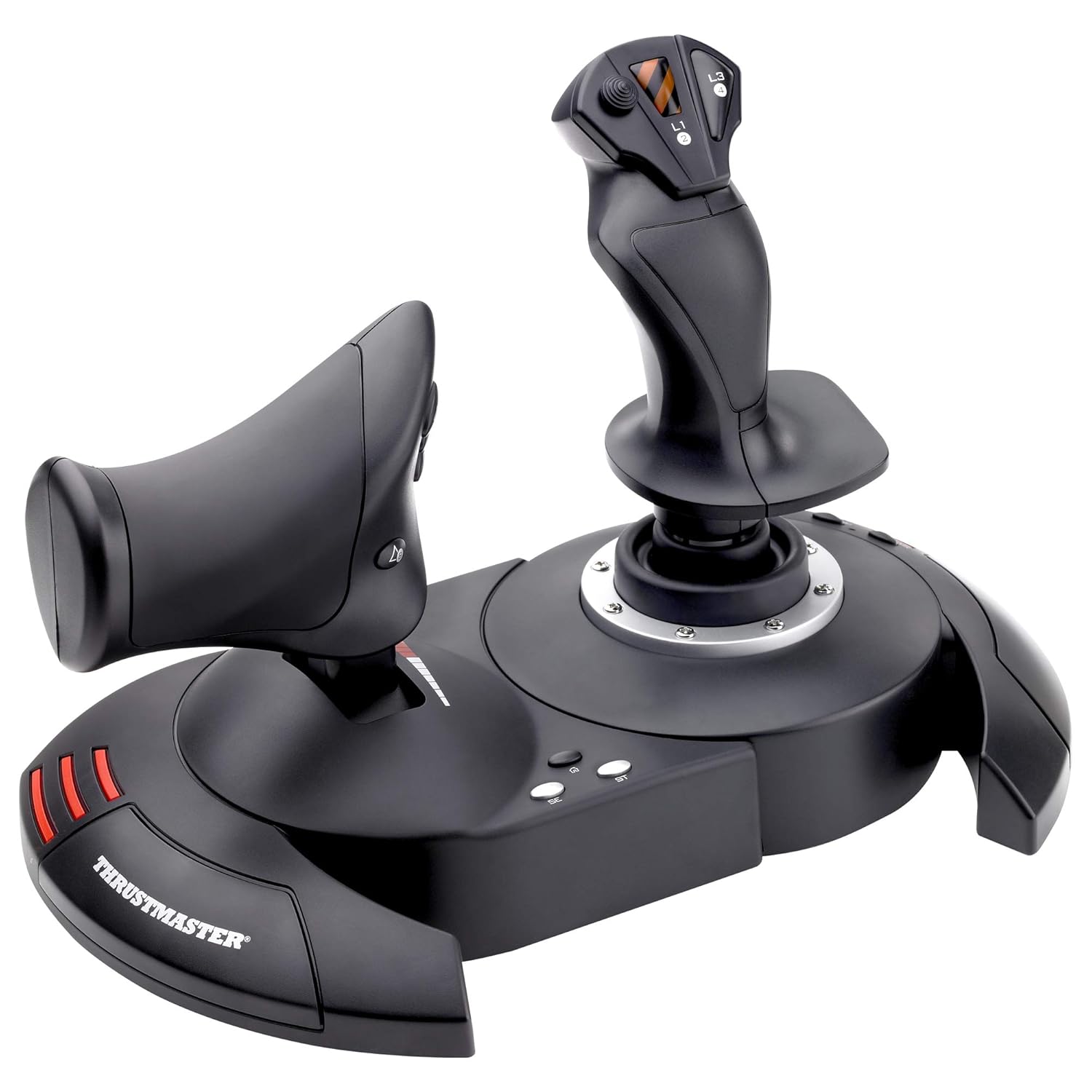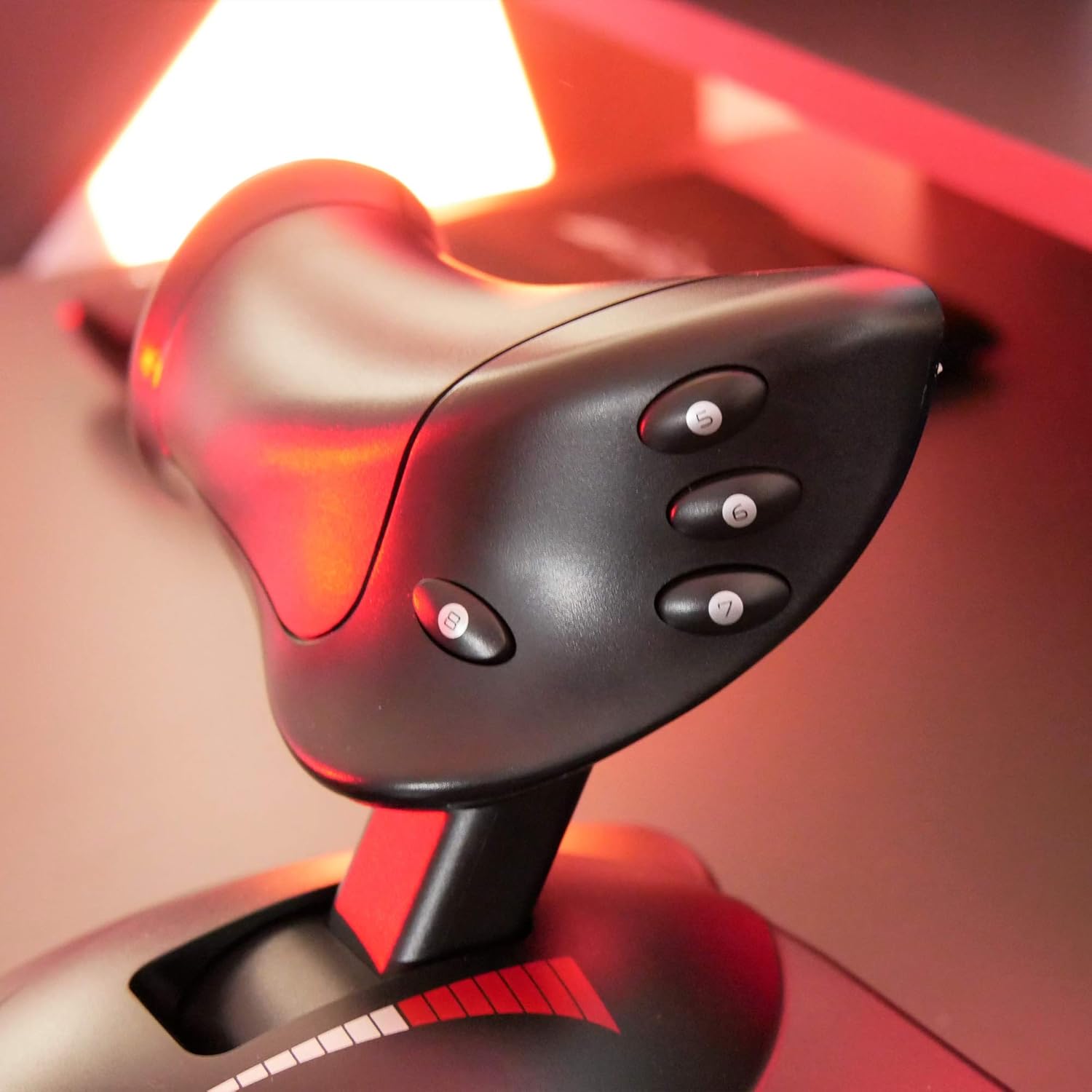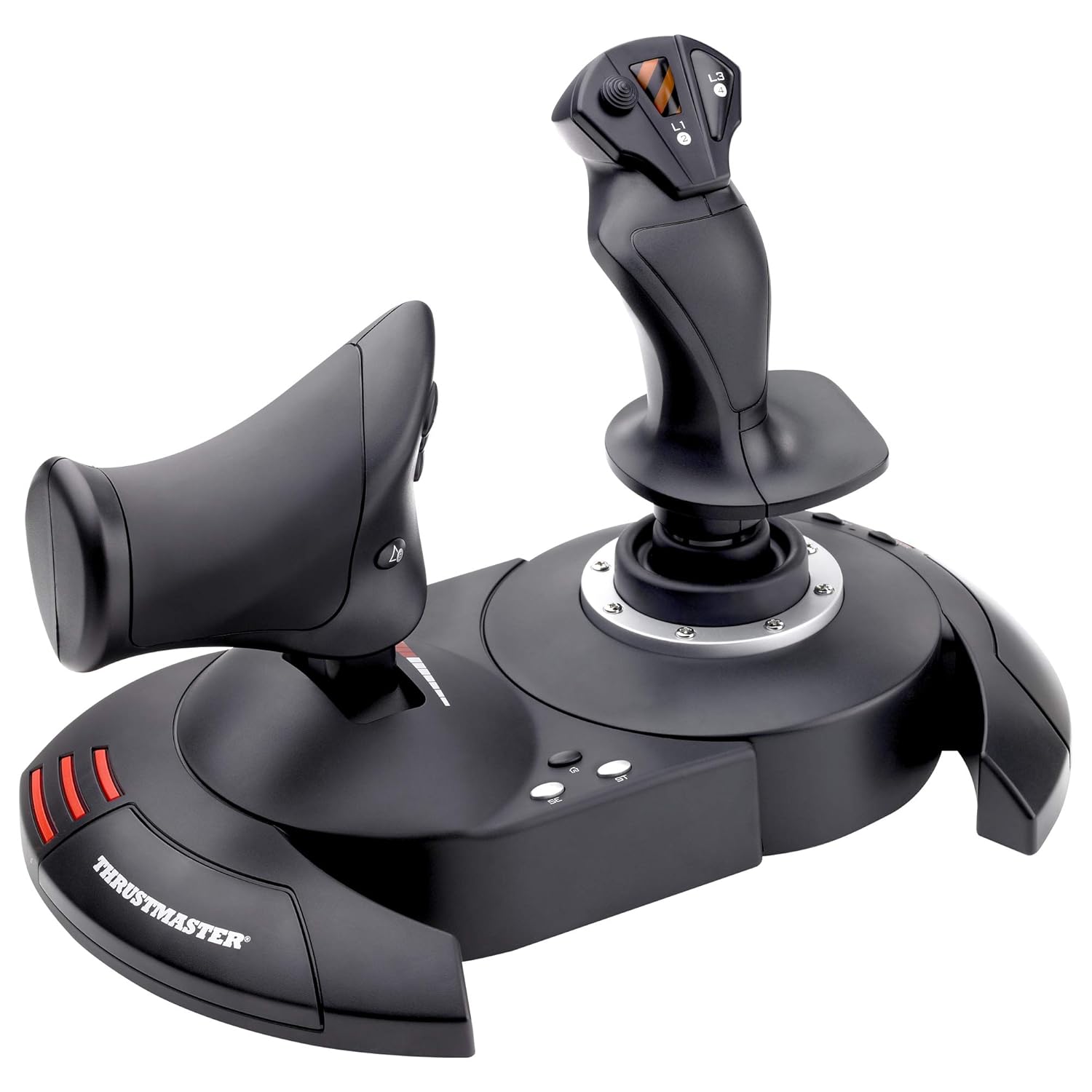


Take full advantage of the HOTAS’ capabilities with the 12 programmable action buttons and 5 axes and the separate throttle.
Wide hand-rest for optimal comfort.
Programmable: The 12 buttons and 5 axles are entirely programmable
Dual-system, aerodynamic control: By rotating handle (with integrated blocking system) or by progressive tilting lever
Internal memory: To save all of your programming, even with the joystick disconnected
High-precision joystick with adjustable resistance
Programmable: The 12 buttons and 5 axles are entirely programmable
Detachable, real-size, ergonomically-designed throttle control
Exclusive mapping button: All functions may be instantly switched around between each other
High-precision joystick with adjustable resistance
Exclusive preset button: To switch, while playing, instantly from one programme to another
Unique: Plug & Play for ultra-simple and fast installation with all functions pre-configured for immediate takeoff (without worrying about configuration)
Trigger for brakes (civil flight) or for rapid fire (military flight) plus multi-directional hat (panoramic view)
Weighted base for greater stability
Show all
Most Helpful
Highest Rating
Lowest Rating


S. W. Strickland –
A great price positioned joystick/throttle combo that won’t break the bank
I have looked at Thrustmaster sticks over the years with envy, to me they represented an elite level in joysticks. While I really like flight and spaceflight simulations, I could never quite warrant spending the big bucks on Thrustmaster or Saitek joysticks. Logitech and others had reasonably priced sticks for my level of gaming.For the past several years I have been on consoles so joysticks were not a big option. Recently I stepped back into PC gaming and I purchased one of the “Elite” space combat games. Even in the video for the game, the character used a stick combo that was very similar to a Thrustmaster setup…clever subliminal marketing? Maybe so because after trying somewhat unsuccessfully to fly on just a keyboard and mouse, I was looking for a stickI thought about going with one of the Logitech sticks, like what I had before, then I saw this setup. Where it would be asy to close in on or surpass 400.00 US on Thrustmaster sticks, here was both for a very very reasonable price. Was it discontinued? An inferior model or refurb? Nope, it is just a specific model that Thrustmaster produced to solicit a niche of bargain PC gamers and PS3 gamers(Yes! The stick works on PS3!!! I find out AFTER I have moved on to the PS4( I have yet to see if it works on PS4, but even if it does there are not many games that call for a stick like this))The T-Flight is a great stick for the price-point. It is not going to be the same quality as the 200.00 individual components, but that is not to say this is not a quality device…Au Contraire… This is a great bang for the buck.The unit arrives together in the box but not connected. You have the option of screwing the throttle and the stick together via installed screws in the base. There also is an allen wrench included in the base, complete with its own snap in nook. This is good because the screw heads are of a star type.That being said, you should put them together to see if you are comfortable with them being that close together. Maybe you have space limitations…who knows. I tried it and personally felt it was a little close together for me and how I was using it, so I opted to separate the stick and throttle. The cord that connects them is about 3 feet long and will wrap up in the base of the throttle if you choose to connect them.True to good quality sticks like Thrustmaster, there are many buttons and they are programmable. Additionally there is an tensioning adjustment under the flight stick, but it didn’t make a great bit of difference to me.All in all the joystick has a good feel to it and responds well. With one exception which I have seen in several reviews, I will add in mine as well. The throttle has a middle or neutral spot if you will and I guess in lieu of making a spring based solution, they mad moving out of this spot a little hard. It’s almost like it sticks, you definitely will feel it and it can affect what you are trying to do, especially thrusting forward. I believe in time, with a good amount of usage, the stick should wear sufficiently to be more smooth but for now it is almost certainly a hindrance. For many it can be lived with, others it could be the straw that breaks the camels back in deciding on this stick.If you can put your hands on one before buying, I think that would help you formulate a better decision. A joystick or gamepad can be 10$ and feel perfectly right for you or a 200.00 professional model and still not quite cut it. It really comes down to how it feels to you.In the end, I think this is a fantastic stick, especially for the price. It has many features, very programmable and feels really good with the exception of the throttle mid point. For me, I can overlook it given how I use the stick and the frequency.
The Active Geek –
Will 100% fill your needs in Elite: Dangerous & other simulators — **IF you download the community-made profiles**!
first off, let me say that I wasn’t sure if a good flight stick setup could be had for anything less than a fortune; look at some of the $400 setups and you’ll know what I mean.However, I really miss the ‘glory days’ of flight / space sims — they were one of my favorite genres. Especially when it came to PC games, titles like Wing Commander, Tie Fighter, Falcon 3, US Navy Fighters — those were some wonderful games. I always had a flight stick, and even at one point had a very expensive Thrustmaster F-16 Falcon flight stick that cost well over $100 at the time.Thankfully, with the re-emergence of hard-core flight / space sims like Star Citizen & Elite: Dangerous, it seems like simulators are making a comeback. And while they are playable with an Xbox 360 controller, etc — it’s just not the same…and having a keyboard along for the ride becomes a necessity.Without breaking the bank, I really was wanting to jump back into a control setup that felt more “context genuine”, and that also might liberate me from keyboard reliance!Let me say that, yes — this has completely filled all my needs! In Elite: Dangerous, I no longer need the keyboard at all while playing. I keep it close by just in case, but I haven’t needed it at all. This is, however, due to a COMMUNITY MADE CONTROLLER PROFILE for the game. I hate typing in caps, but this is key to this unit receiving all 5 stars, since the default control scheme in Elite: Dangerous doesn’t map the buttons in an efficient enough way to cover all the main usages. It’s easy to do you — you just drop it into the folder that is mentioned, and it will show up in the game. Otherwise I do not feel this setup would have had enough buttons to map everything to.I’d type in the site where I downloaded the profile, but I think that amazon typically takes out the links. Just google the name of this stick + Elite: Dangerous and you will likely run into a forum post really quick mentioning it with a download link and a button reference photo. Basically what it does is assign three button on the throttle to ‘modifier’ keys (shift, ctrl, etc) to where you hold one down, and all the others buttons perform ‘flight-based’ operations. Hold down another & it will fulfill all ‘combat’ based functions, etc. This essentially triples the buttons on the system — though you do have to get used to using the modifiers. Again, I couldn’t be happier with the setup.At the end of the day, this will likely fulfill your needs: it can be used as one or two pieces (I use it as one due to how I am situated), is highly flexible with profiles, and is solidly enough built to feel fully functional. It’s not the most robust system out there, but you get an incredible amount of value for the money. If this hadn’t fulfilled my hopes, I would have returned it — but that has never crossed my mind. 🙂
Francisco Parra Molina –
Una gran compra de este joystick. Yo lo utilizo para Microsoft Flight Simulator y Xplane 12, ambos en PC, y la verdad es que me ha sorprendido la facilidad de configuración que tiene. El tacto, a la hora de volar, es muy bueno, se puede ajustar la sensibilidad a tu gusto. Otro punto a favor es el poder separar ambos joysticks ya que te facilita el poner en medio el teclado para poder manejar mejor.Recomiendo la compra ya que es uno de lo mas baratos pero muy buena calidad.
Maroochy –
I love it. Smooth faultless operation, comfortable to handle, strong construction and most importantly works exceptionally well. I use it primarily with Flight Sim X Gold edition on Windows 10. Tip for those having problems using FS X on Windows 10 with registration problems is: To over-come the registration problem run FS X in “Administration” mode and registration confirmation is obtained.
Mehmet CALISKAN –
Çok iyi
Michel GESQUIERE –
super a utiliser
chantiko –
Justo lo que quería es de calidad y la marca Thrustmaster siempre cumple sobretodo por el precio