Onyx Go 7 E Ink Tablet 7″ ePaper Readers B/W eReader Digital Paper 300PPI 4G 64G

Add your review

$249.99

$249.99


Note: Prices may fluctuate as sellers adjust them regularly. You'll see the latest price at final checkout.
Add to wishlistAdded to wishlistRemoved from wishlist 0
Add to compare


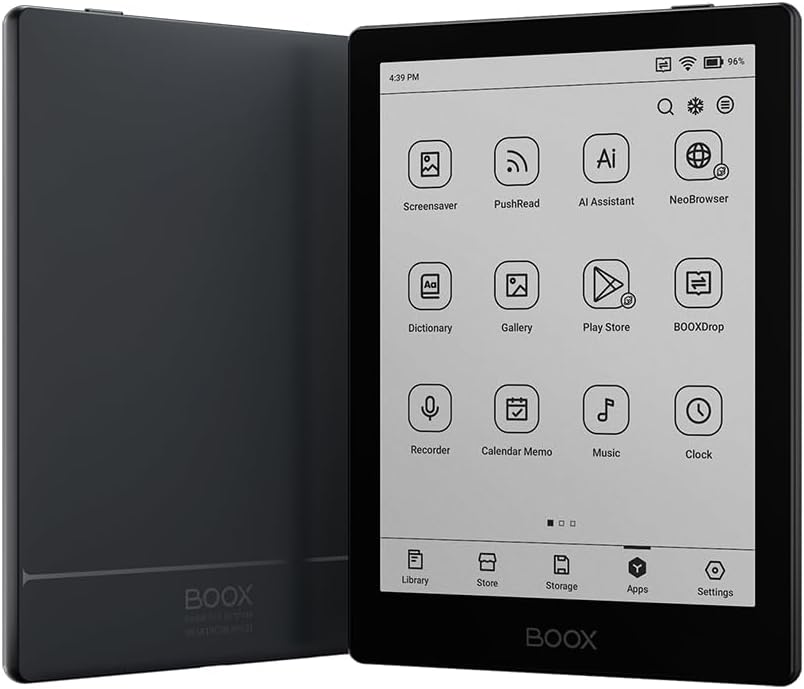
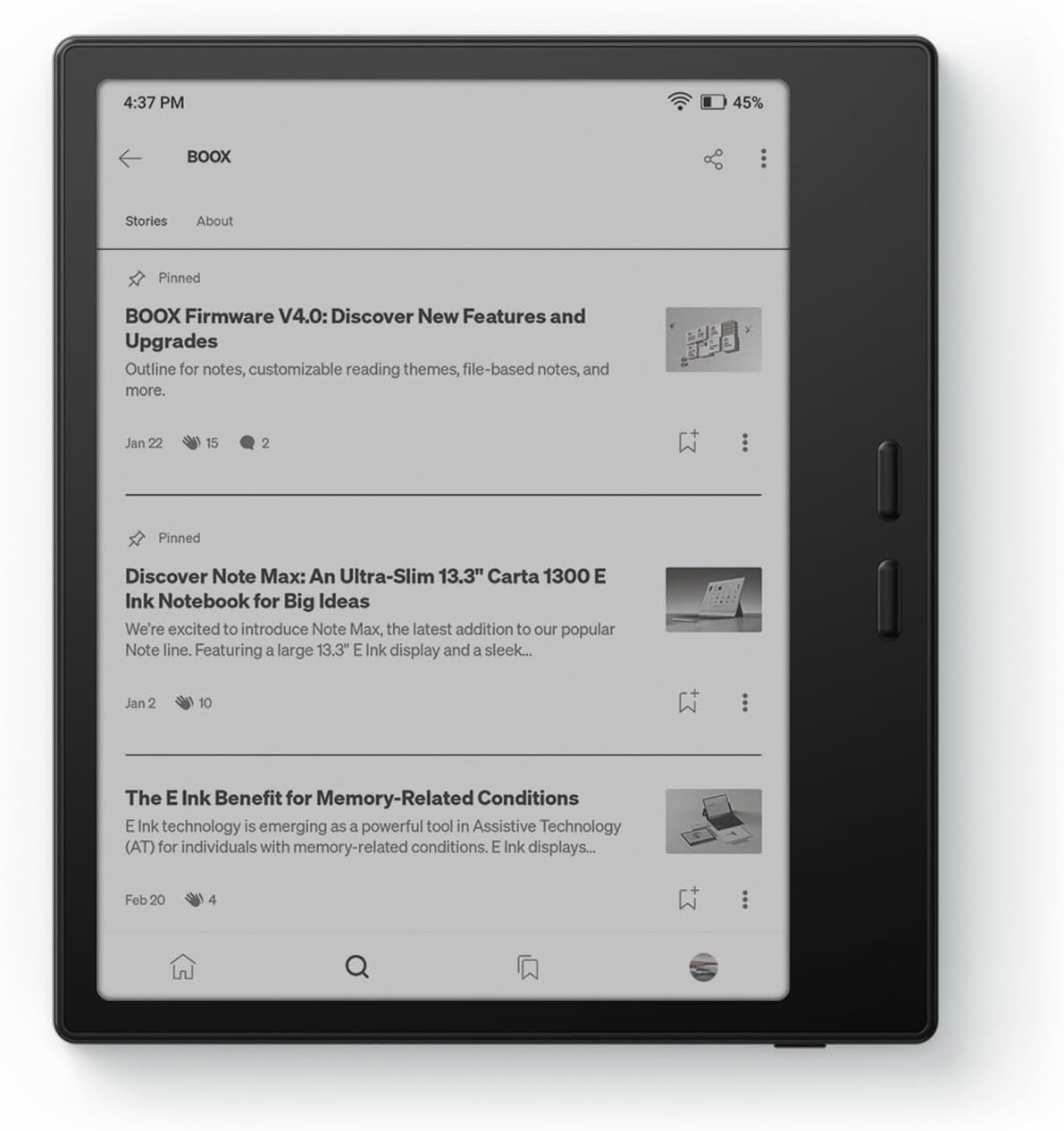
Screen:7″ HD E Ink Carta 1300 glass screen; available in Black (with flat glass cover-lens) and White (with flat PMMA cover-lens)
Resolution: 1680 x 1264 (300 ppi)
Touch: Capacitive touch (supports InkSense stylus touch/optional)
CPU: Octa-core
RAM: 4GB
ROM: 64GB
Connectivity: Wi-Fi + BT 5.1
Front Light with CTM (Warm and Cold)
G-sensor for Auto Rotation
OS: Android 13
Document Formats: PDF, CAJ, DJVU, CBR, CBZ, EPUB, EPUB3, AZW3, MOBI, TXT, DOC, DOCX, FB2, CHM, RTF, HTML, ZIP, PRC, PPT, PPTX
Image Formats: PNG, JPG, BMP, TIFF
Audio Formats: WAV, MP3
Supports 3rd-party apps
Buttton: Power Button, Page-Turn Buttons
USB-C Port (Supports OTG or use as an audio jack)
microSD Card Slot
Built-in Speaker
Built-in Microphone
Battery: 2,300mAh Li-ion Polymer
Dimensions: 156 x 137 x 6.4 mm (6.1″ x 5.4″ x 0.25″)
Weight: Approx. 195 g (6.9 oz)

The E Ink Carta 1300 delivers crisp text and images with 300 PPI, making everything as sharp as if it’s printed on high-quality paper. The flush screen creates modern aesthetics, enhancing sleekness and durability
Get a truly personalized reading experience with our powerful native reading app NeoReader and enjoy a wide range of features tailored to your needs
Effortlessly toggle between white and dark themes. Customize your reading experience for a clean, calming feel or a futuristic, high-tech look. Lose yourself in the text with your favorite vibe
The Word Menu offers a handy toolkit, where you can highlight and annotate text that inspires you, search for information directly, or summon an AI assistant to answer your questions – all within a few taps
Read whenever and wherever with an adjustable front light. It sheds evenly across the screen, gently on your eyes. Choose from white cold light for focused reading or warm amber light for a cozy nighttime ambience

4 reviews for Onyx Go 7 E Ink Tablet 7″ ePaper Readers B/W eReader Digital Paper 300PPI 4G 64G

0.0 out of 5
0
0
0
0
0
Write a review
Show all Most Helpful Highest Rating Lowest Rating
  1. R. Boyd

    It’s Perfect … as long as you understand what it is and is not ….
    If you know what this is … it’s nearly perfect. I read a lot of online content. Some long form some short form some RSS. A Kindle with Amazon’s walled-garden approach simply isn’t the right tool for me. I’ve used a Kindle for years via workarounds, but consistently found myself gravitating to my phone for reading because of all the friction caused by these workarounds.My first day with this device was emotional … I am quite technical and I frankly I was frustrated. That said, much of this frustration was admitedly impatience. I walked away a few times because of it. For the first week of use I’d tackle a “pain point” or two at each sitting. Now … a few weeks later … and this device is very finely tuned for my needs. It’s a pleasure to use it. In other words, expect some pain around setup and initial usage. Expect to need to Google/Redit some solutions for your use case. But, the pain is worth it.Note, I debated between the color and black and white version. I’m really glad I chose the B&W version. While color photos are nice, I’m not a Manga guy so it isn’t really “required”. The quick refresh time, reduced ghosting, higher DPI all make B&W a better choice (in my opinion). When I really need to see something in color, I pull the article up on my phone (I use Readwise Reader for much of my reading so everything is fully sync’d).

    Helpful(0) Unhelpful(0)You have already voted this
  2. pus henige

    I am satisfied!
    I got the black Boox Go 7 bw.This is a good e-reader — I had seen recommendations for Boox products online and I wanted something that was non-invasive that I could just load up with PDFs and other files.So far, this has definitely been what I wanted! It comes pre-installed with an ereader app (although it is like a small android tablet, and you could install others) that plays all formats and you transfer files from your computer using the USB-C charging cable. I keep mine on airplane mode because I don’t really want any fancy connectivity features. I like that I don’t have to sign in or connect to anything to read a PDF. The battery life is good, and the screen had no problems out of the box or after the first week of use.I am a little spooked about stories online of how fragile Boox devices are — I’d hate to accidentally mess up the screen by throwing it in a tote bag with something else too heavy.I bought a protective case for peace of mind – the brand was Tudia and it was designed for the 7 Go Color, but it fit my 7 Go bw perfectly.This is my first ereader experience (besides playing around with others’ Kindles) and I am satisfied. Worth the money especially if it stops me from buying so many physical books.One more thing to add, the Amazon listing I bought from was not “BOOX Official” but another company, KANTAN Technologies. There is nothing to be worried about there. KANTAN shipped very quickly, the product was genuine and undamaged. I actually originally sought out BOOX Official, whose storefront only sold the Go Color (and not the Go bw that I truly wanted) and they never shipped it to me. I canceled it, got a refund, and bought the Go bw from KANTAN — no regrets.

    Helpful(0) Unhelpful(0)You have already voted this
  3. A

    Intermediate E-Reader
    I was looking for an e-reader that could use the Libby app without too many hoops. Having used other products from this company before such as their e-ink monitors, I decided to give this a try. And would you know it, this does, in fact, make it really easy to use the Libby app, since it’s just an app on the Google Play store.A word of caution for folks though: if you’re looking for a simple e-reader, maybe don’t go for this one. I fiddled around with the e-ink and general settings quite a bit before I found a configuration I liked. Some settings also didn’t seem to work, such as stopping the charge at 80%. I also updated the firmware once and noticed some settings missing after I’d already configured them, so I’m not sure if I just got lucky and my configs are all good or if they would’ve ended up messed up with no way for me to fix them. Basically, if you’ve interacted with any sort of Android tablet then you should be fine navigating the Onyx Go, but otherwise go for a simpler e-reader like a Kindle or Kobo. Because of these minor firmware issues I took this down a star, given that they could potentially cause headaches for people.Other than the OS though, I’m pretty happy with this device. The battery life is pretty good; I can go four to five days without charging after reading several hours each day. The build quality is also nice, and the actual screen itself is easy to read on, being not too small of a size.

    Helpful(0) Unhelpful(0)You have already voted this
  4. Eric.

    Super convenient
    Really cool little eink touchscreen ereader. Read some forums to find one I would like and this one is it. Fast for an ereader too, surprising. Solid quality and im reading more than before, so that’s a win.

    Helpful(0) Unhelpful(0)You have already voted this

    Add a review

    Your email address will not be published. Required fields are marked *

    Onyx Go 7 E Ink Tablet 7″ ePaper Readers B/W eReader Digital Paper 300PPI 4G 64G
    Onyx Go 7 E Ink Tablet 7″ ePaper Readers B/W eReader Digital Paper 300PPI 4G 64G

    $249.99

    bestdealsavvy.com
    Logo
    Compare items
    • Total (0)
    Compare
    0
    Shopping cart