GuliKit ES Fastest Wireless Controller – Hall Anti-Drift&Anti-Snapback Joysticks, Lowest Wireless Latency 3.25ms, Compatible with PC/Switch/Android/Switch 2 Wake-up,30h Battery, Gyro&Turbo for FPS

Add your review

$24.99

$24.99


Note: Prices may fluctuate as sellers adjust them regularly. You'll see the latest price at final checkout.
Add to wishlistAdded to wishlistRemoved from wishlist 0
Add to compare


Product description

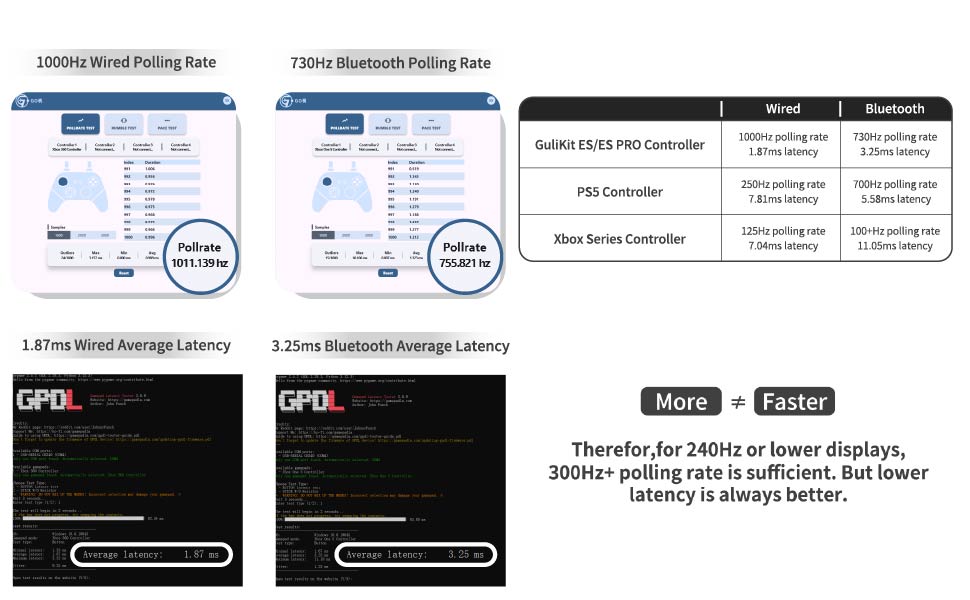
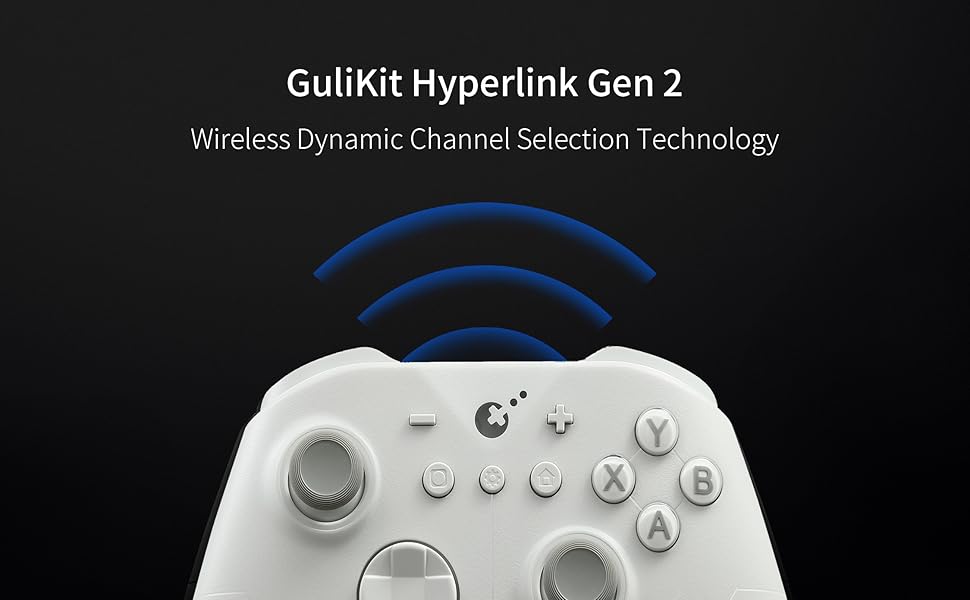
The fastest wireless controller by bluetooth
GAME CONTROLLERGAME CONTROLLER

game controllergame controller

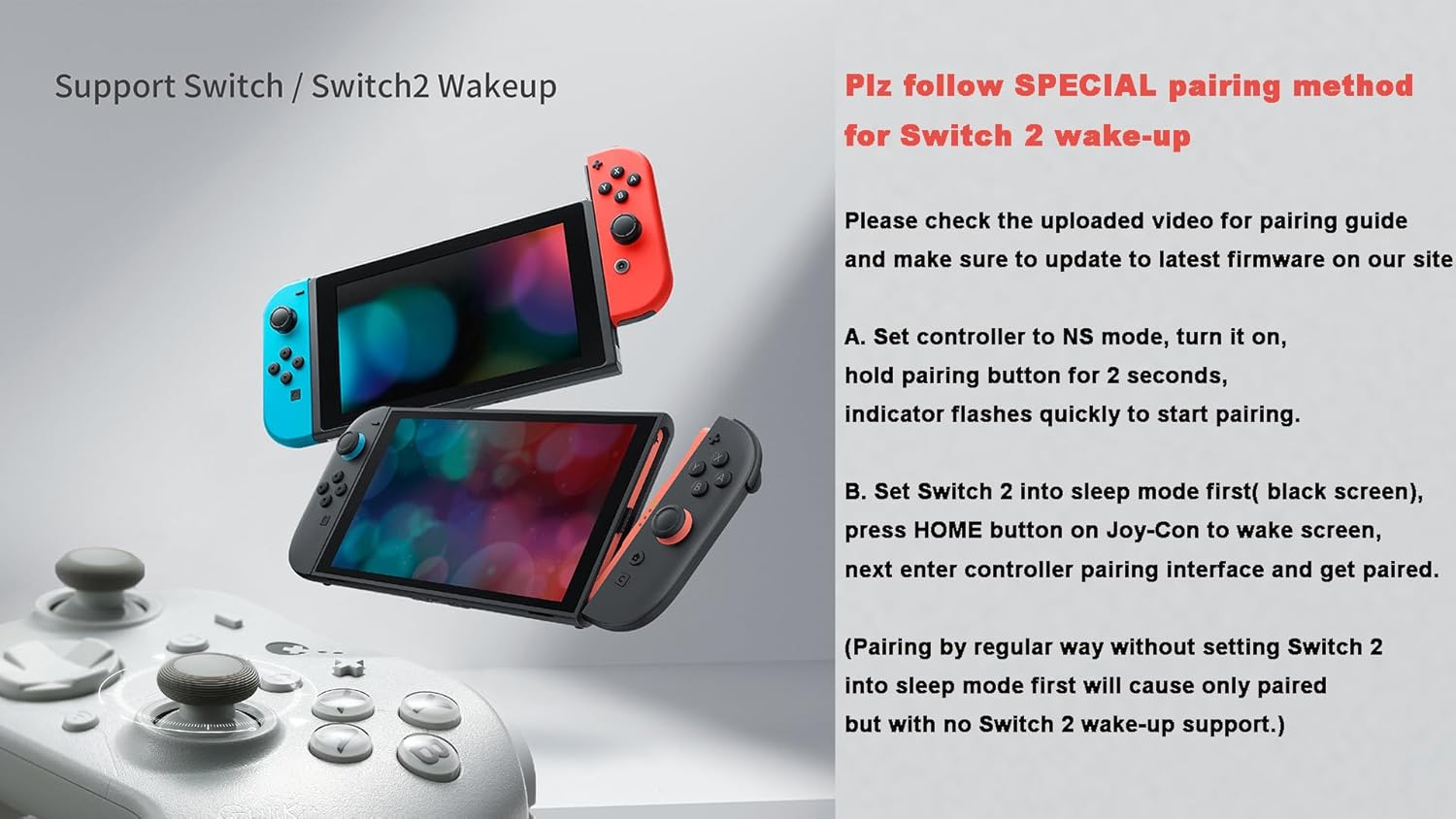
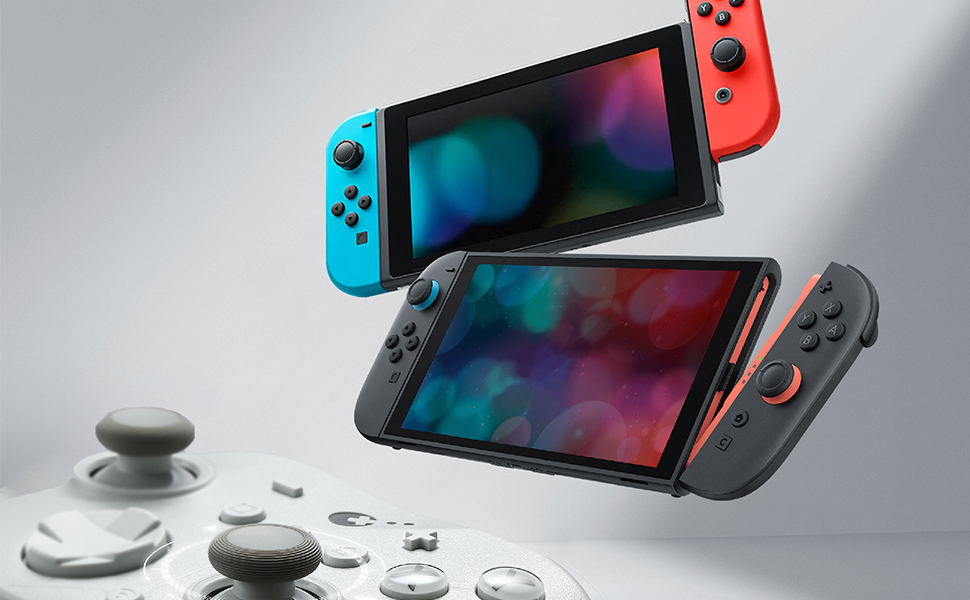
Support Switch 2 wake-up–the first third party can make it!
game controllergame controller

NOTE: Please follow SPECIAL pairing method for Switch 2 wake-up

Please check the uploaded video for pairing guide and make sure to update to latest firmware on our site.

A. Set controller to NS mode, turn it on, hold pairing button for 2 seconds, indicator flashes quickly to start pairing.

B. Set Switch 2 into sleep mode first( black screen), press HOME button on Joy-Con to wake screen, next enter controller pairing interface and get paired. (Pairing by regular way without setting Switch 2 into sleep mode first will cause only paired but with no Switch 2 wake-up support.)
GAME CONTROLLERGAME CONTROLLER

GAME CONTROLLERGAME CONTROLLER

Offer 256-level hall effect triggers

These triggers offer 256 pressure levels, providing precise control that adapts to your every move. They are ideal for games that demand fine-tuned inputs

game controllergame controller

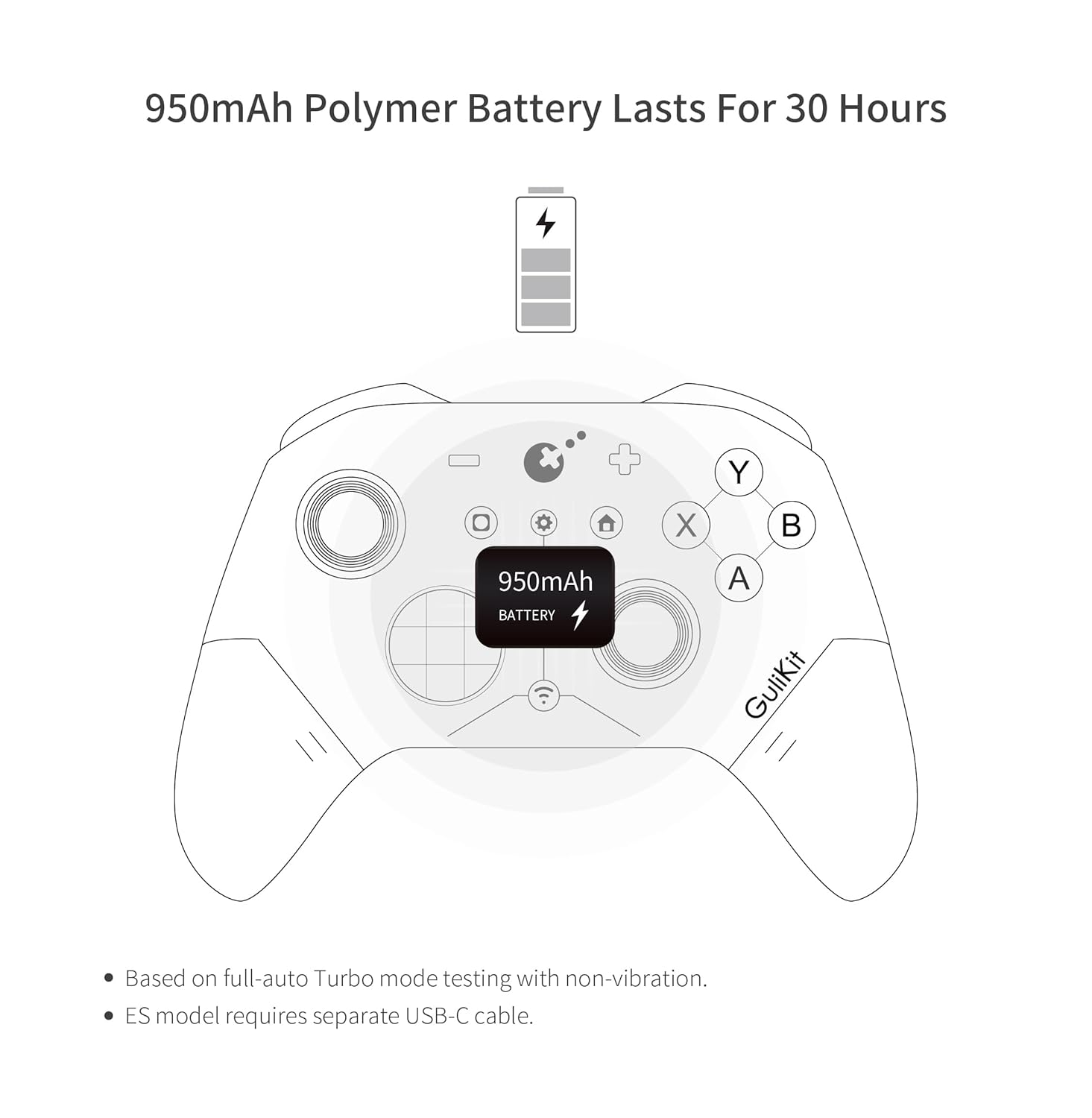
Provides 30 hours of battery life

Elves 2 controller offers up to 30 hours of battery life, ideal for long – use without frequent recharges. Perfect for travel, work, or all – day adventures.

game controllergame controller

Support Multiple Platforms

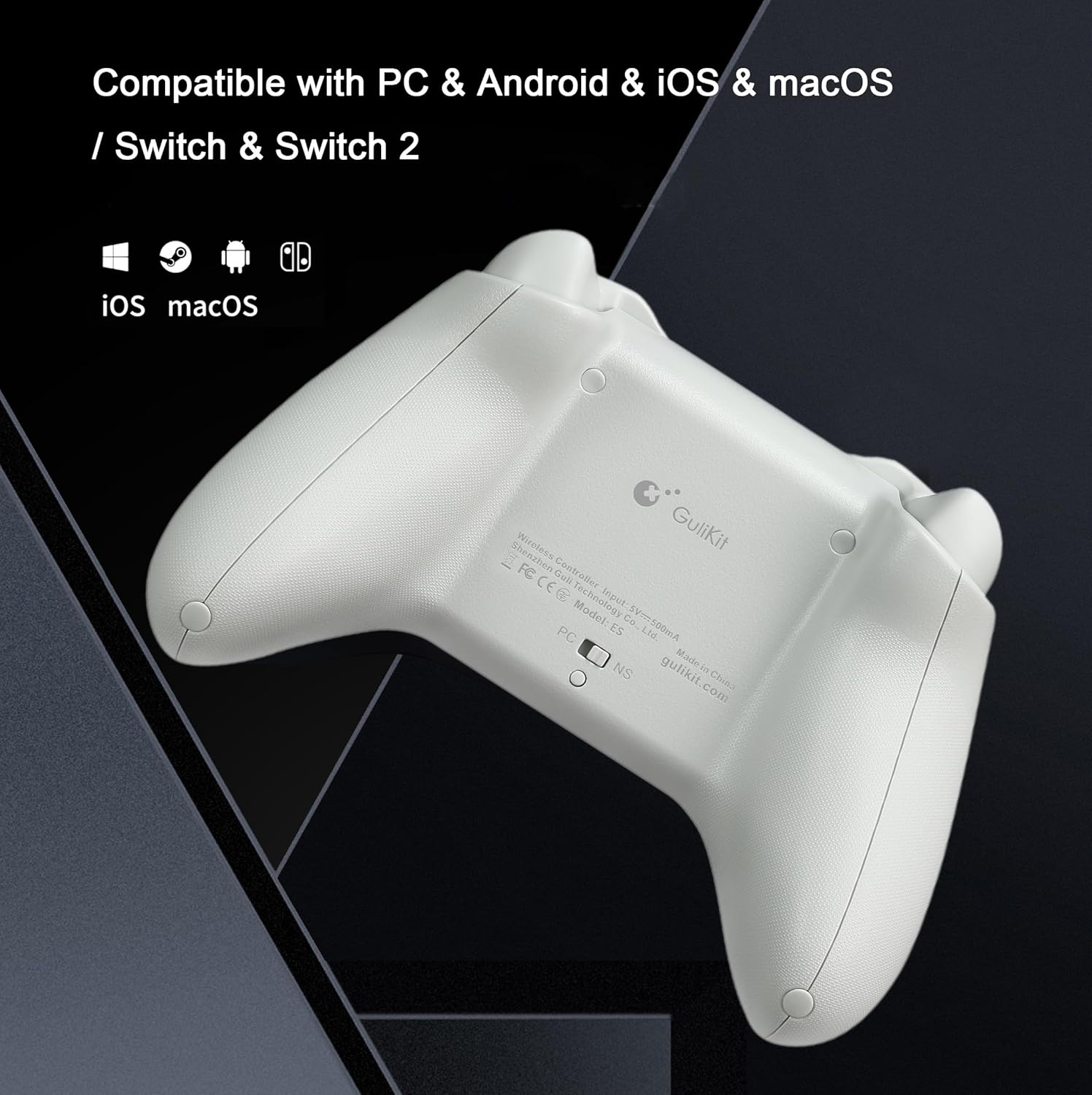
Support Windows,Switch 2,Switch,Switch Lite,Switch OLED,Android,iOS,macOS,Steam Deck,ROG Ally/X, providing seamless compatibility and versatile gaming experiences across different devices.
pc controllerpc controller

Q&A

1.Q: Why some Windows computer can’t retains its pairing relationship with the ES/ES PRO controller?

A:a. This is most likely due to a problem with the computer’s Bluetooth settings.

First, update the Bluetooth driver and reset the Bluetooth settings to factory settings. If that doesn’t work, check to see if your computer is using a third-party Bluetooth filter driver that’s preventing it from remembering the previous controller connection.

b.Our ES Pro controller will only remember the last device used in the same mode(PC or Switch). If you first connected the controller to Windows and then used the controller to connect to an Android phone. The connection between the controller and the computer will be disconnected.After using the phone to play games, they need to re-pair the controller if they want to use it with the Windows computer again.

2.Q: How to improve the accuracy of shooting games?

A: The ES Pro controller’s joystick supports three levels of sensitivity adjustment, allowing you to adjust it to your desired setting based on your gaming needs. It also supports PC motion aiming, helping you aim. Please note that you must update your firmware to the latest version to fully utilize this feature.

3.Q: How many levels of vibration intensity can be adjusted?

A: There are three levels: strong, standard, and weak.

4.Q: What is the ABXY layout of our ES PRO controller?

A: Our original ES PRO controller uses a PC layout. We will be releasing a new Switch layout replacement in October of this year.

Add to Cart

Add to Cart

Customer Reviews

4.0 out of 5 stars 177

4.0 out of 5 stars 177

Price

$24.99$24.99 $29.99$29.99

Compatibility
Windows,Switch,Switch 2,Android,iOS Platforms, Wired & Wireless Connection. Windows,Switch,Switch 2,Android,iOS Platforms, Wired & Wireless Connection.

Joysticks
Anti-drift Hall effect joysticks Anti-drift TMR joysticks

Polling rate
1000Hz wired/730Hz Bluetooth 1000Hz wired/730Hz Bluetooth

Switch 1/2 wakeup
YES YES

Motion control on Switch /Switch 2
YES YES

PC motion aim control
NO YES

Joystick sensitivity adjustment
NO YES

D-pad 8-direciton/4-direction swap
NO YES

Non-physical button function swap between PC-layout and Switch-layout
NO YES

Comes with a USB-C cable
NO YES

WORLD FASTEST WIRELESS SPEED:GuliKit Hyperlink 2 wireless tech delivers ultra-low latency—3.25ms (730Hz) Bluetooth on PC and 1.87ms (1000Hz) wired—offering world-class speed and e-sports-level responsiveness on PC,Switch & Android.
INSTANT SWITCH 1 / 2 WAKE-UP: Supports Switch 1 / 2 with wake-up capability. Make sure to follow SPECIAL pairing method for Switch 2 wake-up: A. Set controller to NS mode, turn it on, hold pairing button for 2 seconds, indicator flashes quickly to start pairing. B. Set Switch 2 into sleep mode first( black screen), press HOME button on Joy-Con to wake screen, next enter controller pairing interface and get paired. (Pairing by regular way without setting Switch 2 into sleep mode first will cause only paired but with no Switch 2 wake-up support.) Please check the uploaded video for pairing guide and make sure to update to latest firmware on our site.
NOW FEATURING ANTI-SNAPBACK JOYSTICKS MODE: Prevents unwanted turnaround for Super Smash Bros. Ultimate players when the stick returns to center. How to activate: Press the HOME button and the Screenshot button simultaneously. When the controller vibrates twice, it enters Anti-Snapback Mode.
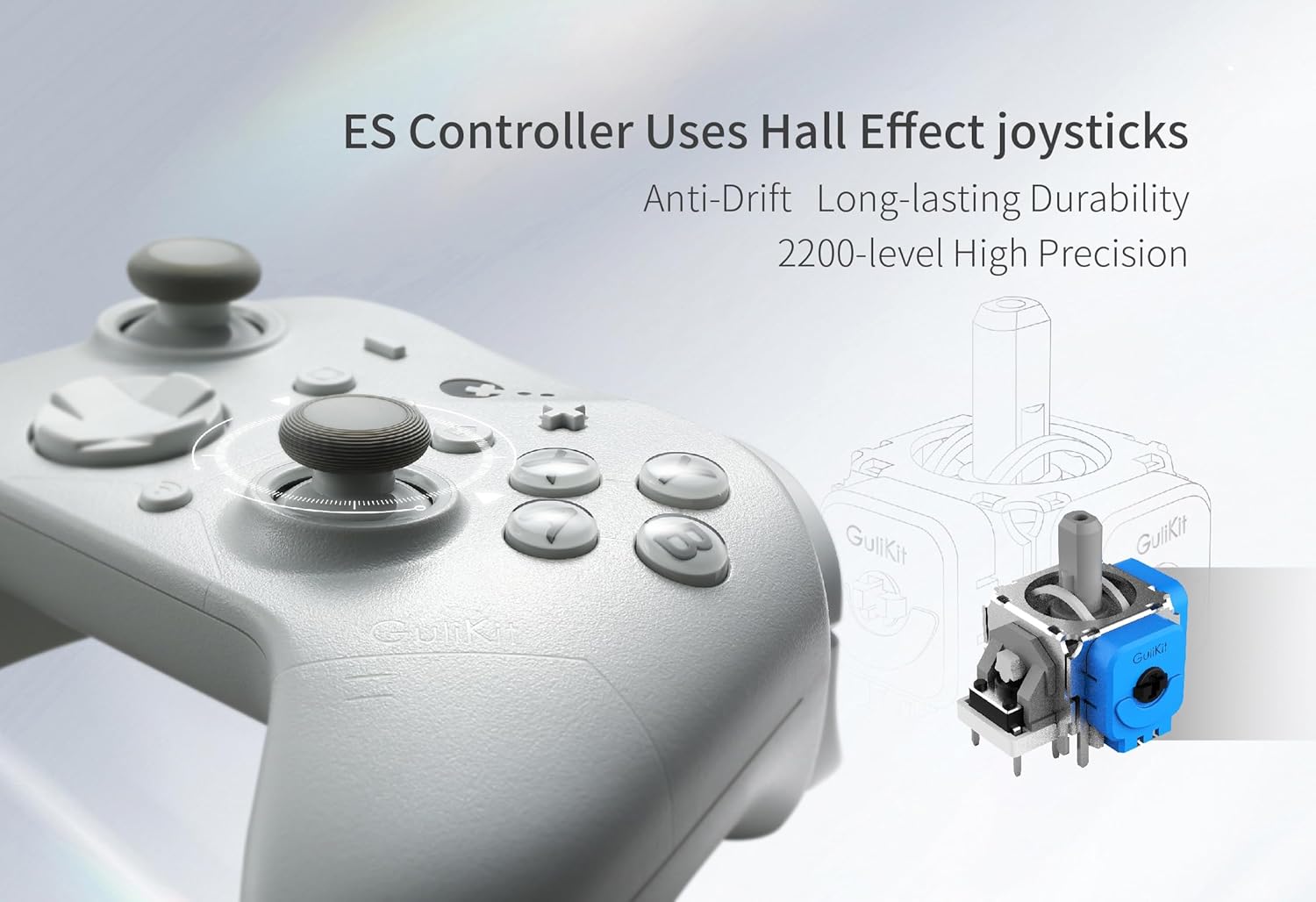
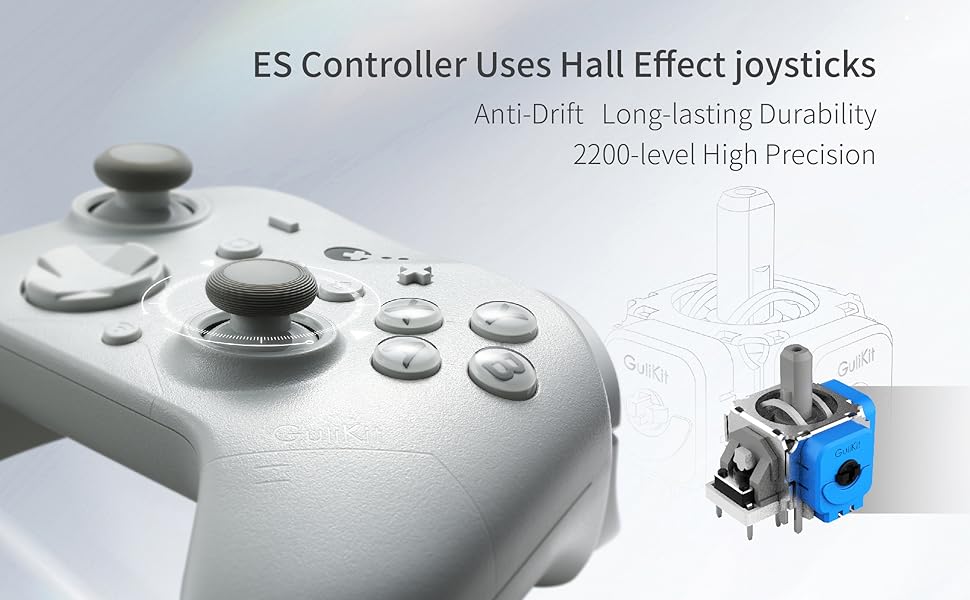
HALL EFFECT JOYSTICKS & TRIGGERS: Using GuliKit leading-edge Hall Effect electromagnetic thumbsticks, this gamepad delivers anti-drift long-lasting durability and exceptional 2200-level high precision control. 256-level Hall Effect triggers deliver superior precise analog response.
ACROSS YOUR DEVICES: Compatible with PC Windows,Switch 2,Switch,Switch Lite,Switch OLED,Steam Deck,ROG Ally/ROG Ally X,Android,iOS,macOS(Pairing with Android, iOS, and macOS in PC Mode on the back of the controller). Switch modes instantly with a single press—perfect for multi-platform gaming.
LONG-LASTING RECHARGEABLE BATTERY: With a 950mAh battery, you get up to 30 hours of usage with minimal standby drain. The controller recharges quickly, and an auto-sleep function after 15 minutes of inactivity helps conserve power and extend battery life.
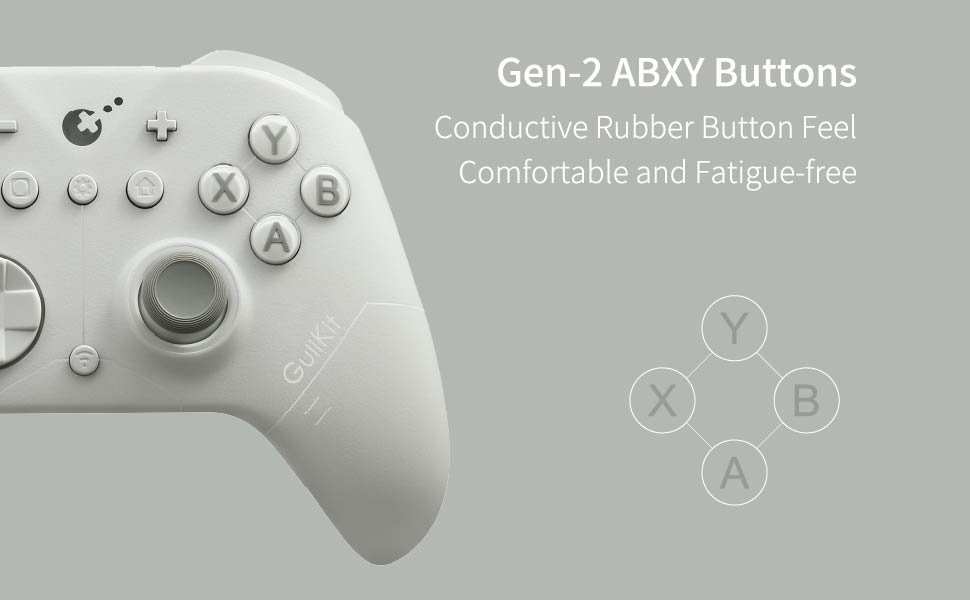
ADVANCED CUSTOMIZABLE FUNCTIONS: Supports vibration adjustment,Turbo,6-axis gyroscope motion control on Switch,joystick dead-zone on/off and physical ABXY SWAP(switch keycaps not included). Customize directly on the controller or via GuliKit’s web tool.

8 reviews for GuliKit ES Fastest Wireless Controller – Hall Anti-Drift&Anti-Snapback Joysticks, Lowest Wireless Latency 3.25ms, Compatible with PC/Switch/Android/Switch 2 Wake-up,30h Battery, Gyro&Turbo for FPS

0.0 out of 5
0
0
0
0
0
Write a review
Show all Most Helpful Highest Rating Lowest Rating
  1. Amazon Customer

    Outstanding controller, especially for the price. I will buy another one.
    My new favorite controller!Yeah, I did notice similar issues to the other complaints here.1) It arrived with a really old version of firmware. I had to upgrade it to the latest version of firmware right away.2) Yeah, there is a little too much rattling inside the controller when it vibrates strongly, but I don’t find it bothersome. I only noticed it because I read the review complaining about it before I bought it.3) It lost its pairing when I tried to use a second controller (different brand, 8Bitdo) at the same time. It took a while to figure out how to get them both paired at the same time. This could be Windows 11’s fault, not either controller’s fault.Good things about this controller:a) I really love the ability to lock the D-pad to 4-way only. HUGE benefit for games that rely on precise D-pad inputs such as HellDivers 1 and 2b) The controller lasts much longer on a charge than my other 8Bitdo controller and it also charges very quickly. This is even with lots of rumble vibration.c) I like the extra buttons in the middle that the genuine XBox One S|X controller doesn’t have. Placement is a bit awkward because there are so many buttons, but it is worth the trade-off.d) I really like the rough finish. Great for sweaty hands.e) Cost is a lot lower than the first party controllers and many 3rd party controllers.f) I really like the instant power off button that turns it off right away–you don’t have to hold it down for X seconds. Very clever design.UPDATE:If you encounter the issue where a button stops working or the stick seems to be stuck in one direction, turn off the controller and turn it back on WITHOUT TOUCHING ANY CONTROLS. The controller seems to check itself when turned on, and if you are holding down a button, it will not recognize that button until you restart the controller. Yeah, it’s kinda hard not to fiddle with the controls while you turn the controller on, but resist the urge and it will boot itself up properly.I’ve been using this controller daily for just over 6 weeks now; it works great.

    Helpful(0) Unhelpful(0)You have already voted this
  2. Ricardo Montes

    Great controller
    Looks very good, feels nice, easy to use. It does feel slightly less quality, triggers are very soft and don’t click that’s why I gave 4 and not 5 stars. Other than that it is a great looking controller

    Helpful(0) Unhelpful(0)You have already voted this
  3. Atenas R.

    Excellent controllers
    The Gulikit ES Pro controllers are fantastic. They feel well made and work flawlessly right out of the box. They are a bit on the lightweight side, which surprised me at first since I usually prefer heavier controllers, but I’ve actually come to appreciate it. The lighter weight really helps reduce hand and wrist fatigue during longer gaming sessions.I bought two of them, one for me and one for my husband, and we’ve both been very impressed. The battery life is incredible and seems to last forever compared to other controllers we’ve used. We rarely have to think about charging them.Overall, these are high-quality, reliable controllers with great performance and comfort. If you are looking for a controller with excellent battery life and smooth, dependable operation, these are a great choice.

    Helpful(0) Unhelpful(0)You have already voted this
  4. David V

    Switch 2 wake up feature works
    UPDATE: I have had this controller for about 2 and a half months. The rumble and vibration are starting not to work. It was strong at first and now I can barely feel the vibration. As a test, I played the same mini game in the same game to make sure. I have changed the vibration intensity as well and nothing. I would give the controller 1 star, but the switch 2 wake up feature still works. So, that’s nice. Will not recommend this controller though. ***I got this controller a couple of days ago. I charged it to 100% when I got it after I updated the firmware. The battery seems to last pretty long. I was able to get the switch 2 wake up feature to work, so I’m definitely happy with this purchase. Not to mention it feels pretty sturdy and well made. A bargain for the price.

    Helpful(0) Unhelpful(0)You have already voted this
  5. Garry C.

    Serious contender for budget controller of 2025
    I very much liked both the Gulikit Elves 2 Pro and the Gulikit KK3 Pro as a lower cost alternative to the KK3 max. One of the things I liked the most about both controllers is the number of adjustments you can make on the controller alone without the use of separate software. Because the GuliKit ES Pro also has a large number of adjustments you can make on the controller all at a $30 price point, I knew I had to order it when it dropped below $24 during Amazon Prime Black Friday week.The Gulikit ES Pro came in all black in a rather small box, with a nice sized foldout manual and a short USB-A to USB-C cable. What I did not expect was the company reaching out to me through Amazon and sending me instructions on connecting the controller and activating the wake up feature on the Switch 2, along with a suggestion to update the firmware at their website, and a pdf file of the manual. Very nice of them. Based on previous experiences, if you update firmware on a controller, I suggest you always use only the cable that comes with the controller. I was able to download the latest version of the V3.4 firmware from 11/05/25 and update the controller with no problem following the instructions at the website. For a full list of the firmware improvements visit the GuliKit website. There is a switch on the back of the controller to switch between XInput (PC) and Switch (NS) modes, along with a small button below the switch used to turn the controller off.The Gulikit ES Pro weighs 7.96 ounces compared to the Xbox Series X/S controller which is 10.46 ounces. It has a very fine matte finish on the grip tops, while the grips underneath have a slightly rougher texture. It is very similar to the size of the Xbox Series X/S controller and feels nice in the hand and is very comfortable to hold. There are no extra buttons or RGB lights as this is a budget controller designed to simply give you the best performance without a lot of extras. That being said, as mentioned earlier it still has a number of settings you can adjust using only the controller without any extra software.It has the ability to calibrate both sticks and the triggers, as well as the gyroscope function using only the controller. It has both auto and manual turbo. It has 6-axis gyro motion controls on the Switch and it can wake the Switch and Switch 2. You can also adjust vibration intensity, (weak, standard (Default), strong or off), turn Dead Zone Mode (on or off, adjust joystick sensitivity (50%, 100%, 150%), D-pad 8-way or 4-way, ABXY button swap, and turn Motion Aim Assist on or off for PC games.Vibration: 3 levels of vibration, weak, standard (Default) and strong not including off, all of which can be changed using only the controller.Battery: 950mAh with up to 30 hours of game play with vibration set to minimum. It takes 2-3 hours to fully recharge the battery.TMR Sticks: The tops of the sticks are slightly concave with rough edges. They are very responsive, and the tops feel very nice for a controller of this price. In addition, there are 3 levels of sensitivity you can choose from on the controller, 50%, 100% and 150%. With the GuliKit KK3 Pro, in the online Gamepad Tester the circularity error rate for both sticks was a perfect 0.0% which is what you get at the 100% medium sensitivity. With the GuliKit ES Pro it was not quite that perfect, but still very good at about 4.0% for each stick. If if you turn that up to 150% sensitivity you get more of a square or raw response gate.D-pad: It has the closest feel and shape to the D-pad on the standard Xbox X/S Series controller I have come across, but less noisy and easier on the thumb with about the same amount of tactile feedback with mechanical switches underneath where most controllers at this price compromise on the D-pad. It was also very easy to hit diagonals. If you like the Xbox D-pad, you will like this one as GuliKit has done a great job of duplicating it. It’s not my favorite D-pad, but it’s very good especially for a controller at this price. At Street Fighter 2, I much prefer the D-pad on the GuliKit Elves 2 Pro, or even the cross D-pad on the GuliKit KK3 Pro which has more movement. But for 2D platformers it performs just fine although it may not be the most comfortable to use for long periods.Buttons: Despite being membrane underneath, the face buttons on this controller feel great, have a fairly short travel distance, and the Gamepadla testing site says they have some of the lowest latency of any controller face buttons. The shoulder buttons are smooth, have a short throw, have mechanical switches underneath, are responsive and are fairly quiet. The triggers have a nice texture on the bottom half, and are both responsive and comfortable to use.Function buttons: -, +, Capture, Setting, Home, and Pairing buttons are raised up just the right amount and all work just fine.PC performance:Left stick polling rate and latency numbers using Gamepadla’s Polling2.exe 2.0.1.4 software:3 samples taken with the best results shown for each connectionUSB (Wired)XInput (PC): 992.06 Hz polling rate 1.01 ms median latency 3.32 ms max latency jitter 0.41 msSwitch (NS): (Unable to test)BluetoothXInput (PC): 788.64 Hz polling rate 1.27 ms median latency 4.70 ms max latency jitter 0.60 msSwitch (NS): 402.74 Hz polling rate 2.48 ms median latency 5.16 ms max latency jitter 1.07 msBased on Polling2.exe, I got 992.06 Hz polling rate wired in XInput mode with very low latency and jitter. Wired is the best way to go with this controller but you still get very low latency and low jitter when connected wireless over Bluetooth especially using PC mode. The highest Bluetooth polling rate I have come across on any controller.Press the Home button on the controller to turn it onLong press the Home button for 10 seconds to turn the controller offor press the small button on the back below the switch mode switchGulikit ES Pro connections tested and working:PC: Wired, BluetoothSwitch: Wired, BluetoothAndroid 14 Smartphone: Wired, BluetoothAndroid 11 Onn tablet: Wired, BluetoothFireTV Cube (2nd Gen) (Fire OS7 – Android 9): Wired, BluetoothBrook PS2 Converter (PS2 Connection): (Latest v1.2.7.4 firmware) Wired (PC mode), Bluetooth (NS mode)Brook XB2 Converter (Xbox 360 Connection): (Latest v1.2.3.2 firmware) Wired (PC mode), Bluetooth (NS mode)Pros: Over 990 Hz polling rate in XInput mode on the PC wired with very low latency and low jitter with very good numbers over Bluetooth as well, TMR sticks, hall effect triggers, 6-axis motion controls, wakes the Switch and Switch 2, customization options using only the controller including stick dead zone, 3 stick tensions, D-pad 8-way/4-way switch, ABXY button swap, works on almost anything including the Brook convertersCons: No extra buttons, no trigger stops, no RGB lightsGuliKit has created the perfect replacement controller for the Xbox Series X/S at half the price. It feels only slightly less premium than the KK3 Pro. It is lighter, its buttons are quieter and more responsive, and its Bluetooth response blows away the Xbox Series X/S. It’s a crazy good value if you want a low cost controller that outperforms almost all of its higher priced competitors in responsiveness if you don’t need back buttons, trigger stops or RGB lights. And if you mainly connect over Bluetooth, you won’t find a more responsive controller at any price. It has to be in the running for the budget wireless controller of 2025.

    Helpful(0) Unhelpful(0)You have already voted this
  6. JG

    They mention several times that this controller is compatible with MacOS, both on this page and their website. It is not. It is virtually impossible to wade through the trash online to find out how to actually install the drivers on Mac for this to work via bluetooth (they don’t work, AND you can’t uninstall them). It doesn’t even work when you plug it in. I shouldn’t have to have a computer science degree just to figure out how to play with my silly little digital toys.

    Helpful(0) Unhelpful(0)You have already voted this
  7. Raziel

    Un mando totalmente defectuoso, no funciona correctamente ni en nintendo switch 2 no en PC, la conexión inalámbrica se desconecta cada 3 segundos y no reconoce las acciones es imposible jugar con el, ya se actualizo el firmware pero el problema persiste

    Helpful(0) Unhelpful(0)You have already voted this
  8. George

    First things first, patch up the controller to the latedt firmware which is V3 at the moment. Then do the normal sync with switch 2. If you sync to switch 2 without the patch, it will not wake up and the switch 2 is unable to detect the controller after sleep mode. You need to sync every single time. If this happens, just go to settings then do a disconnect all controllers then just flip the switch to pc then back to NS and try again as per normal.

    Helpful(0) Unhelpful(0)You have already voted this

    Add a review

    Your email address will not be published. Required fields are marked *

    GuliKit ES Fastest Wireless Controller – Hall Anti-Drift&Anti-Snapback Joysticks, Lowest Wireless Latency 3.25ms, Compatible with PC/Switch/Android/Switch 2 Wake-up,30h Battery, Gyro&Turbo for FPS
    GuliKit ES Fastest Wireless Controller – Hall Anti-Drift&Anti-Snapback Joysticks, Lowest Wireless Latency 3.25ms, Compatible with PC/Switch/Android/Switch 2 Wake-up,30h Battery, Gyro&Turbo for FPS

    $24.99

    bestdealsavvy.com
    Logo
    Register New Account
    Compare items
    • Total (0)
    Compare
    0
    Shopping cart