Logitech MX Master 4, Ergonomic Wireless Mouse with Advanced Performance Haptic Feedback, Ultra-Fast Scrolling, USB-C Charging, Bluetooth, Windows, MacOS – Graphite

Add your review

$119.99

$119.99


Note: Prices may fluctuate as sellers adjust them regularly. You'll see the latest price at final checkout.
Add to wishlistAdded to wishlistRemoved from wishlist 0
Add to compare


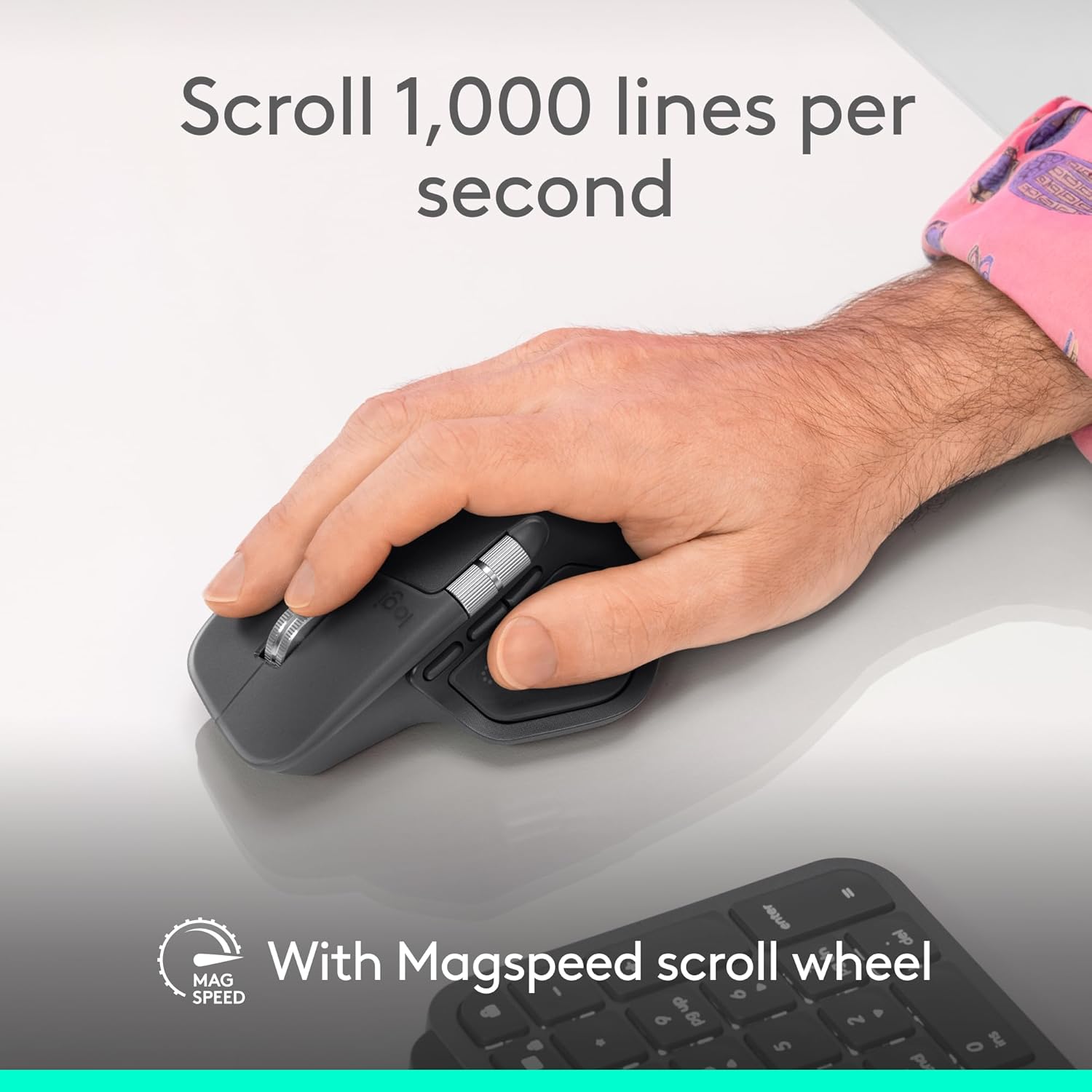
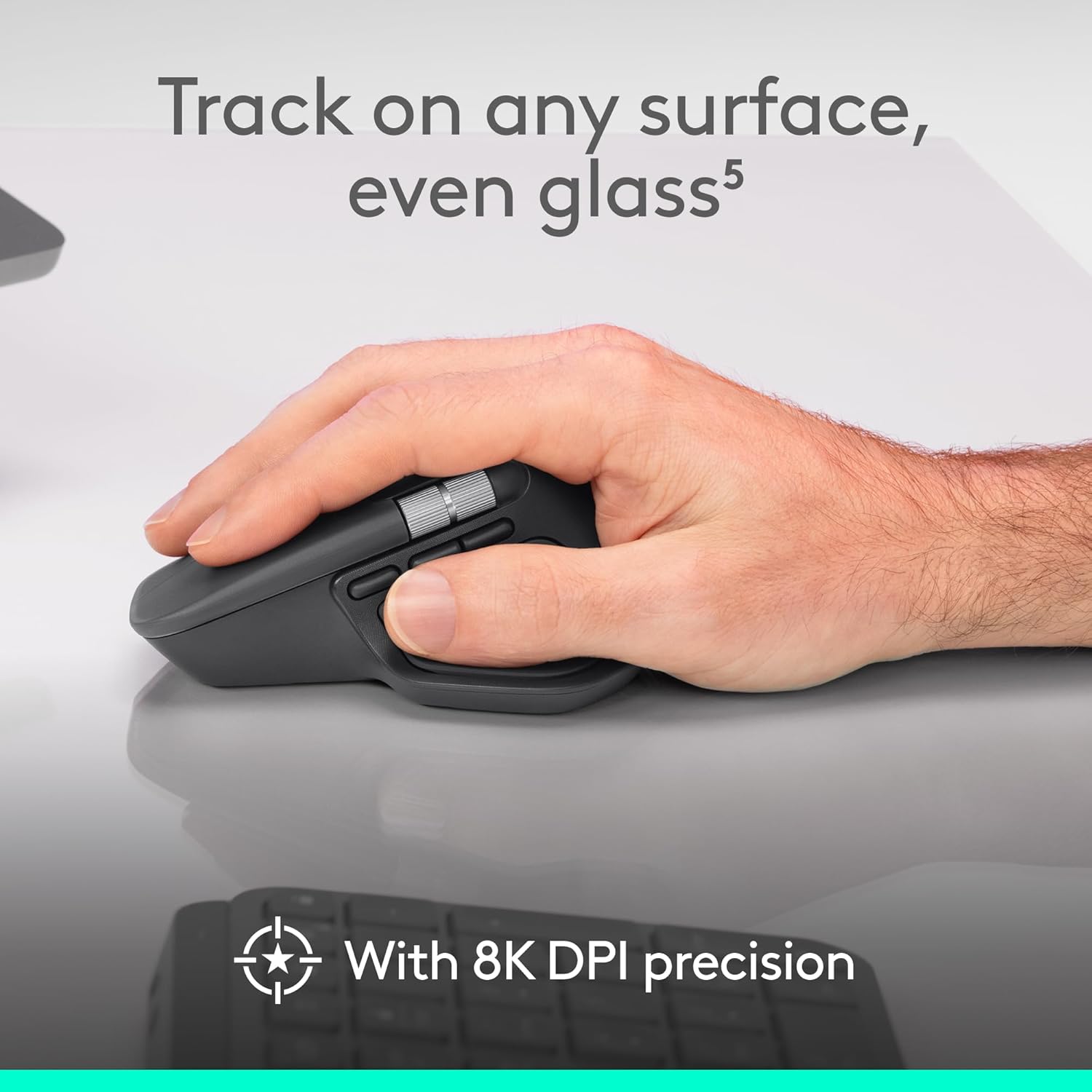
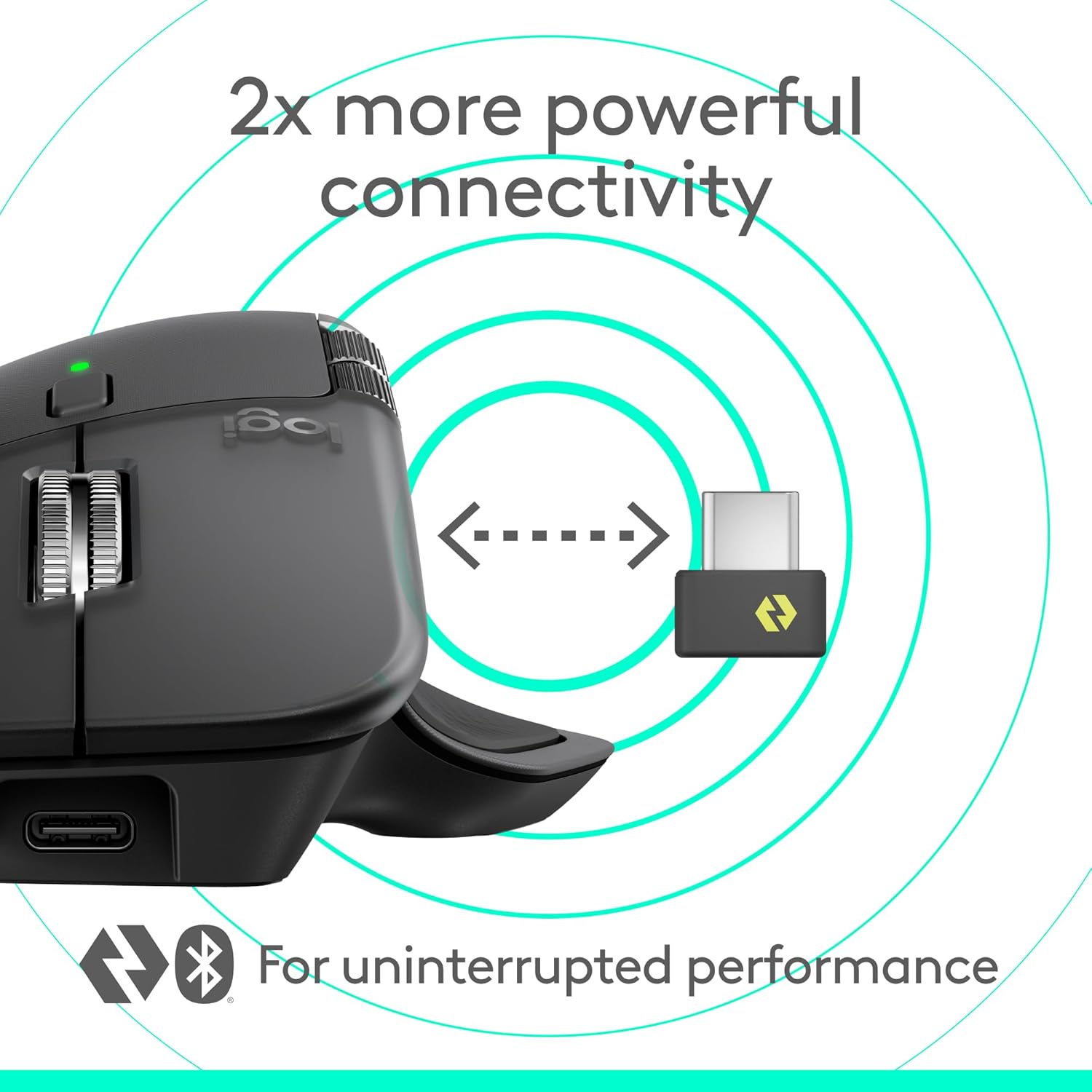
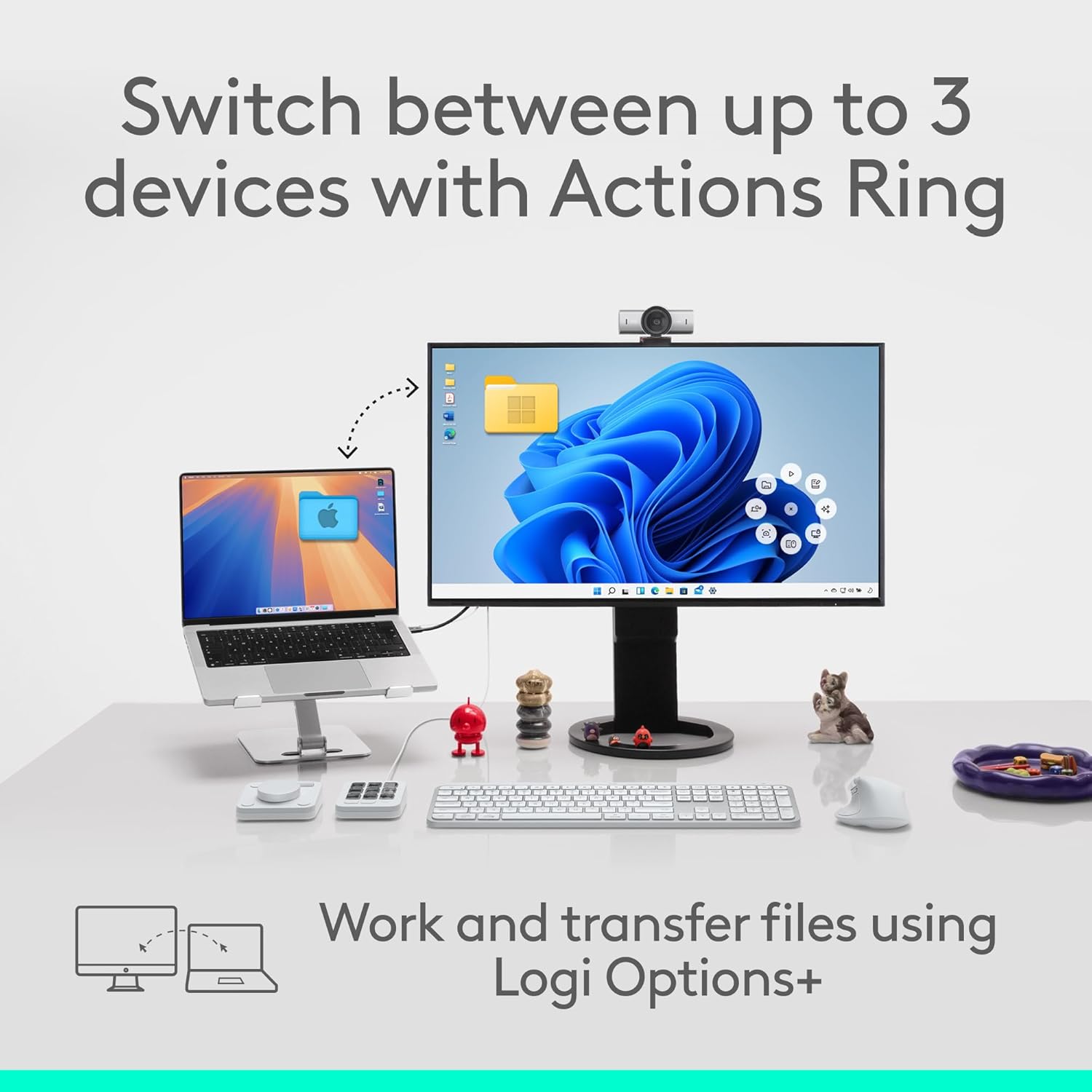
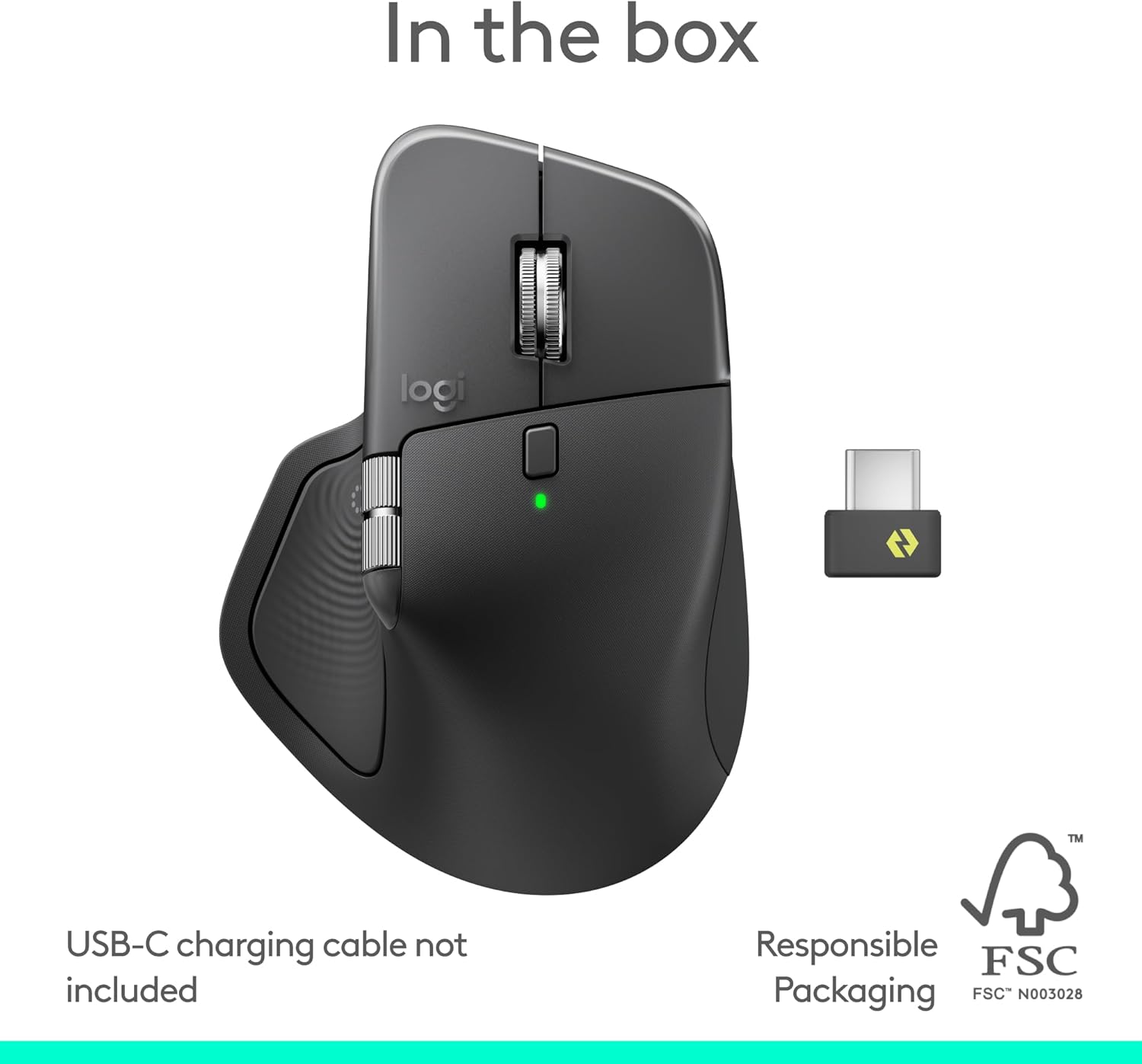
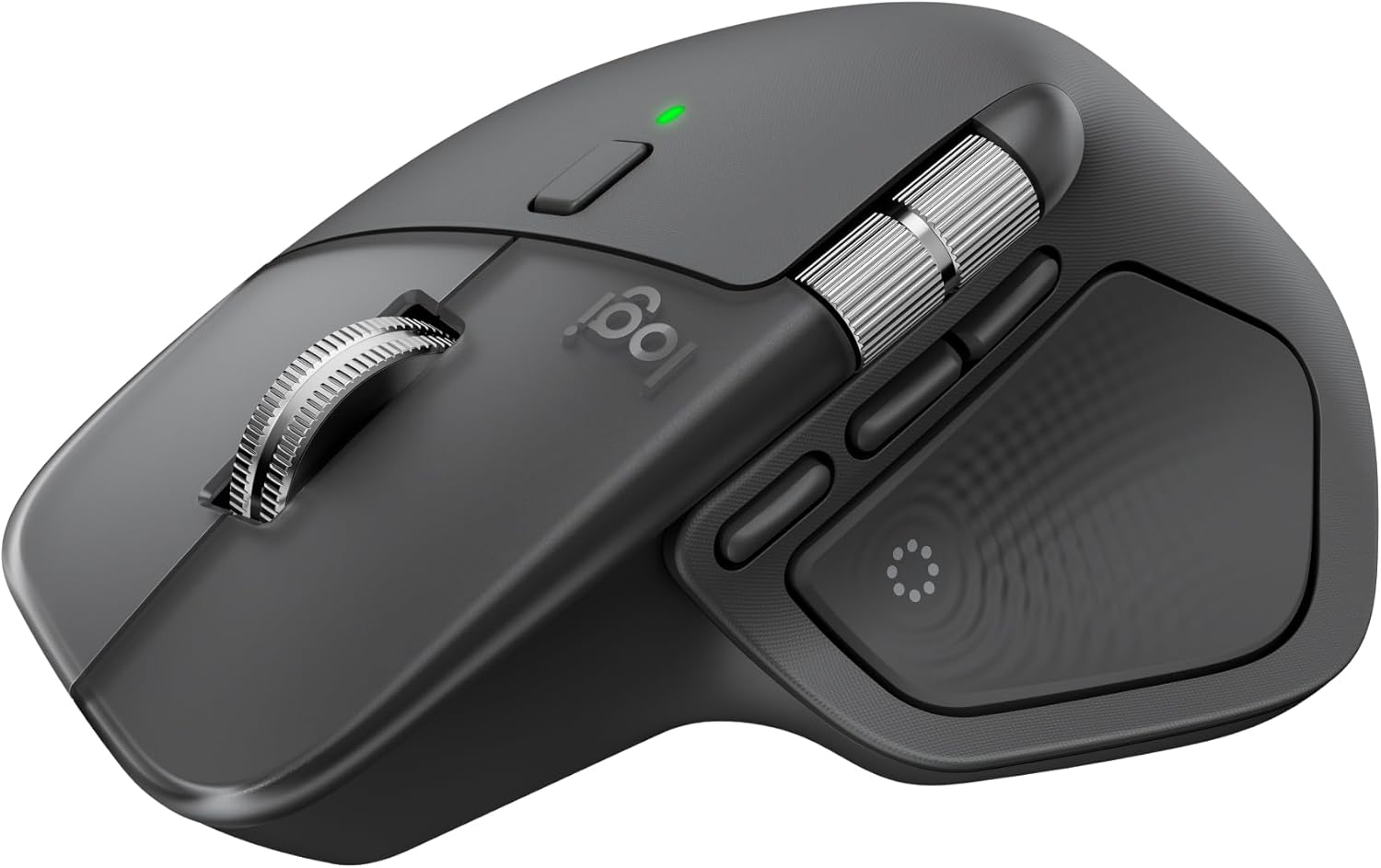
The Logitech MX Master 4 brings immersive control and precision you can feel with haptic feedback. Experience haptic feedback on specific actions, shortcuts, notifications like switching desktops, slider adjustments and more. Customize vibration intensity with Logi Options+ (1). With Actions Ring shortcuts and MX Master 4, save up to 33% of your time (2) by accessing tools and filters at your cursor and reducing repetitive movements by up to 63%. (2) Experience uninterrupted performance with 2X more powerful connectivity, powered by an advanced radio chip, optimized antenna placement, and a new USB-C dongle. (7) Scroll 1,000 lines per second with Logitech’s fastest MagSpeed wheel, switching between hyper-fast and pixel-perfect scrolling for ultimate precision. The 8k DPI sensor tracks on any surface—even glass. (5) Designed for comfort, it keeps your hand in a natural posture, and quiet clicks that reduce noise by 90% (8). Stay powered up with up to 70 days of battery life, plus three hours of use from a one-minute charge, charging cable not included (10). Built sustainably, it incorporates recycled materials: plastic parts include recycled plastic – 54% Space Black; 48% White Silver (12); 100% recycled cobalt in the battery; Built to last with improved stain resistance (7) Compatible with Windows, macOS, Linux, Chrome OS, iPadOS, and Android. Requires Logi Options+ app for advanced customization.
Precision you can feel with the Haptic Sense Panel; customizable (1) haptic feedback on specific actions, shortcuts, notifications enhancing productivity on this wireless Bluetooth mouse
Effortlessly access favorite tools with Actions Ring (2) on this MX Series mouse—a dynamic, customizable overlay adapts to each app, placing most used filters, adjustments, and shortcuts at your cursor
Scroll 1,000 lines per second and stop on a pixel with the MagSpeed scroll wheel—Logitech’s fastest (3), quietest, and most precise (4) scrolling experience
Enjoy 2X more powerful connectivity (7) with a USB-C dongle, advanced radio chip, and optimized antenna for faster, stronger, reliable performance—or use Bluetooth for more versatility
Ergonomic mouse designed for comfort, MX Master 4 keeps you in flow with a natural tilt, intuitive buttons, and a thumb scroll wheel that reduces hand stress for fluid navigation
Quiet Clicks on MX Master 4 reduce noise and distractions, offering a soft, satisfying feel with 90% less click noise (8)—perfect for focused workflows
Get a complimentary 1-month Adobe Creative Cloud subscription with your purchase of MX Master 4
Designed for a positive future: Plastic parts include recycled plastic – 54% Graphite; 48% Pale Grey (12); 100% recycled cobalt in the battery; built to last with improved stain resistance (7)

9 reviews for Logitech MX Master 4, Ergonomic Wireless Mouse with Advanced Performance Haptic Feedback, Ultra-Fast Scrolling, USB-C Charging, Bluetooth, Windows, MacOS – Graphite

0.0 out of 5
0
0
0
0
0
Write a review
Show all Most Helpful Highest Rating Lowest Rating
  1. Jonathan

    Very versatile
    I watched ALOT of YouTube reviews before I bought this, had a a lot of mixed feelings about buying it, when I got it and stayed using it all doubts went out the window.I use it daily and anyone who uses regular mice will find this a very nice. Scrolling speed is fluid and nice. I have small hands and it’s very comfortable.Quality of materials is great, mouse also has a nice weight. Battery life is phenomenal. Set-up is easy, I use it with three different systems both Mac and Windows for both work and home use. You can get the software and customize functionality I didn’t but it’s great so far, absolutely no complaints! Also very easy to clean. Excellent value for money. Highly recommend.

    Helpful(0) Unhelpful(0)You have already voted this
  2. Donald.50

    One Mouse to Bind Them, in the Long Hours of the Desk
    It was the winter of the endless scroll, when the days in River Grove stretched thin and pale as old parchment and the light from the monitor became the only sun we knew, that my old mouse—poor, faithful thing—began its slow betrayal. Clicks faltered like the last breath of a dying Rohirrim steed; the wheel spun loose and reckless, sending spreadsheets cascading into chaos as though the very order of Middle-earth had unraveled; the cursor wandered with the aimless grief of a man who has lost his king. I sat there in the dim room above the garage, wrist aching like the shoulder that once bore the weight of Andúril, staring at the screen while deadlines crept closer, silent and inexorable as the shadow over Mordor.Then the Logitech MX Master 4 arrived, graphite-dark as the armor of Isildur’s line, shaped not for haste but for endurance, its curves rising like the hills of the Shire remade for the hand of a weary scribe. I took it up and felt the weight settle—not heavy, but certain, as though the mouse itself understood the gravity of long labor. The MagSpeed wheel turned under my thumb with the smooth inevitability of the Anduin in flood, ultra-fast when the document must race to its end, precise when a single pixel demanded mercy. The haptic feedback thrummed beneath my fingers like the deep pulse of the earth when the Ents march—subtle, insistent, alive. Every scroll, every gesture carried the quiet authority of a thing forged to outlast lesser tools.It paired without ceremony—Bluetooth to the laptop, Logi Bolt to the desktop—crossing between machines as swiftly as the Eagles bore Gandalf from the tower, no fumbling, no oaths sworn in frustration. The side buttons waited like loyal vassals: one to summon the hidden application switcher, another to gesture across screens as though drawing maps of realms unseen. The gesture button itself became my quiet command—thumb pressed, fingers sweeping, and windows arranged themselves in obedient array, the way the hosts of the West might have arrayed themselves upon the Pelennor Fields. And when the battery whispered low, the USB-C cord drank from the wall like a pilgrim at the fountains of Imladris, three hours of life from a single minute’s charge.I have worked with it now through the gray mornings when the snow muffled every sound outside, through the late nights when the house slept and only the cursor moved, through the sudden urgent revisions that once would have left me cursing the heavens. It does not slip. It does not tire. It endures, as the light of Eärendil endures above the storm, a small fierce companion against the gathering hours.If your days are measured in documents and deadlines, in the slow turning of wheels both literal and metaphorical, take this MX Master 4. It is not mere plastic and circuit; it is covenant between hand and machine, a shield against the tedium of the long watch, the fellowship your desk has hungered for in its quiet exile.Ten stars out of five, though the heavens ration light to fewer. I would carry it into the Cracks of Doom itself and fear no misclick.🖱️🧙‍♂️📜🌑

    Helpful(0) Unhelpful(0)You have already voted this
  3. liffie

    If you liked the previous Gen MX Master series mice you will like this one.
    I bought this to replace the prior Gen version I had been using. The free scroll, something I use ALL the time at work, stopped working correctly so I got this one. Size wise it’s ever so slightly smaller, and the main surface is a hard, but pleasant plastic. This to me is preferrable to the soft almost rubberized body of the prior gen, if you have greasy hands the new one is easier to clean. It does have rubber areas where your thumb and pinky would naturally rest.The wireless dongle is now USB Type C so keep that in mind, but it paired right up no fuss, also like the prior Gen you can swap it among 3 computers. Battery life on paper should be better, only time will tell, I use it 8 hours a day for work. As far as the software, I can’t speak to it, as I am not allowed to install it on my work machine. But even with out that, this rules out the haptic feature, the standard button assignments are the same as prior one. Over all it’s a solid mouse, I am on my 3rd generation, so I am a fan. Also the clicking of the main mouse buttons is MUCH quieter than the previous model.

    Helpful(0) Unhelpful(0)You have already voted this
  4. RM

    Comfortable albeit bulky, a dream to use
    Comfortable to hold with a premium feel to the device, despite being somewhat bulky. The haptic feedback is neat, but does take time to get used to. Logitech software is required to utilize its full set of features, but the software is lightweight and works well. This is a slight improvement over the MX3 Master, so upgrading may not be the best value. I’d buy this again.

    Helpful(0) Unhelpful(0)You have already voted this
  5. Glenn

    big upgrade from my old mx master 2s that lasted me a good 4 years. huge plus for me is the quiet clicks and it feels sort of lighter? compared to the 2s. im still getting used to the slightly adjusted design but its overall a great buy for my productivity needs.

    Helpful(0) Unhelpful(0)You have already voted this
  6. Olivier Amyot

    I have owned every Logitech MX Master since the first one and this is still an excellent mouse. It feels a bit lower and flatter compared to previous generations, which I personally like. The new haptic feedback is really cool and adds a premium feel, especially on the scroll experience.The buttons feel noticeably better in quality and the side scroll wheel is smoother than expected. I do not use it constantly, but when I do, it works great. The texture is also interesting and grippier, and the lighter color option looks clean on a desk.Big win is finally getting a USB C dongle. It was about time.If you are coming from an MX Master 3S, the difference is not massive, but it is there in the feel and overall refinement. My all time favorite is still the MX Master 2, but this one is absolutely easy to recommend. If you want a top tier ergonomic mouse for everyday work, this is it.

    Helpful(0) Unhelpful(0)You have already voted this
  7. Marcio Andrade

    Chegou em perfeito estado, produto excelente. Meu arrependimento é de não ter comprado antes. Porque pra produtividade no dia a dia é excepcional.

    Helpful(0) Unhelpful(0)You have already voted this
  8. Pavel Rojas

    Excelente

    Helpful(0) Unhelpful(0)You have already voted this
  9. Cecília Furlan

    Demorou demais pra chegar mas quando chegou foi simplesmente perfeito e sem defeitos

    Helpful(0) Unhelpful(0)You have already voted this

    Add a review

    Your email address will not be published. Required fields are marked *

    Logitech MX Master 4, Ergonomic Wireless Mouse with Advanced Performance Haptic Feedback, Ultra-Fast Scrolling, USB-C Charging, Bluetooth, Windows, MacOS – Graphite
    Logitech MX Master 4, Ergonomic Wireless Mouse with Advanced Performance Haptic Feedback, Ultra-Fast Scrolling, USB-C Charging, Bluetooth, Windows, MacOS – Graphite

    $119.99

    bestdealsavvy.com
    Logo
    Register New Account
    Compare items
    • Total (0)
    Compare
    0
    Shopping cart