

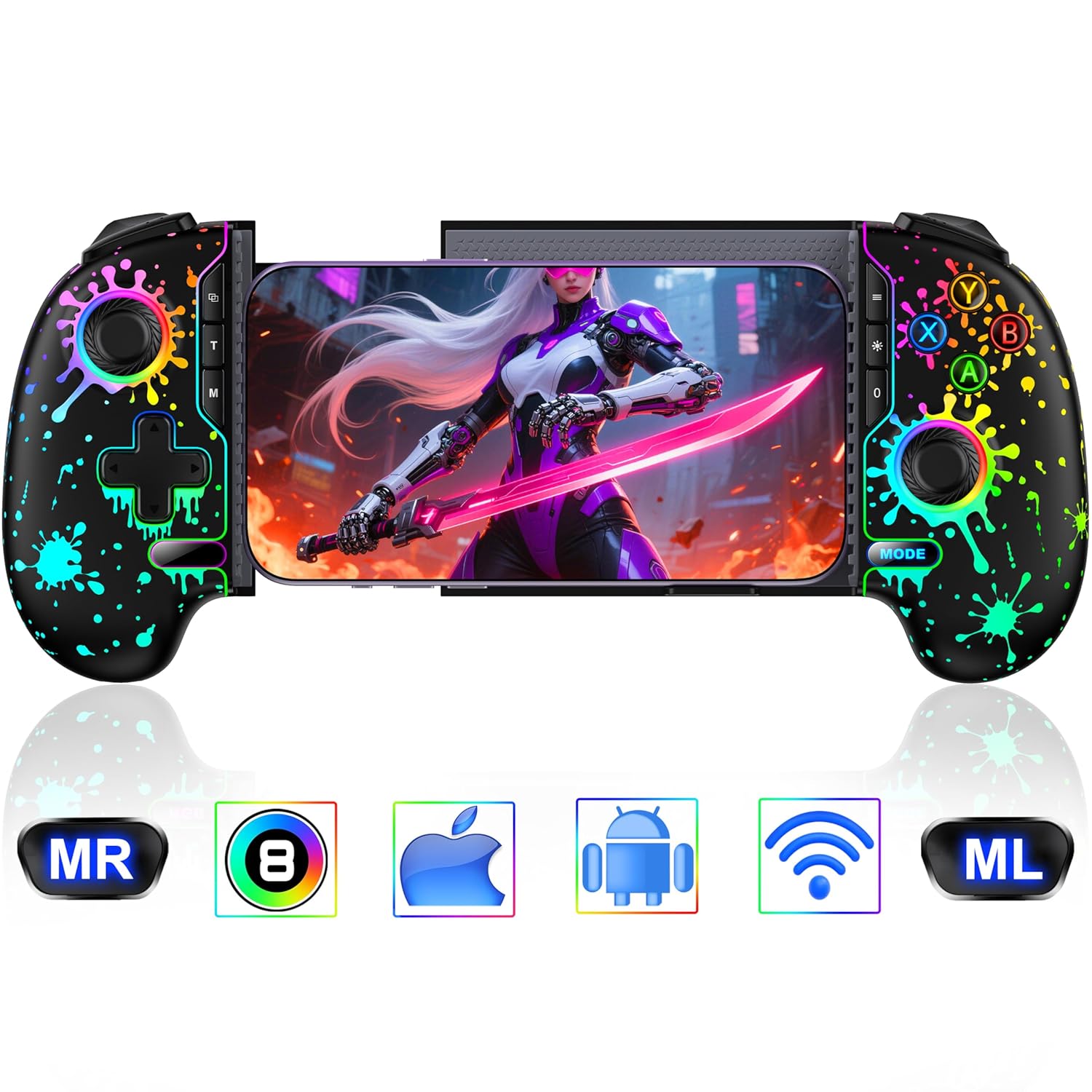
HEYLACOOLX Game Controller for iPhone Android,Programmable Gaming Controller for iPhone w Hall Joystick,800mAh Phone Controller for iPhone iOS Rechargeable Support Xbox Cloud,Steam Link,Call of Duty
$55.99
Related Products







Product description


【Wireless Gaming Controller for iPhone Android & Easy to Setup】***Please ensure that the phone controller is not charged before connecting***.Long press the “MODE” button for 3 seconds to connect, and the “MODE” button light will quickly flash blue. Turn on your phone’s Bluetooth and find the Bluetooth name “Xbox Wireless Controller”. click on pairing to start playing game. If you have previous connection records, press the HOME button on the controller while the Bluetooth on your phone is turned on to reconnect
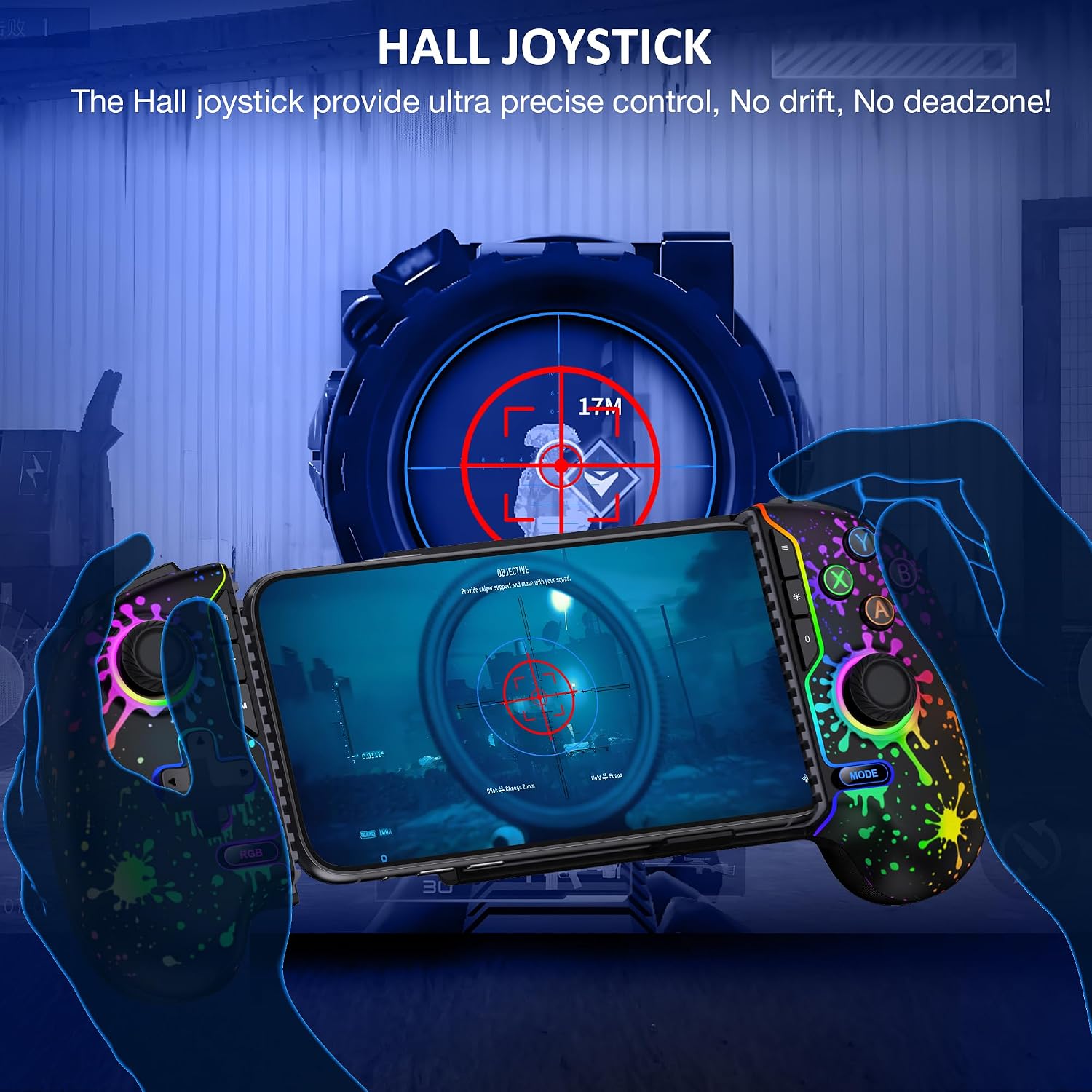
【Upgraded 360°Hall Joystick & 3 Speeds Adjustable TURBO Function】Our wireless controller for iphone is equipped with upgraded hall effect joystick that no drift, no wear out, no dead zones. Separate zero dead zone switch button, one click switch joystick zero dead zone, making game operation response more timely and efficient.During the game,more responsive, any small movements will be accurately reflected, greatly improving the gaming experience for loyal players. The Turbo function supports manual and automatic continuous firing, with three adjustable speeds: 5/12/20 per second, making it easier for you to defeat opponents in the game
【Comfortable Grip】Comfortable ergonomic grip suitable for long-term gaming,the design of playing while charging allows you enjoy an extended gaming experience with your friends
【Macro Definition Backkey】This mobile game controller for android phone can be programmed into A B、X、Y、L、L2、R、R2、 Up, down, left, right L3、R3、+、- The key. Each key can be assigned up to 16 key values. Long press M+ML or M+MR for about 1 second to enter programming mode. The MODE+ key lights up purple and flash at the same time. Then press the key value to be programmed, and press MR or ML to save. Press and hold the M key for 5 seconds, and the MODE+ keys will flash purple with the backlight for 3 times before returning to normal. This will clear all programming settings for the back keys
【10H Playing Time & Support Playing and Charging】The cell phone gaming controller is equipped with 800mAh rechargeable battery only takes 2-3 hours to fully charge, and then you can play games for 6-8 hours.The iPhone gaming controller supports playing while charging, it does not support playing while charging on the phone
【Dual motor vibration & 4 Levels Adjustable】4 adjustable levels: none, weak, medium, and strong. Right arrow key+M key for increasing gear adjustment, left arrow key+M key for decreasing gear adjustment,Enhance your gaming experience.Support Keyinker APP to change controller button settings, etc. Search for “GC Pad” on the app
【Stretchable Clip & Support Regular Phone Case】This mobile game controller for iphone is designed to stretch and suitable for phone with a length of 10-17.5cm.Compactible with iPhone 16/15/14/13/12 pro max,android,samsung phone.The contact surface of the mobile controller is equipped with a full rubber pad, which has strong abrasion resistance,avoiding the phone from falling off during intense gaming.There is also a notch at the bottom that can provide additional support.Xbox cloud controller features a groove design that can perfectly accommodate lenses with a thickness of up to 4mm, effectively solving the problem of protruding phone cameras
【Support Games & Gaming Platforms】Enjoy game and gaming platform that natively supports triggers on your phone. For example, platforms such as Xbox Cloud, Steam Link, GeForce Now, MFi Apple Arcade, and games like Call of Duty, Roblox.etc.If you want to shut down,there are two methos:① When the Bluetooth of the phone is turned off while connected, the controller will automatically shut down Press and hold the HOME button for 5 seconds to turn off the controller
【Controller for Phone Gaming-Portable SIZE & Play On The Go】The portable size can easily fit into a backpack, and you can also connect your phone to play games anytime and anywhere during your journey, bringing some leisure gaming time to your journey
5 reviews for HEYLACOOLX Game Controller for iPhone Android,Programmable Gaming Controller for iPhone w Hall Joystick,800mAh Phone Controller for iPhone iOS Rechargeable Support Xbox Cloud,Steam Link,Call of Duty
Add a review

$55.99
Mario Hawkins Sr –
Great for games
Love it
Moni Chynnaaa –
Professional Grade Mobile Gaming Controller That Transforms Your Phone Into a Console
I purchased the HEYLACOOLX Game Controller for iPhone and Android, and it has completely changed how I approach mobile gaming. I used to struggle with touchscreen controls that were uncomfortable, unresponsive, and made competitive games frustrating. This controller finally bridges the gap between console and mobile, giving me precision, comfort, and a fully immersive experience.Design & Build QualityThe controller has a bold black crackle finish accented by neon green LED highlights that make it look sleek and futuristic, almost like something from a high end console accessory line. The grips are ergonomically shaped with a textured coating that keeps the controller steady in your hands during extended gaming sessions. Unlike cheaper clip-on models, this feels balanced once the phone is inserted there’s no awkward tilting or weight pulling it in one direction. The adjustable phone holder is sturdy, grips firmly, and doesn’t scratch or damage the phone. Even with a case on, my phone fit securely without slipping.Controls & ResponsivenessThe Hall effect joysticks are one of the standout features. They glide smoothly with no dead zones, making aiming in FPS titles precise and natural. Since they use Hall technology, drift is eliminated, meaning the joysticks won’t wear out over time like traditional analog sticks. The ABXY buttons have a crisp, clicky response similar to mechanical switches, and the D-pad is firm and accurate, making it excellent for fighting games. The analog triggers have the perfect amount of resistance for racing games, while the bumpers are responsive for quick fire inputs in shooters. The inclusion of programmable buttons is a major plus. I remapped certain controls in Call of Duty Mobile and Genshin Impact, and it gave me a competitive edge by keeping essential actions closer to my thumbs.Performance & CompatibilityThe 800mAh battery delivers strong endurance. I’ve gotten several long sessions out of it without needing to recharge, and when I do, the USB-C charging is fast and convenient. Connection is another strength the controller pairs quickly and maintains a stable link with no lag or disconnects. This stability is critical for Xbox Cloud Gaming and Steam Link, where even slight latency ruins the experience. I tested across multiple platforms iPhone, iPad, and even Android and the compatibility was seamless. Whether cloud streaming AAA games or playing native mobile titles, the controller delivered flawless performance.Gaming ExperienceThe difference between playing with this controller versus just using a touchscreen is night and day. In shooters like Call of Duty Mobile, my aim and reaction times improved instantly thanks to the precision sticks and tactile buttons. In racing games like Asphalt, the analog triggers gave me smooth acceleration and braking control. RPGs and adventure games became more immersive because the controller gave me the sense of playing on a console handheld rather than just a phone. Even casual titles benefitted, since the controls were more natural and comfortable.Ease of UseSetup is straightforward. Once charged, the controller pairs quickly via Bluetooth, and the phone snaps securely into place. The LEDs give clear feedback for mode selection, and the programmable buttons are simple to configure. The lightweight yet sturdy design means I can toss it into a bag and bring it anywhere without worrying about damage.Final ThoughtsThe HEYLACOOLX controller is not just another mobile accessory it’s a serious piece of gaming hardware. It combines a premium design, console-quality controls, programmable features, stable connectivity, and long battery life in one package. For anyone who plays mobile or cloud games, this is an essential upgrade that will make you feel like you’re gaming on a dedicated handheld system.I highly recommend it !!!!
Samuel Rosenberg –
Great alternative Controller to some of the more mainstream expensive controllers
I ordered this gamepad because I have a 9 inch tablet (Lenovo Legion Tab Gen 3 aka Y700) and the controller I use is very similar, but I have to un-pair it and re-pair it every single time I want to use it. It’s very annoying and I saw that this controller was almost a clone.Well, this controller will NOT fit a 9 inch tablet. It was pretty close, but simply it’s not enough. What it does fit is my Samsung Fold 7! So I ended up pairing this to my Samsung and played a few games. First I tried out Vampire Survivors and the joystick was a pleasure to use. I had zero issues with response time or anything. Vampire Survivors also isn’t the best game for testing all the buttons, so I then did a Steamlink and played some Diablo 4. Again, zero issues with the controllers.The buttons do not feel mushy, but they’re also a bit tinier than other “Standard” controllers you may be used to like what Sony and Microsoft offer. The controller does change color via RGB lighting, so that’s kinda cool if you’re into that. It charges up via a USB-C port, which should be a given but not always when it comes to more affordable electronics.Ergonomics wise, it kind of felt like the first XBOX controller where it’s a little bit bulky. I mean to say this in a good way because if you have larger hands, you will absolutely appreciate it. It threw me off for maybe a minute before I was comfortably playing away.The battery life states it can be used for 6+ hours on a single charge. I haven’t used it for 6 hours in a single go, but I’ve played a few hours here and there and I’ve yet to charge the controller!Pairing the controller is super easy. When looking on the bluetooth list of devices, it shows up as an “Xbox Controller”, not the name brand of the company.One thing I do enjoy about this controller that my other very similar controller does not have is a lip on the bottom of the controller! Yes, my tablet/phone doesn’t slide when I use said other controller, but it could if I were to maybe drop the controller/device. This is just extra security to ensure my phone is properly in the right spot and angled correctly.Overall, the controller is a delight to use. I knocked it down one star because the controller it’s most similar to, and perhaps emulating, is able to fit a smaller tablet like my Lenovo or an iPad-Mini, but this one does not. I feel like that is a design miss as a bigger screen = better gameplay and not everyone has a phone that converts into a tablet.
Jeremy Schwartz –
Very Cool Gaming Controller
I’m very impressed with this smartphone gaming controller. It definitely takes gaming on your smartphone to another level. Your phone is placed into the center of the controller and the controller itself holds your phone into place using friction. Once you pair the game controller and phone now you have a full screen to enjoy your games due to the game controls (joysticks, buttons) being on the controller instead of your phones screen. I like that there is a settings menu for the controller so you can calibrate the joysticks and assign the buttons for total gaming comfort. This is definitely a high quality gaming controller. The ergonomic design of this controller gives you a more natural gaming feel when gaming on your phone.In my opinion the price for this smartphone game controller seems a little high at $50 but worth it if you enjoy gaming on your phone. Shipping was very quick. This smartphone gaming controller arrived undamaged in just 3 days.
Bradley Shprintz –
Would not connect to my iphone 17 via Bluetooth
Very disappointed with this product, in theory it should connect to my iphone with no problem. Just activate it and go to Bluetooth and add it into the system. I have an iPhone 17 pro max, which i rebooted and tried to get the joystick to show up in its Bluetooth section. I charged the joystick so it was fully charged and tried to connect it to my new phone. After it would not connect I rebooted my phone and tried again, with no success.If this product would have connected to my phone and worked, that would have been awesome as it would enhance game plan. I followed the directions to the letter and it still would not work. I cannot recommend this product.