

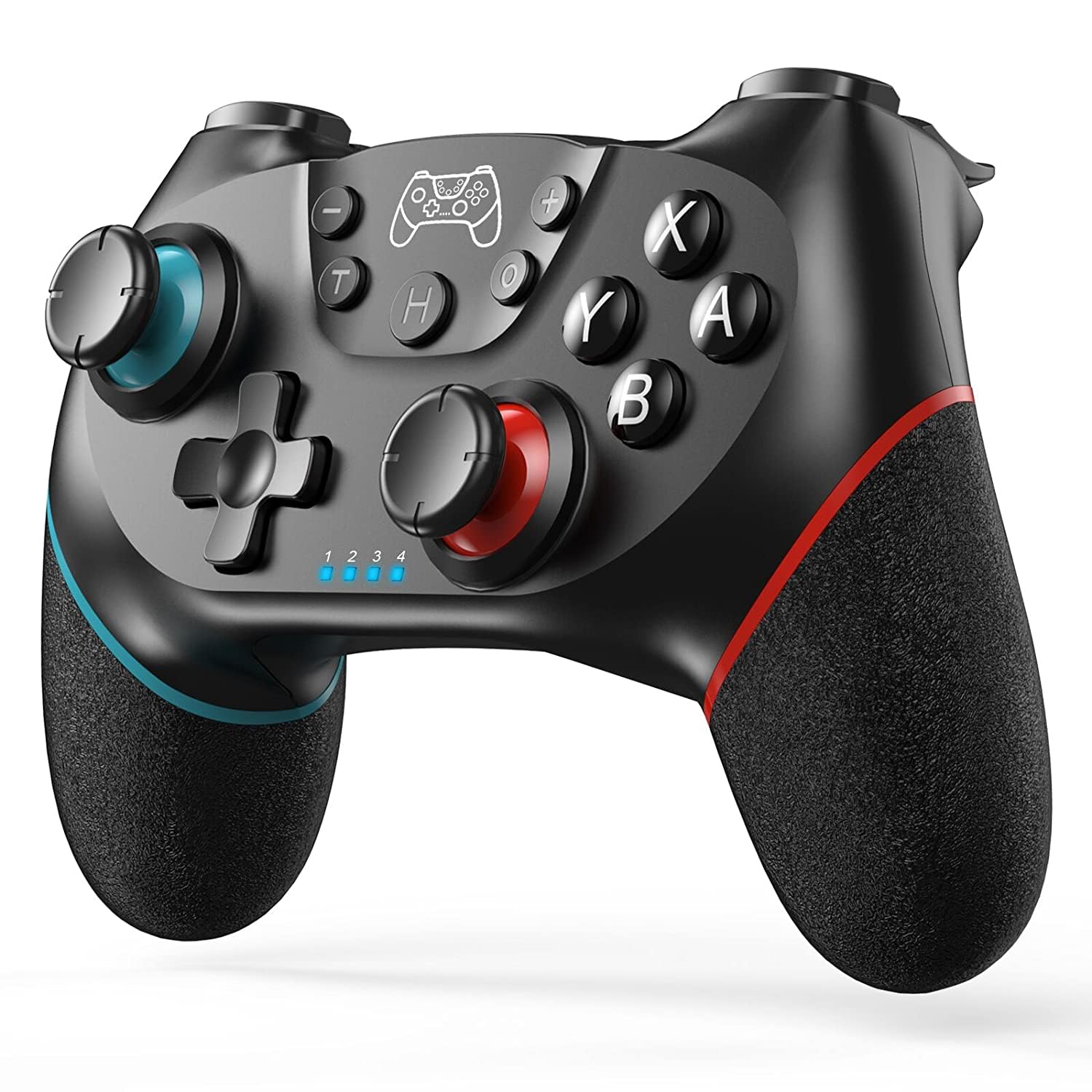
Upgraded Wireless Controller for Switch/Lite/OLED/Switch 2 Pro Controller for Switch Remote Joystick Gamepad Supports Wake up, Gyro Axis, Turbo, Dual Vibration and Screenshot Function
Original price was: $26.99.$21.59Current price is: $21.59.
Related Products




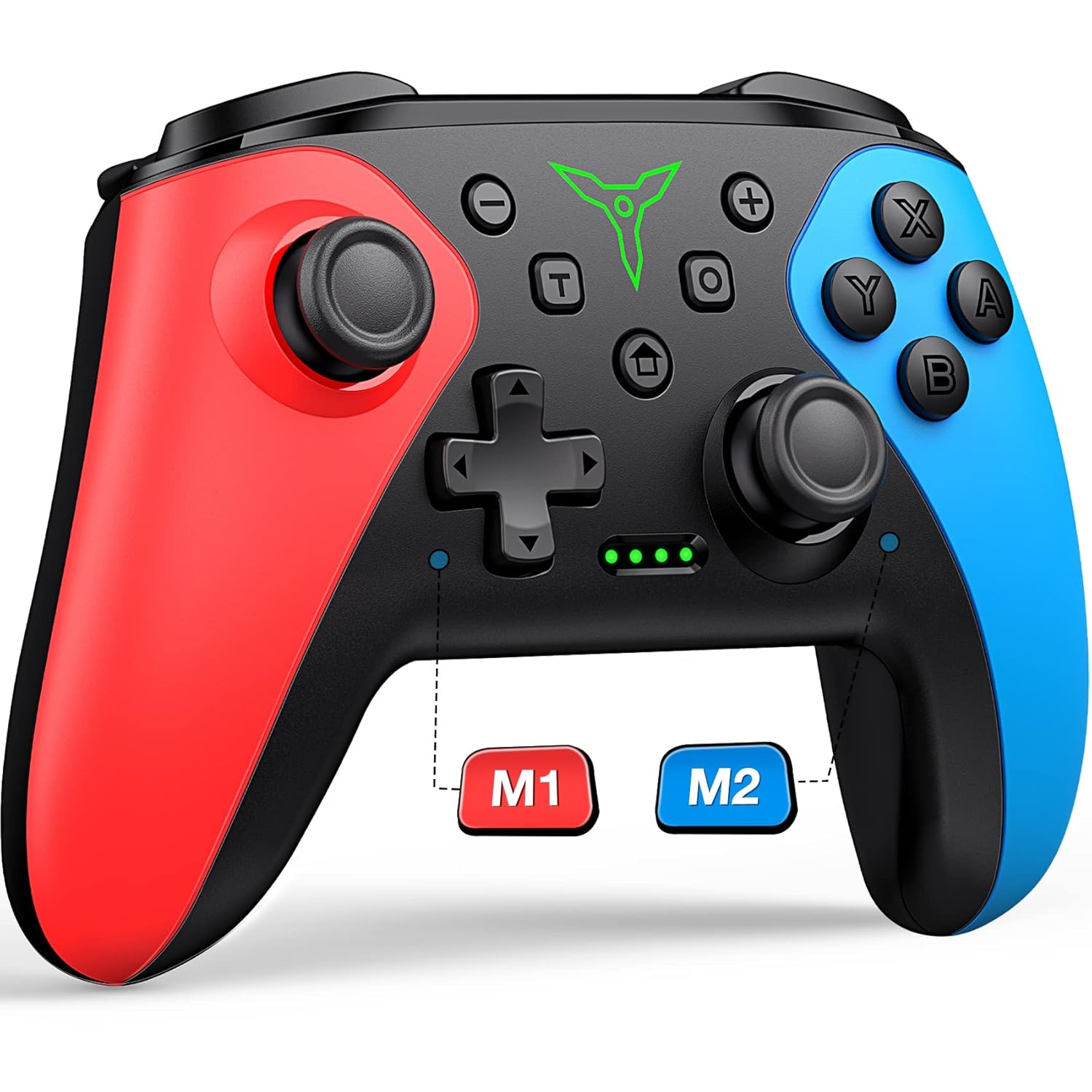


Product description

How to pair the controller?
Switch mode Bluetooth connection
Step 1:Turn on the Switch host, click the “System settings”menu button at the main page interface, click the “Airplane Mode” option after entering the next level menu option , then click Controller Connection (Bluetooth)option make its Bluetooth function in open state.Step 2: Enter the Switch host handle Bluetooth pairing mode, click the “Controllers” menu button at the main page interface of host, click the “Change Grip/Order” option after entering the next level menu option, the host will automatically searching and pairing the handle.Step 3:Press the HOME button for 3-5 seconds enter the Bluetooth searching and pairing mode, LED1-LED4 keep flickering quickly, the handle will vibrate for a moment and the corresponding channel indicator light will always on after connect successfully with host and being assigned automatically.
Switch mode wired connection:
Put SWITCH in the SWITCH base after open the PRO handle’s wired connection option on Switch host, then connect the handle with the data cable, handle will connect the SWITCH automatically, after pull the data cable out, handle will backconnect to the SWITCH host by Bluetooth automatically
Connect the controller to PC WITH THE INCLUDED USB CABLE.
PLEASE NOTE:
ONLY SUPPORT INCLUDED USB CABLE CONNECTION WITH PC, DOES NOT SUPPORT WIRELESS BLUETOOTH CONNECTION TO PC.
Handle on shutdown, connect the PC through USB cable, PC-side will install driver automatically, the light of LED2 on handle always on means that the connection is successful, NOTE: the name displayed: Xbox 360 controller for windows (wired connection)


Note of Wireless Controller for Switch
First time connection steps: When the product is off, press and hold the “H” button for about 5 seconds, the 1234 indicator light on the handle flashes at the same time, and the connection with the host will be successful in about 5 seconds. Automatic connection steps: The host and the controller can reconnect again after sleeping, just press and hold “H” for two seconds, and the 1234 indicator light flashes slowly for 5 seconds to automatically reconnect to the host. PC Connection steps: When the handle is turned off, directly insert the TYPE-C data cable, the indicator lights on the handle 2 and 4 will always be on, and the controller on the pc side will display XBOX 360 controller. At this time, press and hold “H” for about 3 seconds. The indicator light 2 is always on and automatically enters the PC normal mode. Vibration adjustment steps: The default vibration intensity is 100%, after connecting the host, press and hold the screenshot button and then press the minus sign. The vibration intensity is 70%. There are four vibration levels, 0, 40, 70, and 100. Pressing the plus sign increases vibration.

WARM AND USEFUL TIPS:
(1) What should I do if the controller cannot be charged?If the controller cannot be charged, please reset the controller.How to reset the controller: Use a paper clip to press the reset hole on the back of the controller twice.
(2)What should I do if the controller cannot connect to the switch host via Bluetooth?step1: please clear the switch console’s bluetooth memorystep2: Restart the switch hoststep3: reset the controller: Use a paper clip to press the reset hole on the back of the controller twice.step4:plug out the power adapter of the controller ( please Do not charge while pairing.)
If you have any questions during the use of the product, please feel free to contact the seller through the Amazon order page and we will give you a satisfactory reply within 12 hours.
Add to Cart
Add to Cart
Add to Cart
Add to Cart
Customer Reviews
4.4 out of 5 stars 35,992
4.4 out of 5 stars 35,992
4.4 out of 5 stars 35,992
4.0 out of 5 stars 126
Price
$27.99$27.99 $26.98$26.98 $25.19$25.19 $27.99$27.99
Features
Support Dual Vibration, 6-Axis gyro sensor, Screenshot, Screen Recording, Fast Charging, Wake-up Support Dual Vibration, 6-Axis gyro sensor, Screenshot, Screen Recording, Fast Charging, Wake-up Support Dual Vibration, 6-Axis gyro sensor, Screenshot, Screen Recording, Fast Charging, Wake-up, Programmable Support Dual Vibration, 6-Axis gyro sensor, Screenshot, Screen Recording, Fast Charging, Wake-up
Connector Type
Type-C Type-C Type-C Type-C
Connectivity Technology
Wireless/Wired Wireless/Wired Wireless/Wired Wireless/Wired
Charging Time
Within 3 Hours Within 3 Hours Within 3 Hours Within 3 Hours
Playing Time
UP To 20 Hours UP To 20 Hours UP To 20 Hours UP To 20 Hours
UNIVERSAL COMPATIBILITY : Pro Controller is fully compatible with Switch 2/Switch/Switch Lite/Switch OLED , also compatible with Windows PC and Android Phone, and perfectly compatible with games. No need to install any driver. NOTE: ONLY SUPPORT INCLUDED USB CABLE CONNECTION WITH PC, DOES NOT SUPPORT WIRELESS BLUETOOTH CONNECTION TO PC. This controller only supports connect to switch consoles, PC and Phone , NOT Compatible with other other devices such as: Apple TV, Fire Stick TV, Tesla, Xbox and Playstation consoles.DOES NOT SUPPORT WAKE-UP SWITCH 2 AND AUDIO FUNCTIONS
UPGRADE HALL JOYSTICK, NON-DRIFF: Diswoe Switch controllers is designed with HALL EFFECT joystick, solving the common problem of joystick drift. Unlike ALPS joysticks, high-sensitivity Hall sensors use Electromagnetic Induction to etect the movement of the joystick, the internal parts have no contact with each other, the sensor part will not wear out, faster response speed, especially for FPS shooting games.
POWERFUL FUNCTION : Have dual vibration motors that provide you excellent vibration feedback to enhance the game immersion. With the 6-axis gyro sensor, this controller can detect the inclination of the controller and make a quick response, give you more fun while playing motion-sensing games. No NFC function.
LOW ENERGY CONSUMPTION, LONG BATTERY LIFE : This perfected controller has a high-performance rechargeable battery with automatic sleep, Charging prompt and low voltage warning. The high-performance built-in 550mAh battery can service for 8 hours after fully charged, make sure you can enjoy games longer without interruption.
EXCELLENT HAND FEELING : The wireless controller is built with ergonomic and lightweight construction, make it comfortable even for long hours of continuous play. The gamepad comes with non-slip design, which will never slip off even if your hand sweats during intense gameplay.
STABLE WIRELESS BLUETOOTH CONNECTION : It provides stable and reliable signal without delay or drop-off within EIGHT meters. Featured with strong anti-interference technology and won’t be affected by other wireless devices. Please read the user manual first before pairing.
13 reviews for Upgraded Wireless Controller for Switch/Lite/OLED/Switch 2 Pro Controller for Switch Remote Joystick Gamepad Supports Wake up, Gyro Axis, Turbo, Dual Vibration and Screenshot Function
Add a review

Original price was: $26.99.$21.59Current price is: $21.59.
TrvlOften –
Works fantastic, look at product description for better connection notes
Works great! Got for Hades II play and it’s plenty fast, feels great.Only thing that I had to do is put a small piece of masking tape over the little lights at the bottom, they shined right into my eyes. Not a big deal to adjust.I had a little trouble connecting with the instructions that came in the box, but found easier ones to follow right on the product page on Amazon. If you have trouble, just keep scrolling down on product page and you’ll see notes.Super happy with this purchase, it’s a great deal!
branden wilson –
Great controller!
Excellent controller. It is very ergonomic and works great. Well worth the price.
Thomas Bustard –
Works great
Works great. Great price and color and super easy to link to my OG switch.
Zach –
Damaged box
Box came in damaged. However, the product itself is fine. I’ve been using it for a few hours now and it works pretty well.
Joey E. Hoch –
Very Good for the price but dont expect it to work like the pro controller
I went ahead and gave it 5 stars because of what you get for its price point. I bought this controller for an extra when I have company over without having to pay the higher price tag of a pro controller. Has very good battery life, I can go a week playing at least a few hours a day without charging. It is very easy to sync to the Switch, but seems I have to go corded when i use it on my laptop (wireless on switch only).Does not have that precision in the analog like the pro controller does, so its a bit more difficult to make them precise arrow shots in Breath of the wild but for most other games it does just fine where you wont need as much precision.The location of Home, Photo buttons etc., is layed out differently than the pro controller so it can take a little while to get used to when transitioning different controllers.I try to avoid using the motion control when i can, but it seems about on par with the analog. This is probably the only thing i have not thoroughly tested on this controller but it does seem to work as it should.It does shut itself off after a few minutes of being idle. It can get annoying somewhat when you are trying to multitask and play games at once, or even if you got a cutscene that takes more than a few minutes to play out. When it shuts off it will put up that controller screen saying no controllers are connected, even in the middle of a cutscene. This is something that I wish could be changed by the user, I have searched a bit on the web with no luck on how to change this.Nintendo controller updates are not compatible with this, when the switch goes to update controllers it will hang until you cancel updates if it is in wireless mode, plugged into the usb it will give an error. The find controller feature of the switch does seem to work with it.
Amazon Customer –
Great controller
Great controller, comfy in large hands. First one, my cousin liked it so much I gave to him and bought another. Second one, the ZR button somehow got stuck down and broke off when attempting to unstick. Since was only a few months old, wrote to the seller with pictures and they sent a replacement which arrived after a week or so. Happy with it, battery life good, easy to pair and use right away. Would buy another if ever needed.
Richard Fletcher –
The Diswoe Pro Controller: Instant Connection, Major Upgrade
I recently picked up the Diswoe Wireless Pro Controller as an alternative to the official model for my Nintendo Switch OLED, and I am genuinely impressed—especially by the initial setup. Out of the box, connecting this controller was an absolute dream. I followed the simple instructions, pressed the ‘H’ (Home) button, and it connected instantly with absolutely no pairing issues or drops. This seamless, plug-and-play experience (or rather, press-and-play) immediately set a high standard.The performance during gameplay lives up to the easy setup. The controller features dual vibration motors and a precise 6-axis gyro sensor, which translates into an excellent, immersive experience for motion-controlled games like Splatoon 3 and The Legend of Zelda. The responsiveness is immediate, and the ergonomic, non-slip grip makes it incredibly comfortable for extended gaming sessions. Unlike some third-party options, the buttons and Hall Effect joysticks feel robust and reliable.With compatibility across the Switch, Switch Lite, and OLED models, plus a long-lasting rechargeable battery, this controller offers phenomenal value. It’s packed with high-end features like adjustable Turbo functions and the reliability of a stable wireless Bluetooth connection. If you are looking for a fantastic Pro Controller alternative that truly connects instantly and delivers on performance, this Diswoe model is the perfect choice for any serious Switch gamer.
reviewguy –
Issues with pairing to multiple devices
Controller is pretty decent for the price, but unfortunately does not perform well when trying to change which switch it is paired to. Specifically, it was paired to my brother’s switch initially, but when we tried to pair it with mine, it was incredibly difficult. We’ve paired several other controllers without trouble so this seems to be diswoe-related.
Sebastián –
Devo dire che sono rimasto sorpreso della qualità e il performance di questo joystick. La vibrazione è il giroscopio funzionano alla perfezione. La batteria dura molte ore (lo metto a caricare dopo ogni sessione di gioco, quindi ancora non sono neanche arrivato alla fine della carica anche se gioco 3-4 ore di seguito). Si collega in pochi secondi dopo premere il tasto Home. È molto comodo e il peso è giusto (nè troppo leggero nè troppo pesante). Include anche il cavo usb C.Mi è capitato qualche volta che si scollega mentre gioco ma si riaggancia subito dopo premere di nuovo il tasto home.Lo consiglio al 100%
César –
Funcionales, perfectos, vinculados sin perder conexión (no como los Joy como) y de precio muy ajustados. Meses usándolos y van perfectos. Si buscas un mando para la Switch de este estilo, no lo pienses.
Aakanksha Bajaj –
Works perfectly 😁Vibration is awsome and controller is easy to connect and comes with an instruction manual.Buttons are very comfortable and controller has grip and texture.I give this 5 star
Aldo –
J’ai acheté cette manette Diswoe pour jouer sur ma Switch OLED sans exploser mon budget, et je dois dire qu’elle fait très bien le boulot. La connexion Bluetooth se fait sans souci, elle a été reconnue tout de suite par la console.La prise en main est agréable, elle tient bien dans les mains, même après plusieurs heures de jeu (testée intensivement sur Mario Kart et Zelda). Les boutons répondent bien, le gyroscope fonctionne correctement pour les jeux qui l’utilisent, et les vibrations sont présentes sans être trop envahissantes.Le mode turbo est un petit bonus sympa pour certains jeux, même si je l’utilise assez rarement. Niveau autonomie, la batterie tient facilement plusieurs sessions de jeu — je la recharge environ une fois par semaine avec une utilisation modérée.Petit bémol peut-être : les gâchettes sont un peu plus dures que sur une manette officielle, mais on s’y habitue vite. Pour le prix, franchement, je trouve que c’est une excellente alternative.Idéale comme manette secondaire ou même principale si vous ne voulez pas vous ruiner.
B.B. –
Schönen guten Tag – Grüß Gott – Moin – Servus – Gude – und Hallo,Der Controller ist sehr gut und hat sogar schon 3 extrem harte Aufschläge auf den Fußboden überlebt, was für mich das wichtigste ist, da ich mich gelegentlich doch e-t-w-a-s aufrege beim Spielen. ;-)Der Controller liegt gut in der hand, nur die Joysticks ragen etwas höher raus als bei den original Switch Pro Controllern. Das verlängert ein wenig den reaktionsweg, aber mich stört es mittlerweile nicht mehr.Zumal dieser Controller nur die Hälfte kostet als die original Controller.Die Tasten sind schön groß und leicht erreichbar. Auch sind die Y, X, B und A Tasten wie bei den original Switch Pro Controllern. Die meisten haben A und B vertauscht. Und auch die Y und X Tasten sind meist vertauscht, was mich echt nervt. Hier ist alles an der richtigen Stelle und funktioniert auch sehr gut.Ich finde diesen Controller auch griffiger als das original, da die Oberfläche rauer ist.Die Vibrationsstärke ist deutlich stärker als beim original.Die Farben unter den zwei Joysticks sind Türkis und ROSA/neon hellrot ! (Je nach Tageslicht und Lichteinfall) Nicht wie in den Artikelbildern dargestellt in sattem rot. Ich als erwachsener 55 Jähriger Mann stehe jetzt nicht so auf Rosa, aber ich habe ihn trotzdem behalten. ;-)Das koppeln mit meiner Switch klappte nach dem 3. Versuch problemlos. (Lag wohl an mir)Der Akku hält ca. 7-8 Stunden bei mir. Selbst da war er noch immer nicht leer.Ich kann den Kontroller nur empfehlen und vergebe 5 volle Sterne. Ich finde ihn besser als das original und er kostet nur die Hälfte. (Bei mir damals 26,54 €, Stand: 12.12.2024)Besonders geeignet für Spieler die ihren Controller hie und da mal an die Wand werfen oder auf den Boden kloppen. ;-)Meiner hat nicht einen Kratzer davon getragen (siehe Bilder) und läuft immer noch prima. :)Sollte sich noch etwas ändern, positiv wie negativ, werde ich es nachreichen. Ich aktualisiere meine Bewertungen auch nach Monaten/Jahren noch.Nachtrag für Switch 2:Leider ist dieser Controller nicht zu 100% mit der Switch 2 kompatibel wie beworben. Soweit geht alles wie bei der Switch 1, nur hat Nintendo leider eine spezielle Technik für die 2er verbaut, welches es anderen Controllern verbietet die 2er Switch über die Hometaste zu starten. Es ist eine sehr fragwürdige Methode von Nintendo Kunden zu zwingen ihre völlig überteuerten Produkte zu kaufen. Man muss leider erst den Knopf an der Konsole/am pad drücken, dann die Home Taste am Controller und ab dann geht alles wie beim original Controller.Ich hoffe Euch hat diese Bewertung gefallen und konnte dazu beitragen die richtige Kaufentscheidung zu treffen!Beste Grüße und Euch allen noch einen schönen Tag.