

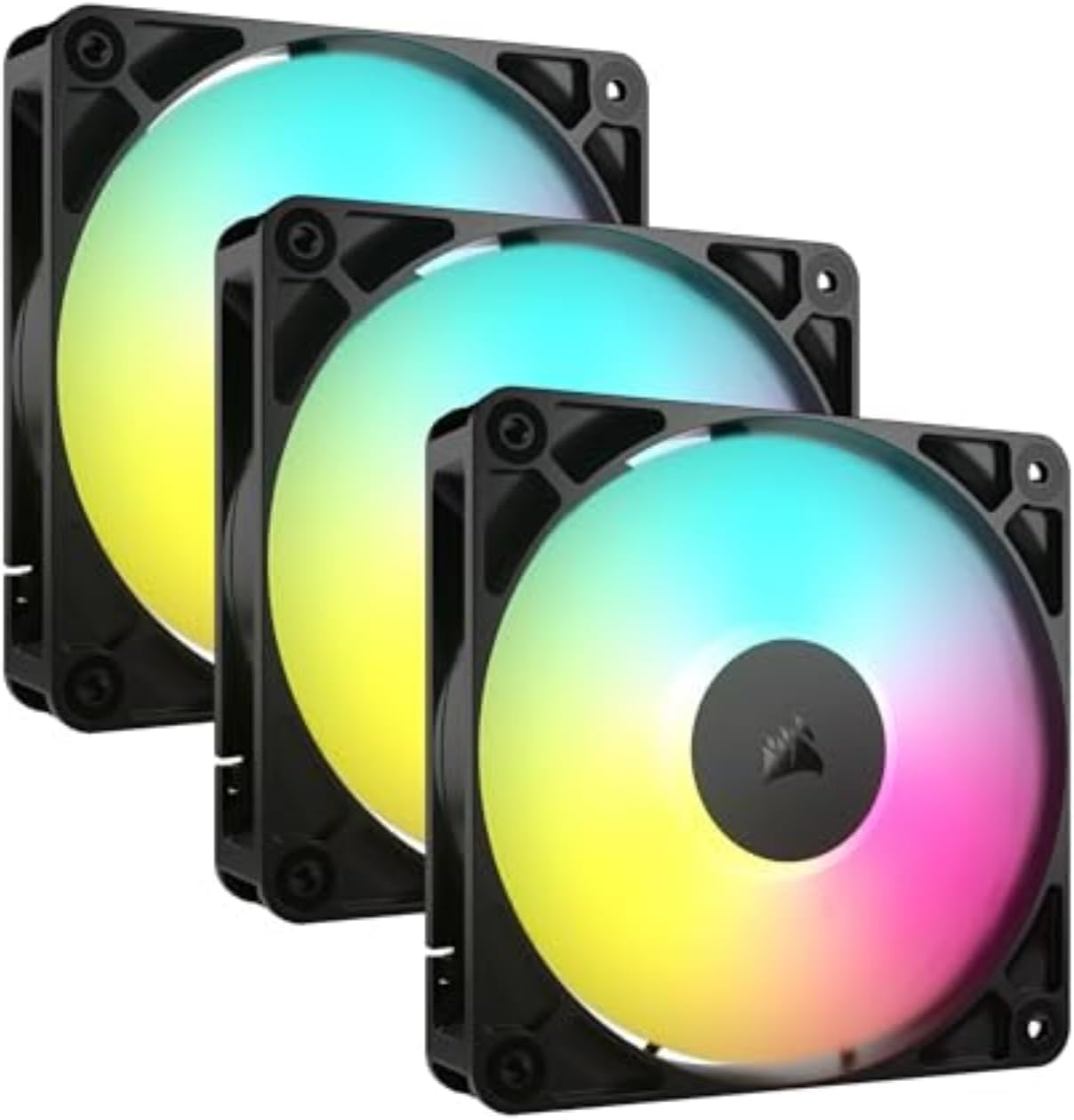
CORSAIR RS120 ARGB 120mm PWM Fans – Daisy-Chain Connection – Low-Noise – Magnetic Dome Bearing – Triple Pack – Black
Original price was: $59.99.$44.89Current price is: $44.89.
Related Products



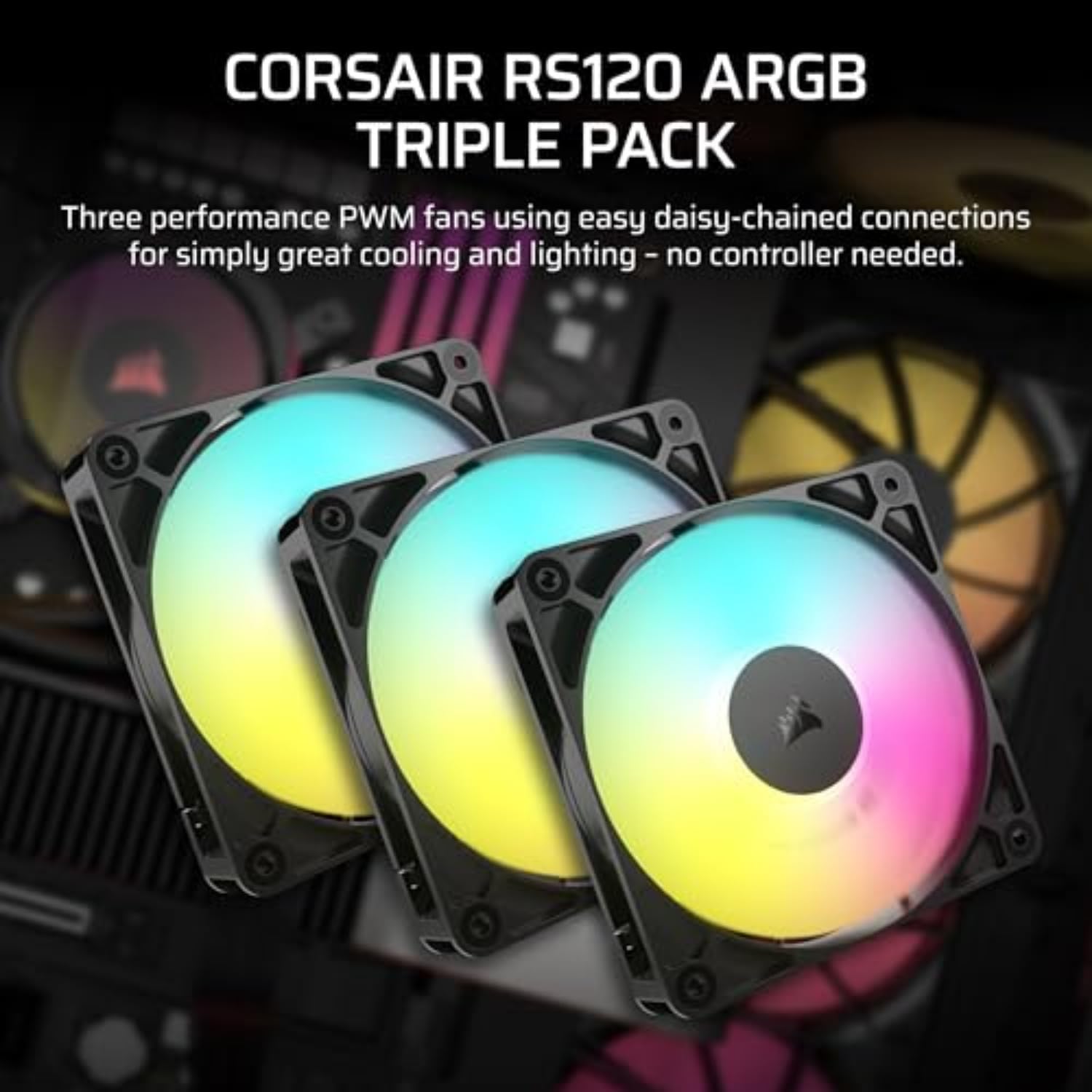


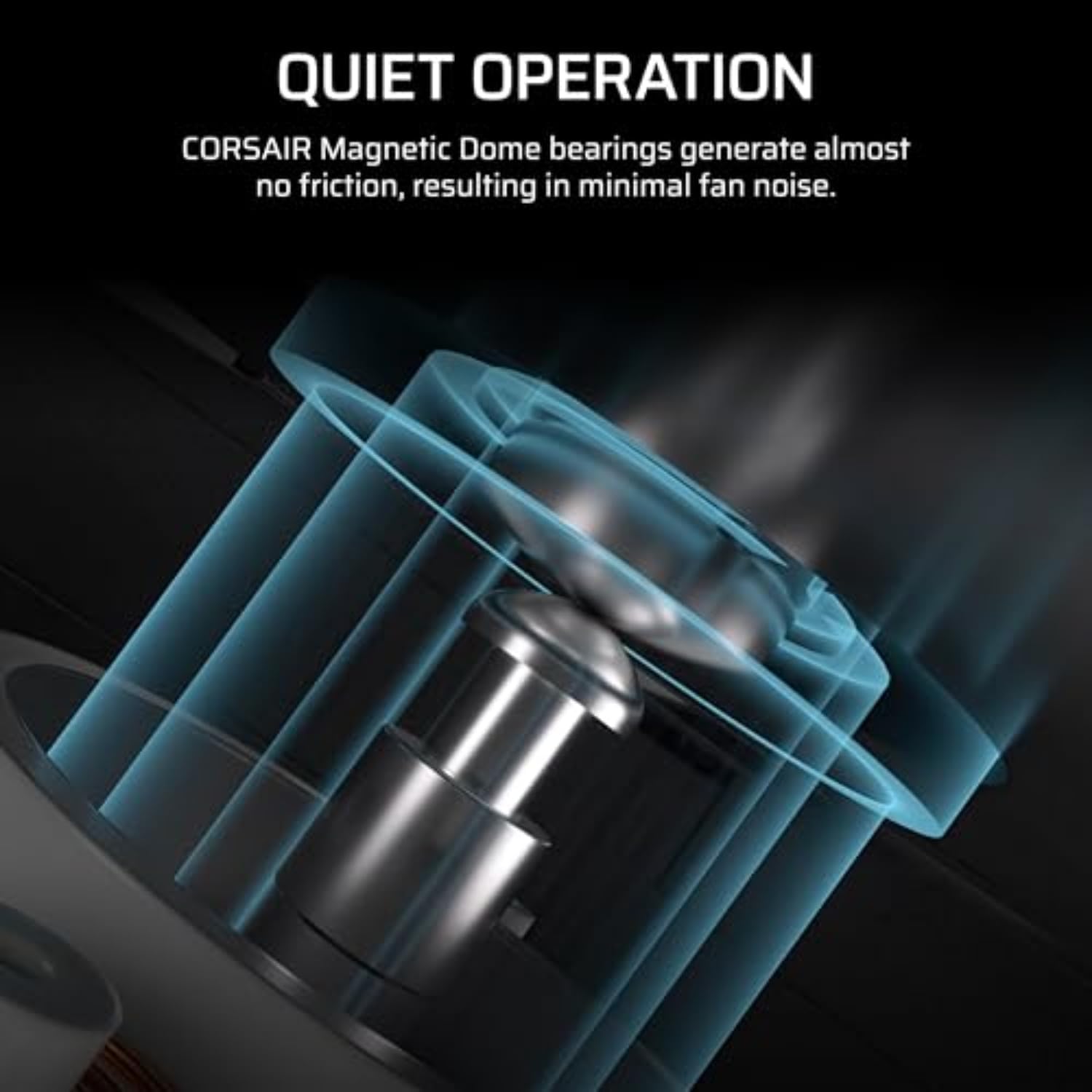

The CORSAIR RS120 ARGB 120mm PWM Fans Triple Pack gets your PC cooling setup off on the right foot with three efficient and reliable fans. Daisy-chained connectors let you link multiple fans together and control them all through just one 4-pin PWM and one +5V ARGB header on your motherboard. Enjoy fan speeds up to 2,100 RPM, with the static pressure to also serve as radiator fans. CORSAIR AirGuide technology with anti-vortex vanes directs airflow for concentrated, powerful cooling. Eight LEDs light up your build with simple +5V ARGB motherboard control. Magnetic Dome bearings ensure quieter operation and increased longevity, while Zero RPM mode offers silent operation at low loads.
Streamlined Fan Connections: Daisy-chain multiple fans together and control them all through just one 4-pin PWM connector and one +5V ARGB connector.
Lighting Made Easy: Eight LEDs per fan shine bright with customisable lighting through your motherboard’s built-in ARGB control (requires compatible motherboard).
Precise PWM Speeds: Set your fan speeds up to 2,100 RPM while providing up to 72.8 CFM airflow to your system.
CORSAIR AirGuide Technology: Anti-vortex vanes direct airflow at your hottest components for concentrated cooling, pushing air in the direction you need when mounted to a radiator or heatsink.
High Static Pressure: RS fans work well as radiator fans with a static pressure of 2.8mm-H2O to push through obstructions.
13 reviews for CORSAIR RS120 ARGB 120mm PWM Fans – Daisy-Chain Connection – Low-Noise – Magnetic Dome Bearing – Triple Pack – Black
Add a review

Original price was: $59.99.$44.89Current price is: $44.89.
Lars –
Good product, needed to tinker in BIOS to lower fan speed
Purchased the three pack of fans. Package included:- 12 mounting screws, enough for all 3 fans- 2 extension cords to allow you to connect fans to the mother board.- 3 fans, each having a male/female connection cords to allow you to daisy chain the fans. The length of cable to the female connection is very short, and will likely not connect to the motherboard on its own without an extension cord, but has enough room to daisy chain to another fan. So with only being given 2 extension cords, at least 2 of the fans will need to be daisy chained together without buying additional cables.Installation was easy, dimensions were as advertised.Airflow is very good. In my set-up the fans defaulted to maximum speed and I had to tinker in my BIOS to lower the fan speed. At maximum speed, there was a noticeably loud humming noise that couldn’t be corrected. At lower fan speeds, the humming noise stopped and fan noise was quiet.
Steph D. –
Great Fans, Just Read the Instructions!
I’m very happy with these fans! They work perfectly and the ARGB lighting looks fantastic in my case. They’re quiet and move a good amount of air, so they’re a great value for the price.My only piece of advice for other buyers is to pay close attention to the wiring. The product description or manual should show you which cables are for power and which are for the ARGB lighting. It’s really important to check that these wires are designed to “daisy chain,” which means you can connect one fan’s cable to the next, simplifying the wiring and reducing clutter. If you take the time to plan your cable management, the installation process will be very smooth.Overall, a great purchase!
Ernesto DEscoubet –
Quiet, Cool, and Look Amazing in My Build
I got these for my PC build to replace some older fans, and I’m honestly impressed. They were super easy to install, and the airflow difference was noticeable right away — temps dropped a few degrees under load. The RGB looks really clean, not overly flashy, and syncs perfectly with my setup. What surprised me most is how quiet they are, even at higher speeds. My rig runs cooler and looks way better now. If you’re upgrading or just want fans that do the job and look good doing it, these are a solid choice.
CJKrab –
Solid choice for budget friendly cooling
The CORSAIR RS120 ARGB 120 mm PWM Fan delivers a strong balance of performance, versatility, and quiet operation. Its daisy-chain PWM and ARGB connectors simplify installation and cabling, letting you control multiple fans from a single motherboard header. The magnetic-dome bearing reduces friction and noise while extending fan lifespan. AirGuide-optimized blades generate concentrated airflow and enough static pressure to handle radiators or dense case layouts. Adjustable PWM speeds (up to 2100 RPM) offer high airflow when needed and nearly silent operation under light loads thanks to zero-RPM mode. Overall, this fan is a solid choice for building a clean, effective, and visually pleasing PC cooling setup.
C. Phoenix –
Short power and RGB leads—beware!
Replaced a couple fractal aspect 120s with these 140s and my CPU temp at full load dropped by 5+ degrees, from mid 80s to high 70s (5800x3d with a Thermaltake Fs 140). They’re just about dead silent at idle and audible but tolerable at higher RPMs, no annoying whine or whistle with these just a rush of air. Wanted RGB for the kids and the colors and diffusion look fine to my eye. These are pricey however they don’t have rubber pads at the mount holes and they have comically short power and RGB cables which caused an additional purchase of 4 pin extension cables. A nice long RGB cable on my 120mm thermalright cpu fan had a daisy chain part to it and is the only reason I could finish the build without RGB extension cables. So these aren’t perfect but they’re fair quality with decent overall performance. Hope they last!
D. Casey –
Perfect Fans for Perfect Case
Decided to build a new PC. Mine was close to seven years old, though still serviceable. Decided to go all new and to focus on AMD, ASUS TUF, and Corsair parts. Not sure how you can go wrong with these brands and models. Top of the line bring top of the line quality, ease of use, great cooling, awesome looks, modern functionality, and was a breeze to assemble. Highly recommend! System specs include…Motherboard: ASUS TUF X670E-PLUS WiFiCPU: AMD Ryzen 7 9800X3D (16) @ 5.27 GHzGPU: AMD Radeon RX 9070 XTG.Skill Flare X5: 2×16 (32G)Samsung 990 Pro M.2 SSD: 2 TBCorsair 4000D Airflow Case7 x Corsair 120MM Case Fans
Braden Blosser –
Great fans, Black and White
These are very good fans which won’t break the bank. The can be a bit noisy at times, especially if you are like me, that has to have them on full power all the time. Sounds like a swarm of bees. But chances are you won’t need to tweak the speed. Between the CPU, GPU, and 36TB of storage, these fans are working overtime, plus it downloads all night long and sometimes I give it a break. I highly recommend these for their price, airflow, and quality. The pix are of the same fan only white. I installed the black ones then had to get others for reasons I just stated, and I opted for the white ones. They are also as I type in my rig, but the fans are hidden by the sides and my rig is ti heavy for me to get a pic of them installed. The review was an afterthought. Apologies
Furious J –
They’re fans.
I installed these into an NZXT Airflow 5 case several months ago. Work great and the daisy chain is really nice to have over a hub. Theyre being used as front intake between 30-80% speed. At lower speed theyre pretty quiet and move decent air. At higher speed they sound like a wind tunnel but the motors themselves dont make much, if any, noticeable noise. I sit with the tower pretty much right on my leg (not literally) and play with a speaker on low volume. I can hear the AIO and its fans much more than the intakes. Build construction is solid and I think they are at a fine price for what you get.
Andre D’Addio –
Habe ein 3er Set von den Corsair RS120 ARGB in schwarz gekauft und diese im Frame 4000D RS ARGB verbaut und bin recht zufrieden mit den Lüftern, auch wenn diese nicht so Leise sind, wie erhofft, dafür Punktet das Set mit guten Werten, was die Luftbewegung betrifft. Da die Lüfter über Daisy-Chain verfügen, wurde hier die Längen der Kabel dementsprechend gekürzt, um so ein sauberes Kabelmanagement zu ermöglichen – leider hat das den kleinen Nachteil, dass wenn man die Lüfter für den Outtake klassisch anordnet (einer Hinten, zwei Oben), dann kann es durchaus knapp werden mit dem Verbinden, dafür hat Corsair hier jeweils zwei PWM und zwei ARGB Verlängerungen mit beigefügt, die lang genug sind, um die Kabel mit dem Mainboard zu verbinden, was letztlich ein wenig Ärgerlich ist, wenn an den eigentlichen Kabeln deswegen 2 bis 3 cm fehlen, um die einzelnen Lüfter zu verbinden.Lautstärkemäßig sind die Lüfter erst unter ca 30% PWM Lüfterdrehzahl kaum hörbar, darüber hinaus nimmt man diese schon wahr, vor allem wenn der PC auf Kopfhöhe steht, denn ein leichtes Surren ist immer noch zu hören, was aber nicht nervig ist. Bei mir Laufen alle 6 RS Lüfter auf ca 650 RPM.Positiv finde ich die Werte vom Luftstrom, die trotz niedriger Drehzahlen noch genug Luft durch das Gehäuse wälzen. Die Lüfter leisten einen Luftstrom von 13.3 bis 72.8 CFM und einen statischen Druck von 0.2 bis 4.15 mm-H2O – Lüfterdrehzahlen – 420 bis 2200RPM (HW-Info Auslesung)Im Ganzen ein durchaus gutes Produkt, was völlig ohne iCue auskommt, der Preis von Aktuell ist mMn hart an der Grenze, aber vertretbar, dennoch würde ich erst ein weiteres mal wieder zuschlagen, wenn der Preis für das 3er Set wieder unter 40€ ist.Fazit:Gut: Luftstrom, kein iCue benötigt, Daisy-ChainNeutral: etwas knappe KabellängeSchlecht: Nicht so leise wie erhofftVon mit gibt es 4.5 von 5 Sternen, mit leichter Tendenz nach Oben, falls es mal ein Angebot unter 40€ gibt.
Fawaz Alqahtani –
ممتازة جدا سرعتها عالية وممتازة للتهوية
Moriau –
très bon ventilo silencieux et possible de synchronisé led RGB
Andy M –
Decent fans. RGB colours are quite nice, not too bright. Air flow is also good, default speeds are a bit loud. Do need to adjust them via mobo or otherwise have decreased temps in my mid tower case by a fair amount.RTX 5070ti idle before at 40 degrees down to 29 degrees C.Cpu idle 31 degrees down to 27 degrees.RTX full power was at 72-76 degrees depending on game, with fans installed now down to 64 degrees C.Internal case temps dropped a considerable amount too, about 10 degree drop overall.The cable length is disappointing, could do with more length and more of a insert to place cables which aren’t used. Bought a separate PWM Fan controller to connect all together.Probably get more out of them if stuck on full speed but the sound isn’t worth it.Pricing was ok due to black friday deals.Installation was ok, was a bit annoying as I can have 2 120mm fans on the top, then the other had was used at bottom front panel. Luckily cables provided just about reached, they wouldn’t without my additional fan controller. Just a FYI for all who do not place all fans together in a true daisy chain.Update: bought another set of 3 RGB white to complete the aesthetics. I was thinking adding the other 3 fans would be more audible but nope, exactly the same & still quiet enough. Pushes more air through and dropped ambient temps another degree and highest temps also by 2 degrees.The daisy chaining was still a pain in the rear. Luckily I’ve got a bunch of extender cables just incase & to help the addition of future fans to add later down the line.Overall, currently benching the machine.Cpu temps have dropped by about 10 degrees underload, idling at 32 degrees.Motherboard idles at 30 deg rather than 49.GPU dropped from 65-76 down to 57 deg C underload, idle dropped to from 40 down to 24 degrees w/ fans at low RPM on the gpu itself.Ambient case temperature has dropped from 68 down to 52 degrees.The machine is now cool inside at max load.Much happier, but the gripe remains about daisy chaining.Used SignalRGB to override all colours and working well.
Omar Essam –
Good item, easy to install, doesn’t require a separate hub to work so it’s seamless with no bs.RGB could look better though.