
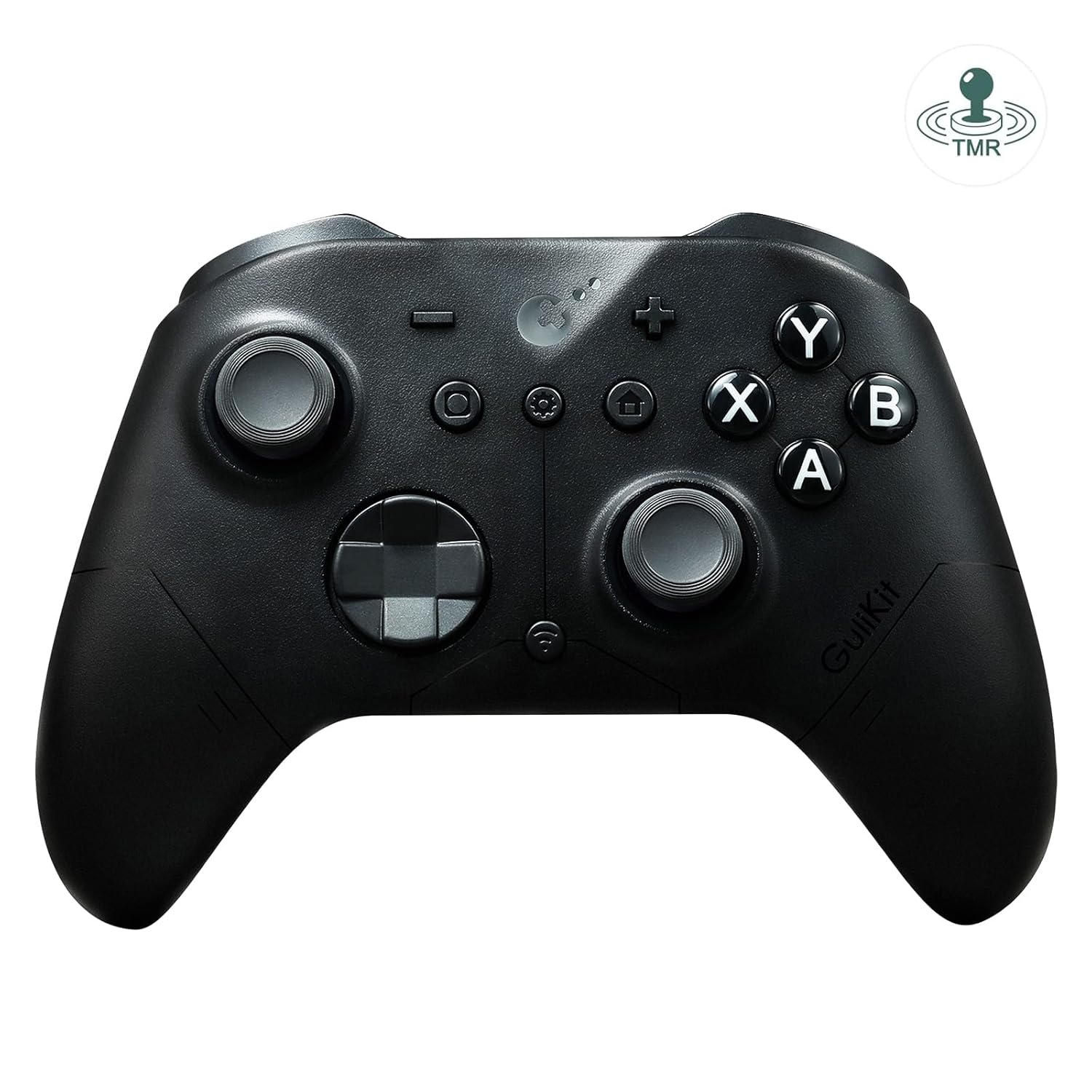
AKNES GuliKit ES PRO Wireless PC Gaming Controller for Switch 1/2, Windows/Android/Mac/Steam Deck with 3.25ms Low Latency, Magnetic TMR Joysticks, Switch1/2 Wake-Up, Tactile Switch D-pad – Black
Original price was: $29.99.$24.99Current price is: $24.99.
Related Products



Product description


How to enable wakeup Switch 2 on GuliKit ES PRO E-sports PC Game Controller
Refer to the uploaded video for pairing instructions and ensure you update to the latest firmware available on GuliKit website.
Set the controller to NS mode, turn it on, hold the pairing button for 2 seconds, and the indicator will flash rapidly to initiate pairing.First put Switch 2 into sleep mode (black screen). Press the HOME button on the Joy-Con to wake the screen, then enter the controller pairing interface and complete pairing.
The video showcases the product in use.The video guides you through product setup.The video compares multiple products.The video shows the product being unpacked. How to enable wakeup Switch 2 on GuliKit ES PRO Merchant Video
Compatibility Switch 1/2, Windows, iOS, macOS, Android, Steam Deck Joysticks HallPi TMR joysticks Triggers Hall Effect triggers Polling rate 1000Hz/1.87ms latency on Wired connection to Windows, 750Hz/3.25ms latency on Bluetooth connection 6-Axis motion control On bluetooth mode. Or gyro motion aim function for PC. Asymmetric rotor motor 3 levels intensity adjustment. Tactile Switch D-pad 4-direction mode, 8-direction mode Turbo function On A, B, X, Y, R, ZR Battery 950mAh built-in battery pack. About 30 hours gaming time. Weight 225g Package Contents GuliKit ES Pro * 1, USB-C cable (1 meter) * 1, Manual * 1 Support Please feel free to contact our support team if you have any problems or concerns: 1) Read the AKNES store page introduction, by Amazon message. 2) Email. 3) By AKNES official web. – Contact informations there.
Multi-Platform Compatibility – Seamlessly connect to PC Windows, Switch 2/ Switch/Switch Lite/OLED, Android, iOS, Mac, Steam Deck, and ROG Ally. One-key mode switching simplifies cross-device gaming.
Ultra-Low Latency & High Responsiveness – Experience competitive-grade performance with GuliKit Hyperlink 2 wireless technology, achieving 3.25ms latency at 730Hz polling (Bluetooth) and 1.87ms in wired mode (1000Hz). Ideal for esports and precision gaming.
Advanced Hall Joysticks & Triggers – Equipped with precision Hall effect magnetic joysticks for Long-lasting Durability control, plus 256-level Hall Effect triggers for lifelike analog input.
Extended 30-Hour Battery & Auto-Sleep – 950mAh rechargeable battery delivers 30 hours of gameplay. Features auto-sleep after 15 minutes of inactivity for power efficiency.
Custom Controls & Switch 1/2 Wake-Up Support – Adjustable vibration, turbo, joystick dead-zone on/off, and Physical ABXY swap supported (Switch-layout caps sold separately), Setting via controller or web tool. Supports wake-up for Switch 1/2 (*Special pairing required for Switch 2 wake-up – see video guide. Firmware update essential.*).
Switch 1/2 Wake-Up – Ensure you update to the latest firmware available on GuliKit website. A. Set the controller to NS mode, turn it on, hold the pairing button for 2 seconds, and the indicator will flash rapidly to initiate pairing. B. First put Switch 2 into sleep mode (black screen). Press the HOME button on the Joy-Con to wake the screen, then enter the controller pairing interface and complete pairing.
Trusted by AKNES – Enjoy reliable customer support. Contact us anytime for assistance—we’re here to help! Visit our store for more details.
5 reviews for AKNES GuliKit ES PRO Wireless PC Gaming Controller for Switch 1/2, Windows/Android/Mac/Steam Deck with 3.25ms Low Latency, Magnetic TMR Joysticks, Switch1/2 Wake-Up, Tactile Switch D-pad – Black
Add a review

Original price was: $29.99.$24.99Current price is: $24.99.
Bertolutti Mathis –
J’ai acheté cette GuliKit ES PRO principalement pour jouer sur Nintendo Switch et PC. Après plusieurs heures de jeu sur Zelda et Mario Kart, voici mon retour :Les points forts :- Joysticks Hall Effect : C’est le gros point fort. Finis les problèmes de drift ! La précision est chirurgicale et les joysticks reviennent parfaitement au centre.- Ergonomie : La prise en main est excellente, très proche de la manette Pro officielle, mais avec un revêtement un peu plus agréable qui ne glisse pas des mains.- Réactivité : Aucune latence constatée en mode sans fil. Les boutons sont réactifs et les gâchettes ont une course parfaite.- Autonomie : La batterie tient très bien ses promesses, je n’ai pas eu besoin de la recharger après plusieurs longues sessions.Le petit bémol :- La configuration initiale avec la Switch demande de bien suivre la notice (très claire cela dit), mais une fois appairée, elle se reconnecte instantanément.Verdict : Un rapport qualité/prix imbattable. Si vous en avez marre de racheter des manettes à cause du drift, foncez les yeux fermés !
Zacharia Rouleau –
Moved from an 8bitdo 2C to this ES Pro and I couldn’t be happier with it! The shape and feel of it are very nice. Works perfectly with the Switch 2 (the top button registers as X, right = A, bottom = B, and left = y as expected contrary to the letters on the buttons) and the home button will wake it if paired properly. If the letters on the buttons being reversed bothers you a button kit to swap the physical ABXY buttons can be bought, make sure you get the new one for the ES/ES Pro. The sticks are silky smooth and responsive. The D-pad is nicely cupped and feels good. The extra features like auto fire and whatnot work well. Haven’t tried it with a computer or android so can’t say anything about that side. The texture of the underside is very grippy, not sure if this is a pro or con but I do not feel like it will slip from hands. It’s a good weight and feels solid.
Artur Moreira –
O delay realmente é menor comparado aos controles de ps5/xbox, manual muito bem explicado em muitas opções de idioma, analógicos leves, pelo preço, superou minhas expectativas, controle muito bom, material bom e ergonomico, agora resta saber a durabilidade.
Jonas Lindeberg –
Exemplarisk för sitt pris. Håller den längre än snitt för mina DualSense (1 år) så får den behålla betyget (haft mindre än en vecka). Min parning krånglade, den bet inte och behövde paras om efter omstart. Men fix fanns och nu startar den konsolen.
Elliot –
Seems to be one of the fastest controllers on the market right now both in wired and bluetooth versions. However, be warned that if you want a fast and stable bluetooth your mileage may vary depending on your bluetooth card, on my pc the controller would cut in and out of connection but on my laptop it had no problem – strange but it’s definitely more an issue with my pc than the controller. Rather than buying another bluetooth card I decided to buy the hyperlink 2 dongle and my word does it works even better than advertised from my latency tests. First one is wired and the second is with the hyperlink 2 dongle.Aside from the stupid fast polling rate and latency the actual controller basically feels like a regular modern xbox controller as the shell is a near identical cast – as well as that the buttons are nice and tactile plus the tmr stick are brilliantly smooth.Overall I would 100% recommend this controller – just if you are going to use it wirelessly I would highly suggest to get the hyperlink 2 dongle