

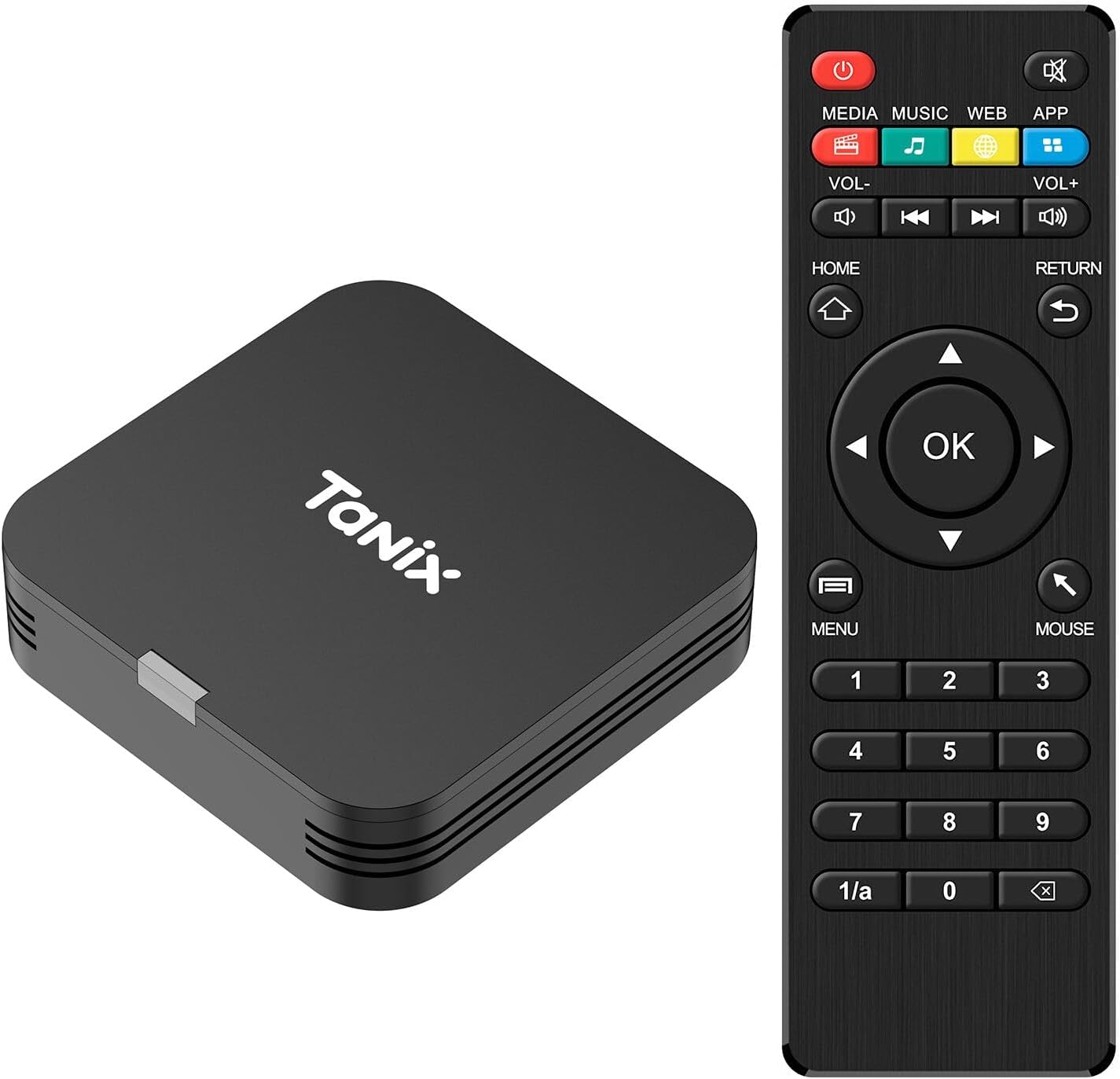
Android TV Box 10.0, Android Box 2GB RAM 16GB ROM, H313 Quad-Core Android Box, Support 2.4G WiFi, 4K Smart Mini TV Box Compact Size
$25.99
Related Products




From the brand

ANDROID TV BOX
THOUSANDS OF PEOPLE’S CHOICE

Sidiwen is delicated to provide our customers with the latest technology TV Box. Sidiwen TV Box is liked by thousands of people not only in Canada, US but also in other countries.
Hot Sale Series
Newest TV Box Android
Sidiwen Android TV BOX
TV BOX & Accessory
【Mini Android Tv Box】The dimension of the tv box android 10 is 2.3*2.3*1 inch, and with light weight for convenient carry. Android tv box 4k is designed with 2GB RAM and 16GB ROM, providing good performance and enough capacity for common usage.
【Android 10.0 & H313 Chipset】Android box tv mini is operated by Android 10.0 system, and Allwinner H313 Quad Core ARM Cortex A53 CPU, which has a good stability and process speed, providing better compatibility and user experience.
【Easily Set Up】Connect the tv box 4k to the TV with HDMI cable, connect the android box 2025’s power cable to your TV, select available WiFi for network connection. You could paste the sticker on the bottom of the tv boxes and attach it to the wall to save space.
【4K Smart TV BOX】This android tv box 10.0 supports decoding and playing almost all popular audio and video formats, bringing you to enjoy 4K HD video.
【Interfaces & Accessories】1 USB 2.0 port , 1 Power input port , 1 HDMI port , 1 AV port. What’s in the package: 1 Sticker, 1 USB power cable, 1 HDMI cable, 1 Remote control, 1 android tv box 10.
8 reviews for Android TV Box 10.0, Android Box 2GB RAM 16GB ROM, H313 Quad-Core Android Box, Support 2.4G WiFi, 4K Smart Mini TV Box Compact Size
Add a review

$25.99
AkujunkanX –
I bought one… then bought two more. PERFECT for Holiday Projection Decorations.
I wanted the cheapest solution to play video files on an outdoor projector for holidays, including Halloween. The projector only has A/V, HDMI inputs and does not have any Wireless streaming/casting or USB support. It does have USB ports to power a streaming device, though.So, knowing I needed a dedicated movie player, I tried this out. You turn it on and the setup process is quick – including, importantly, not having to connect to WiFi to finish. You can skip that and jump straight into the HOME screen.The best part is you natively can assign any app to AUTO-PLAY in the Android Settings Menu and these devices come with a “TV Center” app. I set my video files on the USB drive as my favorites and set the TV Center app to auto-start. Now when I power on the projector and this unit starts it goes straight into the TV Center app and I’m only 2 clicks away from playing the videos: 1 click to choose “Favorites” and the 2nd click to play the first file. It will auto play any other favorites I have saved.The only thing that would make it perfect is to be able to auto-play the video file itself, but that’s no biggue, by any stretch. Just 1080p video playing for over 4 hours a night with no hiccups.It’s tiny and comes with 3M sticker to stick it semi-permanently where you want to. Also note, I used a 16gb USB Flash drive to store the videos and it was formated with Ex-Fat which the unit recognized instantly. So you can use how ever large video file you need to and limited to Fat32 that only has a max file-size of 4gb like some other streaming devices.
Eric Armstrong –
Overheats. Terrible design. Terrible ergonomics.
The good news: Cheap. The bad news….Ergonomics: TerribleEngineering: TerribleManufacturing: TerribleValue: Near zero–nowhere near the delivery cost, much less the price.First, the box regularly overheats. When it does, it freezes. The only fix is to unplug it for a few hours. There is a convenient on/off button on the remote. But causes memory loss. The only way to pick up where you left off is to unplug it. (I think that’s what happened, anyway. After using that button a couple of times to prevent overheating, I decided it wasn’t worth it and just lived with the problem–and might have kept on doing so, were it not for all of the OTHER problems…Then there is the “voice input”. 100% horrible. Misunderstands most every word you can say.Once I did manage to get 5 spoken words in a row to come out right. (I spoke slowly, with pauses.) It transferred 3 of them up to the search box, while displaying the last two at the bottom of the screen in the “voice recognition” box. Why there are two boxes, I do not know. But before it transferred the last two boxes, it froze again–maybe due to overtaxing it’s feeble circuitry. Even the on/off button failed. So get up and unplug it again.Then there are the ergonomics. In the button area, who puts the “back” button at top right? Home is top left (Okay). Menu is bottom left. Bottom right is the “cursor mode” button. One mode is for “move to next, previous item” (apps, for example). Another mode is for a standard cursor you can move around the page. Having two modes can be handy when browsing the web, but I was CONSTANTLY switching back and forth:a) Do a search (generally by typing in characters, given the quality of the voice recognition)b) Go to cursor mode to click on a search resultc) Switch to block mode to scroll down a page(when the cursor is at bottom or top of page, no scrolling occurs. It just stops. So switching modes is theonly way to scroll)Given the cost, I’ll be keeping it to access Chrome on the TV. That capability is the one thing the Android Box does better than Amazon FireTV. But for apps like YouTube, I finally decided to splurge on a new FireTV Cube after my first generation FireTV Box got “bricked” (aka frozen solid, with no recourse to a “factory reset” option they added in later models.Since I object to advertising in a paid service, I pretty much only use it for YouTube (which I pay to keep ad-free). I was looking to replace it with something that cost a lot less than $100, which is how I happened to get this thing. But if I had been smart enough to read reviews like this one first, I would have saved myself the time, the trouble, and the aggravation!
Maria –
Me encantó es pequeño para ponerle en cualquier lugar
Excelente
User –
No Disney Plus
Haven’t watched anything yet, just logged in to my Google account to use the play store to download streaming apps and I’m disappointed that I can’t get Disney Plus on this.
Elwood V. –
Nice & sleek
Perfect size works wonders
RC –
Perfect for my travel trailer when remote camping
UpdatedSo… after my first trip to the trailer, I had some internet access and decided to use my streaming apps. I thought I had tested them all, but I must not have. Well, none of the streaming apps work any more. Hulu won’t load, Netflix says it can’t connect, and when I uninstalled it to reinstall, it was not on the play store. One good thing, prime video worked. Thanks amazon. I still have it 2 stars because as a media player for downloaded movies, it works well.OriginalI was recently on a camping trip where we did not get cell signal and got stuck in the trailer. We figured we would pass some time watching a movie, but the smart device in the trailer does no good without internet. I bought this because the price was great and it has a usb port to plug in a drive. I put some movies on a flash drive, installed VLC, and it is ready to go. It also has other apps, so all my streaming services are available as well when I do have cell or internet service. The most important thing for me is that it is small, and can be powered from a USB port so I can use it when running the trailer from batteries. This fit all my needs and works well. If you have a wireless keyboard, you can plug it in and it makes setup even easier. I am glad I made this purchase.
Lesson –
Android
Didn’t work had to return
Joe from Philly –
Eh – Looking for a Better Android Box
Box got very hot after only 30 minutes. It kept losing the wifi connection as well. I put a different brand box in the same spot on the same network, and had zero issues. Also, the remote needs to be pointed directly at the box for it to work. The OS is clunky in terms of navigating the virtual keyboard and d-pad mouse. Also, using the HDO app, the image boxes override the descriptive text.