
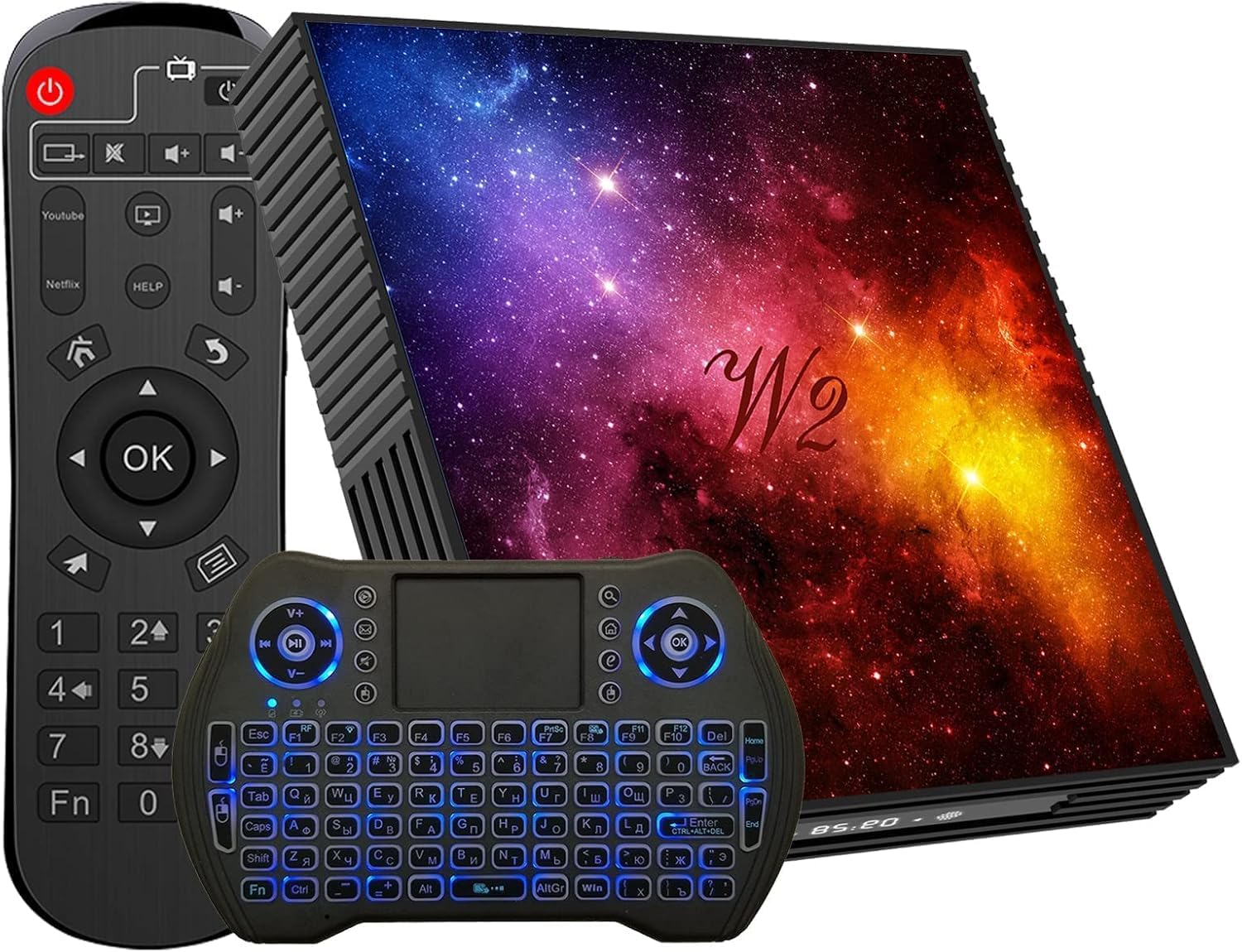
Android TV Box 12.0 4GB RAM 64GB ROM Quad-Core with Mali-G31 GPU Support Smart TV Box 2.4GHz/5GHz Dual Band WiFi Bluetooth 4.2 USB 2.0 LAN Android Box with Wireless Mini Keyboard
$49.99
Related Products


![Stylus Pen [10 Pack] Universal Capacitive Touch Screen Pens for Tablets, iPad mini, iPad Pro, iPad Air, Smartphones, Samsung Galaxy – Multiple Colors](https://bestdealsavvy.com/wp-content/uploads/2025/12/714uJV2cRWL._AC_SL1500_.jpg)


Product description

Android 12 4GB RAM 64GB ROM Smart TV Box
Q1: How do I download the APP?
A1: You can download through google play store or Firefox browser, it will jump to Google play, but both need to sign in to Google account,you can sign in to your already registered google account or register a google account in your browser first before downloading the required application;You can prepare a U disk in advance, download the required APP installation package in the U disk, and then insert the U disk into our TV box,it will automatically pop up the ”APP installation or not” window, click to confirm.
Q2: How to remove the option of Play Store application and reinstall it?
A2: Please make a factory reset at the following steps.Settings->Device Preferences->Reset->Reset->Erase everything. And please try to download the app on the Aptoide TV and the website.
Q3: Can this box be connected via wifi?
A3: Android TV box supports wifi connection, select -setting-wifi-enter wifi password, if there is Wi-Fi can not be connected, please unplug the cable first, we suggest you use wired connection will be faster if there is Ethernet, WiFi can not be connected at the same time.
Q4:Why my IR remote control can’t work properly?
A4: Common reasons why the IR remote control may not work properly: 1. The remote control does not have batteries installed 2. The remote control is too far from the set-top box, generally recommended within 5 meters 3. There are obstacles between the remote control and the set-top box.
Log in to use in just 4 steps
Step 1:Follow the picture to connect in 4 easy steps to start enjoying
Step 2:Use the HDMI cable to connect your TV.Plug in the AC adapter.
Step 3:Connect the other end of the HDMI cable to the TV set.
Step 4:Connect via the RJ45 10/100M or WiFi network port.

Mini size android tV box with starry sky style appearance design.
No matter where you are, you can easily enjoy video, games, social and so on. All you need to do is plug it into screen and connect to the network.

💡【Android 12.0 OS TV Box】Equipped with the most powerful processor, the Mali-G31 GPU is far ahead in image processing. Ensuring smooth operation and responsiveness. Android TV box runs faster and smoother.
4 reviews for Android TV Box 12.0 4GB RAM 64GB ROM Quad-Core with Mali-G31 GPU Support Smart TV Box 2.4GHz/5GHz Dual Band WiFi Bluetooth 4.2 USB 2.0 LAN Android Box with Wireless Mini Keyboard
Add a review

$49.99
Andy Gutierrez –
Android box not good
This device is garbage!Don’t waste your time or money
JeffB –
Excellent value. There’s not much not to like.
It works great. The included mini keyboard is very useful and includes mouse feature; It uses one of the 2 USB ports (it isn’t bluetooth). I have loaded many apps on this box and they work very well. Somebody else dinged it for it’s interface and I disagree. It is very intuitive and easy to use. I have bought quite a few different Android boxes and find this one to be as good or better than any of the others. It does require 4 AAA batteries (not included) ; 2 for remote, 2 for mini-keyboard. For the price of this box, can’t go wrong. I’m buying several as gifts.
Mike Norals –
Not good for wifi. Even with a excellent signal
Wi-Fi doesn’t connect. Wired only
Ogbmicro –
NOT for faint hearted!!!!
Don’t waste your time. Badly written inreface. No icon for SETTINGS. Returning.