

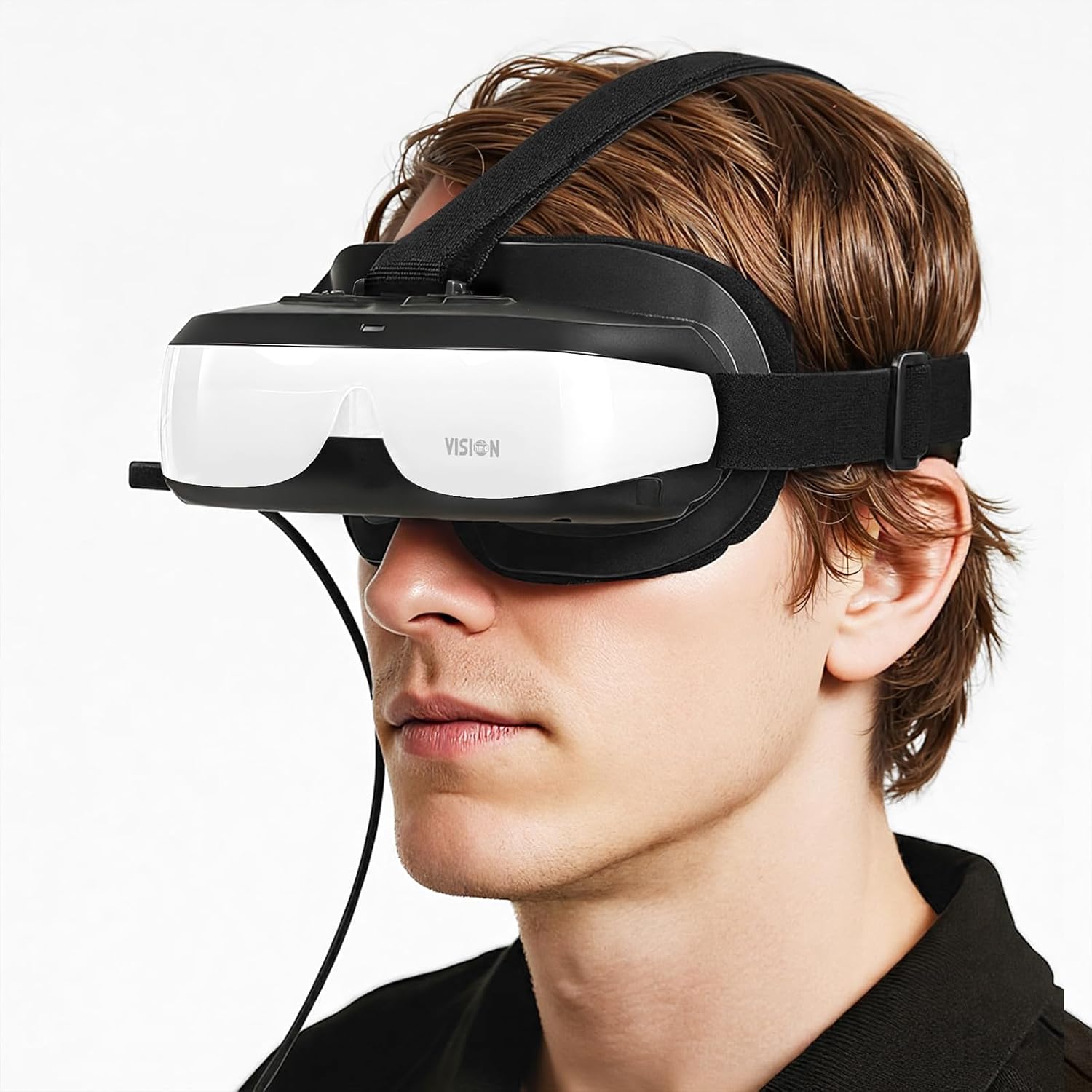
Bigeyes H3 Personal Mobile Movie Cinema,HDMI Input,Built in Battery,Connect to Various Multimedia Signal Source Devices. Video Display Glasses, Headset, Goggles,Monitor,HMD
Original price was: $749.00.$139.00Current price is: $139.00.
Related Products






Product description
Add to Cart
Add to Cart
Add to Cart
Add to Cart
Customer Reviews
3.3 out of 5 stars 34
3.6 out of 5 stars 13
3.3 out of 5 stars 92
4.1 out of 5 stars 10
—
Price
$149.00$149.00 $119.00$119.00 $149.00$149.00 $99.00$99.00
— no data
3D
✓
✓
✓
no data
no data
Built-in Battery
✓
✓
no data
no data
no data
Dual Screen
✓
✓
✓
✓
no data
Support 0~5.0 D Myopic adjustment
✓
✓
✓
✓
no data
Refresh Rate
60Hz 60Hz 60Hz 60Hz 60Hz
VISIONHMD Bigeyes H3 Personal Mobile Movie Cinema -Video Goggles- Video Display Headset with HDMI Input

High Definition Portable 120inch Video Display Goggles
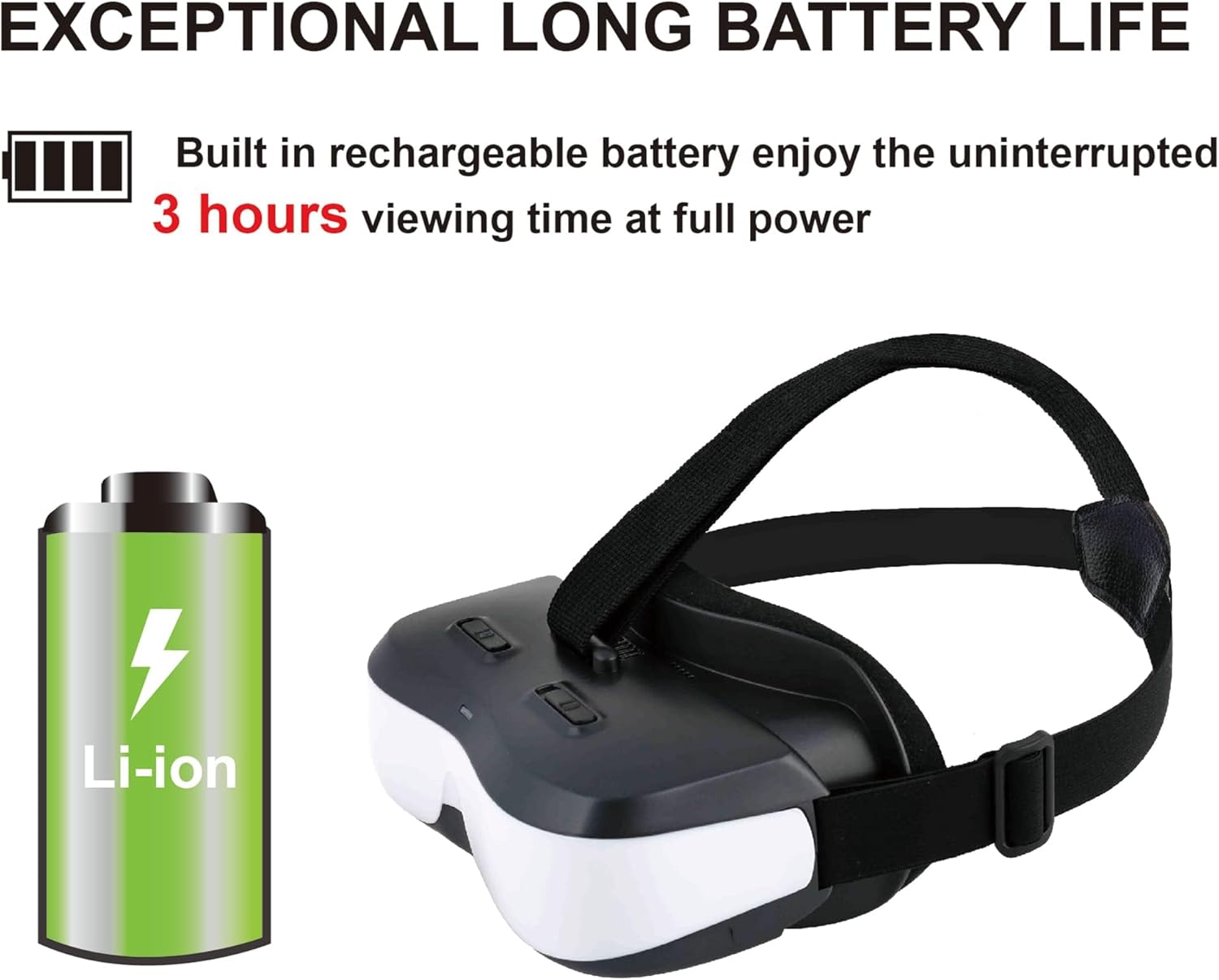
Good to watch 2D video with a virtual 120-inch screen.Private use and watch wherever.Each eye equipped one HD720p(1280 x 720) 584PPI LCD Display. HDMI input, HDCP compatible, support 720p, 1080p videoBuilt-in a big capacity rechargeable battery can last about 2.5 hours playing without interruption.Support 0~5.0 D Myopic adjustment.
Connect to Various Media Source Devices Directly

Connect to TV Stick or TV Set Box
Easy connection to Blu-ray player, DVD player, Roku, Apple TV, TV Stick , TV box.It is great to watch regular 2D movie privately.Plug and Play

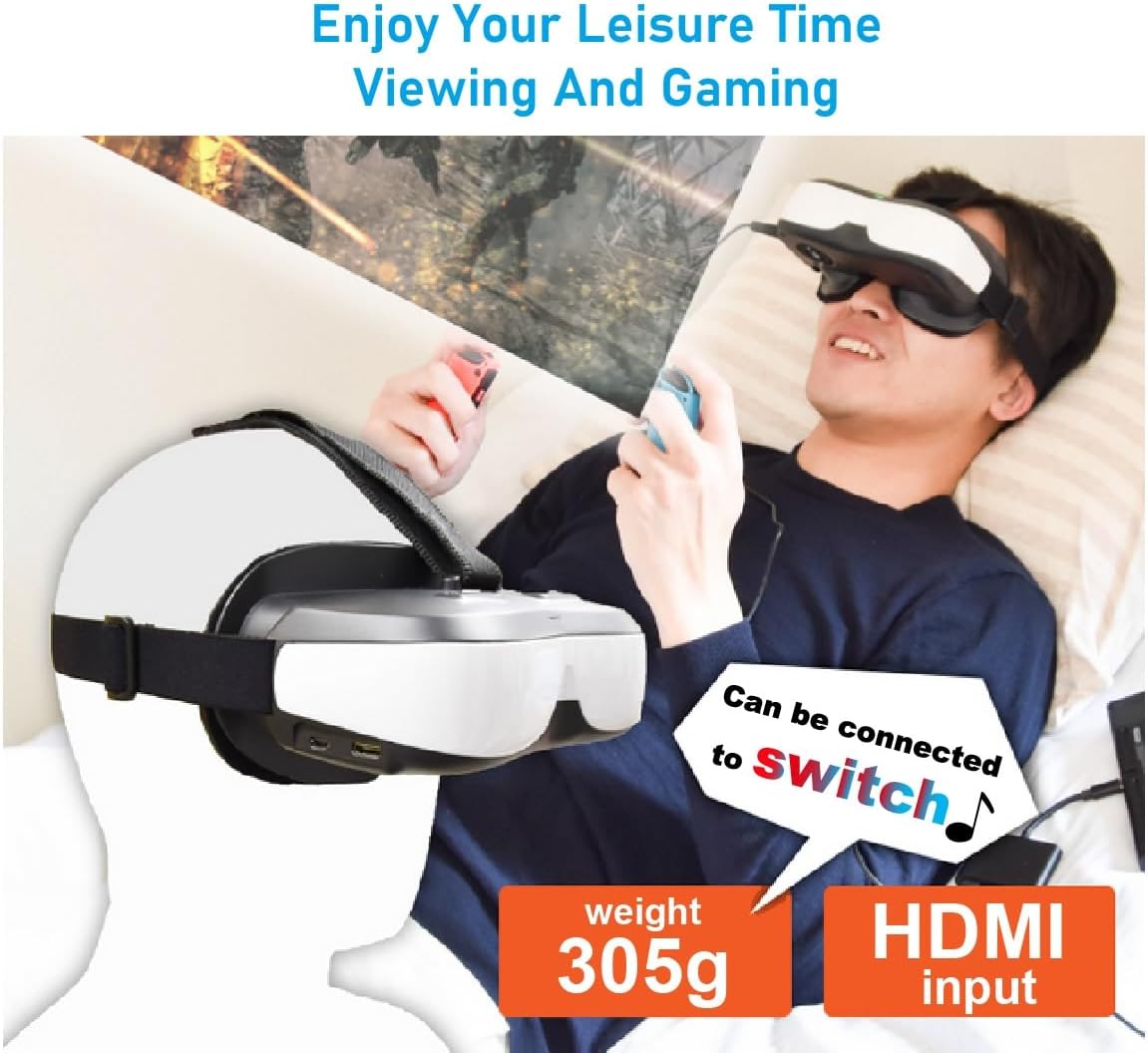
Connect to Game Console
Sharp vibrant screen (more on that later), big screen!, good contrast, colors pop.Playing games no ghosting, refresh rate looked smooth, picture was sharp.

Connect to Smart Phone
Standard HDMIAs long as your phone has video output ,with a corresponding adapter, you can enjoy a giant screen cinema.It looks like you enjoy movies privately in a big theater.
These are NOT VR goggles.It’s just a 2D Display,Monitor,Personal Cinema,HMD, you can comfortable privacy to enjoy movies.This devices by itself doesn’t work,need to plug in the HDMI port to your devices to watch movies,videos and get more applications.
Please Note!When the Bigeyes H3 fail to display Samsung DeX, please follow the steps below to configure. First of all, the Samsung phone is connected to the Bigeyes H3 via a Type-C to HDMI adapter, and then turn H3 on. Then enter the phone’s settings mode. First Step: Tap on the “Connected devices” option. Second Step: Tap on the “Samsung Dex” option. Third Step: Tap on the “Connected display” option. Fourth Step: Tap on the “Mirrored” option. The final step:Disconnect the Type-C to HDMI adapter from the phone, then plug it back in. It is OK.
Kindly follow the instruction manual provided with the product. If you connect to a mobile phone or laptop, please make sure your devices have video output function and choose a correct adapter accordingly. If you connect to the Switch, please use TV mode by original dock stand or use another different Type-C adapter, but both must be plugged into Switch’s original charger.
It does better with using an Android RIO R-TV BOX with a UGREEN adapter. Got a clearer. wider screen. If your device only has Type-C output but not HDMI, please choose Type-C.This is very important, this HMD is not directly compatible with your Type-C device. Of course we also have USB C to HDMI adapter available, search 𝐀𝐒𝐈𝐍 B0FV8DFQYJ (𝐜𝐨𝐦𝐩𝐚𝐭𝐢𝐛𝐥𝐞 𝐰𝐢𝐭𝐡 𝐒𝐰𝐢𝐭𝐜𝐡 𝟐).
Its lightweight and a lot smaller than it looks in the picture. Easy connection to Blu-ray player, DVD player, TV Stick, Apple TV,and kinds of set box.
Support adjustable inter-pupillary distance and 0~500 degrees Myopic adjustment, compact, lightweight for long term comfort wearing, also support nearsighted between 0 ~ 5.0 D. 【Please Note!】 If there is still no signal when connecting to a same devices with HDMI out multiple times, please use a paper clip to press the reset button, reboot the headset, and then press the power button again.
Two independent displays – each eye equipped one HD720p (1280 x 720) LCD Display. HDCP compatible, support 720p, 1080i, 1080p video input.The picture is crisp and the edges aren’t blurry at all.Its exactly what you would expect for $150 in 2025.
5 reviews for Bigeyes H3 Personal Mobile Movie Cinema,HDMI Input,Built in Battery,Connect to Various Multimedia Signal Source Devices. Video Display Glasses, Headset, Goggles,Monitor,HMD
Add a review

Original price was: $749.00.$139.00Current price is: $139.00.
Mannie C. –
Great Goggles for FPV and Even Some Video Games
These googles are a great value for the money. Don’t listen to the negative reviews. There are goggles that cost hundreds of dollars that aren’t gonna do much better than this at this point. I use these for FPV with my HDZero/Shark Byte system and it looks so good. I’ve tried many expensive goggles and these might be the best screen, comparable to DJI which are $500+, though less resolution. Still looks awesome! Better than my actual fat shark goggles. The sides of the screen might be blurry based on how it sits on your head, but again, at this price point you can’t really complain. The screen is big and looks great. I had the color glitch another reviewer had, but it went away when I reset them and haven’t seen it since. I’ve put a few cycles on the battery since with no issues. I’ve come back to buy a second backup pair but I see they are not currently in stock and I wish they were!Based on my goggles experience, the price point is good enough to overlook any of the minor flaws it may occasionally have. Manufacturer, if you are reading this, I hope you haven’t discontinued, unless you’re just improving them, in which case let me know!
Hayley Wood –
SO close to usable
I knew ahead of time that this is not a smart goggle or oculus type device; I wanted a dedicated device for simplicity. This was so close to working.Pros:1. plug in to power and hdmi and it shows up like an additional monitor on your computer. no drivers or fiddly bits.2. good set of cables included3. packaged nicely4. pretty lightweight but cable connection causes problems5. included headphone jack works pretty wellCons:1. I could never get both my eyes centered in the fresnel lenses. they need more granular adjustment and a little bit of vertical adjustment.2. focus needs an external knob. you have to take off the HMD to adjust focus then put it back on to see the results.3. the cables hanging out one side really add up in weight. I needed a longer cable to reach my desktop, and the longer heavier cable REALLY sagged the hdm. the included hdmi cable and usb power are lightweight but they cause the HMD to want to twist on your head. a pigtail to the back would be better.Conclusion:Watching movies works pretty well as you can lay on a couch and the cables don’t hang as much. I wanted these for gaming when I travel, so i have a larger screen. It almost works. you have to remove the HMD to see anything in the room, and then I am fighting the adjustments again. Having the cables hanging of the side while sitting in a desk chair gets fatiguing after only a short time.This is terrible for text or precision work, but works well for content consumption: movies, youtube, gaming. Motion sickness is very likely when playing on these, but a short break and you are good to go.
MBP –
Just right for TV and movies but if you want to game, read this first….
First off I want to say that overall I am pleased with this product and it exceeded my expectations especially after reading a few scathing reviews for it.The 720p picture quality is adequate for my needs and wants as far as watching movies and TV as well as console gaming. The sound that comes from the unit itself which includes earbuds is satisfactory– maybe not for an audiophile, but for me I am fine with it. If your sole intent is to watch movies and TV privately, whether it’s because you don’t want to distract anyone, no TV is available, or you want to watch something that you don’t want anyone else to see (wink, wink) then this will suit your needs and you can stop reading right here.IF YOU ARE A GAMER you may end up with mixed feelings about this product or not like it at all if that is going to be your prime use for this. Keyboard and mouse games are pretty much out of the question for not just the obvious reason that you won’t be able to see your keyboard, but also because these kind of games usually have a lot of small text on the screen, and with this low-resolution monitor which does get a little blurry around the corners, will drive you nuts.The main problem with this image is that it is just plain too big– so you have to strain a bit to see what is in the corners of the screen. Not such a big deal if you watch TV or movies– you won’t notice this or even care about it if you do. You cannot adjust the size of the image within the unit itself. Therefore, the games you play are either going to have to be a) fairly simple ones or b) from a source that you can change the image size from the source.Xbox does not have this feature– where you can adjust the screen size with the console settings. Luckily Playstation 4 and 5 does. I don’t know about Nintendo.That doesn’t mean you can’t use it with Xbox at all, it’s just that you are going to get a little annoyed when you try to view smaller text in the corners of the screen. You can either play a game where you can adjust the HUD area, the size of the text, and/or something simpler like a first person shooter or action game where there is not that much critical HUD display in these areas.Go on Playstation 4 or Playstation 5 and in the settings adjust the screen size to the lowest possible size. Then you will be able to see the whole screen– no problem.On PS5 I played Rise of the Tomb Raider with little issue over reading the text. The smaller screen didn’t take away from the immersion at all.With Xbox Series X I did get annoyed playing Shadow of the Tomb Raider- a comparable game with the same kind of HUD and text. However playing Grid Legends, Hotwheels Unleashed and Bulletstorm were a total blast.So you get the picture– this is not going to please every gamer in every way on every occasion.I love it. I’m adaptable, and just fine playing mostly PS titles on this. But some people are more picky, and some people own just Xboxes and not Playstations.In any case, if you do use this on Playstation 5, Xbox One, Xbox Series S or X, do yourself a favor and plug some decent headphones directly into the controller and choose a spatial sound setting. It just adds to the immersion and with the right game and the right settings (reduced picture size and/or HUD) you just may lose yourself in the absolute bliss of it like I did. Also, a good set of over-the-ear headphones will keep the goggles more securely in place.On a personal note, I do like gaming like this better than VR. I find VR overwhelming, and also the choice of games is limited. While you won’t get the same effects as a VR headset for sure, you will get some sort of feeling of depth as you look at the screen head-on, blocking out everything else. I find myself moving my head in sync with the motion of what’s happening on the screen.Some won’t like this because of the low resolution. Some may not like it because it lacks settings you would normally find on a regular TV. Some may really hate that you can’t see the corners so easily, and not have a workaround for it like I figured out. All in all, let’s get real people– these kind of headsets normally cost about 2.5 times as much if you want something even a little better. I for one know I got more than my money’s worth and I am happy as a clam.UPDATE: I can get rid of some of the blurry corner effect by rotating the lenses. It’s a bit of a pain to close one eye, take them off, adjust it, then do the same for the other eye but well worth the trouble. Also, I try to adjust the strap so it’s not so much resting on my nose but at the part of my face just below the eye socket, then rotating it (not lifting it) towards me with the middle strap.There are no internal controls on the headset to adjust the picture settings other than brightness. However, on Xbox if you go into the accessibility settings then select ‘night mode’ you can adjust the color brightness and also the blue light filter. Play around with these settings until the color bars suit your preferences and you will notice a significant difference in picture quality. Also, when a game has in-game settings for brightness, contrast, gamma and saturation this really helps a lot.GRID LEGENDS on Xbox One and Series X/S plays really well, and I suspect many driving games will too. Ace Combat 7 is also good, and so is Skyrim on Xbox. Just keep in mind on Xbox that the smaller the print on the HUD and the further the info reaches into the corners, the more this may annoy you.Lastly, if you want to game and you are torn between the H1 and H3 model, GET THE H3. While the H1 does do 3d and has an adjustable screen size, the refresh rate is only 30hz while H3 refresh rate is 60hz.
bb –
disappointing
the form factor is nicethe finish is nicethe head straps work wellthe weight is goodMy use profile was connecting to a Windows computer and configuring the operating system for multiple monitors. After installing the driver I could seen the computer screen and movies.Unfortunately …The left and right sides seem to view separate images. To explain … think of looking down two cones at different monitors. Each monitor with the same image. One cone for the left eye and one for the right. The issue was the left and rigt images never coalesced.I was never able to adequately focus the image(s). Tried wearing my glasses. The headset was not large enough for my glasses. Also the glasses forced the viewing screen further away and I could not see the entire image(s).If you are going to wear glasses consider reading glasses only. Using bifocals resulted in focus issues between the upper and lower portion of the image.The headset has a headset jack. The volume was very low.
Freddie –
Can be use with DJI smart controller as FPV goggles….. Not too bad.