
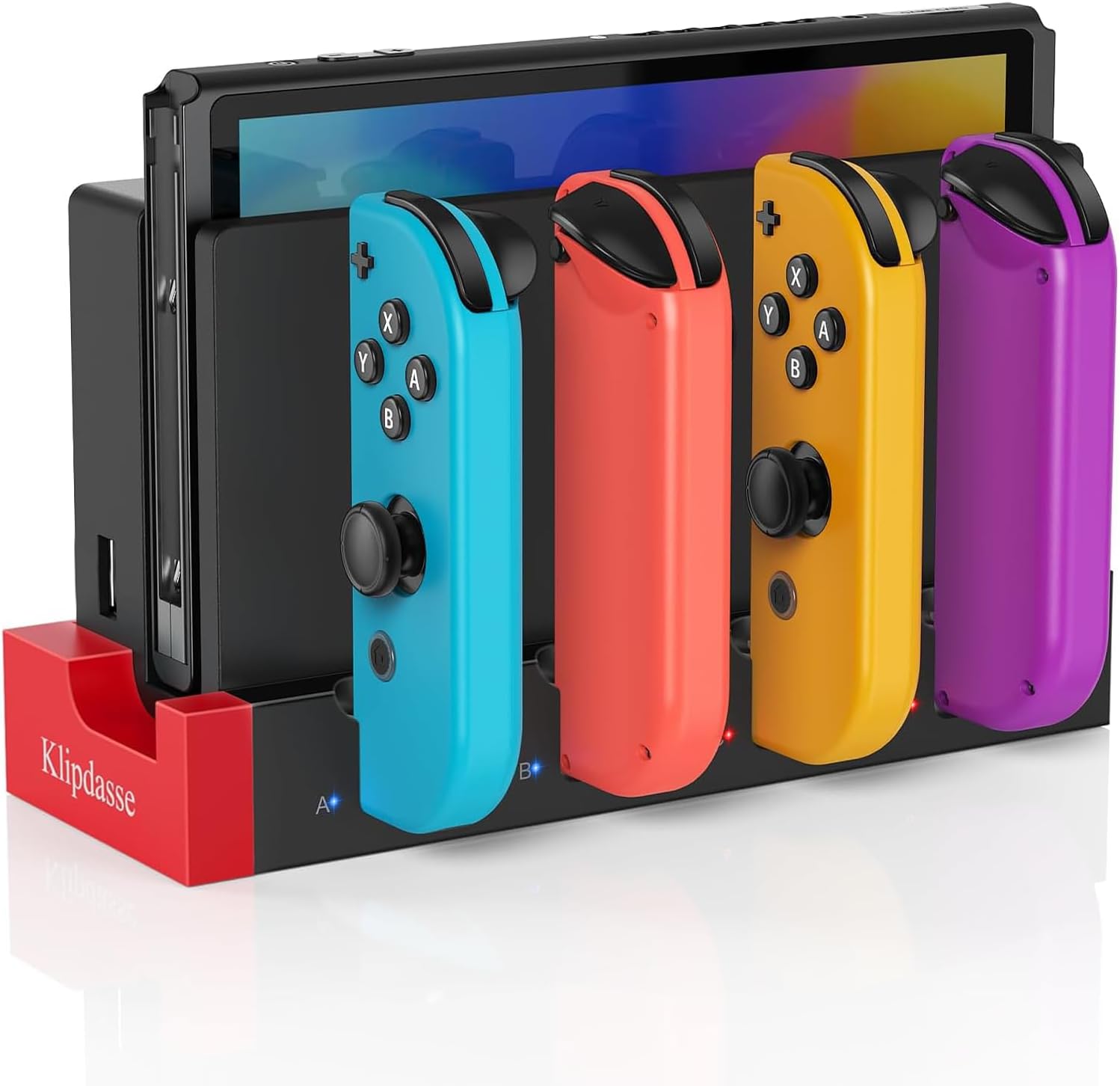
Charging Dock Compatible with Nintendo Switch & OLED Model Joycons, Joycon Controller Charger Dock Station for Charges up to 4pcs Joypad, Charging Stand Station for Nintendo Switch/OLED Model
Original price was: $14.96.$12.96Current price is: $12.96.
Related Products







From the brand

Accessories for PS5 Portal
Klipdasse Video Game Accessory
Case for PlayStation Portal
Charging Dock for Nintendo Switch & OLED Model for Joycons: This charger is matched with the original switch dock, charging for Joy con. Available to charge 1-4pcs controllers at the same time so that it will help you save time and increase efficiency
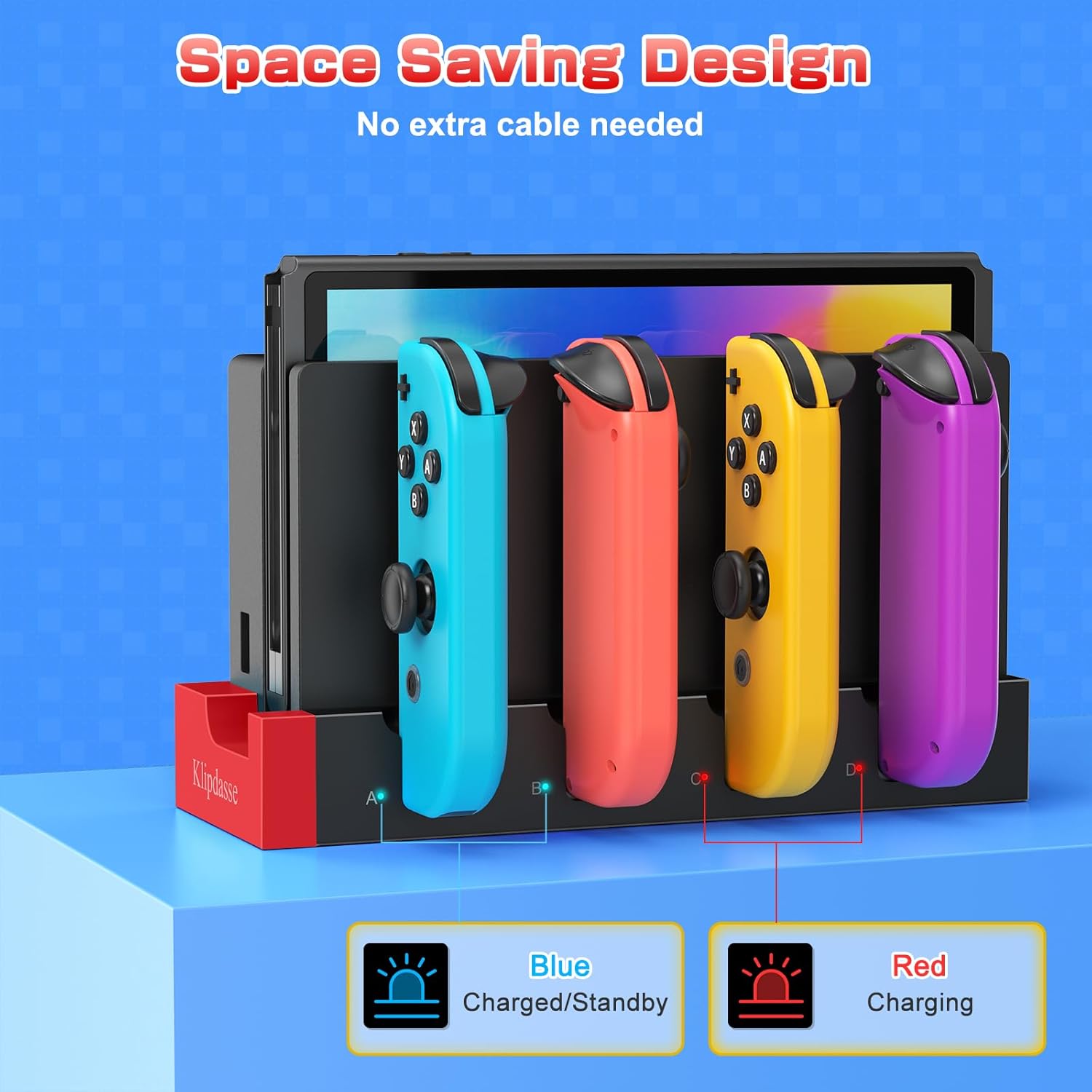
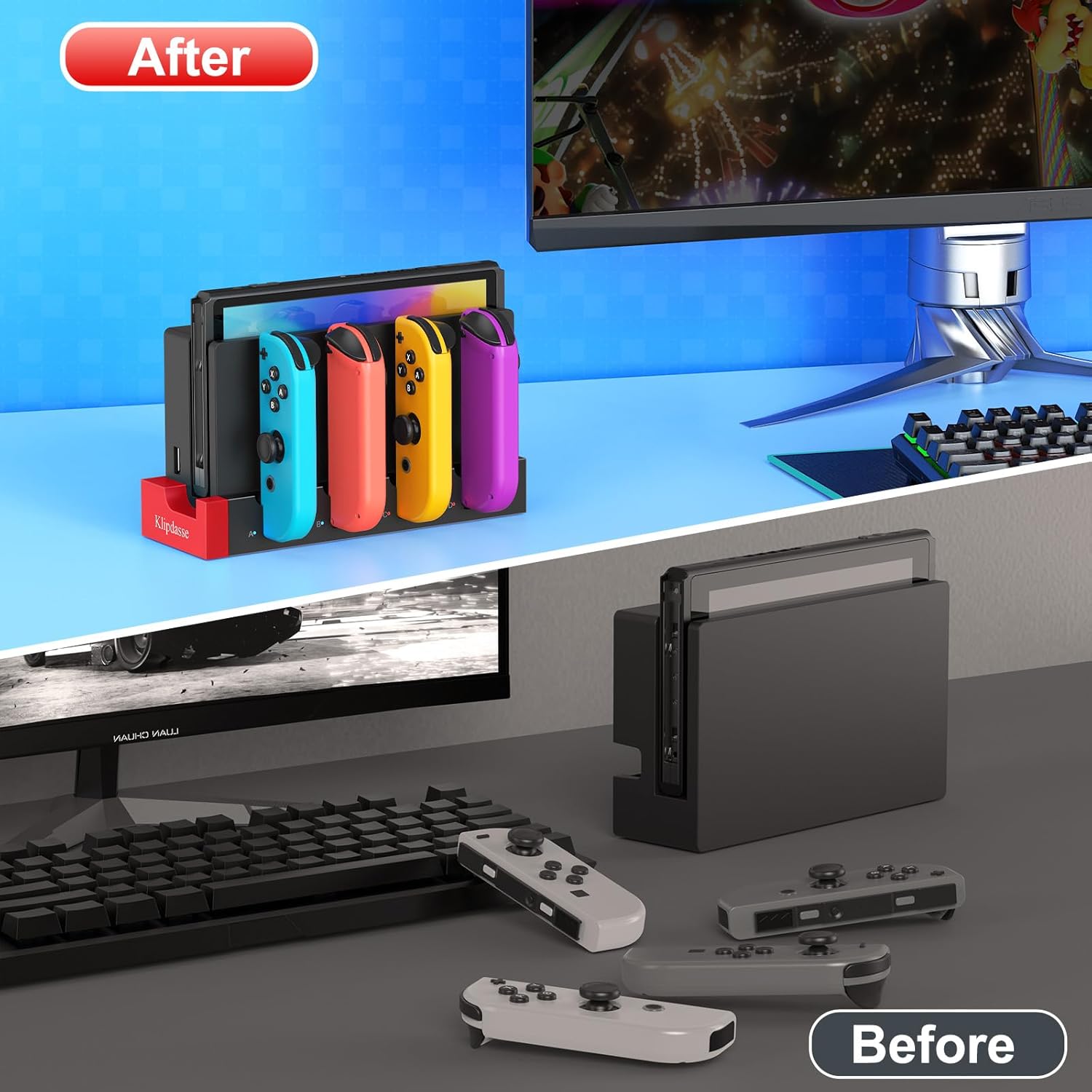
Easy to Use: Just connect the charger to the original console dock to get power input, and then plug your joycons into the charging station. NOTE: No extra cord needed. It has a USB plug built into the side, just plug into your Switch’s docking station and use the power from there. Integrated design, simple and does not occupy space
Security Protection: The charger dock for joycon built-in protection chip is with perfect over-charge, over-voltage, over-Current, over circuit protection functions, more safe and reliable. Low standby power consumption, electricity-saving, and environment-friendly
LED Indicators: There are individual LED indicators for Joy Con, which allows the charging status at a glance. Plug in each slot for Joycon, the corresonding indicator icons turn red when charging, and they will turn blue when fully charged/standby
Keep Organized for Joycons: This charger stand keeps organized for joycons and does not take up a huge amount of space. The charging station is such a great display for Nintendo Switch! It is a perfect gift for Nintendo Switch gamer
13 reviews for Charging Dock Compatible with Nintendo Switch & OLED Model Joycons, Joycon Controller Charger Dock Station for Charges up to 4pcs Joypad, Charging Stand Station for Nintendo Switch/OLED Model
Add a review

Original price was: $14.96.$12.96Current price is: $12.96.
Marty –
Great Affordable Option
Great price, completely foolproof—just clicks right in, and charged all 4 of our joycons very quickly. I also like the indicator light for each joycon so that you can see the charging status. So glad I found this product!
AnneMarie Smithers –
Perfect!
Great compact charging station for extra handles. No more switching them out to charge on the switch. And no more dead joycons!
Tyler –
Great product
First of thank you so much! The kids have loved it, and it’s easy for them to use. It charges the controllers fast and is compatible to all of our remotes. The attention to detail is great and I love the black one.
Bill Kavvathas –
Good product overall
The product does as advertised. It directly and easily connects to the dock of the Switch and looks seamless. It was a little confusing at first on how to put it all together but overall, it fit perfectly. Sliding the joy cons on was easy, and the charging speed was good. It also has an indicator telling you if the joy cons are charged to full or if they are low on battery and charging in the dock. In terms of quality, the joy cons do seem a little flimsy when docked, there’s a lot of wiggle room and personally, I feel like if you’re rough with it, it might break. However, I don’t think that’s likely at all since it will not be moved around. Overall, I love this product, and I recommend it for people who have multiple extra joy cons and want to organize them better while being able to charge.
Jon Tyler –
Excellent solution to save space if you have several controllers
Works great – it’s a definite space saver. I used to have a separate standalone charger for the controllers taking up extra space on the counter, but with this, the Switch and the controllers can be charged in the same space with a compact footprint.
Kirsten Braley –
Neat charger
Just came today and so far so good for everything plugged in and now we shall see if they do charge the controllers or not. Was so easy to just add the switch dock and plug the charger into it. Cord is small but you don’t need anything long I didn’t have to rehook anything up and fit perfectly where I want it. And for only $9 it’s definitely worth the money to try it out. I like that it’s small and doesn’t take up a lot of space. I wish I could’ve found it in white to match my dock. But other than that it seems good.
Casey Prichard –
Nice add on for additional “joy-cons”.
Dock fits and plugs into the Switch dock nicely. The adhesive to attach to the front of the Switch dock came apart, but the functionality is still fine.
rflulling –
Nintendo switch multi controller charging dock for joy-con
This is a nifty little stand / charging dock for the standard joystick controllers that come with a Nintendo switch. I purchased it quite literally for this very purpose. I think that the one thing that it would benefit from would be that if the main mount for them were to extend up a little bit further to give them stability. It feels there’s a little bit too much of the amount dependent on the connecting area of the power jack and I feel like that’s going to add extra stress to the joycon itself and or to it’s electrical connection and over time it could cause them to break. Up until now they only charge when they are completely insecurely slid into the Nintendo switch. and as a result I think that they are far more secure during that process than they are on this little dock. And it is not that I am unappreciative of the design because it’s very simplistic it takes up very little room it’s super easy to store and transport in terms of retail I think it’s a great and clever idea. But I think there are definitely some very minor improvements that the manufacturer could make that would make it even more valuable. Although I don’t honestly expect to see those revisional changes since of course the Nintendo switch is already considered to be end of life. As they are now pushing the Nintendo switch 2.No I did record to snapshots of the device post installation. One is just a standard snapshot with my controller’s attached. And the second is without the flash enabled so you can actually see the tiny little blue lights on the base. Well that’s not really so much necessary for any review. I do find it nice to be able to show in this particular aspect that the doc does have a tiny little charge indicator. Depending on where you place it you might not even notice that it’s there. Honestly I’m betting most people won’t notice the kids probably will. If I remember correctly it actually even does a quick little diagnosis of the controllers and it will it doesn’t happen immediately but it does change color from red to blue depending on the charging status. And I find this more interesting than your typical controller chargers as most of the time when you plug something in it immediately turns red regardless of what it’s doing. But this little guy will stay blue for a few seconds and then One charging begins it flips to wreck which is nifty if you’re paying attention.
سعد الخزرجي –
جيد
Quentin V –
Très pratique et prends peu de placeJuste dommage que les leds restent allumées quand c’est fini de charger
Daniela –
Funcionou perfeitamente
Gab Consul –
Easy to use and install
Mr T J Brown –
Works exactly as you’d want it to and very neat