

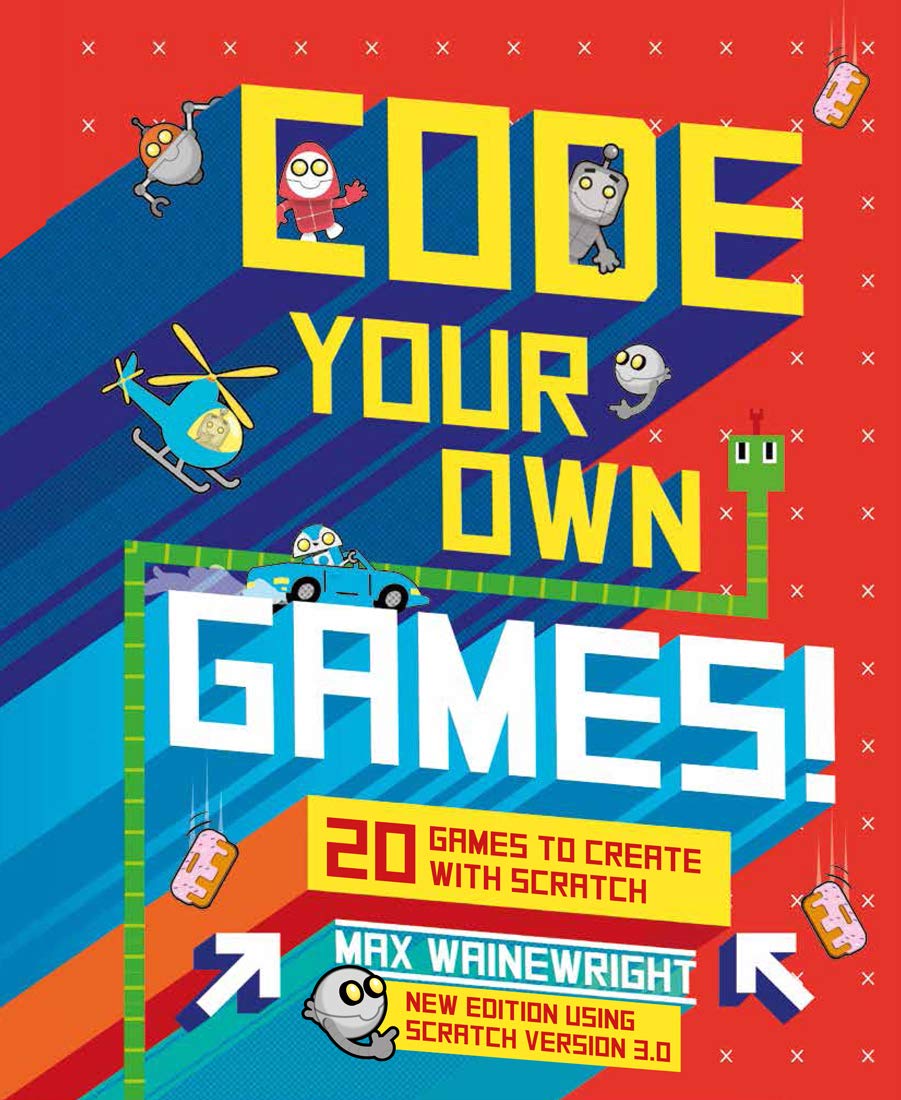
Code Your Own Games!: 20 Games to Create with Scratch
$21.99
Related Products




With the key coding concepts explained in this book, now updated with Scratch Version 3.0, any kid can become a super-coder!
Learn how to code your very own computer games using Scratch software. With easy-to-follow, illustrated step-by-step instructions, create all types of popular games from Snake and Brick Bouncer to driving and action games. Code Your Own Games introduces key coding concepts through simple and practical tasks – from drawing shapes and giving instructions in code to building games and much more! Each chapter progresses in difficulty, yet instructions and explanations are always easy to understand.
Publisher : Union Square Kids
Publication date : November 10, 2020
Edition : Revised
Language : English
Print length : 80 pages
ISBN-10 : 1454943130
ISBN-13 : 978-1454943136
Item Weight : 1.1 pounds
Reading age : 6 – 11 years
Dimensions : 8 x 0.5 x 9.75 inches
Grade level : 1 – 6
Best Sellers Rank: #89,385 in Books (See Top 100 in Books) #11 in Children’s Computer Software Books #22 in Children’s Programming Books
Customer Reviews: 4.6 4.6 out of 5 stars (175) var dpAcrHasRegisteredArcLinkClickAction; P.when(‘A’, ‘ready’).execute(function(A) { if (dpAcrHasRegisteredArcLinkClickAction !== true) { dpAcrHasRegisteredArcLinkClickAction = true; A.declarative( ‘acrLink-click-metrics’, ‘click’, { “allowLinkDefault”: true }, function (event) { if (window.ue) { ue.count(“acrLinkClickCount”, (ue.count(“acrLinkClickCount”) || 0) + 1); } } ); } }); P.when(‘A’, ‘cf’).execute(function(A) { A.declarative(‘acrStarsLink-click-metrics’, ‘click’, { “allowLinkDefault” : true }, function(event){ if(window.ue) { ue.count(“acrStarsLinkWithPopoverClickCount”, (ue.count(“acrStarsLinkWithPopoverClickCount”) || 0) + 1); } }); });

Nick Nack –
Great introduction to programming.
I bought this book for my 8-year-old. At first I thought I was going to have to go through the book with him, but honestly he picked it all up on his own and has gone back to it multiple times to build the new games. It didn’t take him long to build upon what he learned in the book and he started creating his own games.I think the fact that it’s game oriented really helps the kids get interested.As a father who is in the software engineering profession this has been a wonderful way to bond with my child and spawn some interest in computer science for him.
E. Peters –
Perfect learn-to-code book
In my professional life I’ve done just enough coding to know that the way you learn to write code is by copying something similar and then changing it to do what you want it to do. Tre trick is getting the right code to copy. This book is perfect for that; the projects are very simple yet fun and appealing, and new concepts are introduced gradually.We got a different scratch book from the library and it sat untouched for a few months. After we bought this book my kid made five games from it in the first week.10/10, no notes, if you’re only gonna get one scratch book, get this one.
Amazon Customer –
Great way to introduce kids to STEM
I use this with grandchildren, ages 5, 8 & 12 as a base to let them design their own applications. While the 5 yo is barely reading, she took immediately to the background design feature and, I would work with her, using snipers from the code projects, to animate simple games. The 8 & 12 yo are working more on their own. This is well supported by the book where projects are broken up into 5 increasing levels of difficulty. This is the most requested activity when they come over and I was able to configure old laptops to run a portable version of Scratch fro a jump drive so they all could work simultaneously and never require internet or hard drive access. The book was so good, I purchased a second one for them to work with at home. A note of caution: different versions of Scratch use slightly different icons that may require some adaption from the version the book uses as its basis. I”ve preworked exercises to minimize this issue. Other than that, all projects appear to work and provide a fun way to introduce programming at different levels.
LESTHER B. –
Easy to follow and hands on book
Arrived in excellent condition, very easy to follow. With step by step graphics. My son is so excited with it.
Henry bayard –
my old grandson loves it
great book to start teaching my grandson how to build games. He wants to make video games when he grows up. This is a great book to teach how.
Jackie Duval –
Gift for an 8 year old!
My son is a gamer! Loves gaming and creating his own. He reads a lot of the books about game creation, however he really was not a fan of this particular book. The quality of the book is great but just wasn’t a fit for our reader!
Sharon D. –
Gift for my grandson
My 11 yr old grandson is really interested in coding and has done a few simple things. His mother gad this book on his Amazon wish list so I bought it for him. He was thrilled!
Sara C –
Well written
This would be great for a kid first getting into coding.
Joy Hamilton-Jones –
A perfect gift for our Grandson. He said it was one of his best gifts for Christmas. Straight away he proceeded to figure out a game and then was delighted to share his 1st game on Skype with us in New Zealand.
Daniel MacDonald –
My 7 year old loves coding in scratch, and this is his favourite book about it
Wayne Robert Strong –
My nephew will love this