

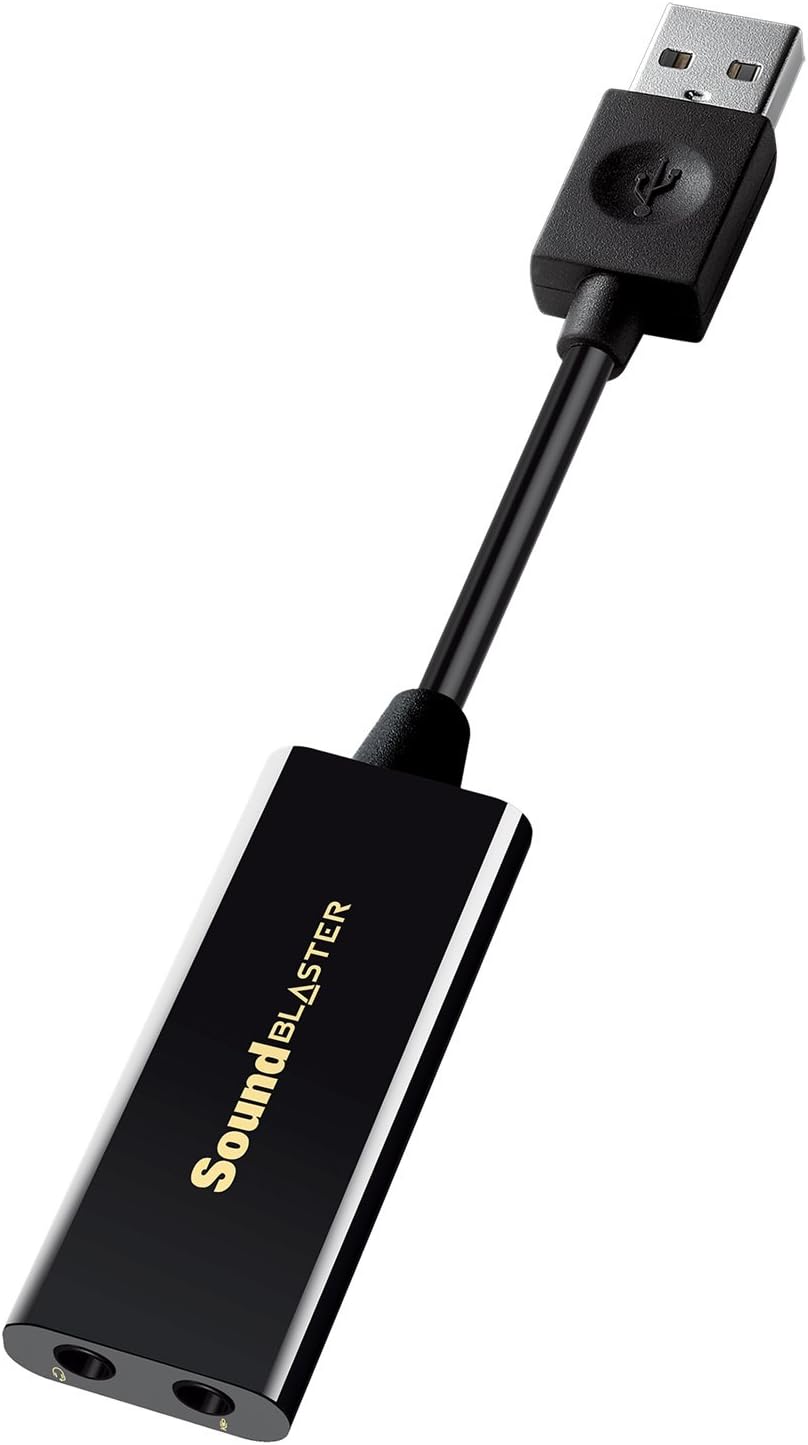
Creative Labs Sound Blaster Play! 3 External USB Sound Adapter for Windows and Mac. Plug and Play (No Drivers Required). Upgrade to 24-Bit 96Khz Playback
Original price was: $24.99.$17.99Current price is: $17.99.
Related Products




Product description
Instantly Upgrade to High Resolution Audio
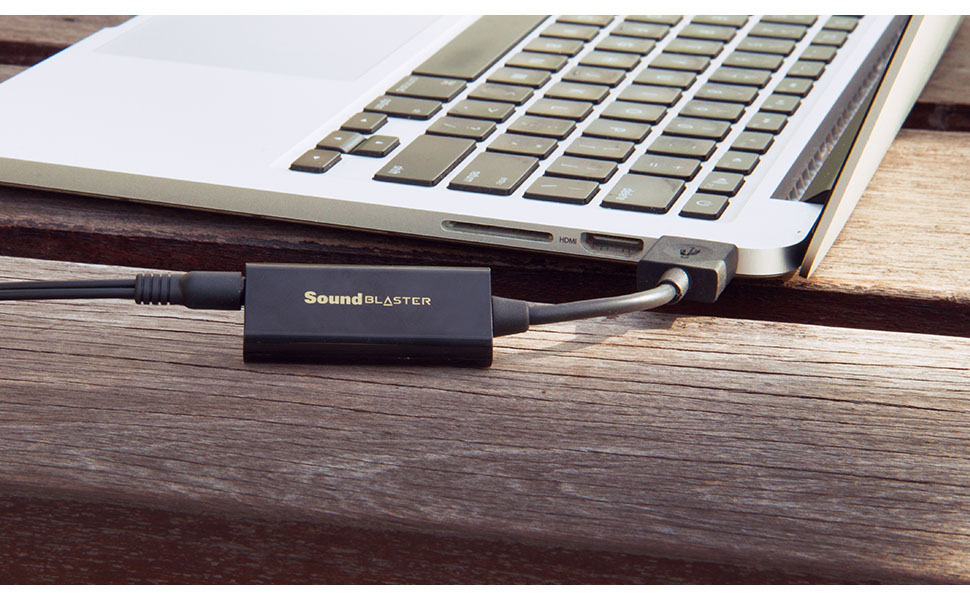
Once you upgrade from motherboard audio, you’ll never go back to it again. The Sound Blaster PLAY! 3 provides such an upgrade, by giving you high resolution 24-bit 96kHz audio for your music, movies, and games.
Studio-Grade Listening

The Sound Blaster PLAY! 3 drives a wide range of headphones — from mobile phone earbuds and gaming headsets all the way to more expensive studio-grade headphones. The downloadable Control Panel software also includes optimized profiles for selected earphone brands.
Crisp Voice Communications and Recording
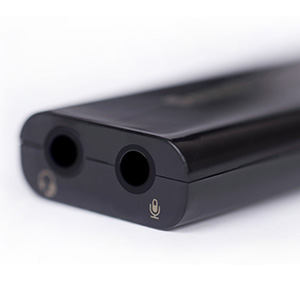
USB Connectivity greatly improves mic recording capabilities, giving you clean 24-bit 48kHZ quality for podcasts or in-game communications.
Great Connectivity
Simple, Fuss-Free, Plug-and-Play
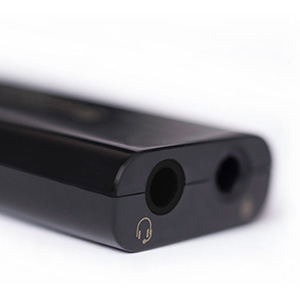
Headphone Connectivity without Y-Splitter
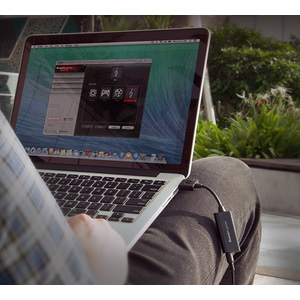
Comes with Control Panel software for PC and Mac
power source type: Corded Electric
No drivers needed — works straight out of the box.
Works with PC and Mac — Compatible with Windows 10, 8.1, 7; and Mac OS x10.9 or higher. Enhance your listening experience — Upgrade your existing on-board sound to a USB DAC capable of 24-bit 96kHz playback Instantly!
Easy Headphone connectivity — Compatible with all analog headsets, from standard mobile phone earbuds to gaming and studio-grade headphones. Connect your headsets with single or split stereo/mic connector easily without the use of a Y-splitter cable.
Powerful downloadable software — control panel software gives powerful Audio Enhancements and unprecedented control. Also includes optimized profiles for multiple earphone brands.
Product Type – SOUND CARD
13 reviews for Creative Labs Sound Blaster Play! 3 External USB Sound Adapter for Windows and Mac. Plug and Play (No Drivers Required). Upgrade to 24-Bit 96Khz Playback
Add a review

Original price was: $24.99.$17.99Current price is: $17.99.
Amazon Customer –
Cheap, clean, quality sound for laptop headphone users.
Seamless operation. Windoze default drivers work, but the unit seems to default to a big bass boost that can be too much. The SB drivers allow you to tune the sound back to normal. Also be sure to enable the ‘high gain’ if using headphones, otherwise the volume may not be sufficient. With default Win drivers, you might want to adjust the device sample rate to match your source material. Good power, enough to drive Senn HD560s headphones adequately.
damocles –
Fixed a crackling popping issue for me
I chose this over other products because of the 24 bit 96hz selection. Solved an issue for me on an Optiplex 7070 with W11 (Realtek audio) where the sound would crackle and pop continuously. As simple as plugging into an open USB and plugging in my wired speakers.
Charlie –
Amazing
Works like a Sound Blaster, awesome sound, and great software to go with it. Don’t waste your money on anything else. I tried one of the other highly rated USB sound adapters while waiting for this one to arrive, what a piece of junk it was. It got returned immediately!Sound Blaster brand is the only way to go. It brings my Bose speakers to life and makes them sound like what they’re known for.I would have gone for an internal SB card. But my video card is covering my only available PCIe1 slot, so I had no choice but to go the USB route and I don’t regret it.
Micah C Allen –
Excellent
Excellent sound card. Really good quality sound. Reasonable price. Works right out of the box with Windows and Linux.
Alexandroid –
Interesting effects, low volume/power
This card helped me to solve microphone issues on the motherboard, so it works well as an external sound card. I am still on the fence about the sound effects (Surround, Crystalizer, Bass, Smart volume, Dialog plus). Crystalizer and Bass seem to be the most useful to quickly compensate for headphone’s weak spots, but they appear to do similar stuff what Equalizer does otherwise.However, this card seems to lack power compared to a computer’s usual analog output – everything sounds quieter through it (my headphones are 32 Ohms), lacking that last bit of volume at the max level which makes a difference in some voice calls and music scenarios. Maybe that’s by design, due to the limited power supplied via USB…The software is a bit glitchy, because Smart Volume seem to mess with regular volume settings, resulting in quieter than usual sound when the sound card is unplugged.Overall, I don’t regret that I bought it ($22), the lower volume is a bit of a bummer but you are getting a great quality sound for a low price.
jonthebru11 –
Works great, sounds terrific!
I bought this external sound device a few months ago. It works great, much better than the built in sound on the motherboard. I didn’t install the software, I just plugged it in and began using it.
Steve –
Great value for money
The Sound Blaster Play! is a compact and portable sound card that can be easily plugged into your computer’s USB port. It has a sleek and stylish design, and its small form factor makes it easy to carry around with you wherever you go. The sound card is compatible with both Windows and Mac operating systems, and can be used with a variety of devices including headphones, speakers, and microphones.One of the main features of the Sound Blaster Play! is its high-quality digital-to-analog converter (DAC), which helps to improve the overall sound quality of your audio. It also has a built-in amplifier, which can provide additional power to your headphones or speakers, resulting in a clearer and more detailed sound. Users have reported that the sound quality is noticeably better when using the Sound Blaster Play! compared to their computer’s built-in audio.The Sound Blaster Play! also includes a variety of software features, such as the Sound Blaster Command software, which allows you to customize the audio settings to your liking. The software also includes a range of audio effects and enhancements, such as virtual surround sound, EQ adjustments, and noise reduction.In summary, the Creative Labs Sound Blaster Play! is a great option for anyone looking to improve the audio quality of their computer or laptop. Its compact and portable design, high-quality DAC and built-in amplifier, and customizable software features make it a great value for its price.
vdawg –
Worked great on a mini PC, but may require some driver tweaking to get full volume
My wife’s mini desktop PC only had an audio output/headphone jack on the front, which left a speaker cable coming out of the front of the machine and interfering with the keyboard right in front of it due to cramped desk space. This was an easy and cheap solution to add audio output off of a USB hub that was connected to the back of the machine, keeping the front of the PC free of extra cables.It was easy plug-and-play setup, but initially on this Windows 11 PC the volume was a bit low, even maxed out. I just had to nearly max out all the controls in Windows, the music app, etc. I tried installing the Creative Labs drivers for it but didn’t notice any difference. The strange thing is, I uninstalled the Creative Labs software in “Add & Remove Programs”, then I uninstalled all of my sound devices from Device Manager including the built-in ones, then I told Device Manager to scan for new devices. It reinstalled everything, including the Play3! with the Microsoft drivers. BAM! The volume was now so loud, I had to cut the Windows volume to 50% and even then, the music app had to be set to around 30-40% volume. I’m not sure why this happened, but did see some other mentions of it for this device on Reddit. If this happens, try uninstalling and reinstalling the device in Device Manager. It made a huge difference for me in terms of volume output.
RandomTechUser –
This product works as a USB to 3.5mm audio out/mic in amp. Handy when you need an extra audio out but have only one at the back of your motherboard either due to case design or malfunctioning audio port.Just like other reviews mentioned, the creative control panel software should be installed and used to disable the audio enhancements and mic monitoring that are on by default. This results in a clean sound.As for the hissing sound that others mentioned, I personally experienced a minimal level of it when using a pair of low impedance earphones. This can be worked around by either replugging this USB amp, or switching to a different audio source (e.g. movies, switching from 2.0 to 5.1 or vice versa causes the very minor hiss to disappear).When using a 50 ohms headphones I experienced none of that hissing noise. It is not really a problem for me. The only downside would be the short USB connector placing it in an odd vertical position when plugged into the front USB ports. Otherwise, well, this works. 8/10
EEM-JEEY –
You can feel change in sound quality of PC.
Alessandro F. –
Avevo bisogno di uno splitter per separare gli ingressi di cuffia e microfono del mio notebook, recensioni e prezzi dei cavetti di separazione non mi hanno convinto e ho preferito acquistare una scheda audio esterna.Dopo averla provata con il driver installato da Windows 11, ho scaricato il driver proprietario e funziona benissimo. Ha un livello di uscita adeguato a pilotare la mia cuffia che ha un’impedenza di 250 Ohm, mentre con la scheda audio interna il volume a volte era troppo basso.Avrei preferito le prese di cuffia e microfono un po’ più distanti fra loro, ma non è un problema.Molto soddisfatto dell’acquisto, funziona molto bene e ha un prezzo poco più alto di un semplice cavetto.Pagata poco più di 16 euro.
Amer –
I have a PC with a normal embedded 48KHz Sound Card, with no empty slot for a new one… I was desperate.But now, with this USB Sound Blaster Play! 3, I have the chance to get the quality I always wanted. It is crystal clear and powerful.One last Advice: although it can work immediately after plugging in with no need for a driver, I strongly encourage you to install its driver from the Creative website. It will give you an easy-to-use yet powerful control panel with useful controls to meet your customized needs.
AmazonFan –
This sound card works! You can plug it in with any ear buds or headset and notice the improvement to audio clarity immediately! Going back and forth between my old set up (plugging in ear buds through a USB microphone) and this Sound Blaster Play 3 was a night and day difference. The old set up is muddy and unclear by comparison and the Sound Blaster Play 3 was detailed, rich and very clear. I did not test the software for further customization but the plug and play convenience and noticeable improvement for just $30CAD (at the time of writing) makes this an obvious winner!