


DEPGI Laptop Cooling Pad, Laptop Cooler Stand with 5.5″ Movable Fan Easy to Clean, 10 RGB Light Modes, Auto Temp Sensor & 3-Speed Manual Control, Ultra Quiet ≤40dB for 14–17.3 Inch Laptops
$34.99
Related Products






Product description


Immersive Lighting: Total Control & Sound Sync  Left Button: Easy Light Modes
Short Press: ON → Cycle Levels → OFF.
Long Press: Toggles Sound (R1) / Manual (LEd) modes.
Sound Mode: L1 (normal), L2 (high sensitivity).
Manual Mode: 8 settings: C1-4 solid, C5-8 dynamic effects.
 Sound Mode: Lights Dance
Sound Mode (R1): Lights change with ambient sound.
L1 Sensitivity: Responds to louder sounds.
L2 Sensitivity: Responds to even soft sounds.
Atmosphere: Vibrant audio-visuals synced to music/environment
Intelligent Fan Control for Personalized Comfort  Right Button: Smart Fan Control
Short Press (Manual): ON → Speeds → OFF.
Long Press: Switches Auto (AU) / Manual (AA) modes.
Auto (AU): Speed by temp (27-29, 30-32, 33°C+).
Manual (AA): 3 speeds: A1 (low) → A2 (med) → A3 (high)
 Smart Cooling: Auto & Manual
Auto (AU): Hands-free cooling! Speed auto-adjusts by temp.
Indicator: AU. Temp Tiers: 79–84°F, 86–90°F, 91°F+.
Manual (AA): Between your control! Set A1-A3 speeds for comfort.

My Laptop Cooling Pad isn’t spinning when plugged in. Is it faulty?
Not at all! The fans on your Laptop Cooling Pad automatically activate only when the temperature reaches the starting threshold of 79°F (26°C). You can long press the Right Button to switch to Manual Fan Mode for immediate control.
How does Sound Mode work on this Laptop Cooler Stand? Sensitivity levels?
In Sound Mode (R1), lights react to ambient sound. L1 responds to louder sounds, while L2 is highly sensitive, reacting even to soft sounds. This creates a dynamic audio-visual atmosphere synced with your music or environment.
How do I operate the fan on this Laptop Cooling Pad & switch modes?
In Manual Mode, short press the Right Button for ON, to cycle speeds, or OFF. Long press it to switch between Auto Temp Mode (AU indicator), where speed adjusts to temperature, and Manual Mode (AA indicator) for direct speed control.
What is Auto Temp Mode for the Laptop Cooler Stand’s fan? How does it adjust?
Auto Temp Mode (AU indicator) offers hands-free cooling. The fan speed automatically adjusts based on real-time temperature across pre-set tiers (e.g., 79-84°F, 86-90°F, 91°F+), ensuring optimal comfort without manual intervention.
Can I manually set light effects & fan speeds on my Laptop Cooling Pad?
Yes. For lights, Manual Mode (LEd) provides 8 settings: C1-C4 for solid colors and C5-C8 for mixed dynamic effects. For the fan, Manual Mode (AA) offers 3 speed levels: A1 (low), A2 (medium), and A3 (high).
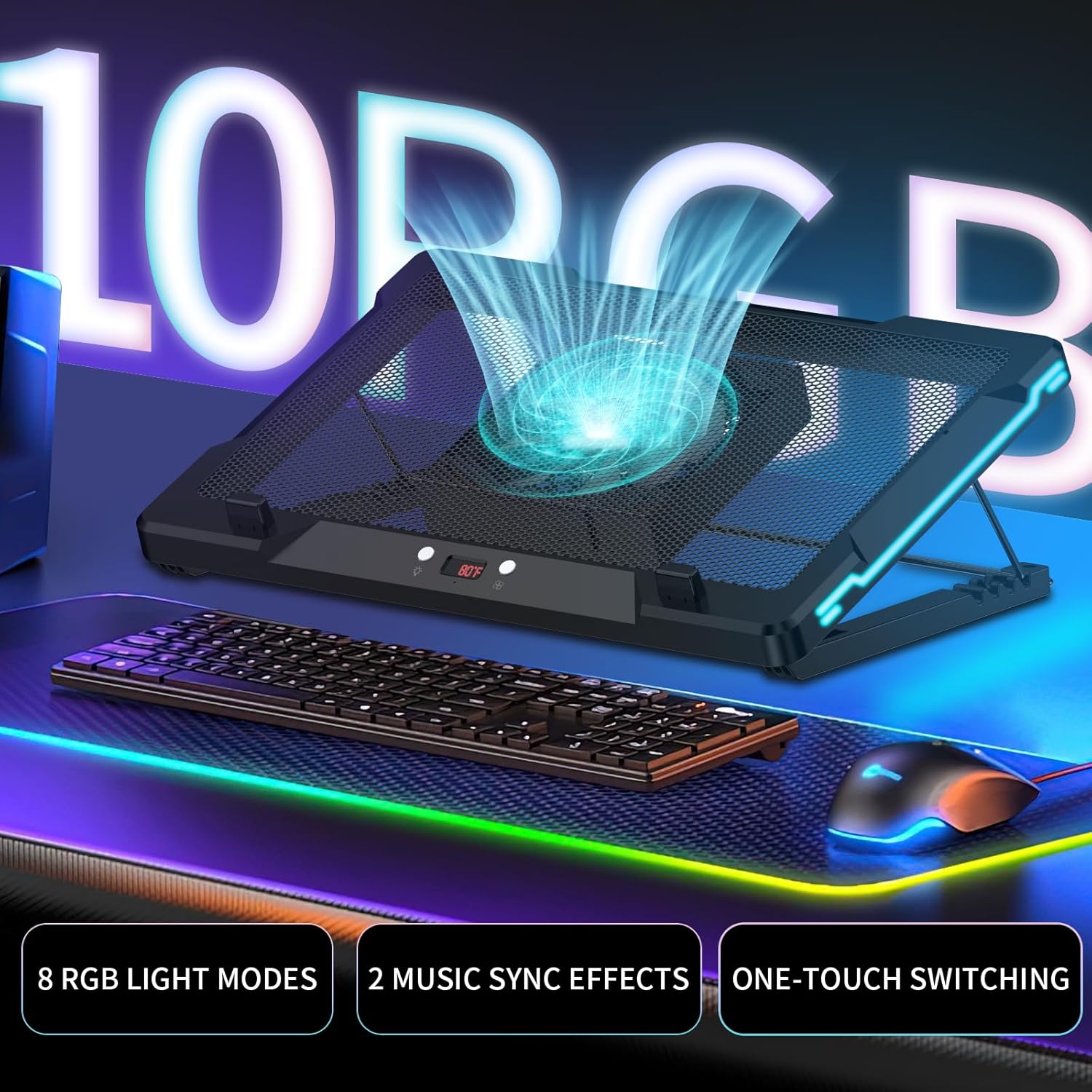
5.5″ MOVABLE FAN: This laptop cooler features a large 5.5inch fan that slides freely to align with your laptop’s heat vents, delivering direct airflow for efficient cooling performance where it matters most. 2sec get out, super easy to clean
8 RGB LIGHT MODES & 2 MUSIC SYNC EFFECTS: Our laptop cooling fan setup with 8 vivid lighting modes and 2 rhythm-reactive effects. Perfect for gamers, streamers, and anyone who loves an immersive visual experience
AUTO & MANUAL FAN SPEED CONTROL: Built-in temperature sensor automatically adjusts fan speed based on real-time heat levels. Or switch to manual mode to select from 3 speed levels for personal comfort
ULTRA QUIET OPERATION ≤40DB: The laptop cooling stand designed to stay whisper-quiet even under full load. Operates at ≤40dB, ideal for late-night work, studying, or streaming without distraction
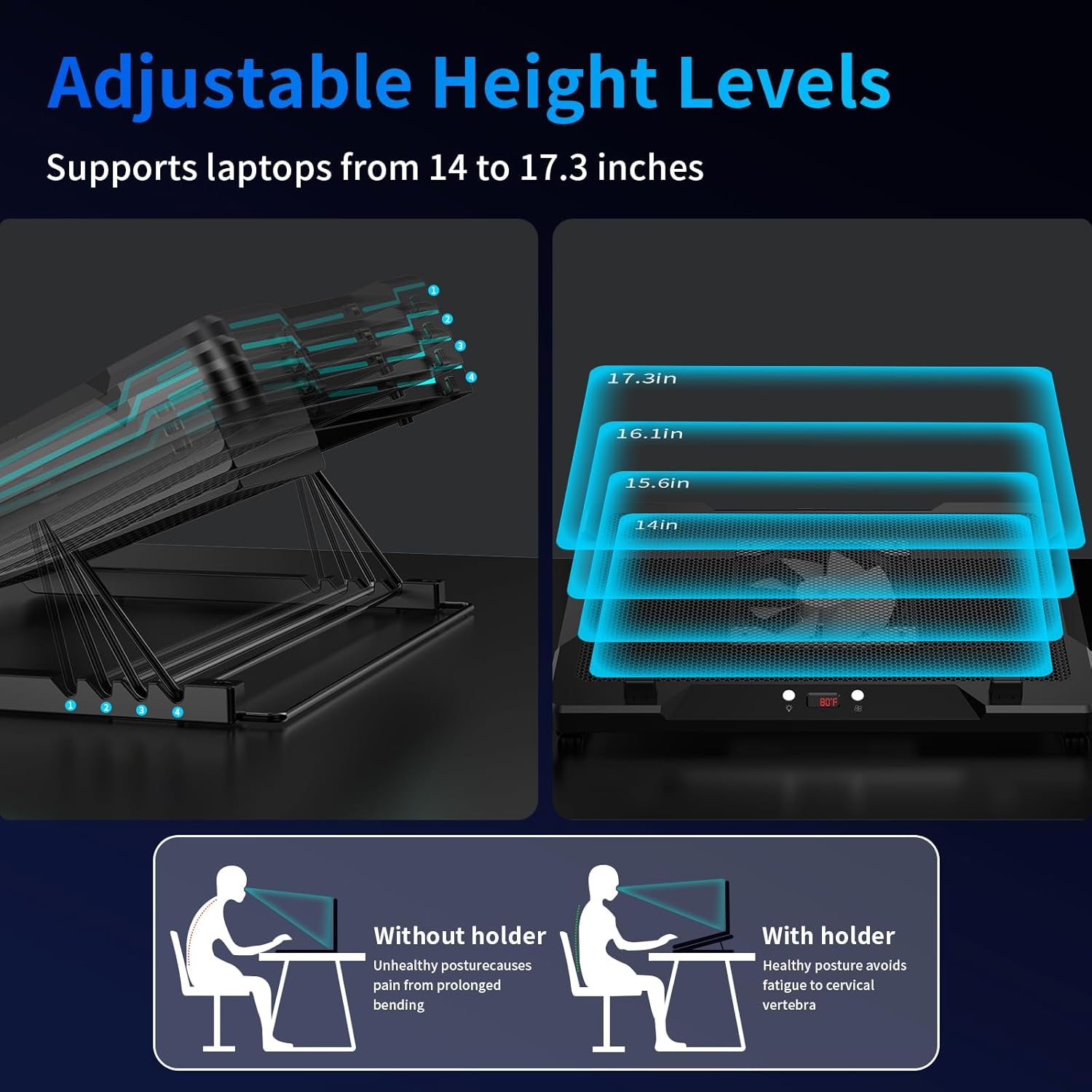
ERGONOMIC & WIDE COMPATIBILITY: Adjustable height levels help reduce neck and back strain. Supports laptops from 14 to 17.3 inches, making it perfect for gaming laptops, MacBooks, and more
8 reviews for DEPGI Laptop Cooling Pad, Laptop Cooler Stand with 5.5″ Movable Fan Easy to Clean, 10 RGB Light Modes, Auto Temp Sensor & 3-Speed Manual Control, Ultra Quiet ≤40dB for 14–17.3 Inch Laptops
Add a review

$34.99
Weiran –
Nice cooling performance
I’ve been using this laptop cooling pad for a while, and I’m really impressed with its performance. The cooling effect is excellent — it noticeably reduces my laptop’s temperature even during gaming or heavy multitasking. The fan speed is adjustable and runs quietly, which is a big plus. The RGB lighting looks great and adds a nice touch without being distracting. The build quality feels solid, and the adjustable stand makes it comfortable to use for long periods. Overall, it’s a reliable, well-designed cooling pad that offers great value for the price.
Jblakeburn –
Makes a real deference. Worth every penny
I got this cooling pad for my gaming laptop, and it’s been a great upgrade. The movable fan is a smart feature—you can slide it to match your laptop’s heat zones, and it really helps keep temps down during long sessions.The RGB lighting adds a fun touch, and I like that it has both auto and manual fan controls depending on how much cooling I need. It’s surprisingly quiet even at higher speeds, and the adjustable stand makes a big difference for comfort. Solid build, cool effects, and most importantly—it works. Great value if you need serious cooling without the noise.
Chrome –
Does The Job as Intended.
Bought the depgi laptop cooler.ProsKeeps the laptop cool as designed.Nice to be able to position the fanQuietConsUsb ports are power only no data transfer which is a negative because then the cooler takes an actual USB port and on my laptop there is only 2Small plastic pegs to hole the laptop on the cooler already broke… were hard to clip in and pull out in the first place. My laptop stays on it with the rubber feet anyways. But yeah the pegs are cheap and flimsy.
Erika –
DEPGI Laptop Cooling Pad
This thing keeps my laptop way cooler than before. The fans are quiet and you can actually move them around which is pretty cool. I leave it on auto most of the time and it adjusts itself fine. The RGB lights are kinda extra but whatever — looks nice in the dark. Honestly just solid and does exactly what it’s supposed to.
Solomon T. –
A sturdy well sized laptop stand
I’ve been using this cooling pad with my laptop for a few weeks now and it’s made a big difference. Its a good size, and the fan is adjustable so it keeps the laptop cool even during long hours of use. The adjustable tilt makes it much more comfortable to type on. The fan runs quietly, so it doesn’t distract me, and the build feels solid, which gives me confidence it’s not going to break easily. The lighting is fun to have, but that’s secondary for me—the real value is how well it cools the laptop and how sturdy it feels.
Nabeel –
Great Cooling Pad – Works Really Well
The DEPGI Laptop Cooling Pad does a great job keeping my laptop cool. The large fan is powerful but quiet, and it’s easy to clean. I like that it has different fan speeds and lights you can change. It fits my 15.6″ laptop perfectly and feels sturdy. Overall, it’s a solid product and I’d definitely recommend it.
Christina Wright –
Efficient Cooling with Style
The DEPGI Laptop Cooling Pad is a must-have for my workspace. Its powerful 5.5” movable fan ensures optimal airflow, keeping my laptop cool during intense gaming or prolonged work.The 10 RGB light modes add a vibrant touch to my setup, while the ultra-quiet operation (≤40dB) doesn’t disturb my concentration. The auto temperature sensor and 3-speed manual control provide flexibility.Sturdy and fitting my 15.6-inch laptop perfectly, the stand improves typing comfort. Highly recommend it for enhancing laptop performance and aesthetics.
Cynthia –
Nice pad, though slightly heavy
This cooling pad is really nice, although it is slightly heavy. It’s perfect for a table, but since I prefer working on my lap, the weight can be a bit cumbersome. The controls were a bit confusing at first, but I figured them out. You can switch the fan controls from automatic to manual. The automatic setting stops the fan once your laptop reaches a certain temperature, while the manual setting keeps it running. The lights on the side are a nice touch, and the pad also displays the temperature.