
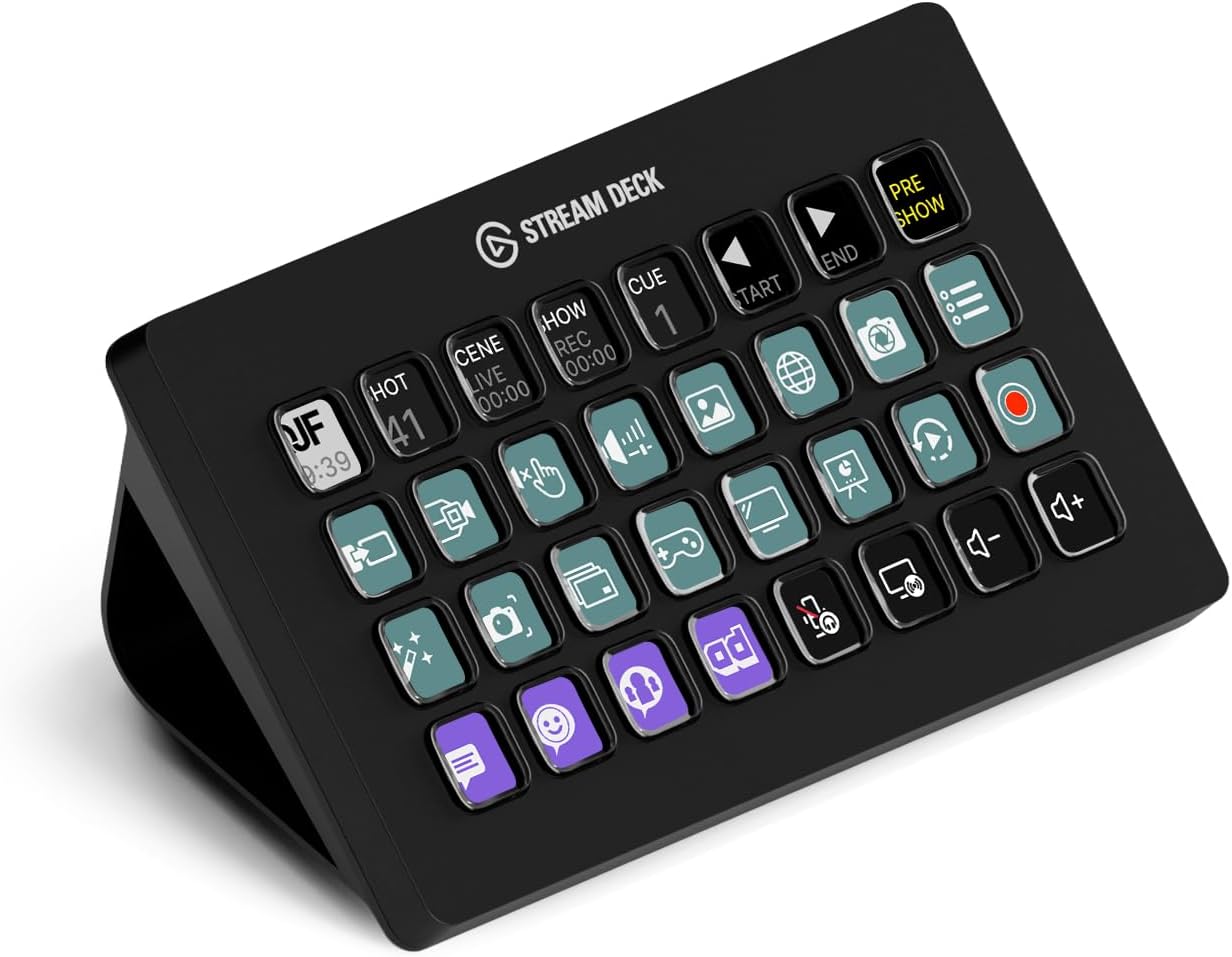
Elgato Stream Deck XL – Advanced Studio Controller, 32 Macro Keys, Trigger Actions in apps and Software Like OBS, Twitch, YouTube and More, USB, Works with Mac and PC
Original price was: $249.95.$199.99Current price is: $199.99.
Related Products
![JISULIFE Handheld Mini Fan, 3 IN 1 USB Rechargeable Portable Fan [12-19 Working Hours] with Power Bank, Flashlight, Pocket Design for Travel/Summer/Concerts/Lash, Gifts for Women (Pink)](https://bestdealsavvy.com/wp-content/uploads/2025/12/51E76z7oaWL._AC_SL1500_.jpg)


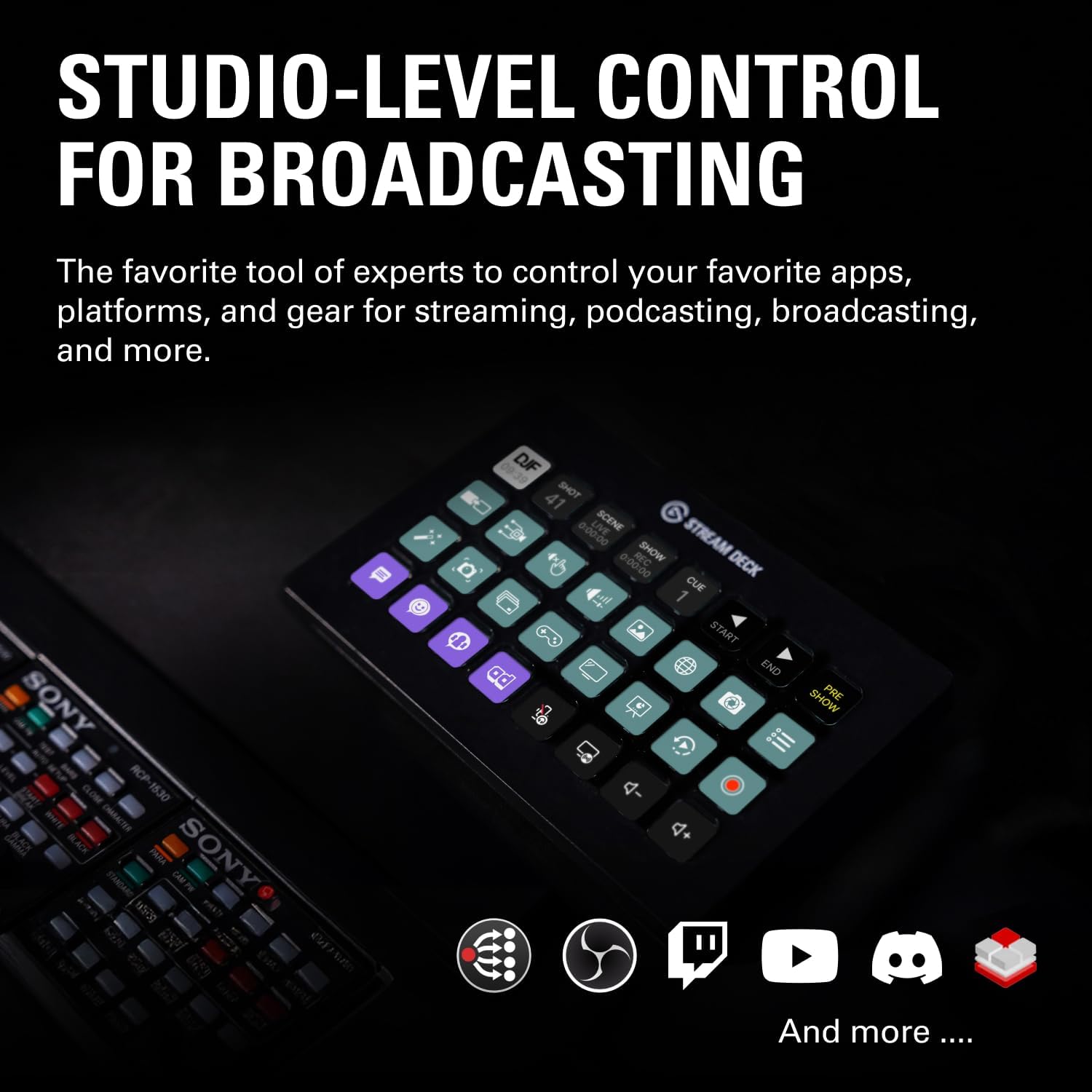

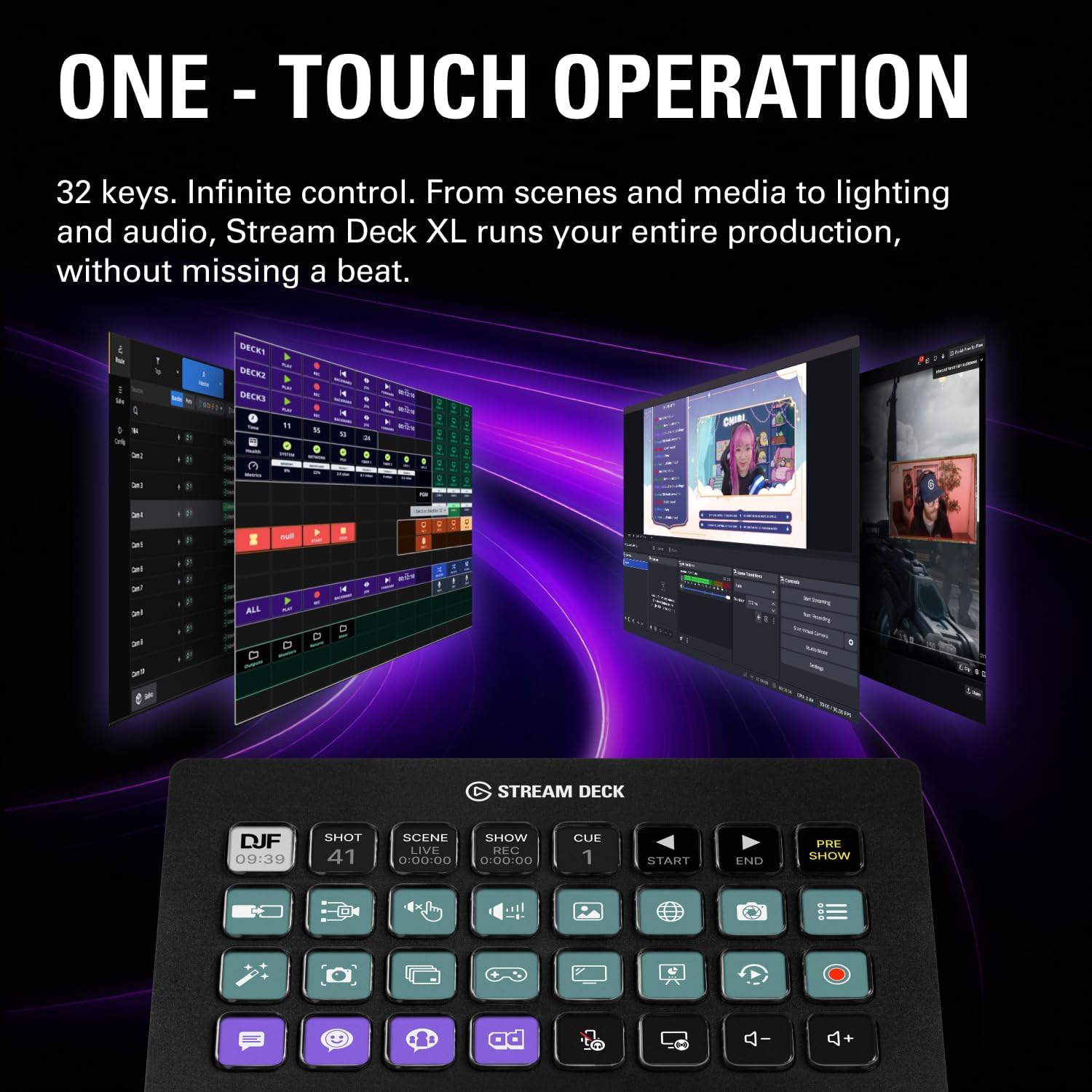


“Elgato Stream Deck XL boasts 32 customizable LCD keys for advanced live production control. Tap to instantly trigger unlimited actions in popular apps like OBS Studio, XSplit, Streamlabs, Twitch and YouTube. Plus download new integrations and develop your own thanks to Stream Deck SDK. Technical Specifications Dimensions: 182 x 112 x 34 mm / 7.17 x 4.41 x 1.34 in. Weight without stand: 410 g | 14.46 oz Keys: 32 x customizable LCD keys Interface: USB 3.0 System Requirements macOS 10.15 or newer / Windows 10 (64-bit)”
Advanced Live Production: easily control your favorite tools and platforms.
32 Customizable LCD Keys: instantly trigger unlimited actions with a tap.
Powerful Integrations: Elgato 4KCU, OBS, Twitch, YouTube, Twitter, Discord, Spotify, Philips Hue, vMix, VoiceMod, and more.
One-Touch Operation: change scenes, launch media, switch cameras, tweak lighting, adjust audio, post tweets – anything.
Visual Feedback: know that your command has been executed.
8 reviews for Elgato Stream Deck XL – Advanced Studio Controller, 32 Macro Keys, Trigger Actions in apps and Software Like OBS, Twitch, YouTube and More, USB, Works with Mac and PC
Add a review

Original price was: $249.95.$199.99Current price is: $199.99.
Eddy –
Very comfortable and easy to use.
Perfect for streaming. Easy to set up, highly customizable, and boosts workflow instantly. Excellent quality and performance.
SouthPaw –
Most Useful PC Peripheral Ever?
If you haven’t already decided to purchase a Stream Deck you’re probably balking at the price and/or saying “I can do that with a programmable keyboard and some stickers!” And you’d be right… if you weren’t also completely wrong.Each key is a mini screen that can display just about whatever you want and even change conditionally based on what you have active or pressed last. You can rearrange and re-label those keys and their graphics at will by just dragging them around in the software. Try that with stickers and a key pad! If you want macros the software again makes it much easier than most other devices or scripts do, and you don’t have to assign and remember a keyboard combo to activate it or worry about key conflicts – it’s all contained to that one Stream Deck key.While it can do nearly anything you can dream up, the Stream Deck’s focus is, of course, streaming. Where it’s just plain nifty in general usage it becomes absolutely indispensable if you’re a streamer. It supports all major streaming software either right out of the box (OBS, Xsplit, etc) or with easily downloaded add-ons (GeForce Experience controls). Just drag and drop the actions to a button and configure what source, scene, etc it points to.Naturally it integrates with other Elgato products seamlessly. I have one page of my XL dedicated to volume control of my Wave Link sources as well as toggles to change speaker/headphone outputs. If you have Elgato’s keylights it can control those, too. You can even control your Stream Deck with another Stream Deck! (Insert meme here…)The software is continuously being developed and updated – with the most recent update adding a plethora of sound effects and royalty free music to download and use at will. The open SDK allows third parties to make add-ons, too. I have added controls for Nvidia and TeamSpeak 3 to mine and they work seamlessly, once again eliminating the need to assign and remember keyboard macros.For gaming, there’s still plenty of uses. While you wouldn’t use it for critical functions like motion or firing, you can still get plenty of uses out of it for things like menu shortcuts, dropping position markers, chat macros, etc. I use my mini to access my most used commands while racing so I don’t have to hunt and peck at my keyboard at 200 mph, for example.The main con is the price. The standard and the XL will make you pause at first, but I’ve found them to be worth every penny and I’m continuously evolving the way I use them. The mini… is overpriced. Not gonna lie. I got mine on sale at about half price, and I only really recommend it at around that price. The standard and XL pretty much never go on sale, so don’t hold your breath on those two of that’s what you’re after. The other cons, minor ones at that, are the lack of removable USB cable for the standard and mini, and the flimsy stand that I constantly flatten accidentally when I move the standard 15 key Stream Deck around.So to make a long story longer – if you are a streamer, content creator, or use a lot of macros in your workflow then you will not regret getting a Stream Deck. If you’re looking at it for game purposes, make sure it’s not for fast-paced stuff like movement in an FPS. For flight and racing sims it’s pretty much the perfect “button box” replacement.
K. Potts –
Quality Piece of Equipment
I myself am a cinematographer and editor (Blah blah blah cameras and movies and stuff) and I purchased this Stream Deck (XL) to improve my productivity while I do my editing. This beats any Macro keyboard or custom keybind kind of thing you could get out there. You can label the LCD buttons with text in the program, as well as put a background image (You can upload your own, or there is an open plugin hub where you can get other people’s custom stuff) to each key. The keyboard usually links to most of my software and I can use the macro buttons, but if it doesn’t, I can set it to press a custom keybind (it also has Function keys as an option all the way from F1 – F24) to do specific tasks like saving a file.PLUGINSPlugins are usually tailored to specific programs. I have a plugin for DaVinci Resolve Studio, VoiceMod, StreamLabs OBS, and a couple of the other things I like to tinker with.The keyboard can have more than one saved layout. I have twenty something versions of the board (Some for sound effects for discord, some for editing and working).There are different plugins for different things. Some plugins are just so you can have more pictures to use on your keys, some plugins are made to work with commonly used software like VoiceMod.So far, There is NOT a plugin made yet to work with Discord, but like I said before, you can always set custom keybinds to toggle mute, push to talk, deafen, and even share screen.FUNCTIONThe Stream Deck functions in a similar fashion to your PC. If your PC is off, so is your Deck. If your PC is on sleep, so is your Deck. It applies for pretty much anything.LCD keys are bright and combat my extremely heavy studio lighting. I have no trouble seeing each button clearly.HARDWAREThis is sturdy in build (It looks cheap in the picture but it is quite heavy and rugged) and works nicely on the desk. The USB to USB-C cord is a thick braided cable, and will last a very long time if handled appropriately. The back end of the stand is detachable so you can lay the Stream Deck flat. There is traction pads both on the back of the tablet and on the bottom of the stand to stick on your desk nicely. You WILL have to rout the wire through the stand which is a hassle for me personally because of my horrendous lack of cable management, but ultimately It’s worth the money.SOFTWAREThe software is easy to install but can be hard to navigate to new users. YouTube is a reliable resource for tutorials if you’ve never used a Stream Deck, and If I’m right, I think El Gato has their own set of tutorials, but I may be wrong so take that with a grain of salt. It is easy to learn, and fun to mess with.CONCLUSIONGreat product. Design is outstanding, and it’s mostly user friendly. I would recommend using this only for a PC or a Mac, as I don’t think this would be beneficial on other devices. My user experience has been great, and I would recommend this to any editor, gamer, or PC enthusiast as an investment in your capabilities while you work / play.
Alaa Al-Kutbi –
Good item, fast delivery! Thank you
Cliente Amazon –
Excelente produto. Chegou em perfeito estado e lacrado na caixa.
AJ –
This thing isn’t cheap – at all – but is super versatile and useful if you’re willing to shell out. I am not a streamer. I bought it for gaming, and to generally set up shortcuts for everything I regularly use on my PC.If you’re willing to put in the time and have some patience, this thing will reward. I have 4 profiles set up, multiple folders, and everything is available at a touch of a button. Works flawlessly, and very pretty to compliment – especially once you get some wallpapers up and running.In the games I use it with (Flight Simulator, Elite Dangerous), this has become a key piece of kit, eliminating the need to use the keyboard or remember elaborate joystick buttons.Highly recommend.
Xavier W. –
Superb design, quality.At first you may think that 32 buttons is overkill. It is not. I actually have designed profiles with many pages. You need all those buttons.Unlike LogiTech’s where the provided cable did not work, Stream Deck provided a proper cable that has the Bandwidth / Speed necessary to drive itThe software provided so that you can create your own customization is of excellent design and quality. Very well though out. In contrast LogiTech’s crashed every time making it impossible to program itYou do need to invest time customizing it (unless you just need it for standard applications like PhotoShop in which case you can buy pre-made profiles). The documentation on how to design the icons could be better. But with some time you can make it do whatever you need it to doHighly recommend it.My unit has the image of the buttons slightly offset to the top and left but it is fairly minor though I wish it was dead-on centred
Amazon カスタマー –
This is by far the best Gadget I have ever purchased. It allows you to automate tasks and perform macro functions at your fingertips. You really need to get this! You will not regret it, I promise.