

EMEET C960 4K Webcam for PC, 4K UHD Sony Sensor, PDAF Auto Focus, Dual AI Noise-Cancelling Mics, Auto Light Correction, 73° FOV, Plug&Play Webcam w/Privacy Cover, Works w/Zoom/Teams/Skype/Google Meet
Original price was: $59.99.$49.99Current price is: $49.99.
Related Products






Product description


The video showcases the product in use.The video guides you through product setup.The video compares multiple products.The video shows the product being unpacked. EMEET C960 4K Webcam for PC Merchant Video



1 PDAF Auto Focus
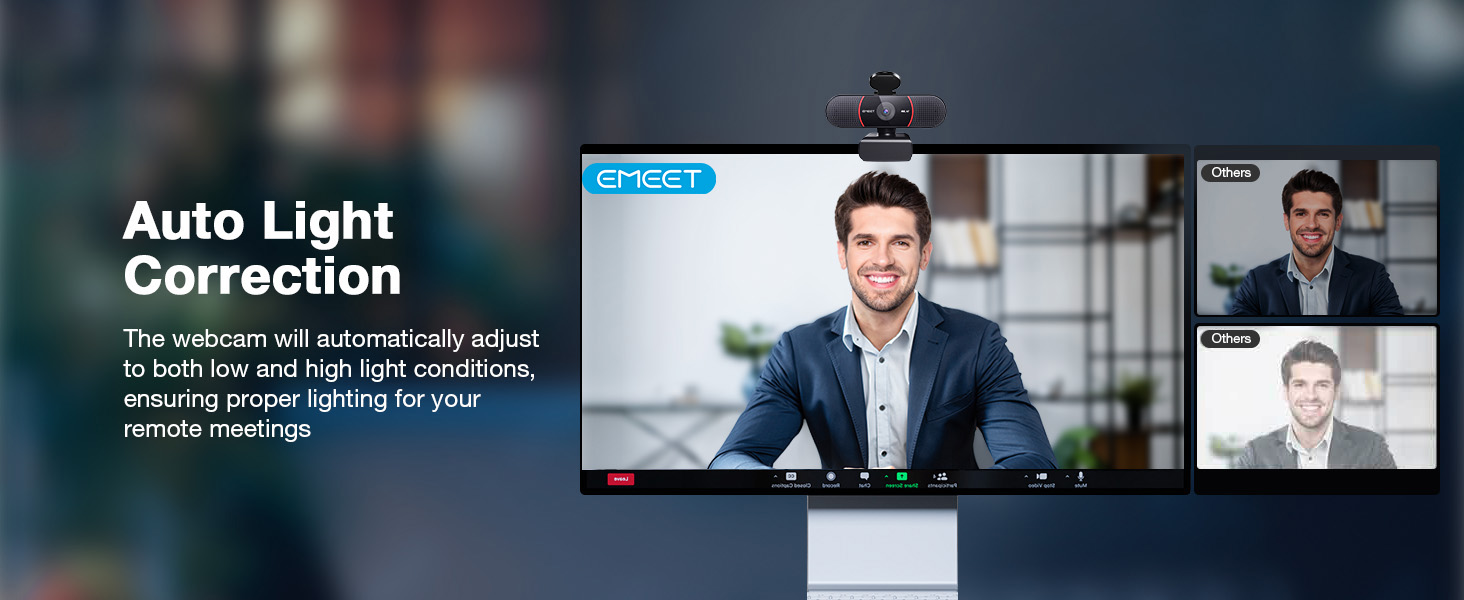
2 Auto Light Correction
3 73° FOV Only Focus on You
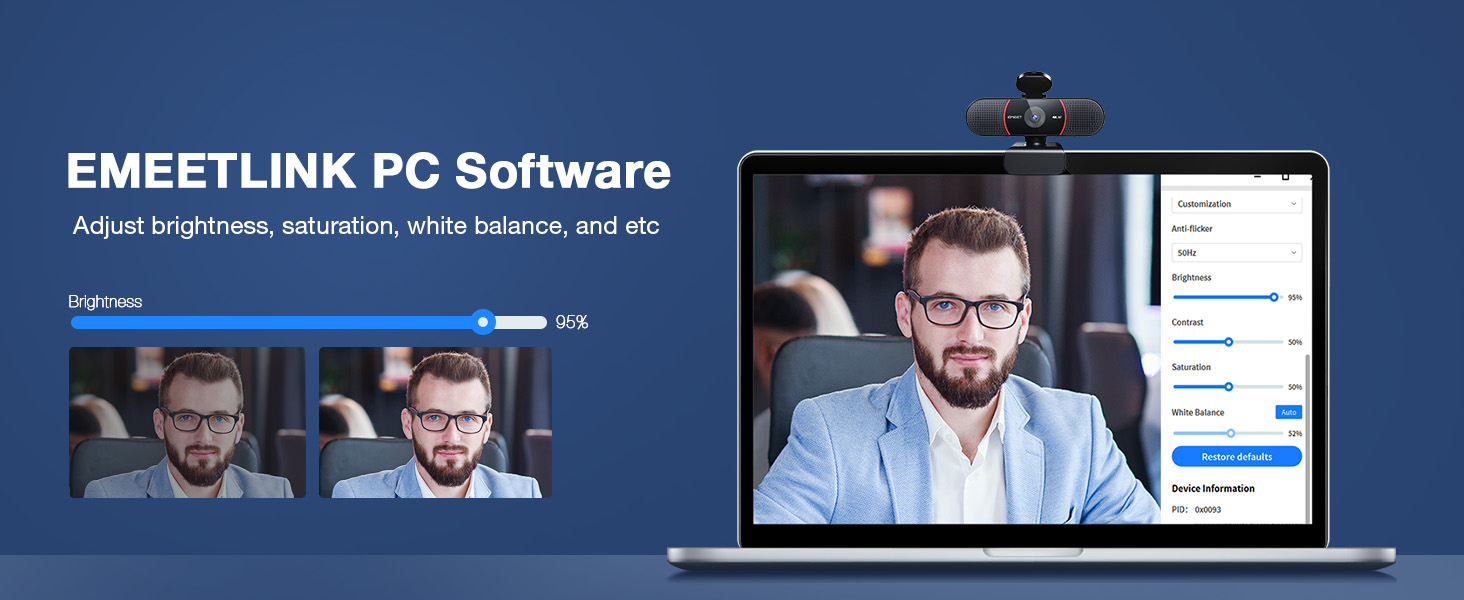
4 EMEETLINK Adjustment
5 Multiple Using Scenes


1 2 Noise-cancelling Mics
2 USB Plug&Play
3 Protect Privacy
4 Exquisite Craftsmanship
5 Wide Compatibility


1 What is 4K?
2 How to setup 4K in my PC?
3 How to Use on Platforms?
4 How to Use on Platforms?
5 How to Experience Best 4K
Unmatched Clarity with True 4K Resolution – Experience ultra-clear video conferencing with a genuine EMEET SmartCam C960 4K CMOS sensor. No false upscaling, only pure 4K quality. Ideal for remote business meetings where every detail matters. The 4K webcam for laptop provides ultra-clear visuals that make you feel like you’re in the same room with your colleagues, students, or audience. Note: Video resolution defaults to 1080P; Switch to 4K via built-in camera software or APPs like PotPlayer/OBS.
PDAF Focus & Auto Light Correction – Equipped with PDAF automatic focusing technology, the EMEET webcam for pc 4K ensures clear and stable focusing in various scenarios like business conferences and educational lectures. Say goodbye to blurry interruptions. Online meetings can be conducted in both over-exposed and low-light settings with auto light adjustment. The 73° FOV focus on you rather than your background, no longer need to painstakingly choose or blur your conference background.
Dual AI Noise-Cancelling Mics – The built-in dual microphones are empowered with noise-suppressing algorithms for crisp, natural audio. Perfect for conference calls and remote teaching, where clear communication is paramount. The webcam with microphone enables you to savor crisp audio quality, fostering an immersive meeting experience that enhances your productivity. Be sure to designate the EMEET SmartCam C960 4K USB webcam as your default microphone device for optimal performance.
USB Plug and Play & Privacy Assured – The simplicity of plug-and-play technology meets high performance in the C960 4K webcam. The default USB-A interface ensures that you’re up and running in no time no matter your level of tech expertise. The webcam comes with a privacy cover for your security. With the flexible mounting options, you can have a computer camera that adapts to your needs without compromising on your privacy. No Driver/Wi-Fi/Bluetooth/Cloud Storage is used to assure privacy.
Compatibility and Versatility – Works effortlessly across multiple platforms such as Windows (Win7,10,11), macOS (10.14 and above), Android TV V7.0 and above, and Linux. Ideal for use with popular communication software from Zoom to Teams to Skype. Personalize your video settings with EMEET’s proprietary EMEETLINK software. With adjustable 360° horizontal axis, 15° vertical adjustments, and a 1/4-inch tripod thread, this webcam can be securely mounted on various screen types and tripods.
13 reviews for EMEET C960 4K Webcam for PC, 4K UHD Sony Sensor, PDAF Auto Focus, Dual AI Noise-Cancelling Mics, Auto Light Correction, 73° FOV, Plug&Play Webcam w/Privacy Cover, Works w/Zoom/Teams/Skype/Google Meet
Add a review

Original price was: $59.99.$49.99Current price is: $49.99.
K C –
Easy to Use and Great Quality
The EMEET 1080P Webcam was incredibly easy to install — truly plug and play. I had it up and running in seconds with no software needed. The picture quality is clear, the microphone works well for calls, and the wide 90° field of view makes it perfect for Zoom or Teams meetings. Great value for anyone needing a reliable webcam for work or streaming.
Eugene Kravchenko –
Clear picture, plug and play
Nice and clear picture. Fites well to my monitor and working from the box. Perfect for gaming sessions with friends.
Rose –
Pretty decent
I’ve had this camera for a very long time now and I’d say I recommend this for people who need a simple webcam.The main pros I’d say is the autofocus and the software feature. The autofocus is really good and it focuses really fast. Sometimes, there will be an issue with it not focusing but I’d fix it by doing the classic item in front of the hand. There is also a software for this camera called the eMeetLink and it works pretty well and you can adjust other settings for the camera. The camera fits pretty well on my monitor, the cable is long so I wrap it around. I also like that I can adjust it down to face my table for table cams when I’m building keyboards.Now to the cons, I would say is you cannot zoom and the camera may stop working properly but I’ll explain that in a bit. So as good as this camera is for its price, you can’t zoom in and out. So, if you need it for things like Twitch or you don’t want to show your entire room, probably should get a green screen or pick a good spot to use this camera. You can probably use some software to crop too. Now for the camera not working; when I first got it, I barely used the camera but it would glitch and the screen would go crazy even though I barely used it (1-2 times to test it). And no matter how much I disconnected the camera and deleted the software, it would still glitch and not work properly. I even contacted support and they weren’t really much help but I figured out the problem on my own late. I basically had to update the software I believe or the camera because there’s updates and after updating the camera on the software it literally fixed the issue. Ever since then I was able to stream on twitch with this camera and to my friends on Discord with no problem.As for the microphone I have no clue how it sounds but be sure you disable the camera mic (if you don’t need it) in sound settings on windows (search this up separately) because fortunately, I tested this webcam with a friend before streaming and the sound was automatically on somehow and I thought it was only my mic that people could hear. I muted my mic but the webcam mic was still on. So make sure you disable it if you don’t intend to use it!!As for the quality it’s like 50/50, sometimes it’s good but sometimes it can be blurry or wonky. I’m pretty sure lighting though affects it a lot. I’d say as long as you have good lightning the quality should be fineThe reason why I say it’s good for simple use or beginners too, it does the job if you’re not worried about professional quality.
Astro –
Amazing webcam for price range
ignore all reviews below 5 stars they only got messed up versions, mine came in fine, amazing quality compared to my old logitech cam, stark difference. AF is insanely good, best youll get in this price range im sure, the smoothness isnt the fake 50 hz labeled as 60 hz, its true 60 hz so it remains smooth and flicker free. Easy to setup, download the right software! If you want decent starter settings mine are the following in their app (Emeet Link): -64 brightness 67 contrast 21 sharpness 79 saturation and auto white balance: on
Jonathon –
Best camera that isn’t a DSLR
Best camera on the market if you need a webcam. Looks great as someone who does streaming, and doesn’t want to pay the markup for unnecessary features from other brands like elgato or logitech. If you want a camera that is a step under from DSLR cameras for live streaming at home, or other needs, the video quality and ease of use is top notch!
Yudisleivis M. –
Excellent quality for the price!
This webcam works really well. The image is clear, the sound is crisp, and it was very easy to set up. I’ve used it for video calls, online meetings, and streaming, and everything looks perfect. Excellent quality for the price. I highly recommend it!
Ryan Song –
Good for the Money
The weight is almost non existent. The quality is what is described. It is easy to use just plug it in and go in settings to activate. The camera is clear when in use. The design is nice as well you can put it on the table on the monitor or etc.
Juan Aldama –
Easy to install.
This webcam is pretty good. It doesn’t require any special software.I just plugged it into my Mac Mini and it worked without any problem. The video quality is quite decent for the price. The microphone could be improved since the sound isn’t completely clear, but overall, it’s a good product for virtual meetings.
Manuel L. –
They promise a lot with this webcam and the quality was just bad. And as I had to use it to figure that out, I just got 50% refund from them as it was used + I had to pay the return shipment. Don‘t waste your money and time with this product and the seller!
Mark Chin –
Wow! Very impressive webcam. Plucked into an empty USB port and it started working. Did a self test using Zoom app and was surprised by the crystal clear image of myself and the good voice quality. Exceeded my all expectations.
Laurent BARONI –
Très bonne webcam pour les visioconférences et le télétravail. La qualité 4K est nette et fluide, l’autofocus PDAF garde l’image toujours bien piquée, même en changeant légèrement de position. Les micros à réduction de bruit offrent un son clair et sans souffle, idéal pour les appels professionnels. L’installation est extrêmement simple (Plug&Play) et la webcam est immédiatement reconnue sous Windows. Le cache de confidentialité apporte un vrai plus pour la discrétion quand la caméra n’est pas utilisée. Je l’ai achetée avec le trépied pour pouvoir faire des présentations professionnelles.
KHALID MOHAMMED AL SAWAFI –
Good Product
Ximena –
Buena cámara, tiene una imagen que sirve para reuniones online, lo malo es que no es compatible con Windows hello