

GEEKOM GeekBook X14 Pro Laptop, 2.2lbs Ultra Thin 14″ 2.8K OLED Laptop Computer, Ultra 9 185H, 32GB LPDDR5x 7500MHz RAM 2TB SSD, Up to 16 Hour, 2X USB4, Fingerprint, Hub, Copilot, Windows 11 Pro
Original price was: $1,599.00.$1,249.00Current price is: $1,249.00.
Related Products
![3 Pack Privacy Screen Protector for Samsung Galaxy S25 Plus Tempered Ultra-Thin Glass with 9H, Anti Scratch, Bubble Free [Support Fingerprint Unlock] Black](https://bestdealsavvy.com/wp-content/uploads/2025/12/61Caqoq3SRL._AC_SL1500_.jpg)






From the brand

GeekBook X Series Laptop


🛡️[Customers Come First] GEEKOM made its name with mini PCs—compact systems people rely on to run quietly and reliably day after day. The GeekBook X14 Pro brings that same focus on stability and long-term reliability to a thin-and-light laptop, delivering steady performance even under demanding daily use. Its refined design and precise craftsmanship reflect a commitment to detail in every component. You’re backed by a 1+1 year warranty (with an additional year free for purchases made between January 1 and June 30) and 24/7 US based support. GEEKOM PC Manager gives you simple, intuitive control over key functions. Technology designed with care and supported with confidence—meet the X14 Pro
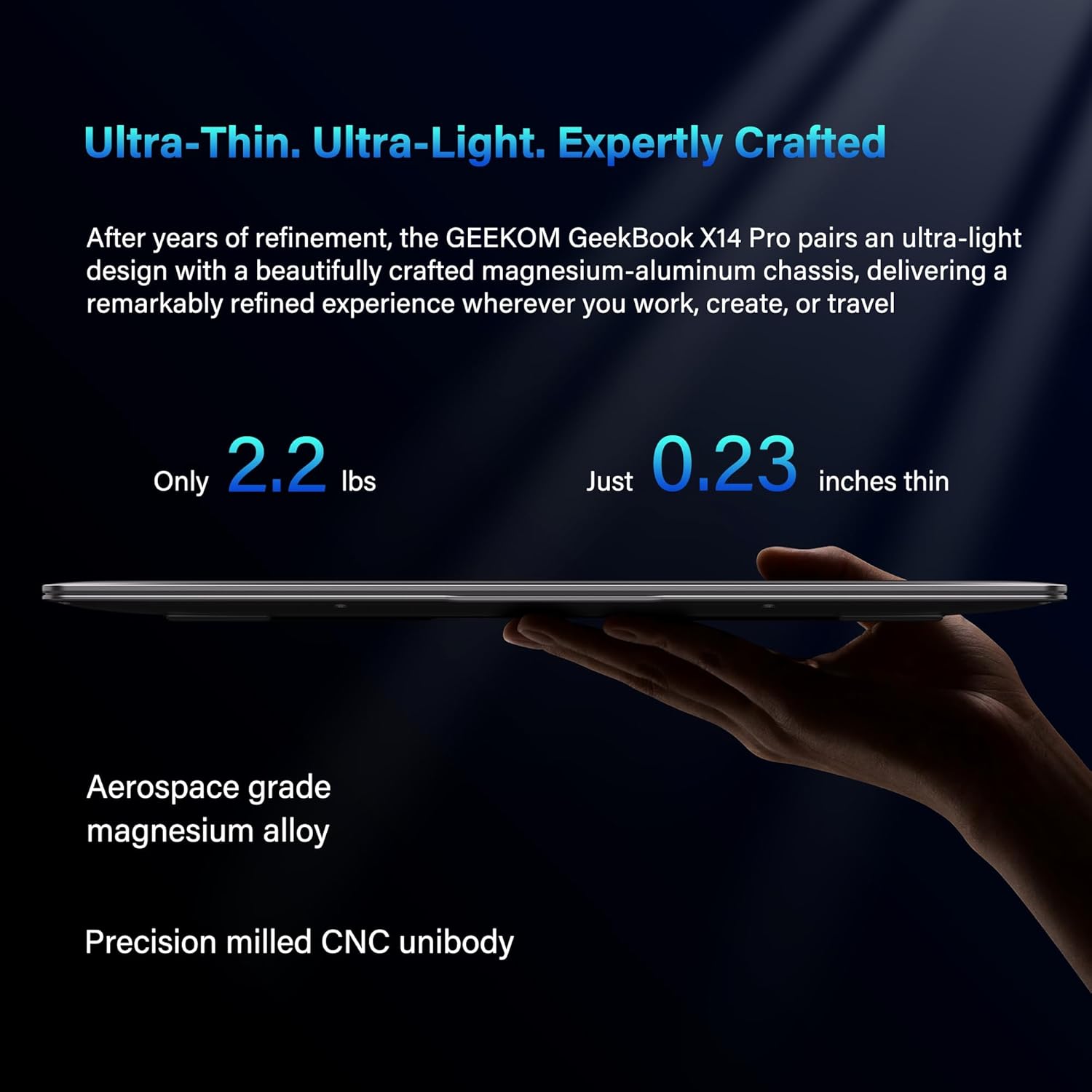
🪶[Featherlight, All-Metal, All In] At just 2.2 lbs and 0.23 inches thick, the Titanium Gray GeekBook X14 Pro slips easily into your bag and won’t weigh you down—even when you’re on the move all day. Its chassis is made from aerospace grade magnesium alloy, and the precision-milled CNC unibody gives it a clean, solid feel. A careful multi-step coating adds a smooth, warm finish (not the cold, harsh feel of many metal notebook) and helps reduce smudges and fingerprints. Every line and curve is thoughtfully refined, so it looks clean and modern on your desk and feels just as good in your hand
✨[Every Pixel, Perfected] The GEEKOM GeekBook X14 Pro delivers exceptional clarity with its 14-inch 2.8K OLED display. Self-lit pixels produce true blacks, rich contrast, and naturally vibrant colors. With 100% DCI-P3 color coverage, it reproduces a cinematic range of hues with impressive accuracy—ideal for creators and movie lovers alike. A smooth 120Hz refresh rate keeps scrolling and animations fluid, while up to 450 nits of brightness helps keep the screen clear even in bright, sunlit spaces. It’s more than a display—it’s a more immersive way to see your world
🔋[Go All Day, Pack Light] With its 72Wh high-density battery, the GeekBook X14 Pro is built to go the distance—up to 16 hours on a single charge. Whether you’re bouncing between meetings or working on the go, it keeps up without constantly hunting for an outlet. When it’s time to recharge, the compact 65W GaN charger delivers fast, efficient power in a package about 30% smaller than a typical laptop adapter—and can charge the battery to up to 80% in about an hour. Toss it into any bag and you’ll barely notice it until you need it
💪🏻[Power That Thinks With You] The GEEKOM GeekBook X14 Pro is built on Intel’s latest Meteor Lake architecture and features a Core Ultra 9 185H processor with 16 cores, 22 threads, up to 5.1 GHz, and 24MB of Smart Cache. Intel Arc graphics adds modern capabilities like XeSS, ray tracing, and AV1 encoding, giving creators smoother workflows and more efficient hardware-accelerated performance. A dedicated NPU works alongside the CPU and GPU and integrates with Copilot to deliver truly on-device AI—from eye tracking and background blur to intelligent noise reduction and more
❄️[Strong and Quiet] The GEEKOM GeekBook X14 Pro delivers the power you need while staying cool. Its advanced IceBlade 2.0 thermal system keeps performance steady during demanding tasks—at whisper-quiet levels. High-efficiency heat pipes pull heat away from the CPU and GPU quickly to reduce thermal throttling and maintain smooth performance over long sessions. The result is a laptop that stays responsive and ready for whatever your day brings. And when it’s time to focus or unwind, dual speakers with DTS:X Ultra audio deliver rich, immersive sound—so you hear more of your content and less of the fans
🍀[Command Every Connection, Own Your Privacy] Two 40Gbps USB4 ports with Power Delivery and DisplayPort 2.1 let you charge devices, move large files, up to three 4K displays. You also get HDMI 2.1, a USB 3.2 Type-A port, and a 3.5mm audio jack. And unlike many thin-and-light laptops, you don’t have to rely on dongles—the included docking station makes it easy to plug in and get to work. Privacy is built into the way you use it. The GEEKOM GeekBook X14 Pro includes fingerprint unlock and a dedicated physical camera shutter. Slide the switch and the camera is completely cut off—you always know when it’s off
🚀[Fast That Keeps Up] The GeekBook X14 Pro runs Windows 11 Pro and is built to stay fast under real-world workloads. With 32GB of ultra-fast LPDDR5x memory at 7500MHz, it keeps demanding apps and stacks of browser tabs moving without breaking a sweat. A 2TB PCIe Gen4 NVMe SSD gives you the space and quick load times big projects need. Wi-Fi 6E opens up the 2.4, 5, and 6GHz bands for higher throughput and lower latency on crowded networks. And with Bluetooth 5.4, pairing your headphones, mouse, and other devices feels more reliable, responsive, and power-efficient
12 reviews for GEEKOM GeekBook X14 Pro Laptop, 2.2lbs Ultra Thin 14″ 2.8K OLED Laptop Computer, Ultra 9 185H, 32GB LPDDR5x 7500MHz RAM 2TB SSD, Up to 16 Hour, 2X USB4, Fingerprint, Hub, Copilot, Windows 11 Pro
Add a review

Original price was: $1,599.00.$1,249.00Current price is: $1,249.00.
Bezli –
Impressive build quality and display
I’ve been using the GeekBook X14 Pro for about three weeks now as my main work laptop and wanted to share my detailed experience with it. Right out of the box, the build quality immediately stands out – the magnesium alloy chassis feels premium and solid without any flex or creaking when you pick it up. At 2.2 pounds it’s incredibly light, makes my old laptop feel like a brick in comparison. The titanium gray finish has this smooth coating that does resist fingerprints better than most metal laptops I’ve used, though you’ll still see some smudges if you look closely. The thickness at 0.23 inches is impressive, slips into my backpack easily without taking up much space. The 14-inch 2.8K OLED display is honestly one of the best laptop screens I’ve seen in this price range – colors pop, blacks are true black like you’d expect from OLED, and the 120Hz refresh rate makes scrolling through documents and web pages feel buttery smooth. The 100% DCI-P3 color coverage is noticeable if you work with photos or videos, though I’m not a professional colorist so I can’t speak to exact accuracy. Brightness gets high enough to use outdoors on my patio without major issues, though direct sunlight still requires some angling. The Core Ultra 9 185H processor handles everything I throw at it – multiple browser tabs, video calls, photo editing in various programs, all running simultaneously without any lag or slowdown. The 16 cores and 22 threads definitely make a difference when multitasking. Intel Arc graphics are decent for integrated graphics, handled some light gaming and video encoding without issues, though this isn’t meant to be a gaming machine obviously. The NPU integration with Copilot is interesting but honestly I haven’t found myself using those AI features much yet, maybe that’ll change as more software takes advantage of it. The thermal management with their IceBlade 2.0 system works well – laptop stays cool even during intensive tasks and the fans are surprisingly quiet. I can barely hear them during normal use, only ramp up noticeably when I’m doing something really demanding like rendering video. The dual speakers with DTS:X are actually pretty good for laptop speakers, decent bass and clear mids, obviously not replacing dedicated speakers but fine for video calls and casual media consumption. Now for the battery life – this is where my experience differs from the advertised specs. They claim up to 16 hours but I’m getting more like 8-10 hours with mixed use at medium brightness. That’s still decent and gets me through a full workday, but nowhere near the 16 hour claim. The 65W GaN charger is compact and charges pretty fast, getting to 80% in about an hour like they say, so at least that part is accurate. The port selection is generous for such a thin laptop – two USB4 ports at 40Gbps are great for fast file transfers and connecting external displays. I’ve tested it with two 4K monitors and it handled them fine. Having HDMI 2.1 built in is convenient, saves you from needing a dongle for presentations. The included docking station is a nice touch that most manufacturers don’t provide, makes it easy to create a desktop setup. The USB 3.2 Type-A port is handy for older peripherals. The fingerprint reader works well and is fast, unlocks within a second or so. The physical camera shutter is something I appreciate for privacy, gives you peace of mind that the camera is actually off when you slide it closed. The 32GB of LPDDR5x RAM at 7500MHz is plenty for my workflow, never felt like I was running out of memory even with tons of tabs and apps open. The 2TB NVMe SSD is spacious and boots Windows 11 Pro in maybe 8-10 seconds. Transfer speeds are fast when moving large files around. Wi-Fi 6E connectivity has been solid, connects quickly to my router and maintains good speeds throughout my house. Bluetooth 5.4 pairing with my headphones and mouse has been reliable. The keyboard has decent travel and feels good to type on for long periods, though some people might prefer more tactile feedback. The trackpad is large and responsive with good palm rejection. Windows 11 Pro runs smoothly on this hardware. The GEEKOM PC Manager software is straightforward and gives you control over performance modes and other settings without being bloated. One minor annoyance is the power button placement on the side – I’ve accidentally pressed it a few times when picking up the laptop. The 1+1 year warranty (with the extra year for purchases in the first half of the year) is reassuring, and they advertise 24/7 US-based support though I haven’t needed to contact them yet. Price-wise this sits in the premium category, not cheap but you’re getting high-end specs and build quality. Compared to similarly spec’d laptops from bigger brands you’re probably saving a few hundred dollars. The magnesium alloy construction does feel more premium than plastic laptops in this weight class. After three weeks of daily use I haven’t noticed any issues with build quality or performance degradation. The hinge feels solid and stays where you position it. No weird noises or rattles. The coating on the exterior has held up well without scratching. If I had to nitpick, the webcam quality is just okay – fine for video calls but nothing special. Also the laptop does get a bit warm on the bottom during heavy use, not uncomfortably hot but noticeable. The bezel around the screen is thin which looks modern but means you have to be careful not to touch the screen when opening the lid. Would I recommend the GeekBook X14 Pro? If you need a powerful, portable laptop with a gorgeous display and premium build quality, yeah this is a solid choice. Just temper your expectations on battery life – it’s good but not the 16 hours they advertise. For my use case as a primary work machine that I carry around frequently, it’s been excellent. The combination of performance, portability, and that OLED screen makes it a compelling package despite the battery reality being different from the marketing claims.
jnbrkln –
great value for premium specs
Purchased “GEEKOM GeekBook X14 Pro” laptop last month to replace my 6 year old Lenovo X1 Thinkpad.Came across this laptop on tech blogs that I follow (itpro.com, techradar.com) and decided to take a chance as I hadn’t heard of the Geekom brand.It was a tremendous value at this price point, only downside being an unknown brand.So far it is doing an admirable job and am quite happy with my decision to get this laptop from Amazon.It is super lightweight, using it on my daily commute now for the last few weeks and don’t feel it’s presence in my backpack. Battery is holding up well over the day, even without charging it during the day.Has a premium look and feel and the specs are great – premium OLED screen, 32GB, 2TB. It came with a extra one year warranty (total 2 years) and a little mini dock.Haven’t really used the mini dock, since I have my own full fledged docking station at home.Overall, this laptop is a great value at this price point, especially with the 2 year warranty.
Alf Cast –
100%
Excelente equipo. 100% recomendable
Stephen Frost –
Great Laptop for the money
Very pleased with this computer. Fast shipping. Lightweight. Only very minor thing is that the key backlighting does not stay on. The speed is quite fast and I feel it was a good value.
Donald Gillette –
Good laptop and very pricey vs. their Mini-PC’s
So far, I’d say this was a decent purchase.Pricey compared to other brands AND a little slow to boot, but appears to be a quality laptop.I use a GEEKOM mini pc and it boots up immediately–this thing takes maybe 5 seconds which isn’t a deal breaker, but it’s not instantaneous.
RAFAEL PEREDO ZUÑIGA –
cliente satisfecho
cumple con las caracteristica ofrecidas, lo que si deberia haber con teclado en ESPAÑOL
GG –
Great laptop, but poor battery life is a major issue.
Good laptop, the screen looks great, the keyboard is easy to type on, the trackpad works well. Performance is good as expected, with plenty of room given the 32GB memory and 2TB disk. The big problem with this laptop is battery life, it is nowhere near the 16 hours the listing claims, in my testing with reasonable loads and screen set to about 50% brightness the battery died within 5 hours or so. Definitely not a laptop that would last a work day without charging it.
Fan –
Da ich mit PCs oder Notebooks nicht Apple User bin und immer mit einem MacBook geliebäugelt habe, bin ich beim Recherchieren über das GeekBook x14 Pro gestolpert. Die Online-Testberichte haben mich dann überzeugt und ich habe mir eins bestellt.1. Versand und Verpackung:Als Prime Kunde kostenlos und wie gewohnt ultra schnell. Die Verpackung gut geschützt und die Produktverpackung wirkt hochwertig und stabil.2. Zubehör und Einrichtung:Toll, dass gleich eine kleine Docking Station mit dabei ist und man seine Anschlussmöglichkeiten ganz einfach verfielfacht. Ansonsten liegt ein 65 W Netzteil bei uns das gute Stück selbst.Die Einrichtung unproblematisch und einfach. Allerdings Windows typisch hat es ewig gebraucht bis alle Updates geladen und installiert waren. Dafür kann aber auch nur Microsoft selbst etwas.3. Leistung und Bedienung:Was soll ich sagen. Ich habe ein in die Jahre gekommenes MS Surface 7 Pro im Einsatz gehabt. Seit Minute 1 mit den X14 Pro ist das nun Geschichte. Ein wunderschönes Gerät, das Scharnier ist butterweich und leichtgängig, aber dennoch stabil. Das Display überzeugt mit einem wahnsinnig guten Bild. Tastur, Fingerpront-Sensor und Touchpad funktionieren einwandfrei und mach einen absolut hochwertigen Eindruck. Die Leistung ist für meine Zwecke absolut top und fast schon zu viel. An Speicher mangelt es an sofort auch nicht mehr.Und dann ist da noch das unglaublich geringe Gewicht. Ich muss wirklich sagen, ein ingenieurtechnische Meisterleistung – So viel Power und Ausstattung so hochwertig in ein Gerät zu packen und es so leicht, fast spielerisch wirken zu lassen – chapeau!
Frank B. –
Ich benötige für den täglichen Einsatz im Arbeitsalltags ein zuverlässiges Werkzeug in der IT-Kundenbetreuung. Daher fiel meine Wahl auf das X14 Pro. Das Notebook ist wirklich sehr leicht, hat eine schöne Haptik und der Akku hält zuverlässig den ganzen Arbeitstag. Die Darstellung des Displays ist sehr gut, angenehm fürs Auge und Detailscharf.Durch die mitgelieferte Dockingstation (eher ein Anschlusskonverter) ist für die meisten Anwendungsfälle ausreichend.Auch die Ausstattung mit Arbeitsspeicher und Rechenpower macht ein schönes, flüssiges Arbeiten möglich. 2TB Speicherplatz sind für die meisten Fälle sicher ausreichend.Ein wirklich rundrum gelungenes Produkt, würde ich wieder kaufen.
Juergen H. –
Sehr schönes Notebook. Vollkommen ausreichend.
Harald Brandstetter –
Der GEEKOM X14 Pro ist in der Tat klein, leicht, und damit sehr handlich – dabei ist die hohe Auflösung des scharfen OLED-Bildschirms ein Asset. Das Setup war einfach, vor allem da GEEKOM auf das Ausliefern massenhafter Bloatware verzichtet, die sonst das erste Einrichten von Marken-Laptops zur langwierigen Angelegenheit machen.Positiv: alle komponenten funktionieren out of the box, auch der Fingerabdruckscanner. Das System bootet sehr schnell, das Mousepad reagiert schnell. Die beleuchtete Tastatur hat einen angenehmen Anschlag, man kann damit auch bequem längere Texte tippen. Die Batterie hält zwsar nciht die angegebenen 16 Stunden durch, aber das wäre auch zu viel erwartet. Ich bin auf eine Laufzeit von 11 Stunden bei starker Last gekommen, aufgeteilt auf 3 Sitzungen mit Runterfahren des Geräts dazwischen. Dann hätte ich laut Anzeige theoretisch noch 2 Stunden gehabt, aber das war mir zu unsicher. Es war ja kein Test um des Tests willen, sondern tägliche Anwendung unterwegs.Negativ: die Belegung der Tasten < und > als AltGr-Umschaltung zu Y und X ist für mich beim gelegentlichen Programmieren lästig – aber man gewöhnt sich auch daran.Ich hatte vorher einen Microsoft Surface Pro 9 – eine Spur kleiner, aber an Speicher und SSD nur spärlich ausgestattet. Vergleichbare Hardware ist bei MS nicht erhältlich und würde bei Hochrechnen der Preise auf vergleichbaren Speicher und SSD erhablich mehr kosten.Das GEEKOM X14 Pro macht einfach Spaß.
Steffen –
Lange habe ich nach einem kleinen Notebook mit ordentlich Power gesucht.Nun habe ich beim Geekbook X14 Pro zugeschlagen und bin begeistert.Es sieht schon mal sehr edel aus und ist angenehm leicht.Ein Netzteil + hochwertiges, langes weißes Ladekabel wird mitgeliefert und dazu noch eine kleine Dockingstation, die ich allerdings noch nicht genutzt habe.Die Verarbeitung und das OLED-Display ist einfach toll – so hoch aufgelöst, man sieht beim besten Willen kein Pixel.Netflix schauen macht damit richtig Spaß.Ich nutze keine Anwendungen und Spiele, die extrem viel Power benötigen, bei dieser Nutzung das Notebook wird höchsten lauwarm – einen Lüfter habe ich noch nicht gehört.Mit den 32GB Arbeitspeicher und 2TB SSD bin ich für die nächsten Jahre hoffentlich gut aufgestellt.Ich lasse gern virtuelle Maschinen laufen, um mal etwas auszuprobieren, ohne mein System selbst zuzumüllen. Auch dafür eignet sich das Notebook bestens.