

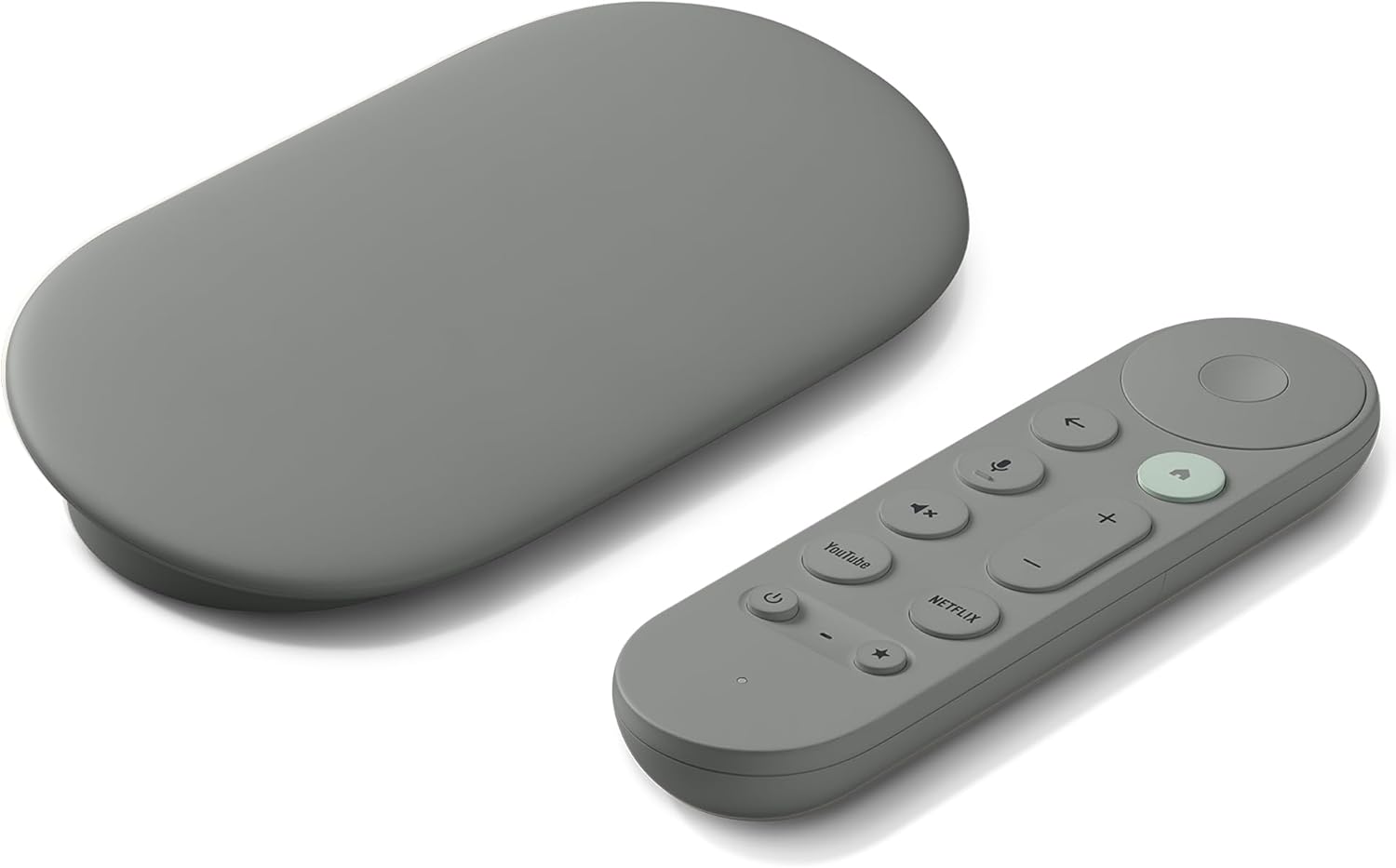
Google TV Streamer 4K – Fast Streaming Entertainment on Your TV with Voice Search Remote – Watch Movies, Shows, Live TV, and Netflix in 4K HDR – Smart Home Control – 32 GB of Storage – Hazel
$98.97
Related Products


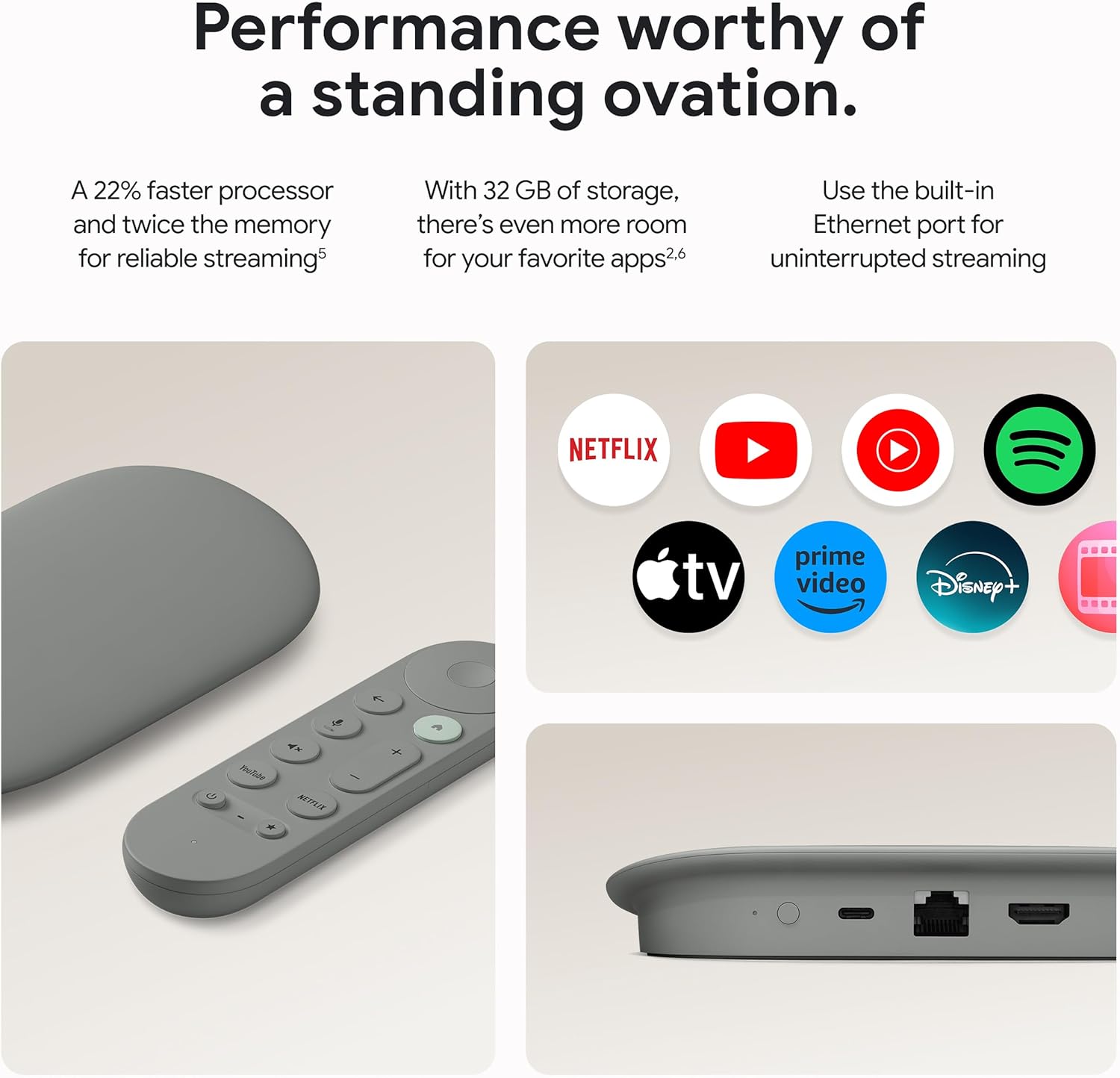



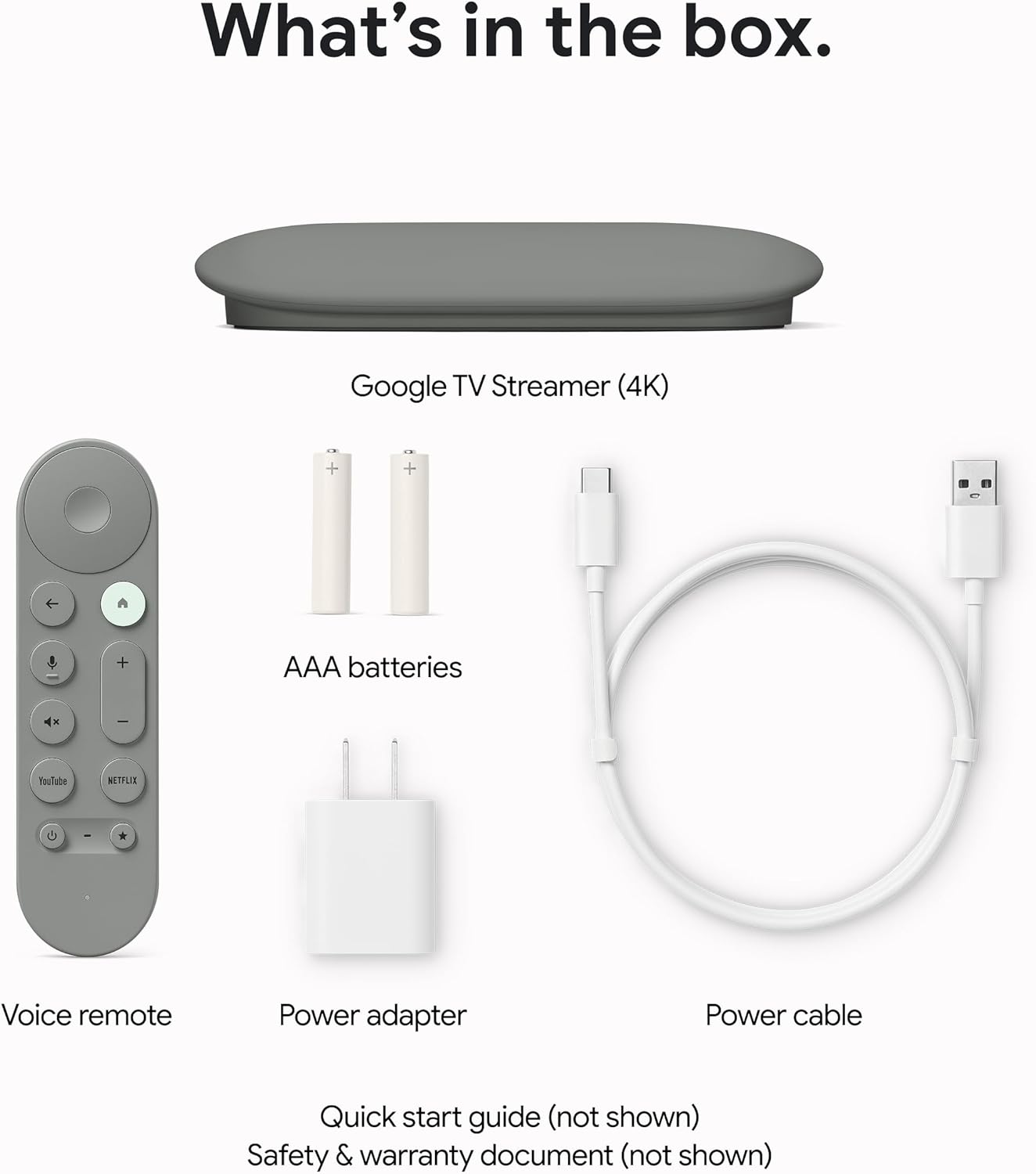
The Google TV Streamer (4K) delivers your favorite entertainment quickly, easily, and personalized to you.[1,2] Get fast performance, responsive navigation, and tailored recommendations from Google’s most advanced streamer yet. And all your content is organized in one place – so you’ll do a lot less searching and way more watching.
The Google TV Streamer (4K) delivers your favorite entertainment quickly, easily, and personalized to you[1,2]
HDMI 2.1 cable required (sold separately)
See movies and TV shows from all your services right from your home screen[2]; and find new things to watch with tailored recommendations for everyone in your home based on their interests and viewing habits
Watch live TV and access over 800 free channels from Pluto TV, Tubi, and more[3]; if you find an interesting show or movie on your TV, mobile app, or Google search, you can easily add it to your watchlist, so it’s ready when you are[2]
Up to 4K HDR with Dolby Vision delivers captivating, true-to-life detail[4]; and you can connect speakers that support Dolby Atmos for more immersive 3D sound
The Google TV Streamer (4K) has a 22% faster processor and twice the memory of the previous generation for smooth navigation and quick switching between apps[5]; with 32 GB of storage, you can install more of your favorite apps[6,2]
With the redesigned remote, use your voice to find shows, get answers, and control smart home devices[7,8]; the customizable button lets you open your favorite app or the home panel in one click; and easily find your lost remote by making it ring
It’s even easier to control your smart home with the new home panel; dim the lights or check a camera’s live view without pausing your shows[9]
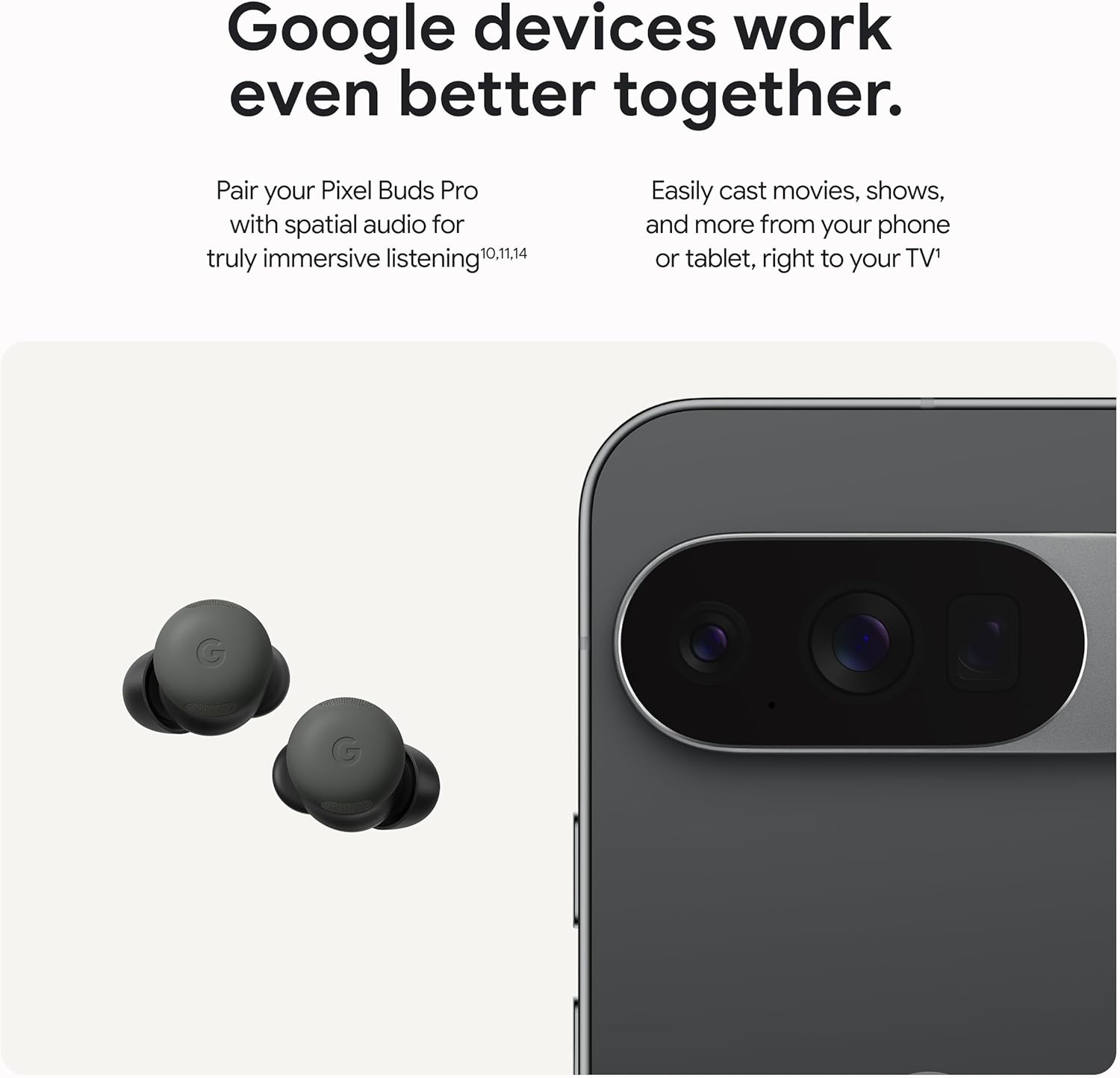
Effortlessly cast content from multiple compatible Android and iOS apps on your phone, tablet, or laptop right to your Google TV Streamer (4K)[1]
Please refer to the “Legal” section below for all applicable legal disclaimers denoted by the bracketed numbers in the preceding bullet points (e.g., [1], [2], etc.)
13 reviews for Google TV Streamer 4K – Fast Streaming Entertainment on Your TV with Voice Search Remote – Watch Movies, Shows, Live TV, and Netflix in 4K HDR – Smart Home Control – 32 GB of Storage – Hazel
Add a review

$98.97
Anthony R Chinn –
Google Streamer better than FireTV Cube !
The Google Streamer is excellent. Fast, easy to use and allows 3rd party apps. Firestick is locking that option out soon. Like Roku. CORPORATE GREED. Anyways, this product works well.* one notation: Requires an HDMI cable which is NOT included. Come on Google, Really ?
Amy Stone –
Excellent Streamer. Works with weak WiFi.
I just hooked this up for my sister. The WiFi in her building is weak. This device seems to work really well. Simple setup. Simple to use.
jaber waleed alsulaiti –
Fast, clear, and super easy to use — I even bought three!
This is honestly the best streaming device I’ve used. It’s fast, the picture quality is true 4K, and the setup is extremely easy. I bought three of them — two for my home and one as a gift for my mother. She loves it too! The voice remote works perfectly and makes browsing effortless. Excellent product from Google.
Erik G –
Excellent streaming box
Great streaming box. Worth the extra money vs a firestick. No lag on streaming shows, well built and easy to figure out.
VirgoanDiva –
Great streamer so far
9/29/25 – I purchased the Google TV streamer 3 weeks ago. Setup was a breeze until I tried to set up the remote to control the TV and sound bar. My previous setup was with a FireTV stick with a sound bar connected to the TV via an optical audio cable. This setup worked fine, and I was able to turn both devices on/off and control volume on the sound bar with the remote. The Google TV did not like this setup, and I was only able to program the remote to control one device instead of both. The workaround is to change the setup to use HDMI via ARC for all devices.Pros:- Streaming so far is great.Cons:- The Apps screen is ridiculously slow. All other functionalities/screens are very responsive.- With the Hulu app, the playback bar randomly pops up during live tv streaming. The remote was lying on the table, so it wasn’t accidentally touched. This happens multiple times per show.
Jonathan Musick –
Takes Kodi & The Crew & Real-Debrid
It is good. Accepts Kodi App and plays nice with Real-Debrid. Cannot cast geo restricted content while host phone is on VPN.Can handle up to about 250 Mb cache setting, and plays 10bit HEVC up t
Sean –
A leaps and bounds improvement from previous streaming devices
I’ve been using many streaming services and devices from other makers as well each chrome cast devices as they were released. Always aiming for better integration and ease of use. I have multiple profiles with kids devices and content they watch using the tv with different streamers, it was getting to be confusing and a pain to use. This newest google tv streamer is by far the best. The set up was seamless. It seems to organize all my different apps and services under one dashboard. The voice commands are easy and I can use my phone, different google speakers to operate the tv. Phone control was available before but now it’s much improved and well thought out. It also makes casting of google photos or videos seamless. I experienced no glitching.One notable difference was the improvement in how much more clear the TV content is with this device versus previous. The navigation is snappier and smooth from one interface to the next.
Jonathan Black –
Google fan and Super User – Ambivalent…
I’m honestly not as impressed with this product as I thought I would be. Being dubbed THE ‘OFFICIAL unofficial Google Guy’ on my social accounts and well known for my insane affinity towards Google and Google products, including participation as a trusted tester, developer, Cloud innovator, Local guide and level 8 reviewer, Google Business & Workspace partner as well as diehard Pixel Superfan and Certified Devices Expert… Let’s just say I should be loving this. When in reality I’m ambivalent.First, let me say that I don’t technically need the streamer because I do have a smart television in my LG TV, which, in my opinion holds the greatest webos over any company offering a streaming plug-in device comparing the overall UI/UX, overall ability, performance, etc.Previously I had a Chromecast with Google TV Second generation dongle plugged in where I now have my Google Streamer. I still have another Chromecast with Google TV dongle in my bedroom television and in my office television I have an original third generation Chromecast. These devices I am holding on to like their gold because while not many people may realize this, Google is no longer going to produce the Chromecast in any shapewear form even in its most recent incarnation as the “with Google TV” dongle and has in fact replaced the entire line with this single device we have in the Google TV Streamer.I have to say it is a bold move to make considering the device retails for $100 and rarely goes on sale and now Google is is pushing themselves out of a Market space by offering only one expensive option when ONN (Walmart) offers these identical technology in an Android TV Streamer retailing for only $50 and continues to produce the 4K and HD plug-in versions of there streaming devices equipped with Google cast and fully integratable in Google home. Naturally there’s also Roku, Amazon Fire and even Tivo. If you’re feeling extra curious and want to fiddle around with complicated, inconsistent connectivity and performance severely lacking, you could also opt for the more recent Xumo TV box, offered through various home internet providers as a streaming alternative to their cable packages. Xumo is also a webos independent of streaming devices and comes equipped in various smart TVs including the one I recently purchased for my office and thoroughly regret. Xumo TV makes it difficult to cast from external devices to the TV, the overall interface is confusing and ridiculous, starting with a fact of that will begin your journey. Are you with every single application available already pre-installed for you to use?. There is no need to install uninstall. However, I find their app, library and availability very lacking compared to others such as Google TV, Fire TV or Roku.The big seller for the Google TV streamer is the fact that you can plug in an ethernet connection for Maximum speeds and highest quality streaming. In theory, this is somewhat rationally argued. However, if your streamer is not connected to your Wi-Fi via the same connection you would utilize on your phone or other devices, then you don’t have the ability to control the streamer or use the Google cast capabilities available and less you switch from the hardwired connection to the Wi-Fi. This begs the question why would you switch back and forth especially when Google is pushing. Hard to integrate Google home into Google TV and currently has a dedicated panel available for use in viewing any cameras, lights, environment devices like your thermostat, and the various smart speakers and other devices you have attached into Google home. These don’t communicate in the same way utilizing the ethernet as it does the Wi-Fi. In fact, one of my favorite features in my Pixel 8 Pro quick settings menu is the ability to quickly drop down and hit TV remote, thereby allowing me to increase or decrease volume on the TV change channels. Do anything I can do with the remote itself but on my phone.So currently I have mine hooked up but I am not using the ethernet. I have mine connected to my whole home mesh Wi-Fi system that I have everything else attached to so that it’ll communicate nicely and as it should. Overall the visual and audio quality is advertised to be greater and more crisp and clear than the previous generation Google TV devices, however, I don’t notice a difference in the quality whatsoever. Granted I have a wonderful entertainment system with a smart TV. Big screen that comes standard with Dolby vision and is equipped with Dolby Atmos in the native internal speakers themselves but I also have a 3.1 channel. LG soundbar with subwoofer attached via HDMI ARC for added enhanced sound quality. Couple that with the fact that I have two Google Nest audio speakers mounted on the wall of the TV and to Google Nest audio speakers behind the boundary of the living room entering into our dining area – all speakers naturally connected in Google home for speaker pairs to act as 360° fully immersive Dolby Atmos level surround sound easily available through the speaker group functionality in the Google home app and you could say I’m a little spoiled on my tastes for audio as it is already.The streamer itself has not taken away any quality whatsoever and if anything I feel it does work a little faster which makes sense being it as an extra gig of RAM to its system specs. I will say that I enjoy this remote way more than the previous generation remotes. The previous generations were small and clumsy in your hand. Utilized a volume up and down button on the side of the remote which to this day still confuses me. The new remote has a simple interface with a home button back button. A button dedicated for speaking to assistant/gemini a mute button, two dedicated buttons for channel. Quick launching of YouTube or Netflix. This remote offers the volume up down buttons on the front of the remote interface and ends at the bottom with the power button and alternately from its previous generations instead of including a button for toggling between sources attached to your system they’re simply a star. This being your personal button you can utilize for anything you choose, you can program it to a specific streaming service. You can program it to a specific task. Currently I have my button set so when I push it, my Google TV immediately pulls up the live feed from my front Google video doorbell. Not necessarily pressing necessity for the usage of this button considering I also have the option to allow the live feed to pop-up automatically whenever anyone pushes the doorbell, but I’m enjoying it because in my case, for some reason since I’ve moved to my current location, people don’t seem to use the doorbell. If they acknowledge anything they may but it seems rare that people push the doorbell here, so it’s nice to be able to quickly look out And see what’s going on.All in all, I do not have a lot of complaints for the Google TV streamer. It has great functionality. The interface is easy to understand and navigate and I feel anyone could easily adapt to it coming from a different branded streaming device or webos. It offers high speeds 4K Dolby Vision resolution with Dolby Atmos and DTX capabilities – all naturally falling into place with your televisions actual capability. For instance, if your television does not allow 4K resolution? Or if the best level of audio would simply be basic stereo you shouldn’t expect to plug this in and receive the advanced innovative technology behind the picture and sound because your hardware is incapable of receiving it. So if you’re looking for a boost overall, it may be time to look for a upgrade on your television – personally, I am a huge fan of LG and recommend them wholeheartedly for television and sound in general. You can look through any third party consumer reports or research in comparing various brands TVs 4. Picture quality and sound quality and time and again you will see the same results – fact is LG is King when it comes to sound! That’s not an opinion. That is space statement and a fact. Equally crystal clear is the resolution visually output from their variety of television specific lines, and budget based decision.I have a 55-in LG ThinQ That’s currently almost 3 years old and still looks sounds and operates like it’s right out the package. I recommend a ThinkQ enabled set for numerous reasons but a big one being the smart remote you receive which is insanely useful beyond a belief. But also the companion app for your smartphone allows further customization and currently LG has adjusted their home screen to include a Smart Home Hub that can be controlled right on your television screen. I will say it’s false functionality works better than Google’s. However, Gemini’s capability will be dropping this fall to all Google home devices and it’s then when we’ll see the best experience from Google for a complete seamlessly integrated experience.All this said I do recommend the streamer simply because I am a fan of Google and I believe in the quality of their products as well as the function and longevity behind them. The only thing that bothered me in purchasing this streamer was the packaging. Am a packaging geek which stems from my background in PR and marketing. But I love the packaging in Google products. It’s high quality durable. It’s in experience to open a Google package and be presented with your product. This time it was very cheaply done and it bothered me greatly that they do not include an HDMI cable with the streamer. Now since the dawn of time and the very first device released from Google, they solidified their reputation as being the the brand for plug and Play functionality. You can see this easily echoed in the Chromecast or Chromecast with Google TV that easily plugs into your television on its own or with any of their products. But here we have $100 streamer and they failed to include an HDMI cord- this piece hardware being the most important in being able to actually use the streamer and see the communication from it to the television. So this streamer is not plug& Play in my opinion and the way I see it. I almost feel like they’ve abandoned the Chromecast and simply rushed this product to the market as an easy replacement. As I said, I recommend it because it’s Google, but I’m still very ambivalent about this device and the only reason I actually purchased it was because my previous Chromecast with Google TV went on the fritz and stopped working after years of use. And although they display The Chromecast in the Google store it’s conveniently out of stock. Google has officially stated this streamer will take the place of previous Google TV and Chromecast devices. Personally, after a couple weeks of use I think that they’re making a big mistake and I just might look for a Chromecast from a third party seller. But time will tell. I hope this helps in some way for someone out there that’s unsure. I would offer the advice of checking out the ONN streamer that retails for half the price of the Google version to see if you vibe well with the interface and functionality. The only thing I will say about ONN is I have a ONN Android TV box that’s only a couple years old that I decided to try in my own testing comparison and it’s immediately obvious that ONN devices are essentially Google devices manufactured through Walmart and simply rebranded. They’re that close in every way possible. That said, the only place I ran into trouble with my ONN streaming device was in being able to properly utilize the speaker groups in Google home app. This is an ability where you can combine devices in Google home such as your TV and whatever smart speakers you may have or streaming device to create a speaker group- As I mentioned, I have a speaker group that connects my living room TV with separate Nest audio speakers for a surround sound Insanity. That works really well and can even be utilized on certain gaming consoles if you know what you’re doing connection wise…But on ONN I wasn’t able to connect the streaming device to a speaker group or speaker pair at all. This is something that may have been fixed. I don’t know. I’m just simply putting it out there. But if you’re like me and planning to upgrade your pixel phone to the new 10 Pro XL, you can do so in the Google store where you’ll get $300 in credit To spend in store as well as trade-in value if you have one. I mentioned this because while I love the Google store, it’s not somewhere you shop everyday. So for them to offer store credit as a deal is a little annoying to me but I get it. Personally I could use a new thermostat so not mad about it. But right there you could get one for basically free. Just a thought. I look forward to reading others reviews here too to see what your thoughts are on this device.
ItsAyman –
AwesomeIt’s super fast, Highly recommendedThe price is too high
Isaac Rubio –
Funciona excelente, gran producto, lo tengo conectado a una barra de sonido y monitor, fácil de configurar y añadir todas las cuentas de mis diferentes servicios, y los 4gb de ram lo hace muy rápido a comparación de una tele de tamaño mediana.
Pradip Kumar.L.Raval –
So best quality
Mahaboob Mallik –
Product is really good and fits my needs.
Onur –
Ürün verilen teslim tarihinde geldi. Kutu açılmamıştı ve pakete EU tipi prizler için uygun adaptör yapıştırılmıştı.Ürün kurulumu Google home uygulamasından kurulurken hep sorun çıkarıyor ama daha önce aldığım Google chromecast HD de aynı sorunları yaşatmıştı o yüzden manuel kurdum sorun olmadı. Hız konusunda süper, tuşa basar basmaz istediğiniz uygulamayı açıyor. Kumanda eski hd versiyonunkine göre uzamış ve ses tuşları kumandanın üzerine gelmiş. 4K HDR destekliyor ama benim ev biraz eski, 4K, HDR yok. Eski HD’lerle pek farkı yok. Sadece kumanda bul seçeneği var ki cihaz üzerinden saçma oluyor çünkü aktive etmek için kumandanın tuşuna basmanız lazım. Ama cihazı Google home uygulamasına kaydedebilmeyi başarabilirseniz Google home uygulamasından kumandayı bul seçeneğini kullanabilirsiniz.