


GT300 Upgraded Laptop Cooling Pad with Adjustable Stand, Turbo Boosted Cooler for Rapid Cooling 10-17inch Gaming Laptop, Flexible Sealing Ring,Featuring Air Filtration Adjustable clamp
$48.99
Related Products





Product description
IETS GT300 Upgraded Laptop Cooling Pad–Compact and lightweight 


How can I tell if it fits on my laptop?
1.There must be ventilation holes at the bottom of your laptop
2.The size of your laptop is between 10 and 17 inches
Compared with the old GT300 model, what upgrades has it made
1.All unnecessary functions have been eliminated, only for a more pure cooling effect
2.Under the premise of the same cooling effect, its noise is further reduced
3. It is more compact
Does it need to use an adapter?
Firstly, we haven’t configured an adapter for it. It is powered by USB and can be directly connected to a laptop, or users can power it with their own adapters. Both are acceptable
How do I choose between different models?
Firstly, their performance is the same. Compared with GT300B0, GT300B1 has added the USB HUB function, which is provided to users in need. However, GT300F1 is just different in color from GT300B1
IETS supercharged laptop cooler
Add to Cart
Add to Cart
Add to Cart
Add to Cart
Add to Cart
Customer Reviews
4.3 out of 5 stars 2,263
4.3 out of 5 stars 2,263
4.3 out of 5 stars 2,263
4.3 out of 5 stars 2,263
4.5 out of 5 stars 1,847
Price
$48.99$48.99
$42.55$42.55
$56.99$56.99
$60.71$60.71
$72.67$72.67
Time to market
2025
2025
2025
2019
2022
Sealing method
Flexible sponge
Flexible sponge
Flexible sponge
Silicone ring
Flexible sponge
Fan type
IETS special ring fan
IETS special ring fan
IETS special ring fan
IETS Custom blower
IETS special fan(Large size)
Power supply mode
USB power supply
USB power supply
USB power supply
USB power supply
Special adapter
power
5V2A
5V2A
5V2A
5V1A
12V1A
Air intake
Bottom
Bottom
Bottom
Rear
Bottom
RGB lighting
✘
✘
✘
✔
✘
USB Hub
✘
✔
✔
✔
✔
Button backlight
✔
✔
✔
✘
✘
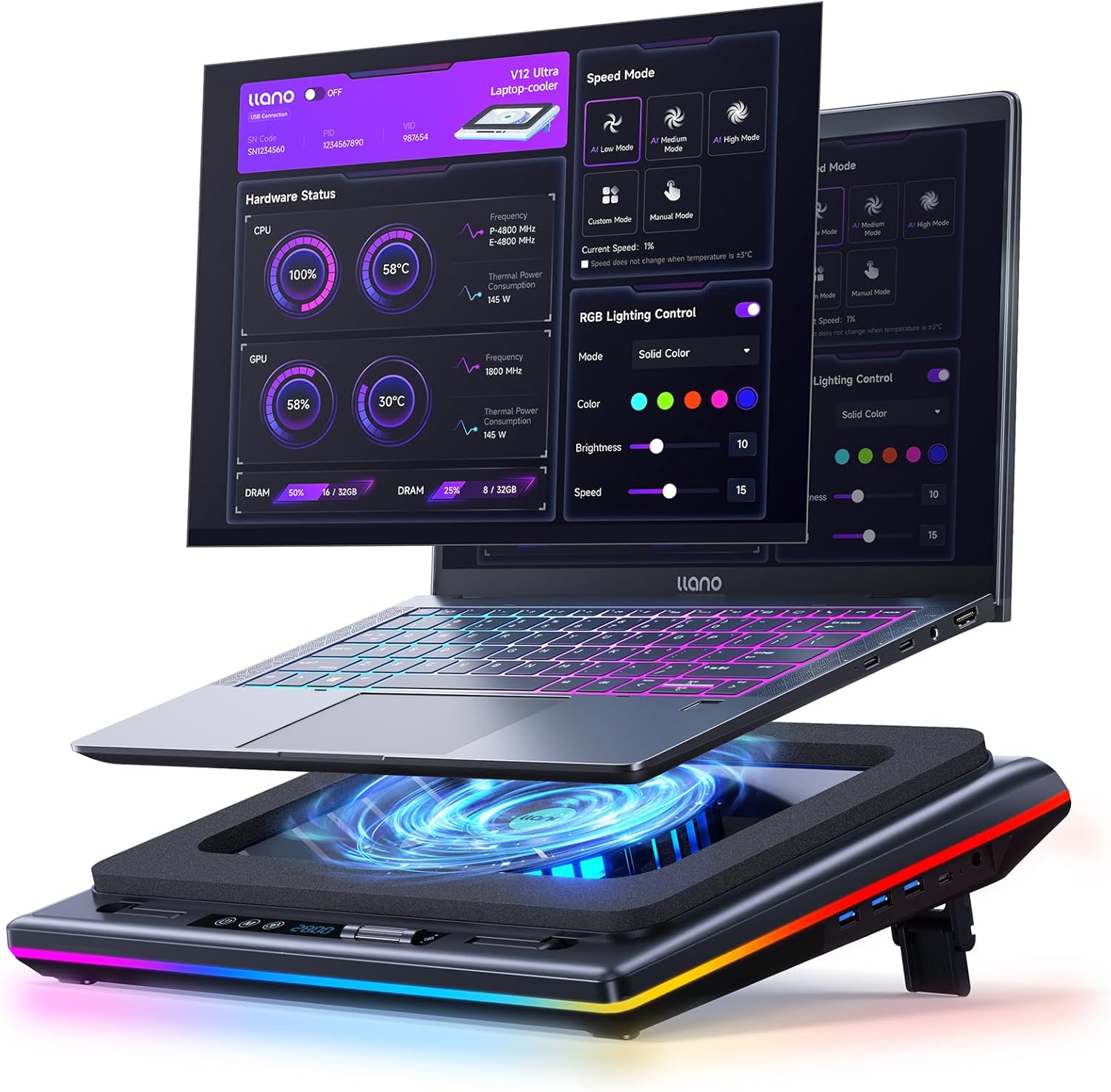
1. ❤【Three cores】:Industrial-grade turbofan(4000RPM)+ Concentrator Nozzle+combined sealed foam
2. ❤【Rapid cooling】:The high-velocity airflow accelerated through the nozzle, combined with the sponge’s sealing effect, generates intense air pressure to rapidly exhaust hot air from the laptop interior
3. ❤【User-friendly features】:USB power delivery (compatible with direct laptop connection or adapter), backlit keys, power-off memory function
4. ❤【Replaceable air filter cotton】:Installing filter cotton at the air intake can effectively prevent dust from entering the laptop interior, thereby protecting the device. The filter cotton should be replaced every 2 to 6 months for optimal performance
5. ❤【 Five-speed wind adjustment】:It has five kinds of wind speed adjustment. When playing, the high-speed gear has good cooling effect, and the low-speed gear in office is energy-saving and environmentally friendly.
6. ❤【Bracket height adjustable】:Ergonomically designed, the height of the stand can be adjusted to avoid damage to the spine.
7 reviews for GT300 Upgraded Laptop Cooling Pad with Adjustable Stand, Turbo Boosted Cooler for Rapid Cooling 10-17inch Gaming Laptop, Flexible Sealing Ring,Featuring Air Filtration Adjustable clamp
Add a review

$48.99
Brad –
Absolutely worth the price and easily triple the performance of my other cooling pads
I’d like to start with my model, an HP Omen DC-1054NR. I7-9750H, 1660 Ti (NOT the Max-Q version), 16GB Ram, swapped their nvme drive for an Inland 1TB nvme with faster read/write speeds. I also swapped the stock thermal paste with Therma Grizzly Conductonaut liquid metal (not something I’d recommend for beginners). It’s a little over a year old, I’d purchased it brand new. I ran it with no cooling pad for about a month, but the temps were starting to make me nervous (hitting 99 C on CPU and about 94 C on GPU). I added a Cooler Master NotePal X-lite II, and saw about a 3 degree drop. Still a little hot and the CPU decided to push back up to that temperature and I got better performance but still had terrible heat. So next I added the liquid metal which saw a few changes – it took longer to get up to high temps, and it also gave me a considerable boost in performance – but I still kept hitting high temperatures. I spent months tweaking settings, undervolting, making sure everything was perfect, reapplied thermal paste, literally everything I could think of, and couldn’t get it to stay below 90 C while I was playing demanding games. I tried multiple other cooling pads to no avail, until finally, I see this model. At a high price point, I ordered it thinking it was going to be another flop, but lo and behold, it seems I’ve finally found a match. The rubber gasket combined with an actual blower with a little oomph behind it, combined with the flares to prevent the hot air exhaust going into the intake (which is filtered!) seems to have been the magic elixir that’s allowed me to not only significantly increase my performance but also keep my temps in a healthy range. I don’t really care about the lights, and it definitely produces some noise, nor is it really a pad for sitting in your lap – this is built to give you the equivalent of a set of case fans and get you closer to desktop performance. If you can afford it, buy a cheaper cooling pad for gaming on the go, but keep this monster for desktop use. I haven’t been this satisfied with a hardware purchase since first moving over to NVME drives. I wear headphones and no one can hear the fan through the microphone so it doesn’t bother me at all, but might if that’s a major concern for you. Best cooling system you can buy for a gaming laptop though, and it’s worth the rather ridiculous price point.
InfoSciGuy –
Alienware or other gaming laptop? This is the one you want! Delivers real-world benefits!
The TLDR version: Do you have a gaming laptop? A cooling pad is absolutely essential if you’re running an Alienware laptop, or any gaming laptop with dedicated graphics co-processor. Of the many cooling pads I’ve tried, this is the one that has actually delivered immediate and lasting benefit, as proven by a significant reduction in both measured processor temperature and laptop fan speed. This is the one you’re looking for.Want to learn more? Read on…The reason you need a cooling pad is that these gaming laptops run HOT. Really HOT. Almost insanely HOT.I have an Alienware 15 R4. It has an Intel I9 processor, 32 Gb of RAM, and an Nvidia dedicated graphics card with its own 8Gb of graphics RAM (and its own fan). A set of processors like this would present a cooling challenge even in a desktop tower. It’s kind of insane to these into the confines of a laptop case, and the laptop makers know it. So, any decent gaming laptop already has a pretty robust cooling system onboard. It has to, to keep the thing from melting. The cooling systems on these laptops have to work really hard. You can hear them roaring, trying to keep up with rising temperatures inside the laptop.Now, the Alienware comes with a monitor utility called the Command Center that shows temperature and cooling fan speed for both the main processor and the graphics card. If you pay attention to the internal temperatures present in your gaming laptop you can observe and measure how hard the cooling system has to work.To make things easier for the cooling system you can run a laptop cooling pad to assist the onboard system. I’ve gone through maybe half a dozen of these cooling pads from different unknown makers trying to find one that actually inspires confidence, and this is the one that won, hands down.This cooling pad has a pair of three speed fans that you can control with a little panel on the front of the base. This serious fan capacity is designed to force-feed outside air into the laptop’s air intakes, making it easier for the laptop’s internal fans to do their job.The proof? Checking Alienware’s Command Center utility before running this cooling pad, the fans were running typically at 70% speed and the CPU and GPU were running, typically, at around 65 to 70 degrees C. This means the internal cooling system was working, but was having to work pretty hard to keep temperatures under control. If the laptop’s internal fans had a problem things could get way too hot really quickly. How hot is too hot? A processor temperature of 100 degrees C. will destroy your processor. Irretrievable internal damage. Cooked.With this cooling pad running at mid-speed, the laptop’s own fan speed began to come down almost immediately. This means the laptop’s own fan system wasn’t having to work as hard to achieve the same degree of cooling. Lagging slightly behind fan speed, the temperatures of both the main processor and the graphics processor came down as well. After only a few minutes of running the cooling pad’s fans at mid speed the laptop’s own fan speed settled at about 50%, and the critical main processor and graphics processor each settled at about 49 or 50 degrees C.So, with this cooling pad, the laptop’s own fans aren’t working as hard, but still the system is running 15 or 20 degrees C. cooler than before. Put another way, without this pad, the laptop’s own fans were working a lot harder just to keep the internal temperature from rising to dangerous levels. This pad delivered a significant reduction in both laptop fan speed and processor temperature. These are real-world positive results that I observed and measured on my own high performance gaming laptop. Running this cooling pad will likely extend the life of the system.I consider this cooling pad to be an essential accessory for any laptop running gaming-grade hardware. Of the many cooling pads I’ve tried, this is the one that ended my search for a cooling pad that actually works. This is the cooling pad you’re looking for. This is the one to get.
Karthik –
Fits perfectly System76 Oryx5 17″ laptop.Cleaning the laptop internal fans and vents helps further reduce temperature and improves airflow.Pro:- fits perfectly for my 17″ laptop- rubber gasket makes a perfect seal between the laptop and cooling pad.- input air filter removes dust particles.- 2 turbine like maintains a good +ve pressure of cool air.- Perfect for laptops with input air flow at the bottom and output air at the rear and sides.- has a good inclination angle, and can be adjusted easily.Con:- Price is the main factor.- may not be perfect for laptop with no air vents at the bottom.- lights are always on.- it takes up a USB port. And doesn’t provide any additional USB hub feature.Good to have these features (add-ons):- fan speed doesn’t change with temp.- ability to turn off lights.- USB hub included in the cooling pad.- docking station built into cooling pad.UPDATE: (after 6 months)- Not a perfect dust filter but, it helps reduce dust accumulation drastically.- While gaming it hardly makes difference in temp, eventually thermal throttling of CPU and GPU takes over.- RGB is kinda annoying when you leave it running all night.- fan noise increases with speed, annoying at first, eventually you will ignore it.- Increasing speed doesn’t necessarily reduce temp, especially while gaming. I belive it the same on any cooling pad.Update: (after 4years)Reliable, perfect for long-time stationary use.Still running perfectly fine. But over the period I have made following modifications: Disconnected annoying RGB lights. Added thinner filter to existing inlet filter to further reduce dust. Added power bank internally to keep it running on battery.Tip: 1. Reducing ambient temperatures is important, the effectiveness improves if ambient temperatures is low.2. Adding better filter greatly reduced dust but not to zero, on the contrary, air flow speed reduces. Need to find the right balance between the two.
Joost Huesmann –
I got this laptop cooler for my gaming laptop that had an issue which caused my fps to drop regularly. I didn’t know what the problem was but I thought it might have had something to do with the cooling so I bought this. It helped a TON! Not only did it help with the fps stabilization, it also increased my average framerate a lot. Where I could play medium settings on ARK: Survival Evolved before with a lot of issues, I could now play it on the maximum settings without any issues and my fps was better than with the medium settings before. The only downside apart from its high price is the fact that it is really loud. I generally play with my headset on and I can barely hear it on its second setting but on the third I really do notice the sound. I tend to turn it off when I do things apart from gaming to stop the noise.Overall I do think it is a great product and I do advice it if you have some issues that might come from your (lack of) cooling.
Rodrigo González Sánchez –
Es un ventilador muy funcional y de buena calidad. Baja la temperatura de la laptop en segundos, de acuerdo al nivel de velocidad que se le ponga. Solo tiene dos cosas malas: Las luces que no se pueden apagar y a veces distraen mucho, y el ruido que hace. No es silencioso.Muy recomendable si no se tienen en cuenta esos dos detalles.Por lo demás, muy satisfecho.El envío llegó un día antes de lo prometido.
Spartan –
I was debating getting the IETS GT500 or the GT300 but ended up buying the GT300 because it does not require a separate external power, you can simply plug it into one of the ports on your laptop, way more portable and convenient. It has an extra USB port so it would kind of compensate for the USB port that it occupied on your laptop although keep in mind, the USB port is only USB 2.0 so not suitable for high data transfer devices, but would do the job for connecting an external keyboard or mouse or Bluetooth Dongle for your mouse.It has helped reduced the temps on my Alienware m16 laptop by 10 to 15C
Big Daz –
What to say….. mmmm, well.., i think to sum it up briefly its BLOODY BRILLIANT..Aesthetically its very smart. Seemingly well built from believe it or not, reasonably decent plastics with some aluminium part.Im Moderately Impressed and thats high praise from me..Holds the laptop very securely and creates an awesome seal with a brilliant colling performance..My old cooling stand got the cpu trlemps to 50/52c.. The Iets GT3000 gets it down to 43/47c at room temp… CONSISTANTLY AND CONTINUALLY.. (see pic)It allows for great positioning of the laptop.The noise maybe a concern for some, but i dont mind the reassuring sound of the back pressured blower..By the way… Laptop in the photos/vids didnt come with the cooling stand..Price… hmmm, ok its not the cheapest option.. BUT.., If your standing £2k’s worth of laptop on something you want to be sure its going to protect it from heat and maximise performance…AND THIS DOES.So is it worth its price!!Your damned straight it is. .As long as the fans are not cheapo’s i can envisage this lasting well and a long time.The LED light cycling is perfectly fine. Very smooth and nice colours..The button feel and functions are crisp and sharp, with a solid feel on sound to them when depressed..CONS..Only 2.. I would have liked to see a spare rubber seal for each of the 2 sizes being included instead of just 1 of each…Or is that me nitt-picking..Could be considered loud with its noise level but i find it acceptable.My laptop shown on it is 17.3 which i mainly use for high level gaming so need additional heat conveyance, which this does well.Will be happy to answer any other questions..