
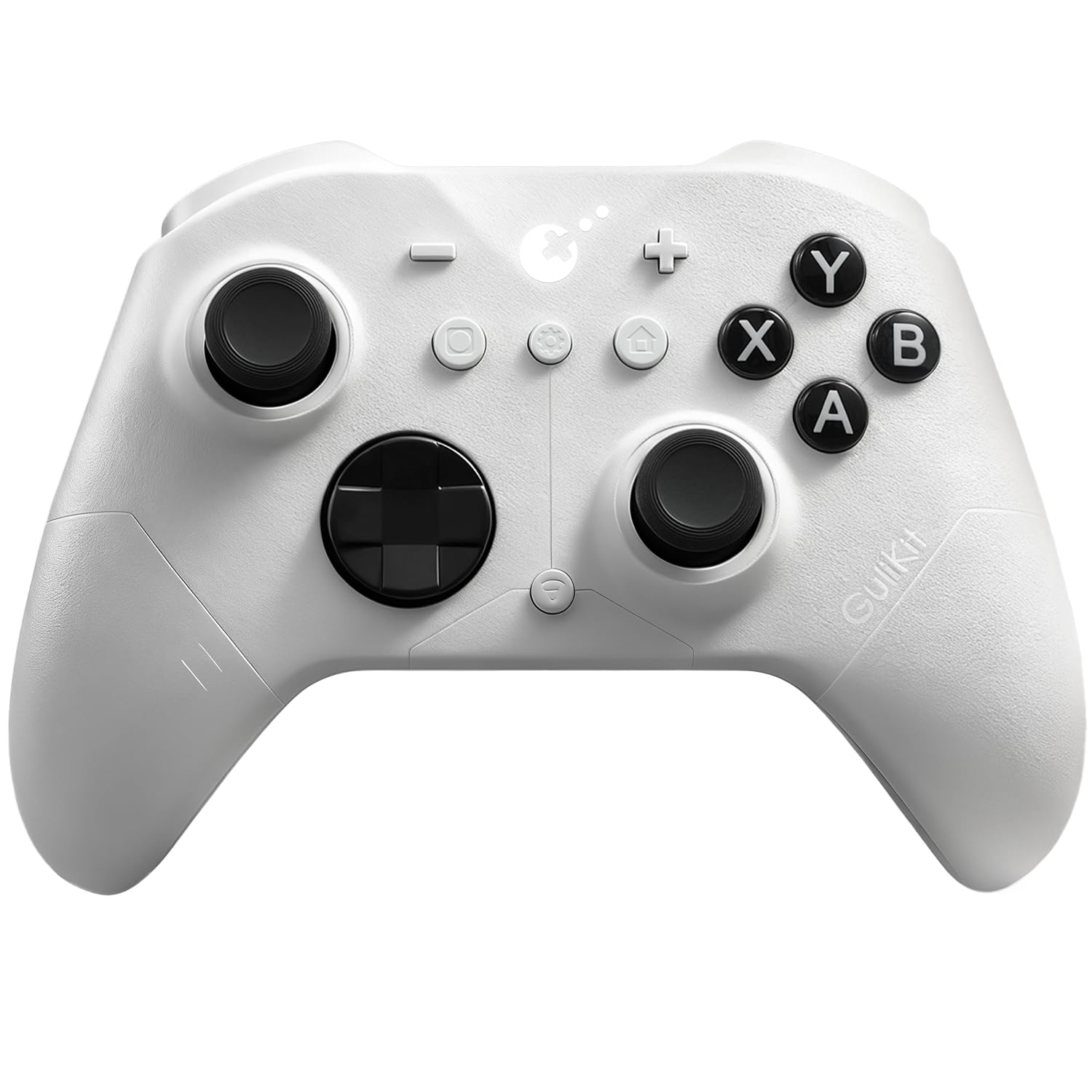
GuliKit ES PRO Fastest Wireless Controller – TMR Anti-Drift&Anti-Snapback Joysticks, Lowest Wireless Latency 3.25ms, Compatible with PC/Switch/Android/Switch 2 Wake-up,30h Battery, Gyro&Turbo for FPS
$29.99
Related Products







Product description
The fastest wireless controller by bluetooth
NOTE: Please follow SPECIAL pairing method for Switch 2 wake-up
Please check the uploaded video for pairing guide and make sure to update to latest firmware on our site.
A. Set controller to NS mode, turn it on, hold pairing button for 2 seconds, indicator flashes quickly to start pairing.
B. Set Switch 2 into sleep mode first( black screen), press HOME button on Joy-Con to wake screen, next enter controller pairing interface and get paired. (Pairing by regular way without setting Switch 2 into sleep mode first will cause only paired but with no Switch 2 wake-up support.)
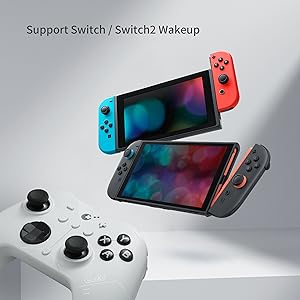
Support your Switch 1/2 Wake-up
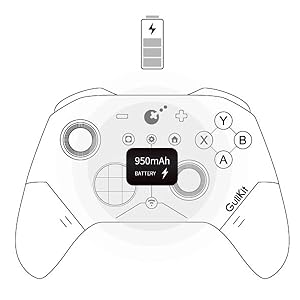
Support your 30 hours gaming
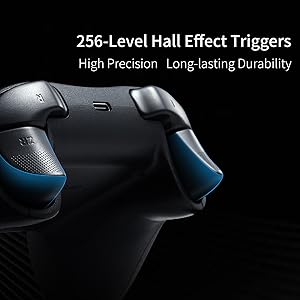
Deliver 256-level high precision
Q&A
1.Q: Why some Windows computer can’t retains its pairing relationship with the ES/ES PRO controller?
A:a. This is most likely due to a problem with the computer’s Bluetooth settings.
First, update the Bluetooth driver and reset the Bluetooth settings to factory settings. If that doesn’t work, check to see if your computer is using a third-party Bluetooth filter driver that’s preventing it from remembering the previous controller connection.
b.Our ES Pro controller will only remember the last device used in the same mode(PC or Switch). If you first connected the controller to Windows and then used the controller to connect to an Android phone. The connection between the controller and the computer will be disconnected.After using the phone to play games, they need to re-pair the controller if they want to use it with the Windows computer again.
2.Q: How to improve the accuracy of shooting games?
A: The ES Pro controller’s joystick supports three levels of sensitivity adjustment, allowing you to adjust it to your desired setting based on your gaming needs. It also supports PC motion aiming, helping you aim. Please note that you must update your firmware to the latest version to fully utilize this feature.
3.Q: How many levels of vibration intensity can be adjusted?
A: There are three levels: strong, standard, and weak.
4.Q: What is the ABXY layout of our ES PRO controller?
A: Our original ES PRO controller uses a PC layout. We will be releasing a new Switch layout replacement in October of this year.
Add to Cart
Add to Cart
Customer Reviews
4.0 out of 5 stars 178
4.0 out of 5 stars 178
Price
$29.99$29.99 $24.99$24.99
Compatibility
Windows,Switch,Switch 2,Android Platforms, Wired & Wireless Connection. Windows,Switch,Switch 2,Android Platforms, Wired & Wireless Connection.
Vibration
Rotor vibration Rotor vibration
Joysticks
Anti-drift TMR joysticks Anti-drift Hall effect joysticks
Polling rate
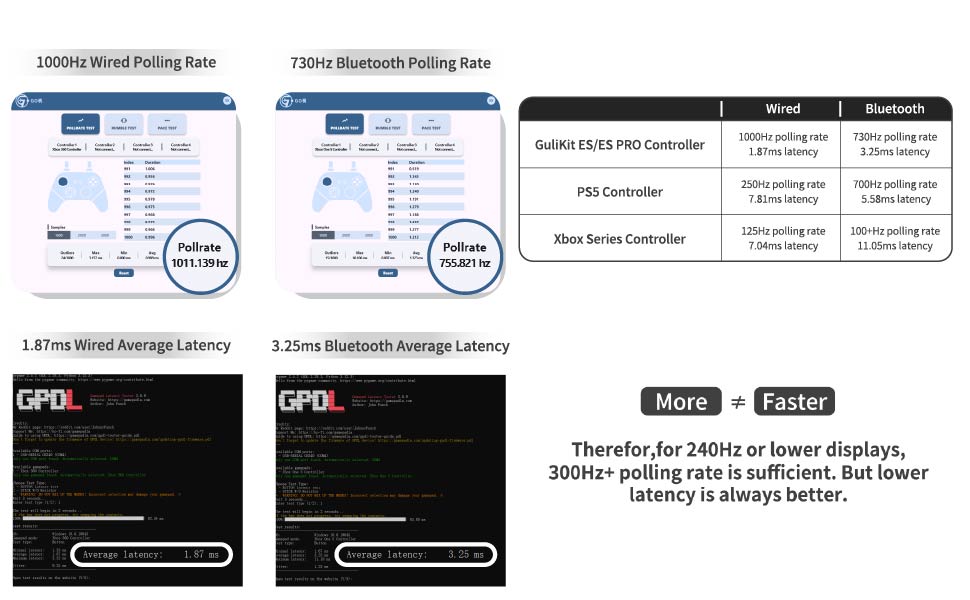
1000Hz wired/730Hz Bluetooth 1000Hz wired/730Hz Bluetooth
Switch 1 wakeup
YES YES
Switch 2 wakeup
YES YES
Motion control on Switch /Switch 2
YES YES
PC motion aim control
YES NO
Joystick sensitivity adjustment
YES NO
D-pad 8-direciton/4-direction swap
YES NO
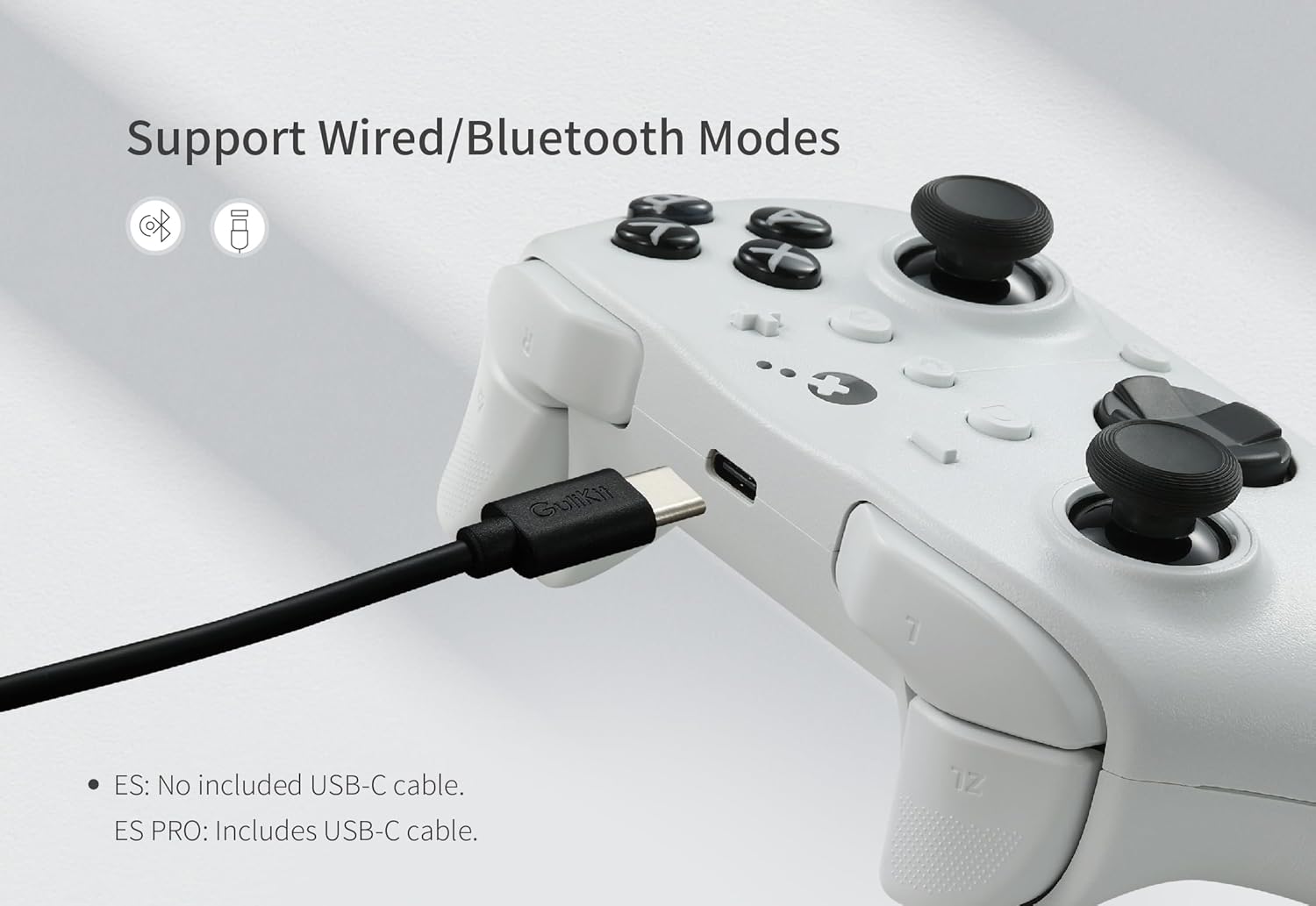
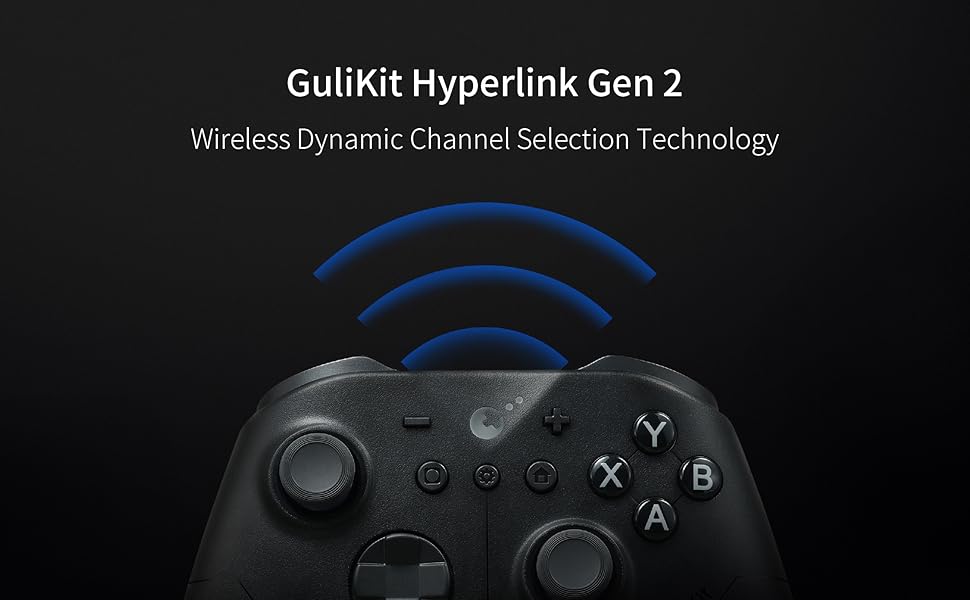
WORLD FASTEST WIRELESS SPEED:GuliKit Hyperlink 2 wireless tech delivers ultra-low latency—3.25ms (730Hz) Bluetooth on PC and 1.87ms (1000Hz) wired—offering world-class speed and e-sports-level responsiveness on PC,Switch & Android.
INSTANT SWITCH 1 / 2 WAKE-UP: Supports Switch 1 / 2 with wake-up capability. Make sure to follow SPECIAL pairing method for Switch 2 wake-up: A. Set controller to NS mode, turn it on, hold pairing button for 2 seconds, indicator flashes quickly to start paiAring. B. Set Switch 2 into sleep mode first( black screen), press HOME button on Joy-Con to wake screen, next enter controller pairing interface and get paired. (Pairing by regular way without setting Switch 2 into sleep mode first will cause only paired but with no Switch 2 wake-up support.) Please check the uploaded video for pairing guide and make sure to update to latest firmware on our site.
NOW FEATURING ANTI-SNAPBACK JOYSTICKS MODE: Prevents unwanted turnaround for Super Smash Bros. Ultimate players when the stick returns to center. How to activate: Press the HOME button and the Screenshot button simultaneously. When the controller vibrates twice, it enters Anti-Snapback Mode.
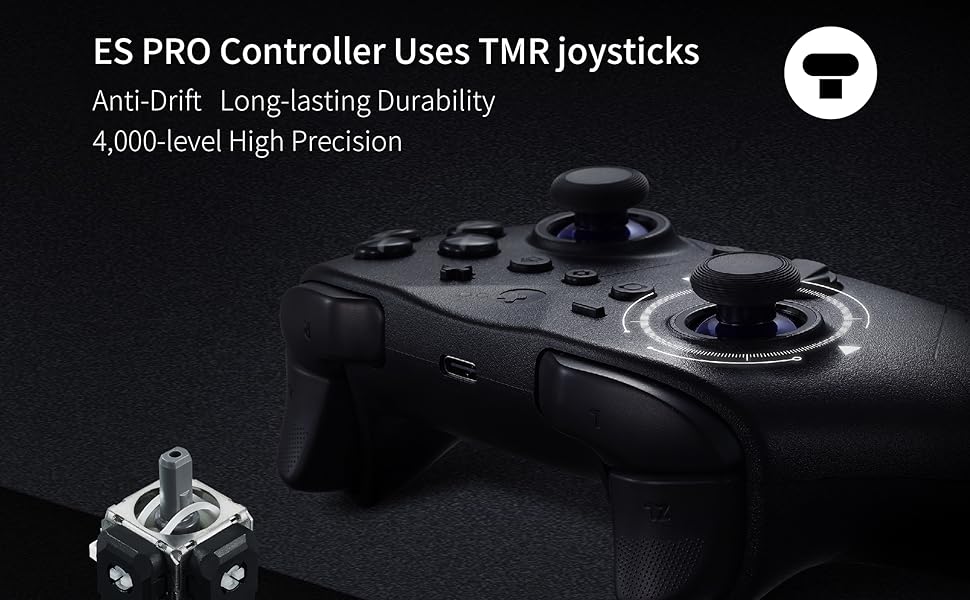
UPGRADED ANTI-DRIFT JOYSTICKS: Featuring TMR electromagnetic thumbsticks for anti-drift, long-lasting durability, and 4000-level high precision, plus 256-level Hall Effect triggers for superior analog responsiveness.
ACROSS YOUR DEVICES: Compatible with PC Windows,Switch 2,Switch,Switch Lite,Switch OLED,Steam Deck,ROG Ally/ROG Ally X,Android,iOS,macOS(Pairing with Android, iOS, and macOS in PC Mode on the back of the controller). Switch modes instantly with a single press—perfect for multi-platform gaming.
LONG-LASTING RECHARGEABLE BATTERY: With a 950mAh battery, you get up to 30 hours of usage with minimal standby drain. The controller recharges quickly, and an auto-sleep function after 15 minutes of inactivity helps conserve power and extend battery life.
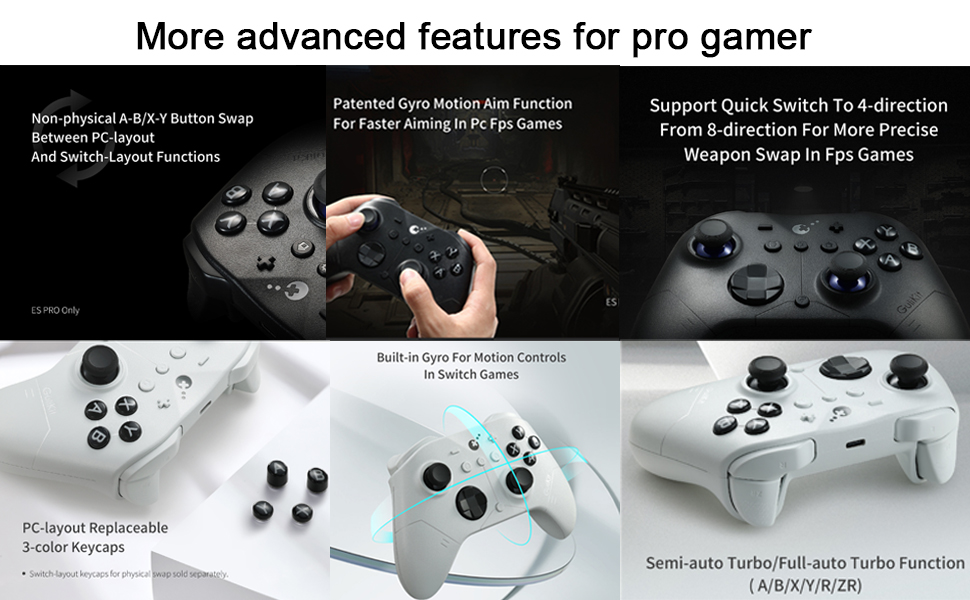
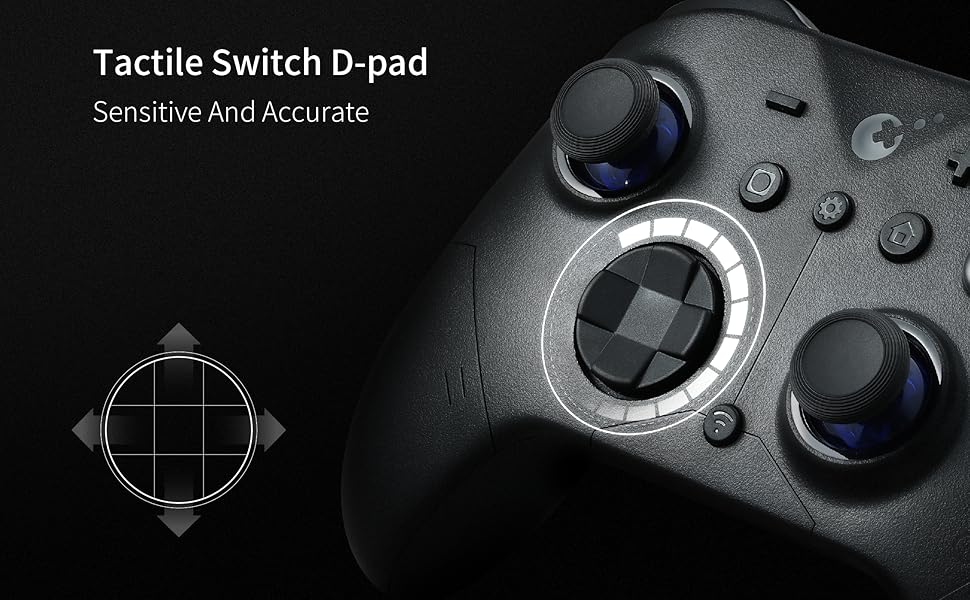
ADVANCED CUSTOMIZABLE FUNCTIONS: Supports adjustable joystick sensitivity and vibration, Turbo, 6-axis gyroscope motion on Switch, patented Gyro Motion Aim for PC FPS, joystick dead-zone on/off, D-pad 8/4-direction mode, and physical ABXY swap (switch keycaps not included). Customize directly on the controller or via GuliKit’s web tool.
8 reviews for GuliKit ES PRO Fastest Wireless Controller – TMR Anti-Drift&Anti-Snapback Joysticks, Lowest Wireless Latency 3.25ms, Compatible with PC/Switch/Android/Switch 2 Wake-up,30h Battery, Gyro&Turbo for FPS
Add a review

$29.99
Amazon Customer –
Outstanding controller, especially for the price. I will buy another one.
My new favorite controller!Yeah, I did notice similar issues to the other complaints here.1) It arrived with a really old version of firmware. I had to upgrade it to the latest version of firmware right away.2) Yeah, there is a little too much rattling inside the controller when it vibrates strongly, but I don’t find it bothersome. I only noticed it because I read the review complaining about it before I bought it.3) It lost its pairing when I tried to use a second controller (different brand, 8Bitdo) at the same time. It took a while to figure out how to get them both paired at the same time. This could be Windows 11’s fault, not either controller’s fault.Good things about this controller:a) I really love the ability to lock the D-pad to 4-way only. HUGE benefit for games that rely on precise D-pad inputs such as HellDivers 1 and 2b) The controller lasts much longer on a charge than my other 8Bitdo controller and it also charges very quickly. This is even with lots of rumble vibration.c) I like the extra buttons in the middle that the genuine XBox One S|X controller doesn’t have. Placement is a bit awkward because there are so many buttons, but it is worth the trade-off.d) I really like the rough finish. Great for sweaty hands.e) Cost is a lot lower than the first party controllers and many 3rd party controllers.f) I really like the instant power off button that turns it off right away–you don’t have to hold it down for X seconds. Very clever design.UPDATE:If you encounter the issue where a button stops working or the stick seems to be stuck in one direction, turn off the controller and turn it back on WITHOUT TOUCHING ANY CONTROLS. The controller seems to check itself when turned on, and if you are holding down a button, it will not recognize that button until you restart the controller. Yeah, it’s kinda hard not to fiddle with the controls while you turn the controller on, but resist the urge and it will boot itself up properly.I’ve been using this controller daily for just over 6 weeks now; it works great.
Ricardo Montes –
Great controller
Looks very good, feels nice, easy to use. It does feel slightly less quality, triggers are very soft and don’t click that’s why I gave 4 and not 5 stars. Other than that it is a great looking controller
Anonymous –
Very impressive controller, can’t recommend this enough
Amazing PC controller. Level above standard Xbox series controller. I’m so glad I was able to find a quality controller with TMR sticks that doesn’t have back buttons / back paddles or rubber grips. I hate the feel of rubber grips and how the fall apart over time (while producing microplastics as they decay) and the back buttons make any controller feel worse in my hands even if they don’t do anything. It feels very good, it’s responsive over bluetooth and quality feels great. I love that you can customize it without need for any software. Vibration on the lowest setting feels good, D-pad feels amazing if you like 8-directional ones, the Switch compatibility is just a cherry on top.If I was to nitpick: I do wish the button layout at the front was exact copy of the xbox controller but I understand this is to accommodate Switch users (if we could remap / swap the + and – with the buttons directly below it would be perfect). I also wish the bumpers were a little more springy (they have a membrane button feel right now).If you experience any issues and use Steam I suggest uninstalling the advanced xbox controller driver if you enabled it in the past – it was causing minor issues with vibration on my machine. I also recommend updating the firmware to the latest version which was super easy and quick.I can’t recommend this enough and will be following future Gulikit releases.
David V –
Switch 2 wake up feature works
UPDATE: I have had this controller for about 2 and a half months. The rumble and vibration are starting not to work. It was strong at first and now I can barely feel the vibration. As a test, I played the same mini game in the same game to make sure. I have changed the vibration intensity as well and nothing. I would give the controller 1 star, but the switch 2 wake up feature still works. So, that’s nice. Will not recommend this controller though. ***I got this controller a couple of days ago. I charged it to 100% when I got it after I updated the firmware. The battery seems to last pretty long. I was able to get the switch 2 wake up feature to work, so I’m definitely happy with this purchase. Not to mention it feels pretty sturdy and well made. A bargain for the price.
James Gervin –
Great controller, great features, and great price.
I really like this controller. It’s quiet, and movements feel fluid and responsive. Overall, I recommend this for its build quality and price. I like that I can open my Windows Game Bar with a single button press.
JG –
They mention several times that this controller is compatible with MacOS, both on this page and their website. It is not. It is virtually impossible to wade through the trash online to find out how to actually install the drivers on Mac for this to work via bluetooth (they don’t work, AND you can’t uninstall them). It doesn’t even work when you plug it in. I shouldn’t have to have a computer science degree just to figure out how to play with my silly little digital toys.
Raziel –
Un mando totalmente defectuoso, no funciona correctamente ni en nintendo switch 2 no en PC, la conexión inalámbrica se desconecta cada 3 segundos y no reconoce las acciones es imposible jugar con el, ya se actualizo el firmware pero el problema persiste
George –
First things first, patch up the controller to the latedt firmware which is V3 at the moment. Then do the normal sync with switch 2. If you sync to switch 2 without the patch, it will not wake up and the switch 2 is unable to detect the controller after sleep mode. You need to sync every single time. If this happens, just go to settings then do a disconnect all controllers then just flip the switch to pc then back to NS and try again as per normal.