

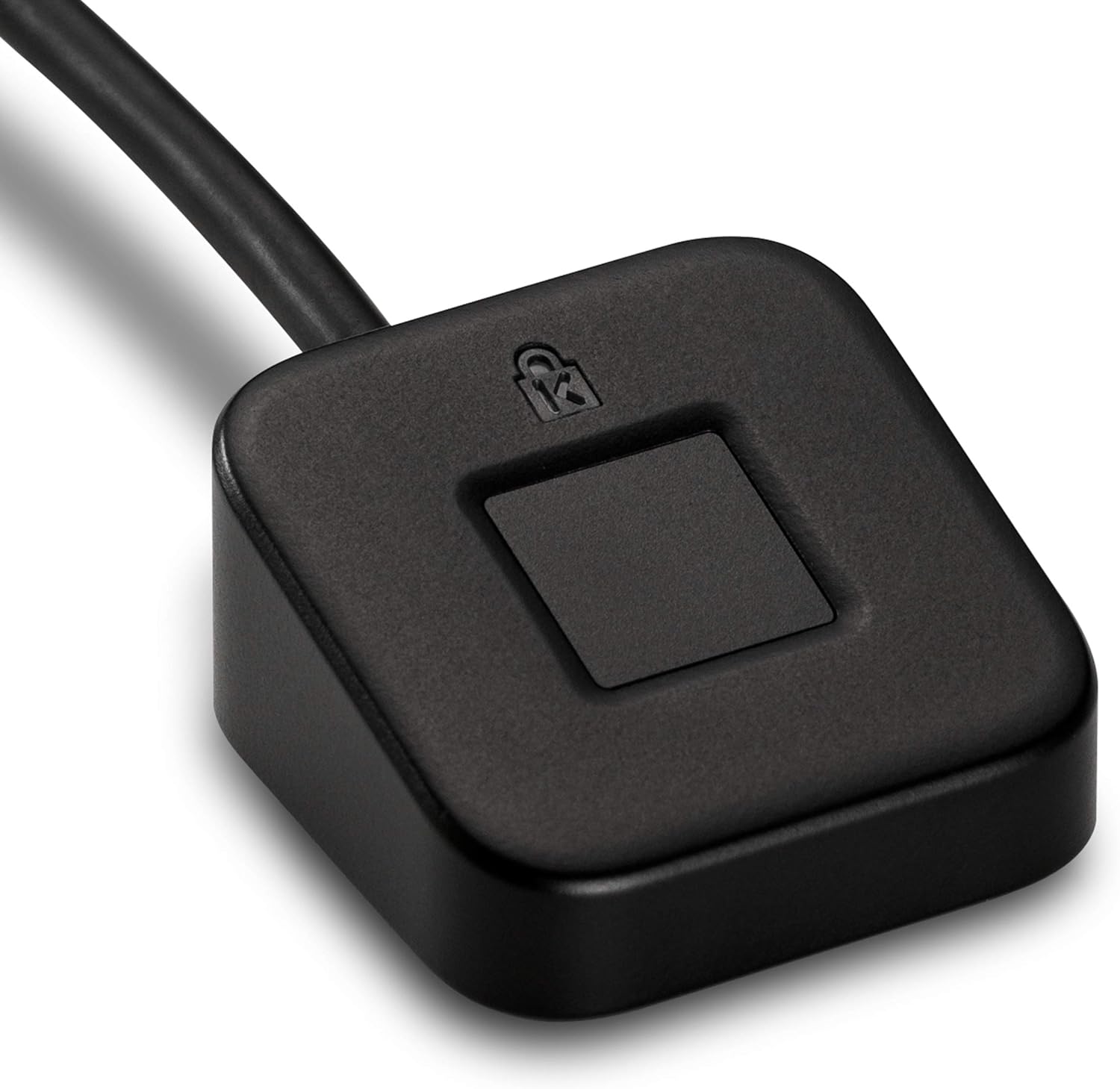
Kensington VeriMark Desktop USB Fingerprint Reader – Windows Hello, Windows 11 Fingerprint Scanner for PC, FIDO U2F, FIDO2 (K62330WW)
$80.03
Related Products




With support for the latest in biometric technology, the VeriMark™ Desktop Fingerprint Key puts business-class desktop security at your fingertips. Ideal for enterprise PC deployment, the VeriMark™ Desktop Fingerprint Key is FIDO U2F Certified, and FIDO2 WebAuthn compatible. Windows Hello certified (includes Windows Hello for Business) for seamless integration. Also compatible with additional Microsoft services including Office365, Microsoft Entra ID, Outlook, and many more. FEATURES & BENEFITS
FIDO U2F certified, and FIDO2 WebAuthn compatible for expanded authentication options, including strong single-factor (passwordless), dual, multi-factor, and Tap-and-Go support across major browsers (for services leveraging the older FIDO U2F standard, instead of using biometric authentication, Tap-and-Go allows the user to simply place their finger on the VeriMark Desktop Fingerprint Key to enable a security token experience).
Windows Hello certified (includes Windows Hello for Business) for seamless integration. Also compatible with additional Microsoft services including Office365, Microsoft Entra ID, Outlook, and many more. Windows ARM-based computers are currently not supported. Please check back for future updates on compatibility
Encrypted end-to-end security with Match-in-Sensor Fingerprint Technology combines superior biometric performance and 360° readability with anti-spoofing technology. Exceeds industry standards for false rejection rate (FRR 2%) and false acceptance rate (FAR 0.001%).
Long (3.9 ft./1.2m) USB Cable provides the flexibility to be placed virtually anywhere on or near the desktop.
Can be used to support cybersecurity measures consistent with (but not limited to) such privacy laws and regulations as GDPR, BIPA, and CCPA. Ready for use in U.S. Federal Government institutions and organizations.
Two-year warranty means you can rest assured knowing you’re covered by Kensington.
13 reviews for Kensington VeriMark Desktop USB Fingerprint Reader – Windows Hello, Windows 11 Fingerprint Scanner for PC, FIDO U2F, FIDO2 (K62330WW)
Add a review

$80.03
My Info –
Secure, Convenient Fingerprint Login
This Kensington VeriMark Desktop Fingerprint Reader works great for Windows Hello and Passkeys, making logins incredibly easy. It sets up quickly and the speedy technology ensures secure authentication every time. It’s so much more convenient and frankly, more fun than typing passwords. Highly recommended for a seamless, secure desktop experience. Reads fingers very fast and is very small and lightweight.
Luis Maria Sian –
Practical
Works like a charm, really easy to use, no need for drivers in Windows 11. The cable is a little bit on the shorter side.
GregStorm –
Actually is Plug and Play on my Win 11 machine
I expected problems making this reader work but had no installation problems. The reader works really well and solved a problem I had using an external monitor.
Emmit Brown –
Works great after a bit
Initially I thought I was going to end up returning this. My laptop installed drivers for it, but almost immediately it stopped working. I tried installing the driver from the manufacturer website, but it said the latest driver was already installed. I think at that point I rebooted my laptop and then it just recognized it after that.If you already have a fingerprint reader you will most likely need to register new fingerprints using this reader. It would not recognize my fingerprint, which I guess is understandable, since every reader is different. Once I registered my fingerprint using this reader, it worked great. It works for signing in and also to authenticate for passkeys.This was on Windows 11.
Charles L Peters –
Works well with Windows 11.0
This is a great fingerprint reader that works well with Windows 11.0. For a truly secure Windows experience, add the fingerprint reader to your system, make the appropriate OS changes in the user account settings, and enjoy the added security.
Sleepy25 –
Worked for a while – Now it is useless
UPDATE:I’ve had it about a month and a half. Or about 2 weeks past the return window. It got more and more fussy about reading our fingerprints. I thought it was just me because of dirt and oil and whatever on my hands from working in the garage. But my wife had the same issues.Now it’s just a useless piece of junk.I switched over to Digital Persona 4500 fingerprint reader. I haven’t had any issues since. You can find them on Amazon – but buying a used one on eBay from a reputable seller is the better bet. It also costs a lot less. They don’t come with drivers. However all you need to do is google Digital Persona 4500 driver and look for the HID Global website to find them. It’s no more complicated than downloading any other driver and installing it.Original:I’ve had it about a week and so far so good. I started looking at these when one of our kiddos somehow obtained our Windows pin #, then used that to obtain some other sensitive information from our desktop computer and got himself in a boatload of trouble….I’m using Win 10 and it was very easy to get it set up with Windows Hello. Now instead of entering a PIN or password we just touch our finger.I couldn’t get this to work with Dashlane. So we switched to NordPass and now instead of entering the master password to unlock it we just touch our finger.I initially encountered some issues with it going to sleep and not waking up as others have mentioned. After doing some research I double checked the BIOS settings to make sure the USB ports were powered even if the machine was off. That was how BIOS was set – so that wasn’t the issue.I then checked in device manager and under Power Management I had to uncheck a box that allowed the computer to turn it off to save power. Once I did that I haven’t had any issues with it not working.I love the small size of it. I’m not entirely sure the kiddos even know what it is.The adhesive on it was worthless. Even after cleaning the desk with an alcohol wipe and letting it dry the adhesive on it didn’t last a day. I replaced it with a good quality double sided tape and haven’t had any issues. There isn’t much weight to it – so you really do need to secure it to the desk for it to be usable.It’s much easier and faster to touch a finger and log into windows, and log into the password manager. And it keeps any kiddos from looking over our shoulders. It’s a win win situation. Couldn’t be happier so far. Will update if it doesn’t last or other issues crop up.
Nativecal –
It would have been nice know…
If you’re considering the Kensington VeriMark Desktop Fingerprint Reader as your biometric login solution, be prepared to pay a premium—and unfortunately, not for a premium experience.💸 Price vs. PerformanceThis is one of the most expensive fingerprint readers on the market, and with that price tag, you’d expect seamless plug-and-play functionality.Instead, setup feels more like a scavenger hunt. Drivers may not install automatically, and troubleshooting becomes a rite of passage.⚙️ Setup ExperienceDespite being marketed as Windows Hello compatible, the device often fails to register properly on Windows 11.Even after manually installing drivers and jumping through configuration hoops, the reader doesn’t consistently recognize fingerprints.🚫 Reliability IssuesWhen it does work, it’s hit-or-miss. More often than not, you’re greeted with the dreaded “Something went wrong” message.This forces you to revert to using a PIN or password—defeating the entire purpose of biometric security.🧠 Final ThoughtsFor a device at this price point, the lack of reliability and user-friendly setup is disappointing.Unless Kensington releases a major firmware or driver update, this reader feels more like a high-cost gamble than a dependable security upgrade.
JH –
Nice to add bio to PC.
Working well on my desktop nice to have bio access.
Nico S. –
Der Kensington VeriMark Fingerprint Key funktioniert zuverlässig und erkennt den Fingerabdruck schnell.Die Einrichtung unter Windows war unkompliziert, und die Anmeldung geht nun deutlich schneller und sicherer als mit Passwort.Auch die Verarbeitung ist hochwertig – das Gerät wirkt robust und unauffällig auf dem Schreibtisch.Fazit:Top Fingerabdruckscanner für mehr Komfort und Sicherheit im Alltag. Absolute Empfehlung für Büro und Home-Office!
zwozwedra –
Prachtige hulp bij het inloggen, herkent uw vingerafdruk door een simpele tik, uit alles richtingen, en leeret snel.
Echo Buds 2 –
Muito bom
Tomm Mandryk –
Works great
Lars Siden –
No problems installing / using it on Win 11