


KLIM Turbofrost MAX – RGB Laptop Cooling Pad, Gaming Laptop Cooler with Powerful Turbofan XL, Fast Cooling Laptop, 15.6-17in, Smart Inlay System for Optimal Airflow, Adjustable Speed, LCD Screen
Original price was: $99.95.$79.95Current price is: $79.95.
Related Products





Product description


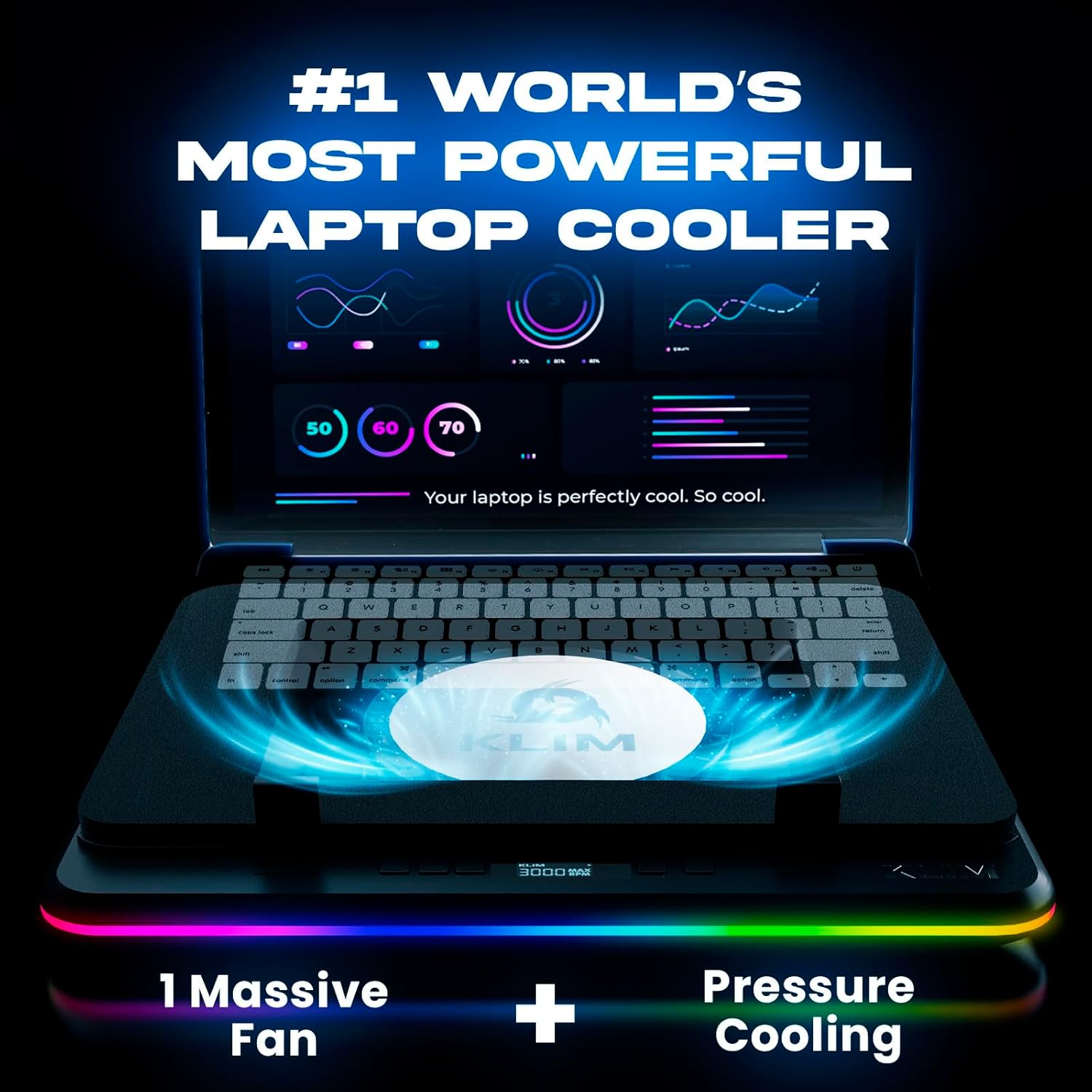
🌀No compromises! Pure Cooling Power: Equipped with our new patented TurboFan combined with an unique smart inlay, the KLIM Turbofrost MAX is the new gaming laptop cooling pad reference if you’re looking for pure performances.
💪German-engineered for Performance: Spurred by the succes of our preivous model, the KLIM Turbofrost that was designed to offer the best balance between noise and performances. We spend 1 more year in R&D to build this upgraded version with only one goal in mind, build one laptop cooler to rule them all!
💻 Totally New Smart Inlay System: its adaptive sealing foam will fit perfectly any laptop up to 17.3″. In addition, it’s patented inlay isystem is specially designed to concentrate 100% of the airflow directly beneath your laptop unlike other models on the market.
🔵 Immerse yourself in the game: 360° RGB with 64 unique customizable effects. Your light settings and fan speeds save automatically. Focus on the victory, not your settings with our rgb laptop cooling pad.
⚡Power Up Your Way: Dual Power (Wall Plug or Laptop USB-C) + 3 USB-A ports. Cools ALL Major Laptops 💻. Uninterrupted Cooling, Anywhere.
❄️Why choose KLIM: Cooling Mastery & Unmatched Performance. We’ve spent a decade perfecting laptop cooling. TurboFrost Max stands as the pinnacle of laptop cooling solutions in the entire market. Don’t settle for average. Game with confidence – 5-year assurance & 24/7 support. Choose KLIM.
8 reviews for KLIM Turbofrost MAX – RGB Laptop Cooling Pad, Gaming Laptop Cooler with Powerful Turbofan XL, Fast Cooling Laptop, 15.6-17in, Smart Inlay System for Optimal Airflow, Adjustable Speed, LCD Screen
Add a review

Original price was: $99.95.$79.95Current price is: $79.95.
Amazon Customer –
Upgrading from the KLIM Windforce
I am coming from the KLIM Windforce which is the $30 cooling pad that KLIM has to offer I had this laptop cooling pad for roughly 8 years before I upgraded, the laptop cooling pad Turbofrost MAX while is a premium price. Does provide premium based results. I received this laptop cooler AFTER I did a thermal repaste of this Acer Nitro 5.The build quality feels good compared to the KLIM Wind and I appreciate the accessibility of the cooling pads features. Having buttons in the front for RGB/Fan control versus in the back like the Wind is a big step up.The USB ports are strong enough to handle plugging keyboard/mouse or a headset, which is nice if you’re lacking ports on your laptop and are even strong enough to power an additional USB header due to the external power adapter provided with the cooler, which is a nice feature and the laptop cooling itself is for sure usable even without an extra power socket around. The cooler works just fine without the external Power adapter and provides great cooling for just running it at 2000 RPM. The foam seal around the underside of the case to the fan is phenomenal and the build material that they went with for the foam was not on the cheaper side, it actually feels NICE to touch, its SOFT and doesn’t GIVE away, so your laptop won’t be resting directly on the plastic and it won’t ever have a chance to get warm.The overall cooling fan works great and whilst the RPMs do go to 3000, I only find myself ever needing roughly 1500-2000 rpm. You can physically turn the laptops fans OFF and FEEL it sucking/pushing the air out of the sides/exhaust of my Acer Nitro 5 AN515-58 and these laptops are well known for generating heat.I use this laptop cooling pad at work in a Emergency Room setting, and it is not so big that its bulkiness stops you from using it as such.The specs used for testing.Intel 12650hRTX 4060.I asked chatgpt what it thought of these graphs just for fun and here is what it had to say.=)CPU (Intel i5-12650H) – 64°C averageYour CPU is sitting around 60–65°C, with past peaks up to 93°C (normal for short turbo bursts).Anything under 85°C sustained for a laptop CPU is considered healthy.A brief spike into the 90s is completely normal when the turbo boost kicks in.64°C under load is actually cool for this laptop model.👍 Verdict: Excellent CPU thermals. Many Nitro 5s run 80–90°C under gaming load even with cooling pads.GPU (RTX 4060 Laptop) – 51°C averageYour GPU sitting at 50–55°C is extremely good for gaming load.The 4060 laptop GPU typically runs 65–75°C under normal gaming load.👍 Verdict: Outstanding GPU temps. Your cooler and airflow setup are doing their job very well.Load PercentagesCPU load around 15% during gaming is typical — games usually use the GPU more.GPU around 30–60% depending on scene is also normal.These loads line up with what World of Warships and similar games usually require. This was World of warcraft at ultra max settings with Ray tracing on.Overall Health AssessmentYour system is running cooler than most Nitro 5 laptops.This is well within safe operating ranges:Component Safe Range Your Temps ResultCPU 70–90°C ~64°C GreatGPU60–80°C ~51°C ExcellentMore cooling won’t hurt, but you’re not heat-limited at all.If anything, your setup is performing above average.That being said, this cooling pad would absolutely in a heartbeat handle something bigger then this Intel 12650h/RTX 4060. I am very happy with this cooler and once again KLIM has retained a customer.
Raphael W Budd –
Works as intended.
Yes works well and maintains cool temperature for my laptop. Recommend purchasing. As I was recommended by ChatGPT.
Mark –
Provides substantial cooling airflow to laptops
This product can potentially aid in cooling most laptop-style computers – with some possible limitations for certain computer models. This cooling base is essentially a slim enclosure that houses an axial fan that pulls air in from its base, exhausting air upwards under where a laptop style computer is placed.If the laptop computer that’s placed on this cooling enclosure has a cooling fan that intakes through a vent located on the bottom-side of the computer, this product is very effective at providing positive airflow to feed the computer’s fan intake, causing significant benefits in cooling the machine. My Toshiba laptop PC ran 20-30deg(f) cooler, as its fan intakes air through the bottom of the machine. The fan hardly ever even came on, due to the positive pressure created by this cooling base pushing air up and through the laptop’s cooling ducts, pushing warm air up through the laptop’s underside and out the exhaust vents on the sides. Most laptop PC’s intake through an opening on the underside of the machine, making this a very beneficial product for a majority of machines.Certain machines from a few popular brands intake from the sides of the machine, however, and eject the heated air out of the back of the enclosure. Machines such as the Macbook Pro are a popular example of a machine with this airflow configuration for cooling. When used with this style of machine, this product has little to no beneficial cooling effects, as there are no openings on the underside of the machine for the positive airflow pressure created by the axial fan to flow through. This causes air pressure to leak and be ejected around the edges of the base of the machine, providing little to no cooling benefit.I would just advise those considering a product like this to take note of the type of cooling configuration that the laptop machine they own has. If it’s a machine that intakes air from its underside, this product can be very beneficial for providing extra cooling to the machine, as it pushes air up through the machine from the underside. For those machines, this product really does provide exceptional cooling. My PC runs almost 30deg cooler under heavy loads, which is significant, as it allows the machine to keep the processors running at their highest clock-speed, allowing the laptop to run at its maximum potential for extended periods of time without thermal throttling.For my PC machine, I was able to stream 4k video without issue when keeping this fan at 50% power, or half-speed. It’s surprisingly quiet, as well. There is some wind-noise noticeable when it’s at 100% or full speed, but it’s still not obnoxiously loud. Overall I think it is a product that can be beneficial for a majority of PC laptop machines, with the exception of certain machines that don’t intake cooling air through the underside of the laptop. For those machines, it does provide very noticeable additional cooling which leads to increased performance.
Eduardo L. –
No miente sobre su construcción además de ser muy ruidoso y poco eficiente la laptop no enfría bien y no es de aluminio como indica en su publicación es muy cara no merece la pena
Filippo S. –
Risolto i problemi di surriscaldamento del portatile.
Adrian –
🙂
Vincent Leroux –
Très bon, très bonne qualité plastique, belle led et surtout ventilation optimale voir même surpuissante par rapport à mon pc . Très silencieux jusqu’à 1500 tr/m un peu de bruit a 2000 et 3000 il décolle…😅je rigole par contre si vous avez un pc qui surchauffe prenez le direct.
mp –
Bis 1000 umin leichtes lüftchen, ab 1500 umin deutlich spürbar auch akkustisch, bei 3000 umin startet ein Flugzeug akkustisch.Ich benutze ihn bei 1000 bis 1500 umin und bin sehr zufrieden. Am Anfang roch es etwas komisch aber das hat sich gelegt.Wer 3000 umin benötigt sollte die Ursache mal angehen und im Laptop nach Schwachstellen suchen.Ab 2000 umin mindestens in ear oder over ear Kopfhörer pflicht.Gutes Produkt. Empfehle ich weiter für heiße gaming Abende. Bin zufrieden bis 2000 umin.