
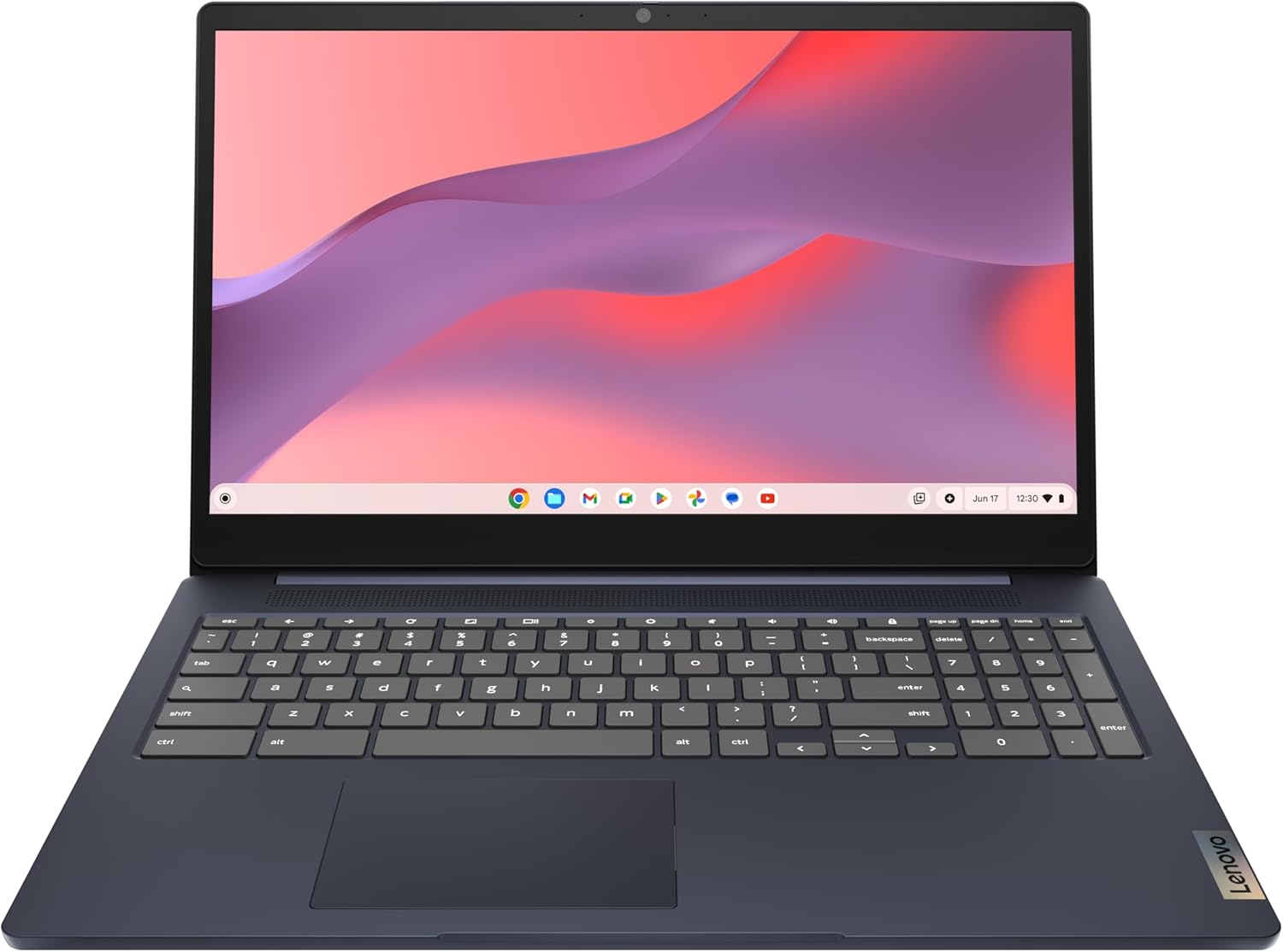
Lenovo IdeaPad 3i Chromebook, 15.6” FHD Display, Intel Celeron N4500, 8GB RAM, 64GB eMMC, 1920×1080 px, 720p Camera, Chrome OS, Abyss Blue
$180.88
Related Products


The sleek IdeaPad 3i Chromebook is designed for seamless performance and portability. Powered by an Intel Celeron processor and 8GB memory, it offers vivid visuals on a 15.6″ Full HD display. With 64GB eMMC storage, versatile connectivity options, and up to 10 hours of battery life, it’s perfect for work or play on the go. Additionally, enjoy peace of mind with features like a privacy shutter and a physical laptop lock.
TOP PERFORMANCE, SLEEK DESIGN: Experience smooth multitasking and speedy performance with the Lenovo IdeaPad 3i Chromebook, perfect for work or play on the go
POWERFUL PROCESSING: The Intel Celeron N4500 processor’s impressive capabilities ensure seamless operation and swift responsiveness
VIVID VISUALS WITH IMMERSIVE CLARITY: Vibrant visuals on the 15.6″ FHD 1920×1080 display deliver crisp images and sharp details for an enhanced visual experience
AMPLE STORAGE FOR YOUR DIGITAL WORLD: Enjoy convenient access to your files and applications with 64GB of eMMC storage, which provides space for documents, photos, videos, and more
VERSATILE CONNECTIVITY OPTIONS: Stay connected with a range of ports, including USB 3.2 Gen 1 and USB-C 3.2 Gen 1, that offer plenty of plug-ins for your accessories
ALL-DAY BATTERY LIFE FOR UNINTERRUPTED USAGE: The IdeaPad 3i Chromebook offers up to 10 hours of battery life so you can experience the freedom to work and play uninterrupted
ENHANCED DEVICE SECURITY: Protect your Chromebook from theft and unauthorized access with a physical laptop lock to enjoy peace of mind in any environment
CRYSTAL-CLEAR VIDEO CALLS WITH PRIVACY PROTECTION: Enjoy sharp, clear video calls with the HD 720p camera that heightens your video quality at every meeting
SLIM AND PORTABLE DESIGN: This lightweight computer offers a sleek and compact form that easily slips into your bag or backpack
WORKING TOWARDS A BRIGHT FUTURE: As tech optimists who believe in both technology’s potential and a diverse perspective, we at Lenovo look to empower customers and employees to transform their world with smarter solutions designed by our global team
10 reviews for Lenovo IdeaPad 3i Chromebook, 15.6” FHD Display, Intel Celeron N4500, 8GB RAM, 64GB eMMC, 1920×1080 px, 720p Camera, Chrome OS, Abyss Blue
Add a review

$180.88
Cathy –
I am absolutely loving this Chromebook!
For me, it’s been a total game-changer because I just needed something simple and reliable for my everyday stuff. It’s the perfect companion for managing my digital life without any of the usual hassle. Great replacement for my broken laptop.Honestly, it’s been perfect for all my essentials—things like paying bills, catching up on emails, and just browsing the web. The thing is seriously fast; it boots up in just a few seconds and handles everything without a problem. And the best part? There’s no junk software or bloatware to get in the way—just a clean, secure operating system that does what it’s supposed to. It is Lenovo, which I also love.If you’re like me and just want a no-fuss machine that’s great at the basics, you’ve got to check this out. It’s an amazing value and has really made my digital routine so much easier. I honestly can’t recommend it enough!
Cesar Lievano –
Great purchase!
Nice Chromebook! I bought it for half the price as an Amazon Renewed item and it arrived in perfect condition and to my surprise it came in the original box (it was open but sealed with tape) so I assume someone bought it and maybe used it for like a couple of hours and said “I don’t like it” or something.Pros: Huuuge screen, you can perfectly watch a movie or videos here and in good quality. The screen is not perfect but for this price it is awesome.- Battery: I’ve been using it for a couple of hours now with the full charge and so far with medium brightness settings it has consumed around 40% and I’ve been watching videos, browsing internet etc. OH btw it only took 1 hour or maybe less to fully charge it.- Numeric keyboard babyyy! Huge screen and great keyboard, keep in mind it’s not backlighted so better look for a place with enough light to use it.- ChromeOS: This OS is packed with more than enough apps and features for a person who simply enjoys scrolling through the internet, read emails, check the weather and of course multimedia. If you’re coming from Windows, don’t give up on it trust me it is an awesome OS and you have embedded options such as Google Workspace and GDrive to carrry around your files not just on the laptop but on your cellphone, regardless of your phone OS (Android – iPhone)—————————-Cons:This processor is a basic option to browse the web and basic stuff, heavy Android apps will probably experience lag, so beware that heavy apps may affect performance on the system. If you’re planning on downloading games or something like that, maybe this is not your option.Screen isn’t the best, some colors can look washed out… Remember you get what you paid for, if you want a better screen then you will probably have to spend a little more.
RICH TROPPOLI –
Very good buy for the money. Just a little heavier than most.
Good laptop, does a fine job with internet. Only downside I find is that it is a little heavier than others that I have had.
SV –
Simple setup
Purchased this for an right year old so I didn’t need anything more than a Chromebook. Works Great for playing Minecraft and watching YouTube videos. Battery lasts about all day and it’s the perfect size. Setup was super simple.
Marilyn Y> Hall –
Easy of use
Excellent product, easy to set up and transfer my files and photos from my old desktop and mobile phone. Also so simple to set up to my wireless printer. Highly recommend
BookwormCR –
Good for small businesses and simple entertainment mostly purpose!
I’m very happy with my Lenovo IdeaPad 3i!I have been a Windows user my entire life but then my 31 year old daughter suggested I check into Chromebooks. I did a lot of research before making my purchase and discovered Lenovo is a top model for the tropical climate I live in and is a lot more reasonably priced than a Windows based system.It arrived earlier than expected and was immediately easy to start using because it is only a little different then the Windows system I am used to!The battery lives up to the specifications stated and it is so much faster than any Windows operating system I’ve ever used!Very happy and confident in my 5 star review!My advice to anyone buying a new laptop is decide what you need in a laptop and research what is best for you and the climate you live in! If you take the time to do this you will definitely be happy with the results, just like I am!!!FYI This may not be a good choice for someone looking for a big time gaming laptop or a super long lasting battery. I chose it because I needed something for work and simple entertainment mostly at home!
Anthony Higgs –
Good simple machine – worth the price.
Great affordable machine for internet and light work. I haven’t had any issues and it has preformed without fail.
Dawn Sobraski –
Awesome!
When I realized 98% of what I do is Internet based, I switched from searching for a windows based laptop to a Chromebook. By purchasing this, I saved several hundred dollars and couldn’t be happier. Is a great size and designed like a windows laptop so ease of use is intuitive and connects like any other device. Runs as it should and time will tell how durable it is but so far I’m very happy. Of note though, the functionality is different than windows and does take some getting used to. A web search will help in that regard and will tell you the limitations of a Chromebook vs laptop and help you decide if this can be a viable option for your needs. Honestly love that it’s blue and not black – not a consideration but helps delineate between my work laptop and my personal Chromebook without difficulty from across the room.
Salina dura –
It’s not what I prefer to get but I get it I tried to cancel the order but they have already dispatched it . Sorry to say but it’s not what I am looking for not good for the study and using office work .
Kindle Customer –
The Chromebook has a persistent blue line on the right side of the screen that remains even after a powerwash reset. Despite my efforts, I cannot remove it. I recently purchased this device and am disappointed, as I prefer Chromebooks over Windows for their lightweight design and smooth performance, even with only 4GB of RAM. I’d love to keep using this device, but the permanent blue line is a significant issue.