
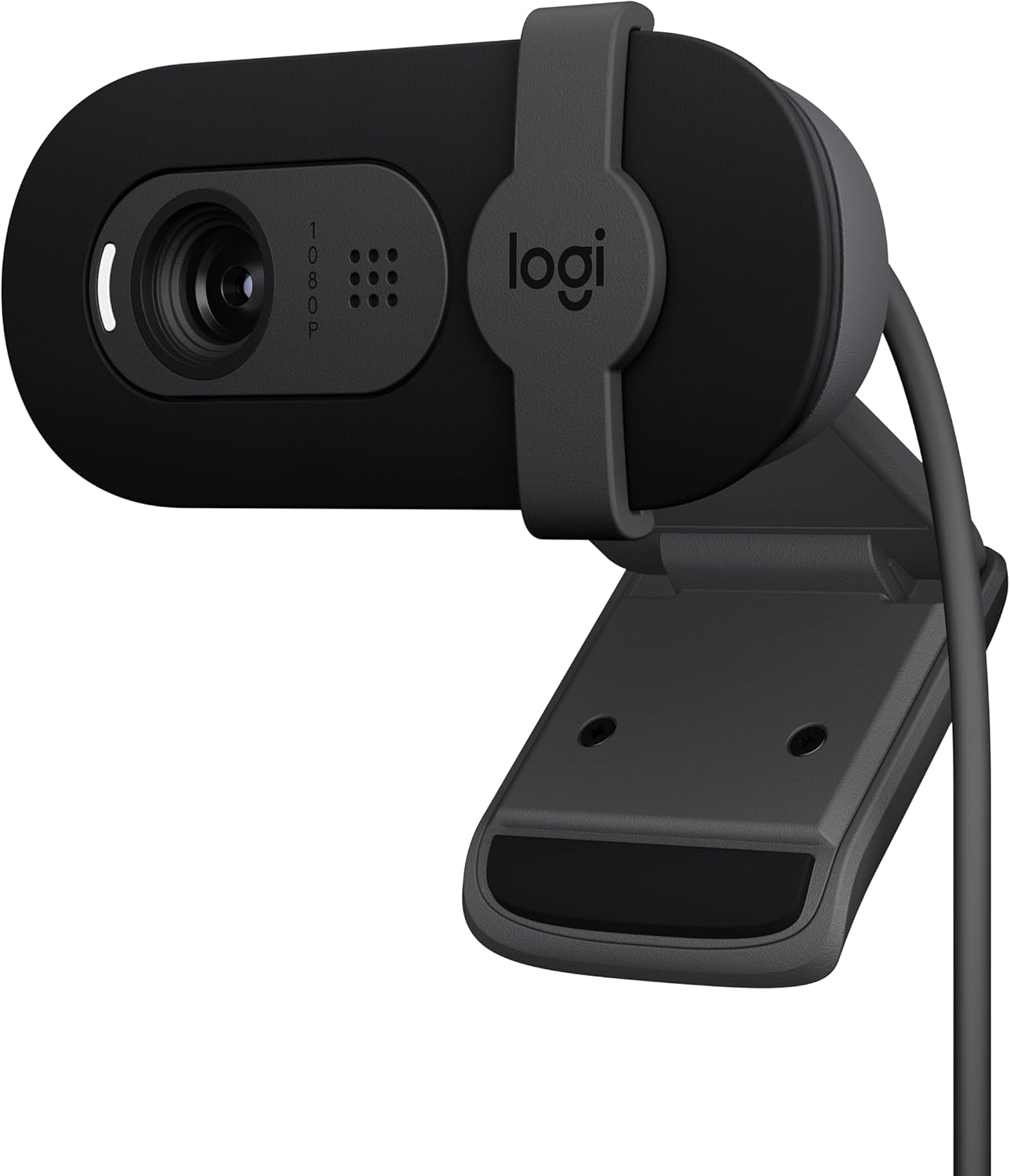
Logitech Brio 101 Full HD 1080p Webcam for Meetings, Streaming, Desktop, Laptop, PC – Built-in Mic, Shutter, Works with Zoom, Microsoft Teams, Nintendo Switch 2’s New GameChat Mode, USB-A,-Black
Original price was: $39.99.$37.29Current price is: $37.29.
Related Products



Full HD 1080p resolution provides clearer image quality so you look better in video calls with this HD webcam. RightLight boosts brightness by up to 50%, reducing shadows, so you look your best—compared to previous generation Logitech webcams. The integrated privacy shutter lets you enjoy peace of mind with a simple slide when you’re not on a video call. Sound better with a built-in microphone in this computer camera with microphone for desktop. Brio 101 is a versatile streaming camera and is compatible with most video conferencing platforms, including Microsoft Teams, Google Meet, and Zoom. This USB camera for PC is suitable for those needing a webcam for Mac, thanks to its broad compatibility. Refined colors brighten up your personal workspace—so you can express yourself. As a Logitech webcam, it provides high-quality video experiences. Made with a minimum of 34% post-consumer recycled plastic for a better future. If you need an external camera for laptop, this webcam Logitech model provides functionality and style in one device.
Compatible with Nintendo Switch 2’s new GameChat mode
Auto-Light Balance: RightLight boosts brightness by up to 50%, reducing shadows so you look your best as you use this web camera for laptop—compared to previous-generation Logitech webcams.
Built-In Mic: The built-in microphone on this webcam for PC ensures others hear you clearly during video calls.
Full Clarity: Look clearer in video calls with Full HD 1080p resolution thanks to this PC webcam.
Easy Plug-And-Play: The Brio 101 PC camera webcam works with most video calling platforms, including Microsoft Teams, Zoom and Google Meet—no hassle; this external webcam for laptop just works.
Privacy with a Slide: The integrated webcam cover on this computer webcam with microphone options provides reliable privacy when you’re not on a video call.
13 reviews for Logitech Brio 101 Full HD 1080p Webcam for Meetings, Streaming, Desktop, Laptop, PC – Built-in Mic, Shutter, Works with Zoom, Microsoft Teams, Nintendo Switch 2’s New GameChat Mode, USB-A,-Black
Add a review

Original price was: $39.99.$37.29Current price is: $37.29.
Sandra Flores –
Beautiful design
I absolutely love this camera. The design is beautiful, clean, and modern — it looks great on my desk and blends perfectly with my setup. The image quality is super clear and sharp, with excellent color and brightness. It makes my video calls look professional and high definition.It was very easy to set up and works smoothly without any issues. The camera feels well-built and high quality. I’m very happy with this purchase and would definitely recommend it to anyone looking for a stylish webcam with outstanding image clarity.
Chris –
Good webcam for a good price!
Great webcam! I didn’t have any issue getting it to stay on my monitor which was something that I was worried about because it’s both thin and curved. The cam is literally plug and play, I plugged it in and no extra steps were needed. The cord is decently long, around 5 ft, the quality is good and the picture is clear. I would definitely recommend this!
slz –
Works great! Easy setup – just plug it in!
I have several Logitech track balls that are over 10 years old and still work fine so I thought I’d try this Logitech webcam since it was on sale and I’ve had good experience with Logitech products.I had been using the builtin camera in my old Dell laptop but now was using a larger monitor so when I looked at the monitor I wasn’t looking at the laptop camera and it seemed odd with my head always turned.I was a bit concerned about how I would hook the web cam up but fortunately it was a simple plug and play. I just plugged it into my laptop and it worked fine. The picture quality is much better than my 2017 old laptop camera. I zoom once a week with old friends who have moved away and have been using it for several months now without a problem.I do have 2 complaints:1. The instruction booklet that came with it has such tiny font that I couldn’t read it. Fortunately, just plugging it in worked (I do have a Logitech software that works with my Logitech trackman so I don’t know if that helped or not). LOGITECH SHOULD USE 12 font size in their instruction booklets. REMEMBER – baby boomers and people with vision issues also use computers and buy webcams!2. My new LG 32 inch HDMI monitor is very thin so the camera doesn’t attach securely to the top of the monitor. It will sit there, but occasionally it seems to drop down a bit and then I have to re-adjust it to aim on where I’m sitting. They should make the bracket that attaches smaller so it is more secure with newer thin monitors.I still gave it 5 stars because of the camera quality and the easy plug in setup.
Phikanet –
Good web cam, a little too much zoom
Bought this because it was cheap and I’ve used logitech webcams before and they were fine. I really like the privacy shade it has to block the lens, although I probably won’t use it in this work setup. The video quality and sound quality are good. My only problem is it’s zoomed in too much and I don’t see any zoom setting in the controls.
Bocaboy –
An excellent basic webcam that installs easily on a Mac mini M4
The Logitech Brio 101 is a basic but very functional webcam. I own a new Mac mini M4 and use it with a monitor that has no built-in webcam. It installed easily using Logi +, the Logitech software, and was ready to use in two minutes.I do have two very minor complaints. First, I like the privacy shield on the camera, but the lower tab on the cover extends slightly below the monitor’s bezel, which is a distraction. Second, the camera connects via USB-A, not USB-C, which means I have to use an adapter to connect it directly to the Mac mini or to a USB hub that accommodates the larger plug.I don’t use the camera all that often, so I tilt it back and slightly up so the bottom tab on the privacy shield is out of the way. It would also be easy to simply remove it, lay it on your desk, and then put it back on the monitor when needed.All in all, if you’re looking for a basic webcam to use with Zoom et al., this webcam should be on your short list.
A-Zman –
Sweet & Affordable Web Cam
Great little USB camera for the price. Plug and play. Windows autatically found drivers for this webcam. However, I would advise you to find the Logitech drivers and save them. A time will definitely come when, despite the number of people who purchased this product, it will be discontinued and the drivers will eventually become impossible to find. Logitech’s early USB webcams like “QuickCam” webcams of yesterday are one example of a product’s life cycle. They go from having drivers and support to total obsolescence. It’s on us to save the drivers. That aside, this webcam arrived fast, was packaged well, works just fine. I have not benchtested the resolution because it wasn’t important to me. But I suspect it is as described. I also like the built in mic and the privacy slide.
Amzreviewap –
Great camera, poor hardware surrounding it
Great camera, bad hardware. No complaints with the camera. It’s unfortunate that the mounting hardware or lack there of locks the user into a straight ahead angle no exceptions, no tripod screw, no swivel, no adjustments, no alternate mount. I had to ziptie this thing to a boomstand to get the angle I needed and I feel like it needs a redesign to improve functionality.
capt. j. hook –
GREAT CAMERA
BEAUTIFUL! WORKS GREAT STRAIGHT OUT OF THE BOX.CLEAR PICTURE MICROPHONE CLEAR ALREADY USED IN MEETING LOVE THIS CAMERA
Hamza Betouar –
The Logitech Brio 101 is a very good webcam with clear Full HD 1080p video quality. I use it for meetings and streaming, and it works perfectly with Zoom and Microsoft Teams. The built-in microphone is clear, and the privacy shutter is a great feature. The best part is that I don’t need to open my laptop anymore—I can keep my laptop closed and still get great video quality using my external monitor setup. It’s easy to plug in, works instantly via USB-A, and feels well built. Overall, a reliable and high-quality webcam that does exactly what I need.
Martyn Vee –
Easy to install, great video quality, universal support fits on any screen!
RSL –
I’ve been using this webcam for a while, and it works really well for everyday calls and meetings. The image quality is sharp, and it handles lighting nicely even when the room isn’t very bright. Setup was quick and easy — just plug and go. The only downside is that it’s not the best fit for frameless monitors since it covers a small part of the screen. Other than that, it’s a solid, reliable webcam for the price.
Richard Lemay –
Très bonne caméra pour le prix. L’image est nette et le son précis et clair.
Sat2k5 –
This is my default camera that I use daily for work meetings and it’s been working without issue for about an year.Unlike my previous one, it doesn’t get overly hot. The camera quality is good enough for work purposes, better than the standard laptop camera. I also haven’t had any connection issues and has been reliable when using Teams or Zoom.If there was something I didn’t like about it, the mounting bit required a bit of improvisation to make it stick in place on top of my monitor. As a camera though, it’s been reliable on a daily basis.