

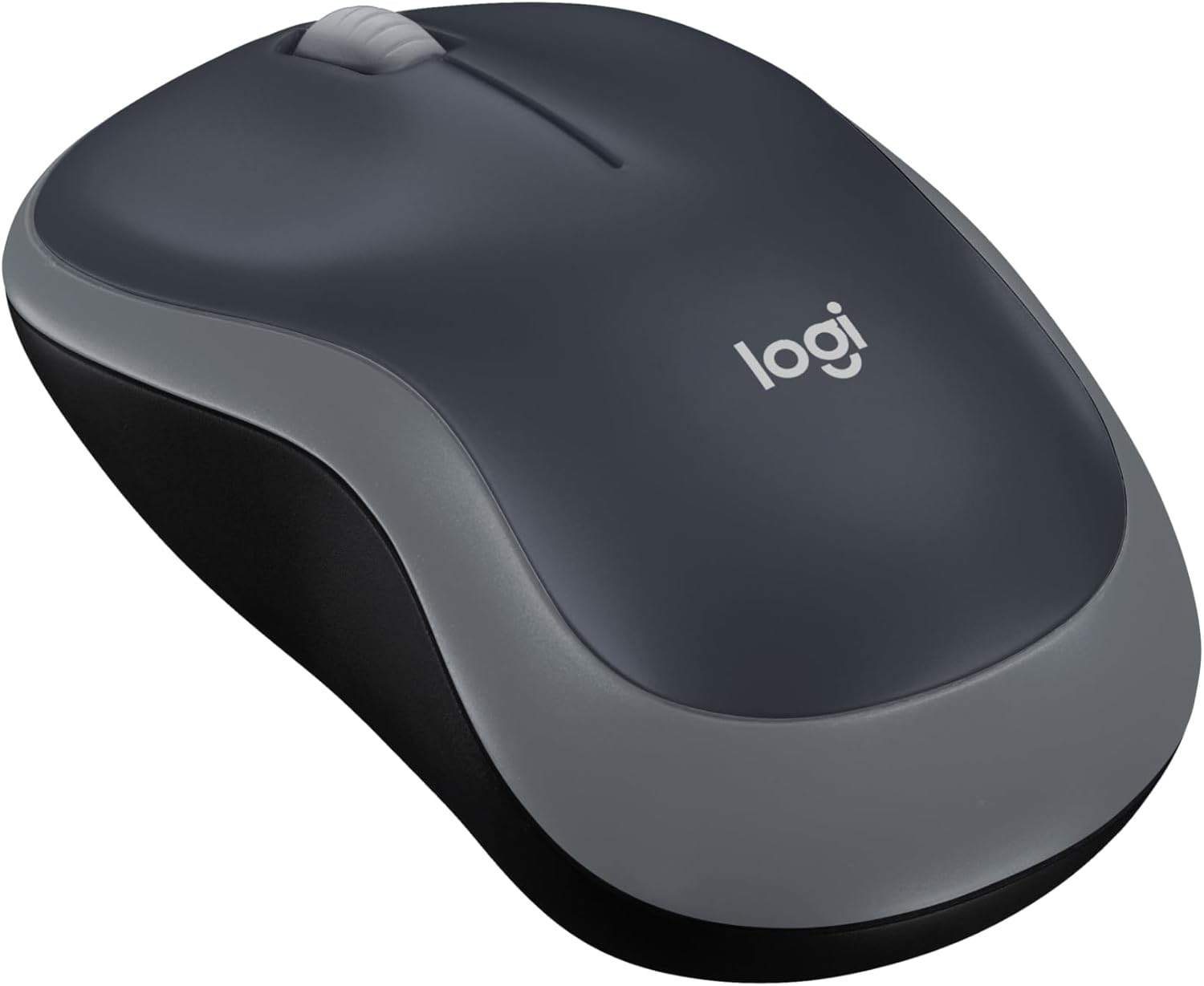
Logitech M185 Wireless Mouse, 2.4GHz with USB Mini Receiver, 12-Month Battery Life, 1000 DPI Optical Tracking, Ambidextrous PC/Mac/Laptop – Swift Grey
Original price was: $17.99.$12.99Current price is: $12.99.
Related Products




Logitech Wireless Mouse M185. A simple, reliable mouse with plug-and-play wireless, a 1-year battery life and 3-year limited hardware warranty.(Battery life may vary based on user and computing conditions.) System Requirements: Windows Vista Windows 7 Windows 8 Windows 10|Mac OS X 10.5 or later|Chrome OS|Linux kernel 2.6+|USB port
Compact Mouse: With a comfortable and contoured shape, this Logitech ambidextrous wireless mouse feels great in either right or left hand and is far superior to a touchpad
Durable and Reliable: This USB wireless mouse features a line-by-line scroll wheel, up to 1 year of battery life (2) thanks to a smart sleep mode function, and comes with the included AA battery
Universal Compatibility: Your Logitech mouse works with your Windows PC, Mac, or laptop, so no matter what type of computer you own today or buy tomorrow your mouse will be compatible
Plug and Play Simplicity: Just plug in the tiny nano USB receiver and start working in seconds with a strong, reliable connection to your wireless computer mouse up to 33 feet / 10 m (5)
Better than touchpad: Get more done by adding M185 to your laptop; according to a recent study, laptop users who chose this mouse over a touchpad were 50% more productive (3) and worked 30% faster (4)
Small and portable: The compact size and smooth cursor control make this mouse suitable for small to medium hands, tight workspaces or offices, and busy desktops
The plastic parts in M185 include certified post consumer recycled plastic (77% for black and 49% for Charcoal/Grey, Black/Blue Glossy & Black/Red Glossy (6))
Product carbon footprint: 3.97 kg CO2e
Note: In case of Wireless mouse, the USB receiver will be provided inside or along with the mouse
13 reviews for Logitech M185 Wireless Mouse, 2.4GHz with USB Mini Receiver, 12-Month Battery Life, 1000 DPI Optical Tracking, Ambidextrous PC/Mac/Laptop – Swift Grey
Add a review

Original price was: $17.99.$12.99Current price is: $12.99.
Kateryna –
Highly recommend!
This computer mouse is absolutely perfect. It’s comfortable to use, very lightweight, and completely silent — no unnecessary clicking noise at all. The design is simple and practical with nothing extra to get in the way. It works smoothly, responds well, and feels great for everyday use. For the price, it’s an amazing value
Pah224 –
My
Great little mouse! I just bought this as an extra in case my original one goes. I’ve had it for years and very pleased with the durability and value. It’s very comfortable on my hand and feels great. No lagging at all. Love it and don’t every want to be without a Logitech Mouse
DOREEN –
Reliable everyday mouse ,simple and efficient!
The Logitech M185 is a great choice if you want a no-fuss, dependable wireless mouse. The plug-and-play USB receiver makes setup effortless just insert it and you’re ready to go. Its 2.4GHz connection is stable with no lag, and the 1000 DPI sensor provides smooth, precise tracking whether I’m browsing, working, or doing light design tasks. I really appreciate the 12-month battery life, which means I don’t have to constantly worry about replacing batteries. The compact design is comfortable in the hand, lightweight, and perfect for travel or everyday use. Overall, this is a durable, affordable, and easy-to-use mouse that delivers exactly what you need without unnecessary extras. Highly recommend for anyone looking for a reliable wireless mouse.
Victoria G. –
Not silent
Works good and connects fast. It is not silent the roll ball makes a little click and it is not a smooth roll. Overall a good basic mouse.
Michelle –
Reliable and Easy to Use
This mouse is simple, reliable, and works perfectly. The wireless connection is strong, and the USB receiver is tiny and convenient. It’s comfortable to use for long periods and the battery life is fantastic, lasting months without needing a change. Great value for a no-fuss mouse!
MommyThree –
Silent and Comfortable
I’ve had this mouse for over a year and I have small-ish hands so they fit perfectly. The arch of your palm rests comfortably. With regular use, I only had to change battery once every 8 months. It automatically shuts off if you don’t use it for a while but I still make it a habit to turn it off if I’m not using. I do wish it could be rechargeable via UBS-C port because you always carry one when you’re traveling but who carries an AA battery? But again the battery lasts a long time and it also connects very easily to your laptop. It’s a great deal for under $20!
JaneW –
recommend, Easy to Pair and Use
This was so easy to install and works great. Comfortable grip and does everything I need it to. I would buy again and recommend.
R. Howell –
Basic mouse that works – – for now.
I ordered this mouse (in blue) to replace the recently deceased exact same model that I’ve used for the past 2 or 3 years. I like the simplicity of the M185 mouse and mostly the best bang for your buck! I caught this one on sale for less than a ten-spot, so I thought, “why not.”I’m hoping that this one will last a bit longer than my two previous M185 models, that averaged about 3 years each. This model seems plagued by a short life span and is predisposed to mysteriously and suddenly dying, without any obvious symptoms or warning of any kind – – you’re working and clicking along, going about your day, when suddenly the cursor on the computer screen freezes and that’s it. Nothing, zero, nada. Funny thing, I’m very careful not to abuse or drop the mouse, and keep a fresh battery installed and watch for leakage and all that stuff – – they just stop working, and I assume it is caused by some sort of inherent electronic fault in the circuitry of the previous M185’s. Due to my loyalty to the brand and model (and since it was on sale) I decided to give it one more shot. They say that “third time’s a charm”.I like the fact that the M185 is simple and uncluttered with extra buttons that I would never use for my purpose, which is simple web-browsing and the occasional text document production. The feel is solid, not heavy, but not cheap feeling, either. I’m used to the shape of this mouse, which to me is quite comfortable for long sessions, another reason why I kind of wanted to stay with this model. The buttons have an audible “click”, which doesn’t bother me at all, and the wheel moves smoothly and also has a clicking operation (which I rarely ever use). The overall surface of the mouse has a matte finish, but like my previous models I’m sure it will eventually wear shiny spots where my fingers reside and will attain a more “well-used” look in time. Connecting it was a breeze, too. I just plugged the dongle into a spare rear usb port of my desktop, and the mouse connected instantly, no problem. The dongle can be stored safely inside the battery compartment, so you can take the whole thing out of the house if needed for use elsewhere. The speed of 1000 dpi seems just right for my purposes. The one I ordered even came with its own AA Duracell battery, which I wasn’t really expecting. This mouse also enters “sleep mode” when you don’t use it for a while, and I can’t say how many times I’ve got up and left it on all night. And that’s not hard to do, as I’ll explain next.The only real negative to this mouse is the absence of any easily visible status indicator of it’s on / off switch. The rear housing of this mouse is matte black, including the tiny switch where you turn it on and off with your fingernail, with only a very faint “on” lettering (also black), and very hard to see with my aging eyes. The laser is not lighted or visible when on, also adding to the confusion, especially in a darkened room. So, as a workaround, I took a tiny drop of green paint and placed it down inside the switch slider to visibly help indicate the “on” position, and likewise a dot of bright orange for the “off” position. Many of Logitech’s more expensive models (and a few other manufacturers) include this color-coded switch indication. I guess for the $$, they had to cut corners somewhere – – a minor complaint.In summary, this is a good basic mouse that works – – let’s hope that this one will last longer than its two predecessors.
Osama E. –
ممتاز و منتج اصلي
馬まにあ –
サイズが小さいので手が大きい人には向かないかもしれませんが、使用感としては十分です。値段のわりに良い商品だと思います。
Remas Alamri –
Buy it without hesitation, fast movement, doesn’t lag or glitches. I use it for games and its amazing.
Sherif El Wakil –
I just recieved it yesterday and tried using it, it is easy to set up, comfortable for the hand, works equally well with both hands, doesn’t require a USB slot (it does require that your computer has blue tooth), and it runds on a single AA battery (included). It says the expected battery life is 18 months, but there is no way that I can test that right now.
Chris –
Work good for my kids at school and home, they use them for their laptops. They don’t like the square mouse pad in the middle.The mouse was more reasonable than a no name brand at Walmart at the time. Takes one AA battery that is provided with the mouse(just double check that the battery is good the one that came with the mouse was dead)and plug in the receiver to the laptop and away you go. No complaints from the kids at all after changing out the dead battery.