
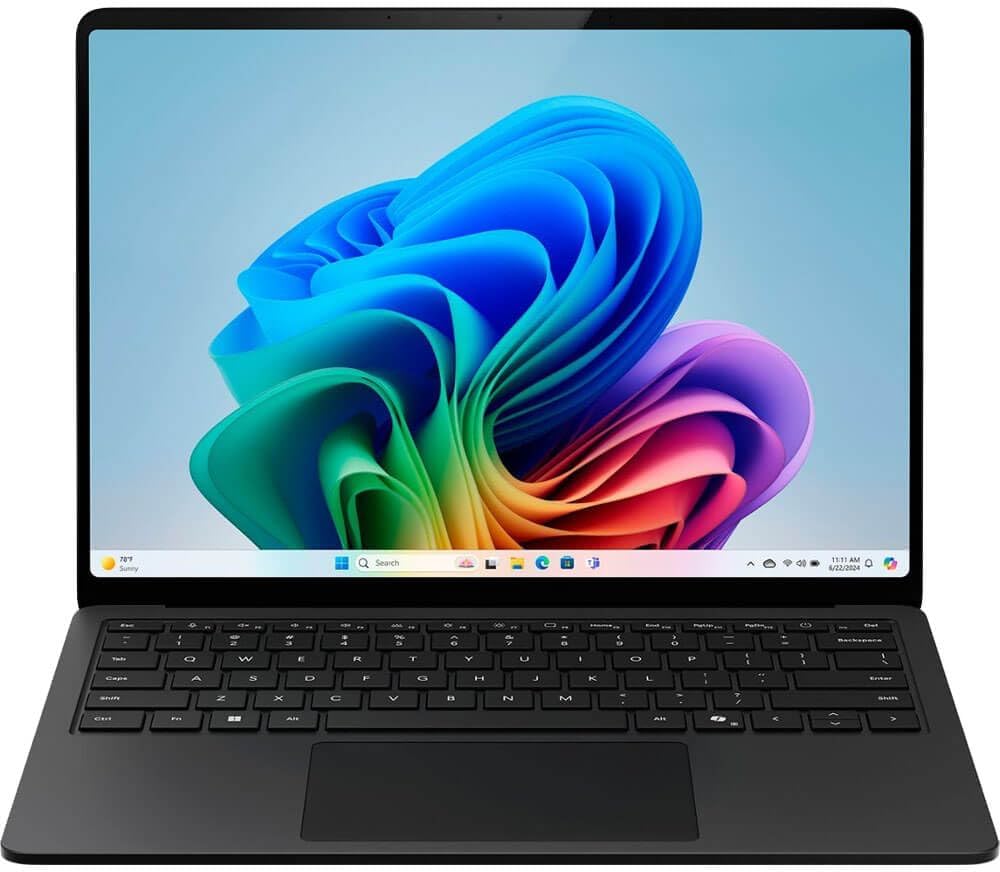
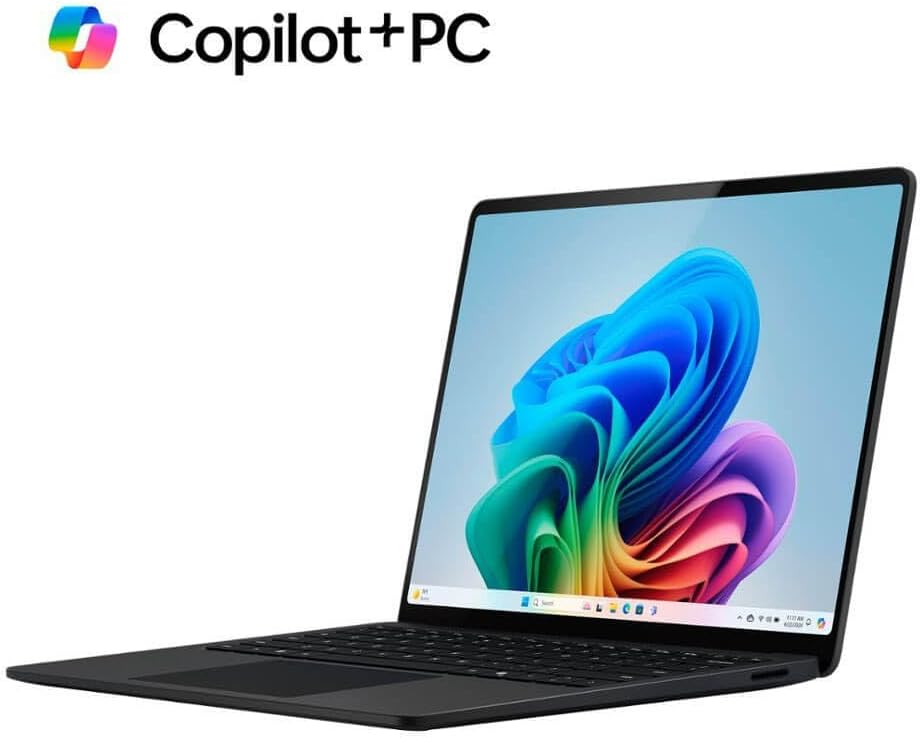
Microsoft Surface Laptop (2024), Windows 11 Copilot+ PC, 13.8″ Touchscreen Display, Snapdragon X Elite (12 core), 16GB RAM, 1TB SSD Storage, Black
Original price was: $1,599.99.$1,199.99Current price is: $1,199.99.
Related Products
![Miracase Compatible with iPhone 15 Case, [Soft Anti-Scratch Microfiber Lining], Liquid Silicone Case Gel Rubber Shockproof Drop Protection Phone Case for iPhone 15 (Black)](https://bestdealsavvy.com/wp-content/uploads/2025/12/61veHQlJP6L._AC_SL1500_.jpg)






* Some Copilot+ PCs require download of free updates to run Copilot+ PC experiences, available starting late 2024 – 2025. See aka.ms/copilotpluspcs ** Pre-release screen shown; subject to change. *** Availability of Copilot+ PC features varies by device and market. [1] Based on Cinebench 2024 Multi-threaded conducted by Microsoft in April 2024 comparing pre-release build of Surface Laptop 13.8″ and 15” with Snapdragon X Elite running pre-release Windows 11 26100 and Apple MacBook Air 13.6″ and 15” with M3 running macOS 14 Sonoma. [2] Optimized for select languages (English, Chinese (simplified), French, German, Japanese, and Spanish. Content-based and storage limitations apply. Recall is coming soon through a post-launch Windows Update. See https://aka.ms/copilotpluspcs. [3] Colors available on selected models only. Available colors, sizes, finishes, and processors may vary by store, market, and configuration. [4] Surface Laptop, excluding power supply, contains a minimum of 25% recycled content. Based on validation performed by Underwriter Laboratories, Inc. using Environmental Claim Validation Procedure for Recycled Content, UL 2809-2, Second Edition, November 7, 2023. [5] Currently supports translation for video and audio subtitles into English from 40+ languages. See https://aka.ms/copilotpluspcs. [6] Battery life varies significantly based on device configuration, usage, network and feature configuration, signal strength, settings and other factors. See aka.ms/SurfaceBatteryPerformance for details. [7] 13.8″ Surface Laptop comes with 39 W Surface power supply. Fast charging (from 5% to 80%) is supported with minimum 65W Surface power supply or USB-C® PD charger, sold separately. Testing was conducted at Microsoft in February 2024, using pre-production devices, software, and minimum of 65W USB-C® charger under controlled conditions. The device was powered on to the desktop screen with default display brightness settings. Actual charge time will vary based on operating conditions. Measured at typical office ambient temperature of 23C. [8] Enclosure includes A Cover, C Bucket and D Cover. 100% recycled aluminum alloy in A Cover and C Bucket. 100% recycled rare earth metals in magnets. Based on validation performed by Underwriter Laboratories, Inc. using Environmental Claim Validation Procedure (ECVP) for Recycled Content, UL 2809-2, Second Edition, November 7, 2023. [9] Enclosure includes A Cover, C Bucket and D Cover. Based on validation performed by Underwriter Laboratories, Inc. using Environmental Claim Validation Procedure for Recycled Content, UL 2809-2, Second Edition, November 7, 2023. [10] Available colors may vary by market. [11] USB-C® port does not charge your Surface device or any device that requires more than 15W [12] Requires device with USB-C® USB4®/Thunderbolt™ 4 port and when supported by device and display. *Screens simulated; subject to change *Recall: Optimized for select languages (English, Chinese (simplified), French, German, Japanese, and Spanish.) Content-based and storage limitations apply. See [https://aka.ms/copilotpluspcs]. *Cocreator: Optimized for English text prompts See [https://aka.ms/copilotpluspcs]
[This is a Copilot+ PC] — A new AI era begins. Experience enhanced performance and AI capabilities with Copilot+ PC, boosting productivity with security and privacy in mind
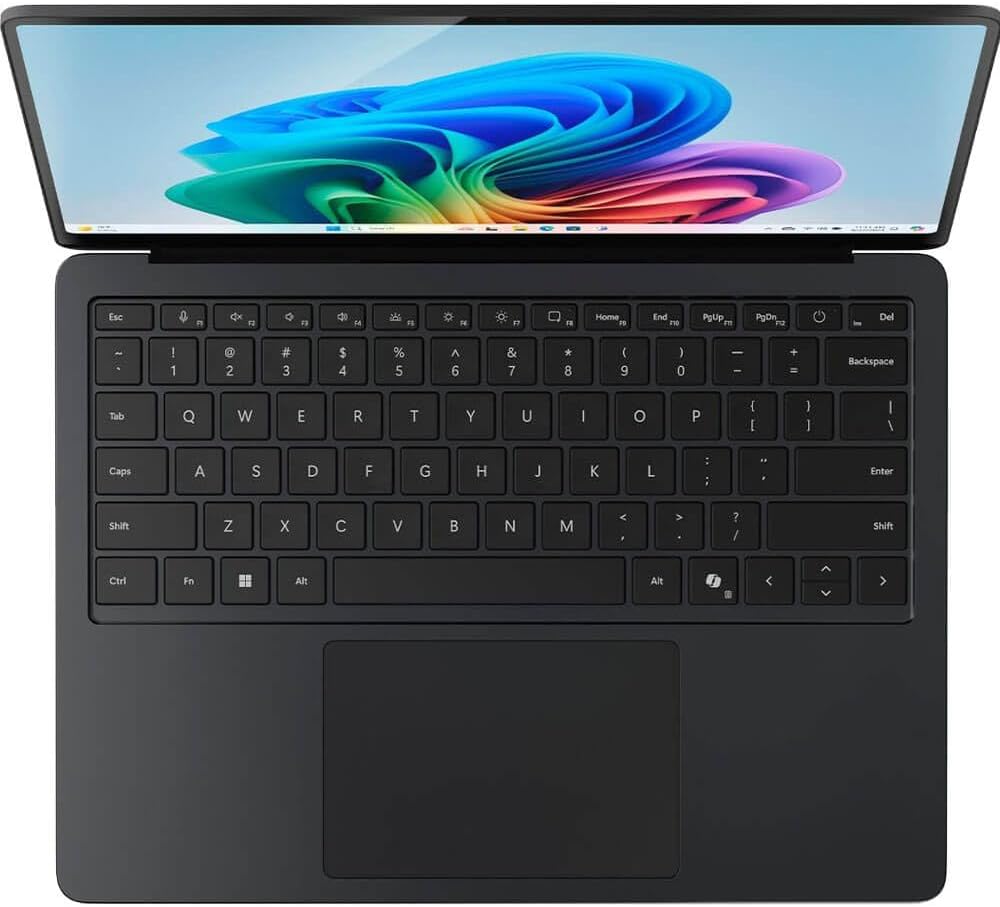
[Introducing Surface Laptop] — Power, speed, and touchscreen versatility with AI features. Transform your work, play, and creativity with a razor-thin display and best-in-class specs.
[Exceptional Performance] — Surface Laptop delivers faster performance than the MacBook Air M3[1], with blazing NPU speed for seamless productivity and AI apps.
[All-Day Battery Life] — Up to 20 hours of battery life[6] to focus, create, and play all day.
[Brilliant 13.8” Touchscreen Display] — Bright HDR tech, ultra-thin design, and optimized screen space.
[Recall with Copilot+]: Easily retrieve documents, emails, or web pages with an explorable timeline of your PC’s history[2] (coming soon).
[Enhance Calls with Copilot+] — Improve lighting, cancel noise, and blur distractions with Windows Studio Effects for video calls. Prerelease product shown, subject to change.
[Translate with Copilot+] — Real-time subtitles for 44 languages during video calls or streaming.
[Cocreate with Copilot+] — Generate art from text or image prompts.
[Thin and Lightweight] — Durable aluminum in four colors: Platinum, Black, Sapphire, and Dune[3].
8 reviews for Microsoft Surface Laptop (2024), Windows 11 Copilot+ PC, 13.8″ Touchscreen Display, Snapdragon X Elite (12 core), 16GB RAM, 1TB SSD Storage, Black
Add a review

Original price was: $1,599.99.$1,199.99Current price is: $1,199.99.
Marlo –
Phenomenal laptop (13.8 Surface Laptop)
This laptop is very powerful as well as very efficient. I’ve been using it as my main laptop for studying and it lasts nearly the whole day. It’s fast and zippy. If there’s one thing I don’t like about it, it’s that not all computer programs are compatible with it right now. However, you can download some of those programs from the Microsoft App Store. It’s also smaller than I thought it would be, but the screen is quite big. Sound quality is decent and the screen is nice and sharp. It’s not an oled screen but it’s still very impressive. The keyboard itself is very much the best keyboard I’ve used on a computer. The track pad is also very good. This laptop is very sturdy and light as well. Copilot is useful and fun to use, but it still needs some work. All in all, for the features and the power this computer has I think it’s a great value for the money, especially when you get it on sale for the holidays!
TryGuy –
Excellent computer… but
I recently purchased the Microsoft Surface Laptop (2024), and overall, I’m incredibly impressed with its performance. The 13.8″ touchscreen display is vibrant and crisp, and the Snapdragon X Elite (12-core) processor makes multitasking a breeze. With 16GB of RAM and 1TB SSD storage, this laptop handles everything I throw at it—whether it’s video editing, running complex software, or just casual browsing. Windows 11 runs smoothly, and the device feels premium and well-built. Battery life is outstanding, and it’s surprisingly lightweight, making it great for both work and travel. The laptop is fast, responsive, and does exactly what I need without any hiccups. However, my one gripe is that after spending nearly $2,000 on this high-end machine, I still have to pay extra for Copilot+. Given the price of the laptop, I would have expected this feature to be included, especially since it’s one of Windows 11’s flagship features. While Copilot+ is a helpful AI tool, it feels like it should be a standard part of the package. Overall, I’m still giving it 5 stars because the hardware is fantastic, and it excels at everything I use it for. I just wish Microsoft would rethink the pricing model for Copilot+.
Becca –
Great quality and light weight
Use this daily! I love it!
Brian Bosak –
Closed/proprietary ARM chip/peripherals and poor compatibility
I’m a software engineer, and purchased this mainly out of curiosity to try and boot Linux on it. I managed to get a custom version of Ubuntu to boot to desktop, launch Firefox, etc using a USB keyboard, mouse, and boot drive (the installer for Ubuntu even sort of works, minus some bootloader issues regarding efivars). I was also able to install to the internal NVME drive as well, but unfortunately it seems that this is where things are a bit problematic from a standardization standpoint. Qualcomm’s EFI implementation doesn’t seem to support efivars, so you can’t set Ubuntu as a boot option in the EFI boot menu (it only supports actual hardware drives as boot options). Installing the EFI executable in the standard location for the EFI boot directory doesn’t work either. It turns out, that the EFI bootloader checks in the Microsoft directory first, then in the regular boot directory, so it’s necessary to rename the Microsoft one to something else if you want to dual-boot Linux and Windows. This also means that it’s currently not possible to enroll a custom secure boot key, so secure boot must be turned completely off to dual-boot Linux (as it can’t be done with the signed Canoncical kernels, as each board will likely require a different kernel, and none of this is supported by the official kernels yet, this would also be very difficult for Canonical to maintain if they need to make a separate kernel for each board, which is unfortunately fairly typical for ARM devices in general. This is a problem I thought Microsoft would have solved, given how they standardized the PC platform on x64, but this doesn’t seem to be the case).Another major issue with booting Linux even before you get to the kernel, is the bootloader starts in EL1, not EL2. There’s a proprietary mechanism by which to escalate from EL1 to EL2 (Qualcomm secure launch) , but this only works for signed Windows binaries, so makes hypervisors effectively impossible to implement in Linux for this board.Additionally, Qualcomm uses non-standard ACPI descriptors for USB (XHCI). To initialize USB, you need to patch xHCI to bind to QCOM0D08, as it uses this descriptor rather than the standard PNP0D10, and isn’t on the PCI bus like you’d expect on a PC (it’s an ARM peripheral instead). Bringing up wifi didn’t work with standard openly available firmware either, so relevant files had to be extracted from the Windows drivers for firmware, which got the ATH12k chip (which is actually on the PCI bus, along with NVME) to start up.Unfortunately, very little about this is standard, and each ARM board is likely to be slightly different. HID for example appears to be on a proprietary bus, and bringup of all these new ARM PCs will be very tricky for the Linux community to try and support. Virtualization support for Linux in Windows is also poor, with the USBIPD driver not supporting aarch64, and no way for the vendor to support aarch64 due to the closed-source nature of Windows Drivers (they currently rely on a shim driver from VirtualBox).Also from what I can tell there’s no exposed serial port for debugging on this board, so if you’re also bringing up Linux on this, make sure to use console=efifb as a kernel parameter to get debug output during bringup.
tf –
Good hardware but mine had problems
Read lots of reviews on all kinds of laptops and this one kept being mentioned as the best windows laptop. Unfortunately I got a lemon and will try to exchange it. The USB port doesn’t work. And within one week of owning it it randomly glitched out and shut down. I will give it another try and hopefully the replacement until will be ok.Otherwise the hardware is great. Keyboard feels good. Trackpad is smooth. Nice touch screen. Great sounding speakers too.
Michael Breitenstein –
Best little laptop ever!!!!
Amazing little Mac
maccupiccu –
This laptop sucks
Hate this thing. It’s buggy, can’t connect my printer to it. I needed a laptop and asked a friend who is an IT manager and this was his suggestion. I want to sell it.
AVV –
Amazing laptop, careless seller
Not surprised this appears like frequently returned, if I could I would do the same. Careless seller. Box came dented and the pressure dent the laptopn as well. For fortune, it didn’t damaged the screen. Box was sealed and came new but it already had a dent. Look at the pictures.Don’t get me wrong the Windows Surface is an amazing device and I am so happy to chose this one since I was looking to replace my Macbook Pro. Feels smooth abd super fast and I love the interface. Everything you love from a Macbook without anything you hate. The magsafe-type charger is light and charges fast and battery is amazing.If you are wondering if this might be the right laptop for you like I did, go ahead and buy it. Just chose a different seller.