

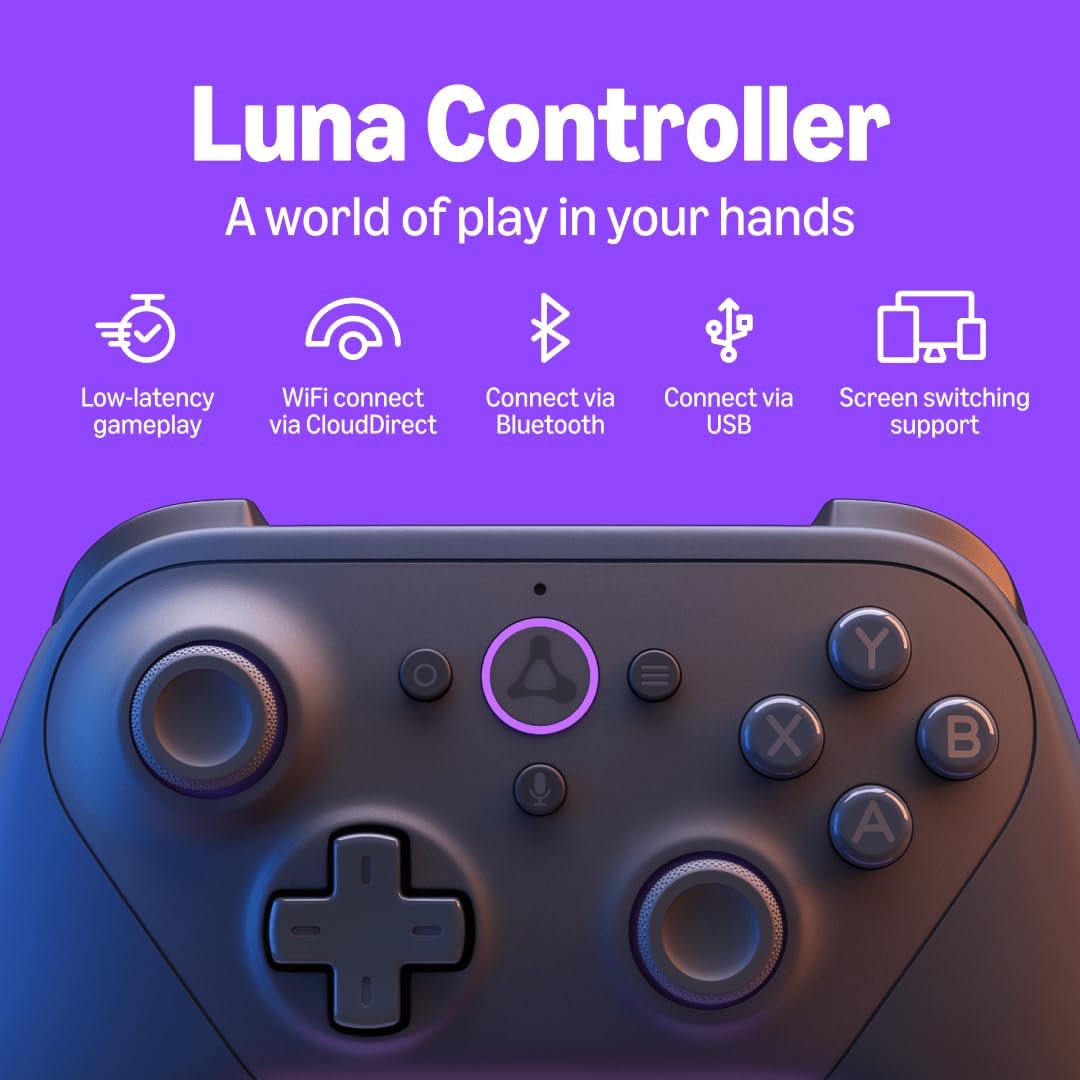
Official Luna Wireless Controller
$69.99
Related Products




BUILT FOR AMAZON LUNA – Designed for the best experience on Luna, Amazon’s cloud gaming service.
WORKS ACROSS YOUR DEVICES – Windows, Mac, Fire TV, Fire tablet, iPhone, iPad, Chromebook, and Android devices.
SEAMLESS SCREEN SWITCHING – When playing on Luna, pause your game on one screen then pick up right where you left off on another.
CONNECT VIA WIFI – Connects directly to Amazon’s custom game servers using Cloud Direct technology for low-latency gameplay.
CONNECT VIA BLUETOOTH – Use Luna Controller as game controller on any Bluetooth-compatible device.
CONNECT VIA USB – Connect directly to your Windows or Mac devices via USB cord.
BUILT FOR GAMING – Offset thumbsticks, easy-access bumpers, precise triggers, responsive action buttons, and a 4-way directional pad.

Matt Dalmau –
Great controller
The Luna Controller honestly impressed me. It feels great to hold, the buttons are super responsive, and nothing about it feels cheap.The best part is how easily it connects to my Fire TV Stick. It pairs right away and just works, no lag, no hassle.Battery life is good too. I do wish it was rechargeable instead of using regular batteries, but overall it’s a really solid controller and totally worth getting.
Velvet Pilot –
One of the best controllers I’ve ever used/worth the full price
First off, you don’t need this controller to play Amazon Luna. Before I purchased this, I used a DualShock 4 and Xbox One controller (both using Bluetooth on PC and had no input lag).You receive a Luna controller, printed materials and 2 Amazon Basics Industrial Alkaline batteries in a cool little box. I would have preferred if they also threw in a cheap 6ft. Amazon Basics USB type C cable, especially for $69.99, but it’s still one of the very best gamepads I’ve ever used. That’s not sarcasm or overrating it either. It’s THAT good.At first, it feels a bit too small in the hands but after one game, I found it actually fit perfectly. It’s essentially the same design as a Microsoft Xbox One controller and a Nintendo Switch Pro controller but it’s better, in my opinion. I’d love to know who designed it. On the back it’s pretty bare with the exception of the Amazon logo embossed on the battery cover.It has a 3.5mm auxiliary input for headphones/headsets which is a huge plus. It can be used with Amazon’s Cloud Direct service to connect to their servers for zero input latency as well as allowing you to switch from one device to another without skipping a beat! To do this, you’ll need to download the Luna Controller app on iOS or Android. I used the Android app and found the set-up process to be very easy and straightforward. You can also use Bluetooth to wirelessly connect it to a PC or Fire TV (including the Fire TV stick). Lastly, you can connect it to a PC using a USB type C cable.If you have a Fire TV or Fire TV Stick, you can use both the Cloud Direct service AND Bluetooth! With that you can control the Fire TV with the gamepad (instead of the remote) and as soon as you jump into the Luna app, it will instantly switch over to Cloud Direct to minimize input latency!And that’s what makes this so much better than the old Google Stadia gamepad. Even though that was a decent controller (it was rechargeable), it could only be used wirelessly by connecting to Google’s now dead servers. Now it can only be used with a USB cable and even then I have trouble getting some of the buttons to work on certain games and emulators. No, the Luna controller is better in every way.I also want to point out that this controller DOES HAVE RUMBLE/FORCE FEEDBACK. When it first came out, some reviewers complained that it didn’t.The only con is battery life; it’s not good. With a brand new pair of Energizer alkaline batteries, I got around 12 hours of battery life. For comparison, the Xbox One controller using alkaline batteries gets around 30 hours. Now maybe it’s because it connects to Wi-Fi and utilizes pretty strong rumble motors. I’m not sure. But that was my result. I will next try some Panasonic Eneloop Pro rechargable batteries and update this review as soon as I get that result.In conclusion, if you play Luna a lot or plan to, it’s definitely worth getting this controller! It’s worth the $69.99 in my opinion if you really enjoy Amazon Luna (which I do) but if not, I would wait till the next sale. Especially if it comes up for $39.99 (if it ever happens again). At that price I’d buy another! I really love this controller. I can’t say it enough.
AzDayton –
Solid, Feels Good, Works Well. Should ID itself on network.
The controller is solid, feels good in the hands, and functions quite well with no noticeable lag. It functions to control my Fire Cube in normal mode, and switches to Wifi when I start the Luna app, taking several seconds to do so. Once in Wifi, it works well in games, yet still controls the Fire Cube by voice (Alexa).All-in-all, I’m pretty pleased with the device.One minor flaw is that the markings on the buttons are a little difficult to see for those of us with “old eyes” in dim light (it’s always dim when I’m gaming!)I also wish it was rechargeable. I haven’t used it enough to wear out the batteries yet though, so that may not be much of an issue. However, based on other controllers, I initially assumed the USB port was for recharging. It’s not.04/01/2023: After writing a review yesterday, berating this device for failing at 11 months, an Amazon tech called me this morning asking for additional troubleshooting. We spent about a half hour going through stuff to no avail. It simply would not connect to my network anymore.Afterwards, I dug into my network settings and discovered I’d blocked a device which showed on my network as “UNKNOWN”. So I un-blocked that and tried again, and this time it connected to my network.All my other Amazon devices (and I’ve got many) identify themselves as “Amazon-” followed by part of the MAC address. So when this one didn’t, and my router told me that “UNKNOWN” was connecting, I must have told it to block.So while the blocking was on me, I maintain that if it had identified itself as an Amazon device, I’d have figured out which one and not blocked it.While the tech did not identify the exact issue (how could she – it’s MY network!), her efforts were kind, patient, and in the end led me to the actual solution. So big kudos to her! And to Amazon for taking the time to contact me when I’d pretty much given up on this device