
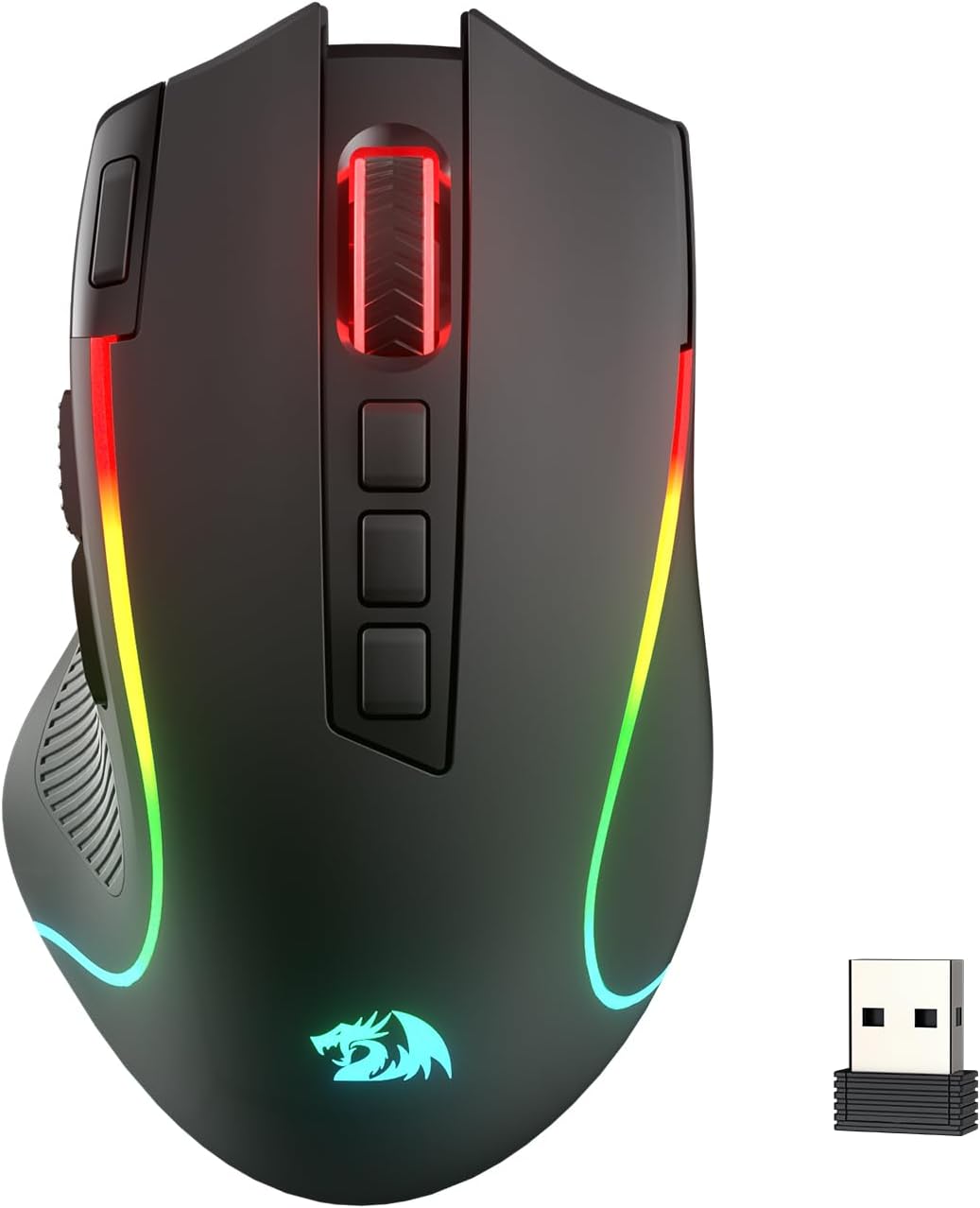
Redragon M612 PRO RGB Gaming Mouse, 8000 DPI Wired/Wireless Optical Mouse with 9 Programmable Buttons & 7 Backlit Modes, BT & 2.4G Wireless, Software Supports DIY Keybinds Rapid Fire Button
$36.99
Related Products







From the brand

BIG SAVE
NEW ARRIVED GEAR
Gaming Keyboard
Gaming Mice
Audio Gear
Gaming Setup

Redragon H848 Headset
Weighs only 178g (6.2 oz)
Comfortable to wear all day long!
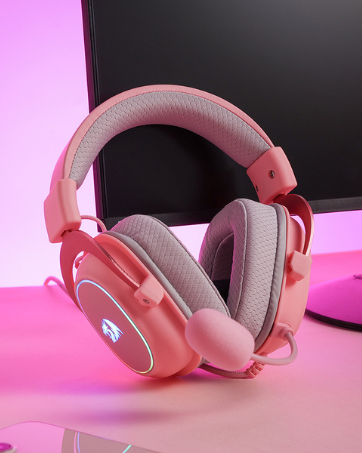
Redragon H510 RGB Series
Pink! Yes, that is PINK available now, cute & hot.
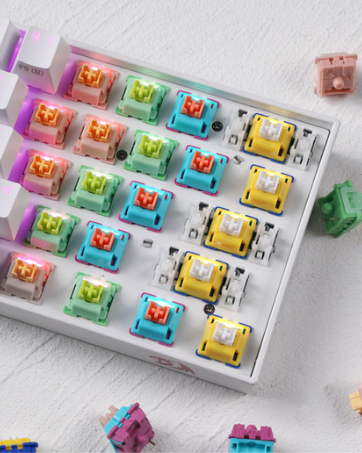
Redragon Custom Switches
6 Types Available for Any Keyboard Moding
Tactile, Linear, Silent, We Got What You Want
Pentakill, 5 DPI Levels – Geared with 5 redefinable DPI levels (default as: 500/1000/2000/3000/8000), easy to switch between different game needs. Dedicated demand of DPI options between 500-8000 is also available to be processed by software.
3 Modes Connect Tech – Cables truly will affect your detailed battle reaction, M612 PRO geared with BT and 2.4Ghz receiver offers you the purest and preciser mouse moving experience and hype your KDA rise again.
Any Button is Reassignable – 9 programmable buttons are all editable with customizable tactical keybinds in whatever game or work you are engaging. 1 rapid fire + 2 side macro buttons offer you a better gaming and working experience.
Comfort Grip with Details – The skin-friendly frosted coating is the main comfort grip of the mouse surface, which offers you the most enjoyable fingerprint-free tactility. The left side equipped with rubber texture strengthened the friction and made the mouse easier to control.
7 Decent Backlit Modes – Turn the backlit on and make some kills in your gaming battlefield. The hyped dynamic RGB backlit vibe will never let you down when decorating your gaming space.
Fatigue Killer with Ergonomic Design – Solid frame with a streamlined and general claw-grip design offers each player a satisfying and comfortable gaming experience with less fatigue even though after hours of use.
13 reviews for Redragon M612 PRO RGB Gaming Mouse, 8000 DPI Wired/Wireless Optical Mouse with 9 Programmable Buttons & 7 Backlit Modes, BT & 2.4G Wireless, Software Supports DIY Keybinds Rapid Fire Button
Add a review

$36.99
h0MbrE –
Insane value — punches way above its price
For the money, this mouse is ridiculously good. It feels solid in the hand, tracks accurately, and the button layout is actually useful instead of gimmicky.The sensor performance is more than good enough for gaming, DPI adjustment works smoothly, and the extra programmable buttons are easy to reach without being in the way. No lag, no weird tracking issues, no cheap-feeling clicks.Build quality is the real surprise here. It doesn’t feel like a $14 mouse at all — more like something that should cost quite a bit more. The RGB looks clean, not tacky, and the software does what it needs to do without hassle.If you’re looking for a reliable gaming mouse and don’t feel like paying premium-brand prices just for a logo, this is an easy win. One of the best value peripherals I’ve bought.
Ron G –
Perfect gaming mouse that won’t break your bank.
Great little mouse. Fits my large hand perfectly and comfortably. Functions great and has leds and adjustable sensitivity on the mouse itself for rapid changing if you need that in gaming. Great buy for an inexpensive gaming mouse.
cooljoe –
Best mouse ever & comfortable for big hands.
I got the keyboard & mouse setup it is perfect for gaming and I’m glad I got Redragon name brand due to its high quality and when it comes to battery size it doesn’t even matter cause it comes with ANYTHING you need to either use it wirelessly or use it with the wires it came with.So if you want flexibility & quality when it comes to gaming this mouse & keyboard combo will have you being the happiest customer ever.I have big hands so it’s very comfortable for me in Size, but I’m not sure about people with small hands though.Clicking quality is quite enjoyable experience you actually KNOW when you’re clicking on something cause it feels like they made the clicking just like they made the keyboard.A mechanical mouse click???It’s strange but that’s what it sounds like.It sounds so perfect and feels even better.The Size is perfect for me.Overall the wired or wireless feature being either or is a solid must and it’s easy to figure out the speed button on the top of the mouse and the mouse wheel lights up perfectly with rgb as well as the outline of the sides.Perfect holiday gift for sure!!!
Sav –
So far so good
I recently got a red dragon keyboard and loved it so figured I would try out the mouse too. So far it seems like good quality and well made esp compared to my old cheap one. For having small hands, this fits in mine fine but wish it was more ergonomic to support my ring finger ss that is much more comfortable.It has 5 different coloring options & 5 user options (button on bottom). The clicking is too loud for my liking but I am coming from a silent click mouse. I have not noticed any delays in clicking or scrolling. Overall, I am liking it so far and got it for a reasonable price.
james zakrzewski –
Great mouse
Scrolling wheel speed is top notch. good strong mouse. Good size for adult hands. Connects Fast and easy. Sensitivity is customizable but works amazingly. setting up the dpi is easy and fast to change. and the fact this mouse led is customizable to what every want is a plus to me. my last mouse the color and dpi went together so red was to fast green was to slow. my pc theme is red and black so catch my drift.
Stephen –
Best Mouse I’ve Ever Gotten
It has mouse cursor speed options that are changeable with a button thats in an easily accessible location to change on the fly during use when needed. I got the wired version and the cord is durable and flexible. Its clicks are a pleasant volume, very satisfying. The lights are vibrant and have options as well as show a visual indicator for a few seconds when changing mouse cursor speed which helps avoid accidental changes. The packaging was thorough and came with instructions about the buttons. This was worth every penny and I will be recommending this brand to my family when they need new mouses.
Esc –
Great first impression
I haven’t tried all bells and whistles of this mouse yet. But my first impression is very positive. It lies very comfortably in my not so small hand. The clicks are great. I like the ribbed surface under the thumb. And that small left-click repeater button is already proving useful in some games. Most amazing part is the price. I paid a fraction of a big brand’s price and there is nothing that this device is missing.
Brian D. –
A great mouse, works perfecy
This so a really great mouse, it has little non slip strips on the thumb section of the side, to help keep your grip on it in those long gaming sessions. The buttons all work perfectly, you can change the color and mouse movement speed with simply the click of one of the buttons in the middle of the mouse just behind the wheel. I will buy this mouse again the day I need a new one, which with the good build quality of the mouse shouldn’t be for quite a while.
Åsa A –
It broke very quick.💔
Amazon Customer –
普通に使える。デザインが奇抜。クリック感がいい。ボタンが多すぎて使いづらい。
Wincent –
Redragon’a kupiłem wcześniej gamepad i byłem zadowolony, i tym razem też jestem. Bardzo podoba mi się boczne wyprofilowanie na kciuk oraz płynna zmienność barw świateł. Nie ma za dużo dodatkowych przycisków, więc nie powinna mysz sprawiać nikogo w zakłopotanie. Jedynym problemem jest to, że łatwo można wcisnąć przycisk do zmiany czułości myszy.
Lucas Martín Ferreira –
El Redragon M612 Predator RGB es un ratón gaming con cable, con sensor óptico de hasta 8000 dpi, 11 botones programables y 5 modos de iluminación RGB. Está diseñado para jugadores que quieren personalizar controles y disfrutar de un ratón ágil para juegos de acción y productividad.👍 Cosas Positivas• 🎮 Sensor preciso de 8000 dpi — responde rápido y sin saltos, ideal para FPS y juegos competitivos.• 🔁 11 botones programables — gran versatilidad para macros, atajos y juego avanzado.• 🌈 Iluminación RGB con 5 modos — añade estilo y personalización al escritorio.• ⚙️ Software intuitivo — permite configurar botones, perfiles y sensibilidad fácilmente.• 🎯 Botones de disparo rápido — útiles para shooters y comandos frecuentes.👎 Cosas Negativas• 🔌 Con cable puede limitar movilidad si prefieres setups inalámbricos.• 🪶 Ergonomía mejorable para manos grandes — puede sentirse algo estrecho en sesiones largas.• 📊 Iluminación básica — comparada con modelos más caros, los efectos RGB son simples.🎯 ConclusiónEl Redragon M612 Predator RGB ofrece gran rendimiento y versatilidad a un precio competitivo. Con su sensor de alta precisión y botones programables, es perfecto para jugadores que buscan funcionalidad sin gastar demasiado. Aunque el cable puede no gustar a todos y la ergonomía no es la más avanzada del mercado, su relación calidad-precio y la personalización lo convierten en una muy buena opción para jugadores casuales y competitivos.
Ana –
Muito bom,e tem aplicativo pra modificar ele da forma que quiser