

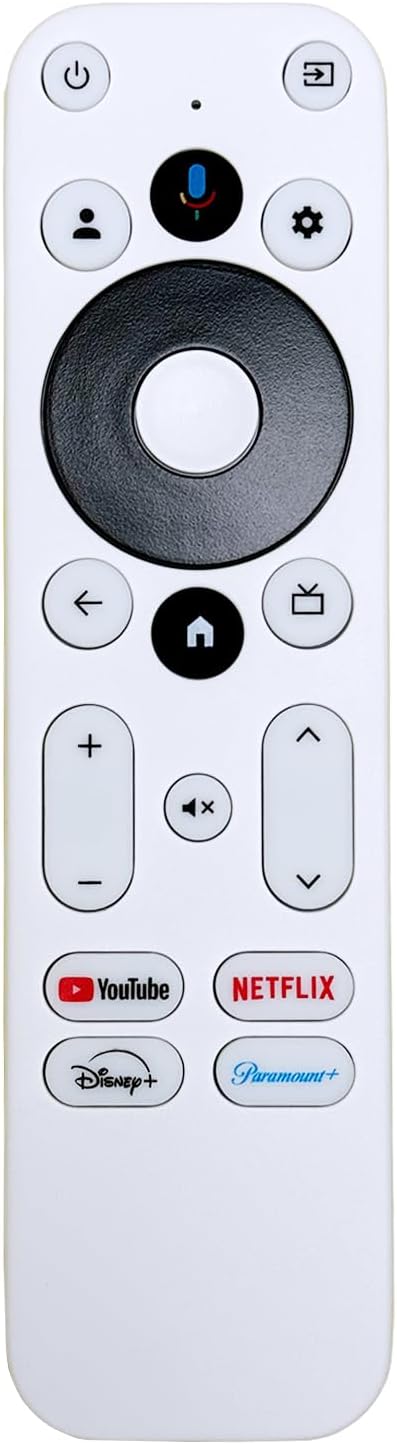
Replacement Voice Remote Control Compatible with Onn TV FHD 4K UHD Streaming Box 100024646 100026240 4k Pro
$11.88
Related Products





Product description

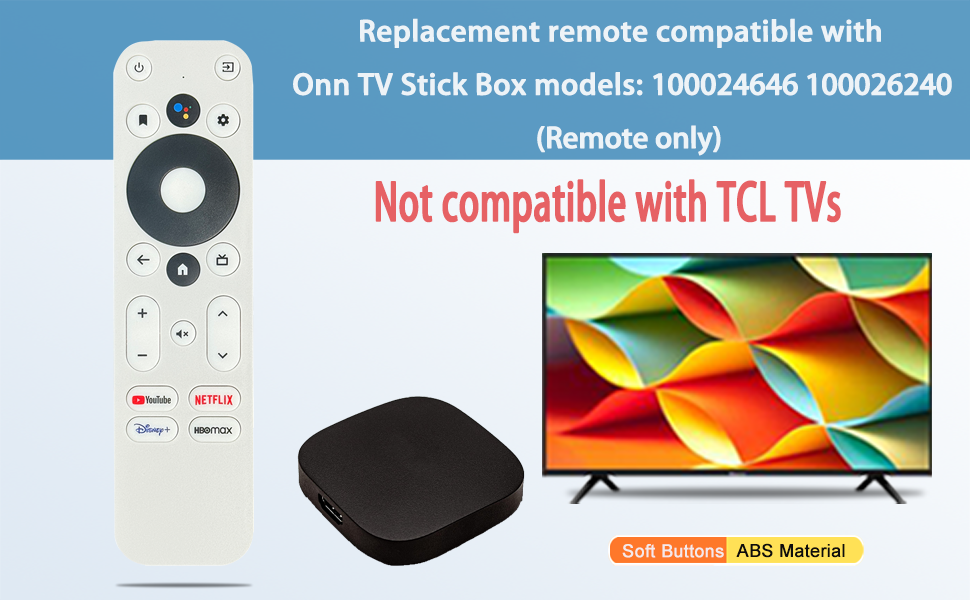
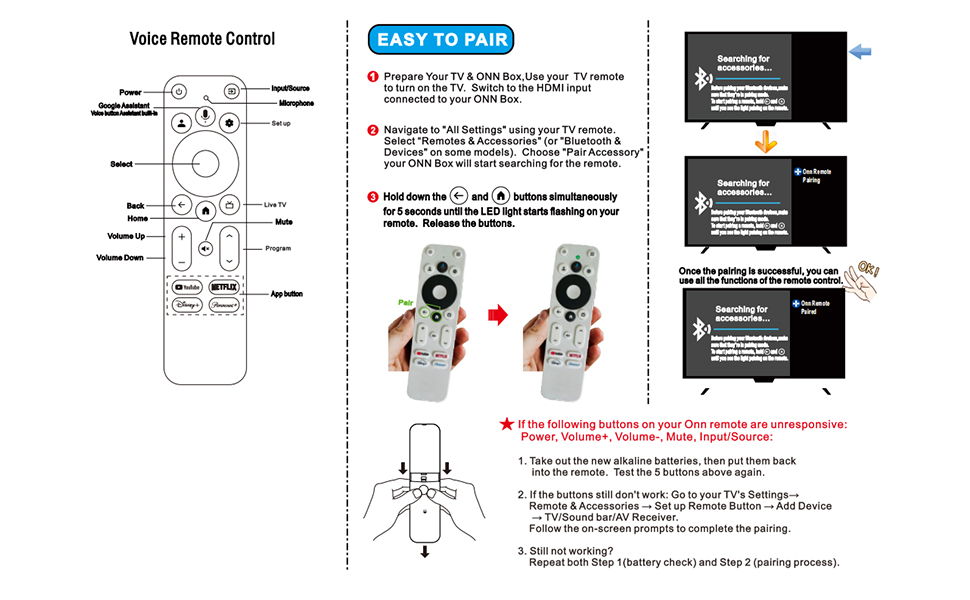


NPTwarcot remote is compatible with Onn UHD Streaming Device models: 100024646 100026240 Not compatible with TCL TV !!!Not compatible with Mecool TV box
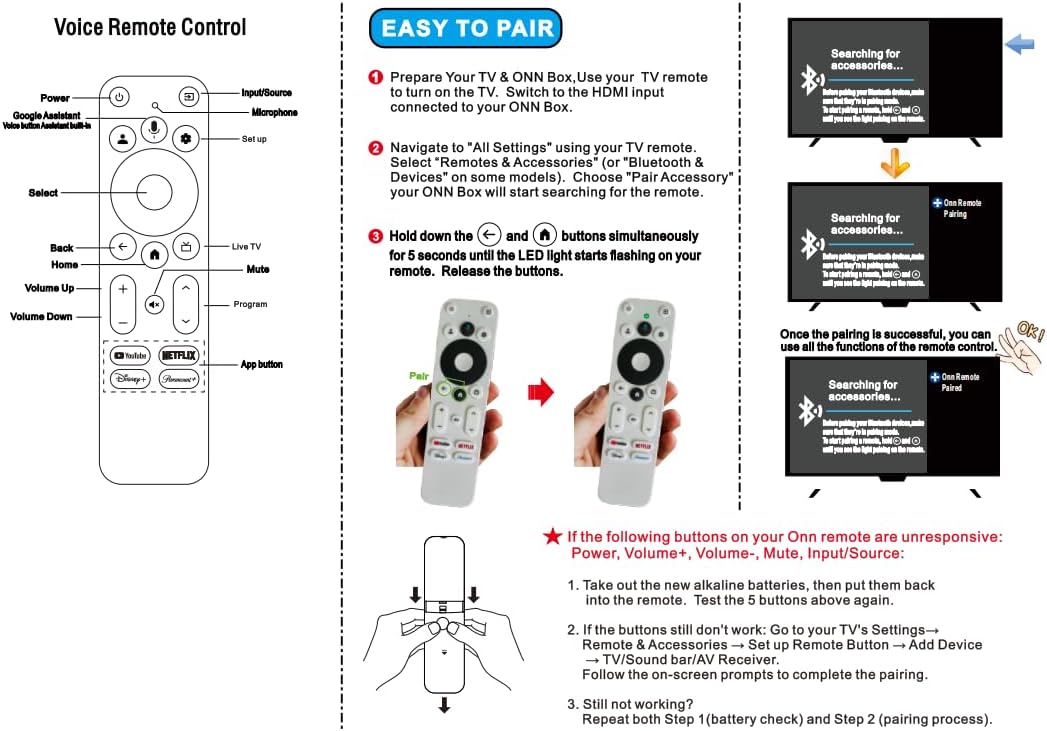
Please first use the TV remote control to turn on the TV, find Settings, select Remote Control Settings, and after the TV displays the remote control name, press the pairing button on the substitute remote control to complete the pairing with the TV. If the substitute remote control cannot turn off the TV, please use the substitute remote control to find the TV settings, remote control settings, remote control button settings, find the corresponding TV brand, and let the substitute remote control learn the button functions of the TV remote control. This will enable the substitute remote control to turn off the TV power.
1.Cannot be used simultaneously with the original remote control. 2.If the device prompts to upgrade your software, please turn off the upgrade button for streaming media. 3.If the new remote control cannot be used, please try turning on the Bluetooth function of your phone and connecting it to the remote control for testing, The remote control name is “onn remote”,After connecting, if you can easily control your phone, please open the TV settings, add a new remote control, disconnect the original remote control, and you can start using it.
100024646 100026240 If you cannot remotely control your TV, you can open “Settings”→”Set Remote Control Button”→”Add Device” and select the TV. If it can automatically recognize your TV, you do not need to operate it. If recognition fails, manually select your brand and model.
if you’re having issues connecting to the TV/streaming box, make sure it’s set in pairing mode and then on the remote hold the home and back arrow down until the light flashed.
If the following buttons (Power, Volume+, Volume-, Mute, InputSource)on your remote are unresponsive: Take out the new alkaline batteries, then put them back into the remote. Test the 5 buttons above again.If the buttons still don’t work: Go to your TV’s Settings -Remote and Accessories – Set up Remote Button – Add Device – TV/Sound bar/AV Receiver Follow the on-screen prompts to complete the pairing
The replacement remote will is compatible with Onn 4k Pro
8 reviews for Replacement Voice Remote Control Compatible with Onn TV FHD 4K UHD Streaming Box 100024646 100026240 4k Pro
Add a review

$11.88
P. Jones –
Works
Connecting to Onn. 4K Streaming Device, after pairing the navigation worked fine…but, it would only turn the TV off but not change volume or mute nor would thr ☆ open settings. Then, I re-programmed the buttons then the original remote wouldn’t work. Re-programmed the original and now they both work. Go figure
arianna gaviero –
Perfect
Great quality
R.M. –
It’s trash.
The remote won’t stay synced. I’ll be watching a movie and out of nowhere I’ll go to pause or rewind and nothing happens. When I look down the remote light flashes red every time I press a button, which means I need to resync the remote while the movie keeps playing. SOOOO ANNOYING!!! It’s disconnected everyday, sometimes twice a day since I received it on May 15th and I’m done with it!!!Also the remote won’t update. Every hour or two a message will appear saying update remote. When I follow the directions by holding the home button it immediately says update failed.DON’T WASTE YOUR MONEY!!
El Supremo –
Some potential issues as a 2nd remote.
Worked fine in basic mode with with my ONN TV 4k, as an 2nd remote, and it did automagically pick up the power button link to the TV and the volume button link to my A/V receiver when enrolled it into my ONN box. However, it did not pick up my links for the other buttons (TV input select, app select), and one the dedicated service buttons (HBO max) mapped to Paramount plus, which IS where the corresponding button on my OEM remote links to. Furthermore, it’s not obvious that the as-yet-unlinked buttons can be programmed, since they produce different codes than those on the OEM remote. So the jury is still out, hence only 4 stars.
Chris –
Works with Onn 4k Pro
I have a Goffins Cockatoo that loves to chew remotes when he has the chance, so many of my original Onn 4k Pro remote’s buttons were chewed up beyond repair. I took the chance that this one might work and it didn’t disappoint. I was able to add it through the settings and everything works as expected.
john deleon –
New remote needed
Was very happy it worked.. thanks.
Charles –
Meh
Was unable to connect to tv. Had to return it.
Lucia –
Bien
Bueno