


Skywin VR Charging Stand for Gamers, PSVR Charging Station to Showcase, Display, and Charge Your PS4 & Controller – Ideal Holiday Present & Birthday Gift
Original price was: $32.05.$29.99Current price is: $29.99.
Related Products




Product description

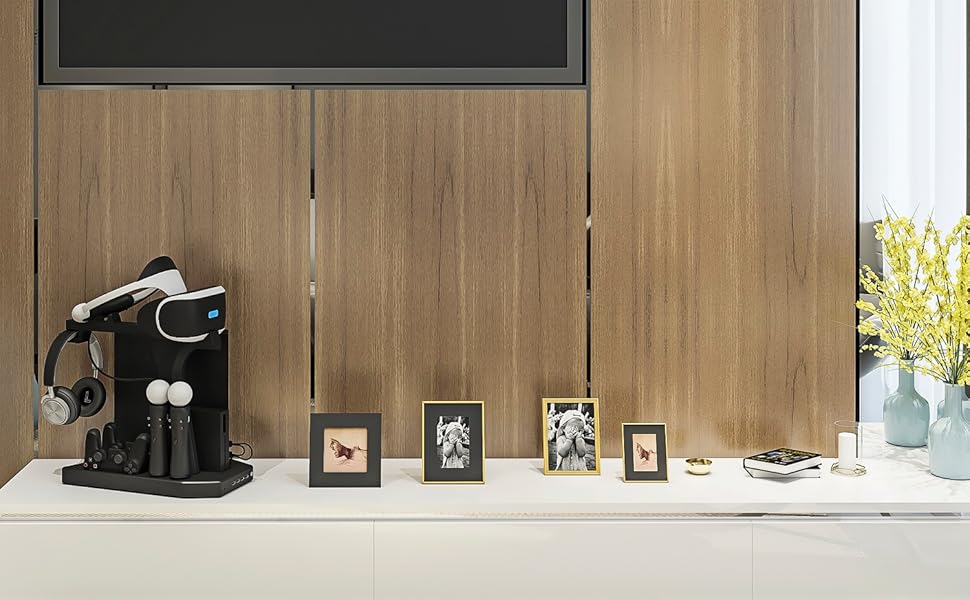
Compatible with PS4 and PSVR (any version)
Keep your Console and Accessories on Organized and on Display with the most reliable VR charging solution available.

Keep it All Organized
Organize and Display any version of the PS4, Dualshock Controllers, Move Controllers, Headphones, PSVR Processing unit, and PSVR Headset

Charge All your Controllers
Charge two Dualshock Controllers and two Playstation Move Controllers
Preserve the Life of your Console
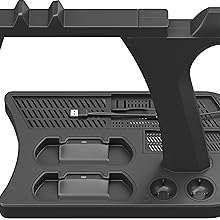
The vertical stand also includes two high Speed ventilation fans that when turned on can cool and preserve the life of your gaming equipment
Front Facing USB and Charging Indication
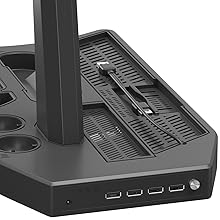
LED Indicators show charging status and a built in front facing 4 port USB HUB connects your other gaming accessories
Customer Reviews
4.4 out of 5 stars 10,221
4.4 out of 5 stars 10,221
4.4 out of 5 stars 3,283
3.8 out of 5 stars 282
Price
$29.99$29.99
— no data
$27.99$27.99 $34.99$34.99
Displays and Organizes PSVR Headset
✓
✓
✓
✓
Vertical Stand and Cooler for PS4 Console
✓
no data
no data
✓
Organizes PSVR Processing Box
✓
no data
✓
✓
Charges two Move Controllers
✓
✓
✓
✓
Charges two Dualshock Controllers
✓
✓
no data
✓
Addition Front Facing USB Hub
✓
no data
no data
✓
[Always Ready to Play] Charge up to four controllers at once, ensuring your PlayStation 4 and PS5 VR setup is always ready for action without waiting for individual controllers to recharge.
[Instant Charge Status for PlayStation 4 Controller]: Individual LED indicators display the charging progress of each PS4 DualShock controller, so you can instantly see which controllers are fully charged and ready for your next gaming session.
[Universal Controller Support for PlayStation 4 Games]: Compatible with PSVR, PS4 DualShock, and PS Move controllers (sold separately), offering a convenient charging solution that keeps all your controllers powered and ready for your favorite PlayStation 4 games.
[Organized and Stylish Setup] Durable, sleek design keeps your playstation controllers neatly organized while serving as a visually appealing display piece, enhancing the look of any gaming area.
[Perfect Gift for Gamers] Makes a thoughtful gift for gamers of all ages, ideal for Christmas, birthdays, or special occasions, combining practicality, style, and convenience in one accessory.
[Clutter-Free Gaming Area] Keeps your gaming space tidy and controllers always ready, making it easier to start playing immediately while maintaining a clean, organized setup.
9 reviews for Skywin VR Charging Stand for Gamers, PSVR Charging Station to Showcase, Display, and Charge Your PS4 & Controller – Ideal Holiday Present & Birthday Gift
Add a review

Original price was: $32.05.$29.99Current price is: $29.99.
Renita Walker –
Really cool and neat concept, just needs a few fixes.
Absolutely loving this charging/stand/storage for my ps4. Keeps it organized and simple for the most part. There is a few things i wish was diffrent.1. More space for the back controller spot. If you have a vr box the cables well keep from being able to charge that one controller.2. Better hiding of the wires if possible, maybe have a power being pulled from behind were the power cabel is for the ps4 (maybe a tap in like how Christmas lights can stack on top of eachother into a wall). Ive also seen this technique used on the xbox one hardrive extension you guys sell, same concept. Also with doing that, that would fix this issue and my thrid issue.3. This one is my biggest issue. I really wish the usb to the power supply for the mult usb came with a wall plus instead or atleast a longer cable to plug into a wall. It might just be me but id like to be able to pull less power from the console if I can. If the seller could comment back to atleast what kind of voltage/amperage this can take so i could possibly get a cable to run to the wall that would make my day.Aslo one other problem is i could not get my vr to work while the usb was plugged into the mult usb outlets on this stand and same thing with my external harddrive, this might be due to a not enough power coming from the dock.Update:Had the idea to try using a male to female usb/usb cable to a usb plug and it is working perfectly. I fount somewhere that it can take 3.0 usb so i went on and ordered a wall jack that is 2.0 and 3.0 and both work. I would suggest using the 3.0 if you plan to load down the dock with all the charging docks and running the fan.
Rivian –
Good quality and good value.
For $27 I think this is a good value. It comes with a stand for the VR headset, but not a great way to manage the cords. I like that it can charge 4 controllers..2 MOVE controllers and 2 PS4 controllers. The MOVE controller just drops in. The PS4 controller needs a tiny little dongle that attaches to the PS4 controller. I thought I would not like this dongle idea. But it works great. With the dongle on, it just drops into the charger. My previous PS4 charger has a micro USB port that is hard to line up with the controller. This one the dongle is tiny and the controller drops into the charger without a thought.My only issue is that I wish it came with 4 micro USB dongles instead of 2. It costs $17 to buy 2 more…you’d think it’d be around $5.
Kane –
Perfect √ | Works as described, no ports lost
I’ve had this for a little under a month now and I’ve noticed nothing wrong with it.It was simple to put together, but the pieces seem to fit in regardless of which was you put it in, so if one way doesn’t work with your set-up, you can try the other.All the ports work, all the controllers fit snugly in (the normal ones more so than the moves, which could be knocked out easily by a push).A lot of reviewers say you couldn’t charge controllers and have the VR box unit running simultaneously, so I almost didn’t get it, but it’s totally possible. Just make sure the HDMI port is on the topside (see attached photo).I have a PS4 slim in there, held in place by a spring loaded plasticside-piece along the bottom which is sturdy; there’s a little slit on the rightside of the stand that fits a gamedrive Perfectly if you’re using one.10/10 would buy again.One more thing; it comes with a USBA to A.C power cord so, you don’t need to use the built in USB cords to power the device (there’s two, why idk). I have that A.C cord plugged into a USB socket on my NinSwitch dock the shelf below. I’m sure you could do the same with USB port on TV or monitor to prevent taking up a port on the playstation.
Jerry M Hansen Jr –
My review of the Skywin PSVR Charging Display Stand
I just got mine in the mail today and for the most part I am really happy about this stand for just about everything, minus one thing which I will say about in lower part of my review. I have made this a 4 Star rating because of the negative points in the review although if it was up to me it would have been 4.5 of 5The Positives:1. The stand is really easy to assemble with just 3 pieces to place together. The Base of the stand, the Vertical Support beam for the PSVR headset, and the piece with the Headphone hanger which is also the part that holds the back of the VR headset up.2. The PS4 vertical stand works great, and since it has a slider part that helps hold the system in place, the system doesn’t feel at risk of falling over. The stand can also support any of the PS4 models too.3. There are two cooling fans underneath the console part of the stand which will help to keep it cooler.4. The Charging ports for the controllers work, and there are 4 USB ports in the front of the stand in case you need them.5. There is a slot to keep the VR control box vertically, and in the middle between the console and the VR headset.6. Being able to keep everything (The PS4, controllers, the VR control box, and the headset) in one place is great to make it so other areas stay less cluttered.Negative:First off I do want to point out that if the stand is placed in an area where the headset doesn’t have the risk of being bumped into then everything should be fine.1.The part that I can’t help but feel slightly unhappy with for me, is that the stand part for the PS VR head set is too thin to support the headset since the support beam for the headset to rest on itself, is only about 1.5 inches thick. This means that in order for the headset to stay on it, it needs to be balanced onto the stand. What I think is bad about this is that when the stand is placed in an area that gets a good amount of movement from a person, or even a pet, it raises the potential for it to fall off the stand since its not also being held onto the stand from the left/right sides of either the headband or the viewport.2. The wiring from the VR control box go right into the area for the second controller. This makes it harder to get the contoller in and out of the slot since the wires are right above it.My Other thoughts:For the most part I am pretty happy with this purchase. While I’m not keen on how the VR headset sits on the stand, the problem is only dependent on where I put the stand at. For the rest of the features of the stand I think its great. I’ve been needing something to put all 4 of my controllers either in or on and with this I can keep things more organized.
Rodrigo –
YA LLEVAMOS CASI 2 AÑOS CON EL PRODUCTO Y ES MUY FÁCIL PARA TENER TODO EN UN SÓLO LUGAR ORDENADO Y ES MUY RESISTENTE.
David fernando villegas rios –
Funciona muy bien y es firme, no se cae el vr tiene firmeza, carga bien al mismo tiempo todos los mandos y los ventiladores y los usb extras funcionan bien
Alejandra –
Esta padrisimo y además de cargar los controles ahí (siempre tienen carga) sirve para organizar y que no se maltrate el casco.
Dianemiau –
Muy practico espero dure mucho
Aldo D. –
Funciona perfectamente para PS4 y VR