

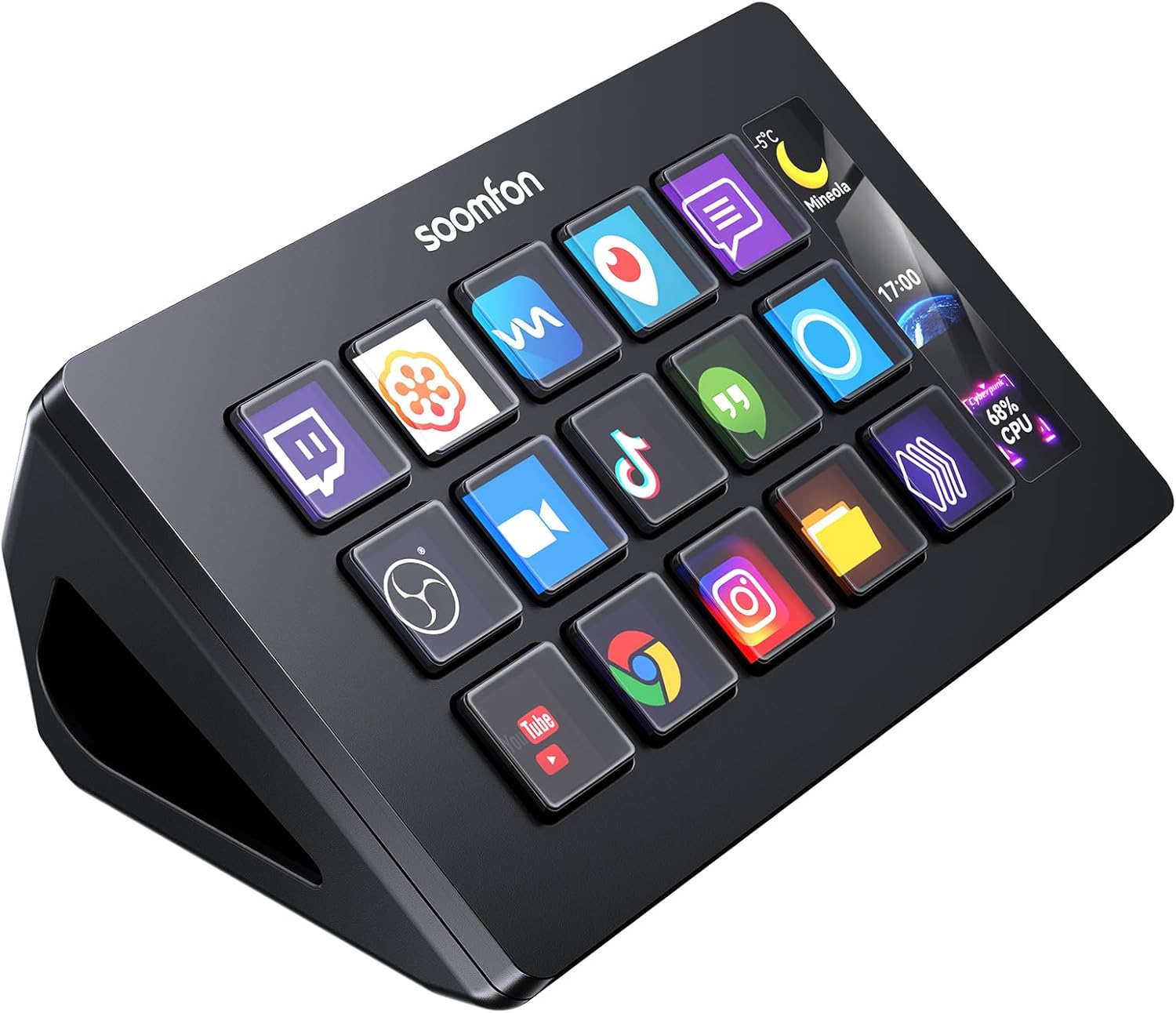
SOOMFON Stream Controller Stream Control Deck with 15 LCD Macro Keys Customizable to Trigger Actions in OBS Twitch YouTube Compatible with PC & Mac for Content Creators Streaming Gaming
Original price was: $69.99.$59.99Current price is: $59.99.
Related Products




Product description


【15 Customizable LCD Keys】The Stream Controller is equipped with 15 customizable LCD keys, allowing you to effortlessly trigger unlimited actions and control your applications, tools, and platforms without the need to switch windows to access desired functions. Each key features an LCD screen that can be customized with your preferred image files. You can tailor it entirely to your preferences, making your control more personalized and efficient!
【Wide compatibility】Compatible with PC, Mac and leading software. We are compatible with Windows 10 64-bit or higher. MacOS is compatible with Catalina 10.15 or higher. Integrated support for OBS Studio (Windows versions 27.0, 28.0, and above; MacOS version 28.0 and above.), Twitch, YouTube, Twitter, Spotify, Philips Hue and more. Simply enter the corresponding system’s address in your browser to quickly and easily download the drivers.
【One-touch operation】You can easily launch social posts, adjust audio, mute the microphone, turn on lights, and more with the touch of a button. The Stream Controller is a handy tool not only for streaming users, but also for all creatives and users who need a variety of hotkeys.
【Intelligent design and user-friendly】The SOOMFON Studio Control Deck comes with a removable stand that allows you to customize it to your needs. You can lay it flat on the stand and connect it to your computer via USB. The bottom of the Stream Controller has rubber feet so that it won’t slide around on your desktop, even when you’re not using the stand.
【Work efficiently and save time】If you want to streamline your workflow and use your time more efficiently, that’s where the SOOMFON Studio Controler Deck comes in, giving you control over applications and tools that streamline your workflow for film editing, music production, photography, and more.
【Notes】①To use Spotify integration, you must have an active Spotify Premium account. ② If you encounter any issues during setup or use, please don’t hesitate to contact us. Our customer support team is available 24/7 to assist you with anything you need. ③Please update the firmware from the official software download link. ④Please use the original data cable and connect directly to the computer’s USB port, avoiding the use of a hub for power.
9 reviews for SOOMFON Stream Controller Stream Control Deck with 15 LCD Macro Keys Customizable to Trigger Actions in OBS Twitch YouTube Compatible with PC & Mac for Content Creators Streaming Gaming
Add a review

Original price was: $69.99.$59.99Current price is: $59.99.
Iggyboo –
Want an Elgato Stream Deck? No you don’t, you want this instead…probably.
This is amazing! Trust me, this will do everything you want it to do and you don’t have to pay the premium for the Elgato StreamDeck. Yes this is a direct comparison between the two since that’s essentially what they are. First yes the build “quality” isn’t as good as it but it’s surprisingly good considering the lower price. The buttons are a little squishy BUT quiet (which might be why they are squishy and is intentional), responsive (no noticeable latency), and you do need to secure it to a base to make it feel right but I really can’t find any other complaints about it. Makes me think you’re paying for something else when you pay more for the StreamDeck… And yes, you are.First of all, the software for this is SOLID and has a enough available apps to definitely get you where you need (OBS/Game hotkeys/Macros) and you don’t need to worry about wasting money on it. Now for a direct comparison of the Elgato marketplace vs this one, well there’s more there. That doesn’t mean you can’t build your own tools for this one since the dev kit is available and well documented (it really needs some professional videos and tutorials though) but if you’re looking for a specific solution you don’t have to build yourself, be sure to check their app library online first. There was plenty for me so it’s up to your needs.I wanted to give them 4 stars because I know it’s not perfect but then I realized that it does everything and more that I wanted for a fraction of the price. I was even able to create buttons to do web API requests to my smart home stuff and set lights for recording and turn on my “recording” indicator so everyone knows to they can just ignore that and make even more noise BECAUSE THAT’S WHAT THEY DO! … but that’s not this device fault.
Sylvia A –
Great product!
I got this stream controller to make my streaming setup more professional, and it has been a fantastic tool.I was really pleased with the compatibility; it worked perfectly with my PC and connected to OBS right away. The ease of set up was also a relief. The software was straight forward, and I was dragging actions onto the keys in just a few minutes. The build quality is solid, and the 15 customizable LCD keys feel responsive and look great. In terms of ease of use, it’s a total game changer. I’ve set up macros to switch scenes, mute my mic, and run sound effects with a single button press. The versatility is my favorite part. It’s not just for streaming; I’ve set up keys for regular computer shortcuts, making my entire workflow faster. Mine had a small defect to which i talked to the company and they responded super friendly and quick to help me fix my problem, they offered me the choices to get my money refunded or to quickly send me a new unit. Needless to say great customer support.Overall, this is a powerful and easy to use control deck that has made my content creation so much smoother, and the for the price and customer support i must recommend.
Jonathan –
I recommend it to everyone that creates content
Im a content creator and this thing has made it easier to record my videos. The only gripe i have about it had nothing to do with the product. If your using OBS studios you have to reset the connection from OBS to the Stream Controller everytime you open OBS.Great Bang for your buck for real. The Quality and customizability is amazing!! You can change the picture on the screen to any picture you want. It functions amazingly. You can upload functions to this by going to the App and changing what you want to controll. I dont find a latency when I click the button. Its compatible with both of my laptops. I have both a Mac and Windows. Its perfect for both.I recommend it for people that are looking for a good stream controller for sure. Also the Seller contacts you to explain how to use it and also to contact them if you have any questions. Overall great experience. Hope that OBS can fix this issue with the connection.
Scott Murray –
DOESNT DO WHAT IT SAYS
absolutly trash product, if your looking for an actual streamdeck for content creation do not buy this junk. Will not let you connect through streamlabs which most content creators use now instead of obs cause it easier and just better app. Half of the application you download through the app store of the streamdeck dont work. All Around piece of trash product. EVERYONE GO BUY A REAL STREAMDECK NOT THIS GARBAGE
Andrea Guercio –
This Stream Deck is simply outstanding. Right out of the box, it strikes you with how beautiful it is: the design is sleek, the buttons are bright, crisp, and very satisfying to press. You can immediately tell it’s a product designed with care and quality.From a practical standpoint, it’s extremely useful. It has completely changed the way I work: now I can access commands, shortcuts, and complex functions with just one touch. Whether I’m working, editing videos, streaming, or managing multiple programs at once, it saves me time and makes everything much smoother. It’s one of those devices that, once you try it, you wonder how you ever lived without it.Plus, it’s very easy to use. Setup was immediate and the software is intuitive, with endless customization options. Within minutes I had everything configured to my needs, and every day I discover new functions I can automate.In conclusion, I 100% recommend it. It’s a product worth every penny, ideal for improving any workflow. An absolute must-have!
Joe NS –
I like this device very much. I found it extremely useful once I figured out how to program it. Some very nice features included. Such as the ability to store multiple keys and functions and much more. The ability to customize icons for each button is also great.
Mattias –
Not usable for cad work. Very non-userfriendly software. quality is okay. Doesn’t support all mouse functions like middle mouse click or zoom in and out. some key combinations are possible, but complex macro’s to be used in drawing software aren’t.
Lady Chanterelle –
So, while some have stated that the software is a little tricky to get setup, I can’t say I found it all that hard. Fiddly if you wish, but certainly not difficult.The buttons have a fairly tactile feel and while there is a very occasional lag between pressing a button and the function occurring, it’s very infrequent and often performs nigh on instantaneously.I’ve configured many more “scenes” than I’ve included as examples with this review, from Photoshop to Media playback, Windows shortcuts to Assetto Corsa Dashboard, Smart lighting controls (LiFX & Hue) to HWiNFO64 performance monitor, the possibilities are nigh on endless.You can set virtually any function you could dream of from toggle switches to hot keys.The number of plugins available is fairly vast and includes anything you could possibly need for streaming or increasing productivity.Highly recommend downloading version 3.10 (for the stream dock 293s, a clone by mirabox) as this provides much better functionality and even a few tutorials and guides built in, than the version 2.10 that came with it from soomfon which seemed to be lacking, comparatively.Certainly not quite as simple to setup as an elgato, but for a third of the price at the time of purchase, this is excellent value for money and is surprisingly well made/heavy.Building your own plugins can also be done for the more savvy users, and is honestly far less complicated than you might think.The number of custom icon sets and plugins was honestly quite surprising and you can even make your own icons if you so wish, or modify existing ones with Adobe Illustrator/photoshop.Really cannot fault it. Great little device, tempted to get the larger one with several dials/knobs too, given they can be ran alongside one another without problems.Save yourself a chunk of cash by getting this instead of an elgato and spend the savings on more games instead! 😎👍🏼
PG –
物自体はとても便利です。ただ、ボタンを押していないのに設定した動作が実行されたりします。これは早急に直して欲しい【追記】このレビュー後に個人間で真摯なサポートを頂き、正常に使用できるようになりました!