

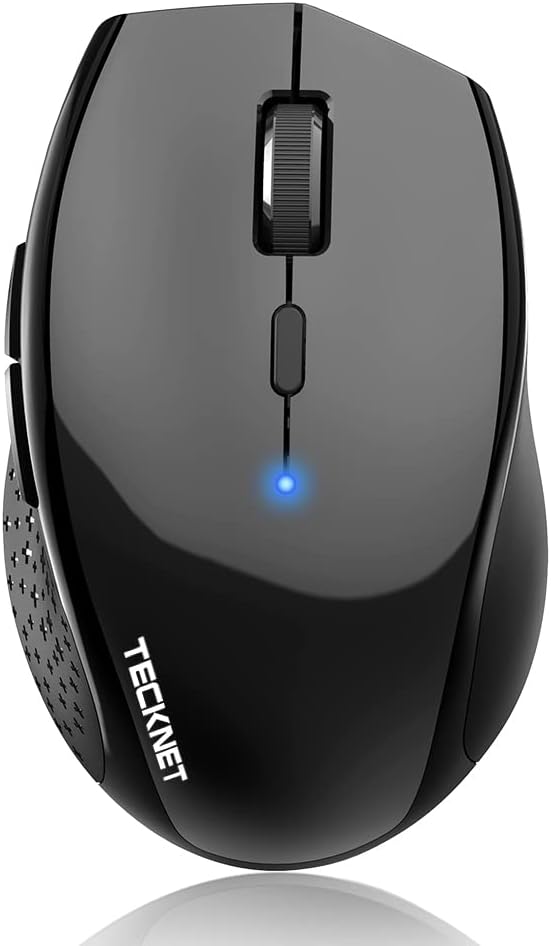
TECKNET Bluetooth Mouse, 4800 DPI Wireless Mouse, 2-Year Battery 6 Adjustable DPI, 6 Buttons Compatible with Laptop/Windows/Computer – Black
Original price was: $16.99.$10.99Current price is: $10.99.
Related Products







From the brand

Computer mouse
Jiggler Mouse
BT & 2.4G mouse
Rechargeable mouse
Bluetooth mouse


6 DPI and 6 Buttons: TECKNET bluetooth mouse (Without a Receiver ) has 4800/3200/2400/1600/1200/800DPI. Six efficient buttons and six adjustable DPI levels that allow you to freely control the wireless mouse speed. Connects directly to Bluetooth-enabled device laptop computer or PC without the need for a receiver. (Please Note: This mouse is Not silent)
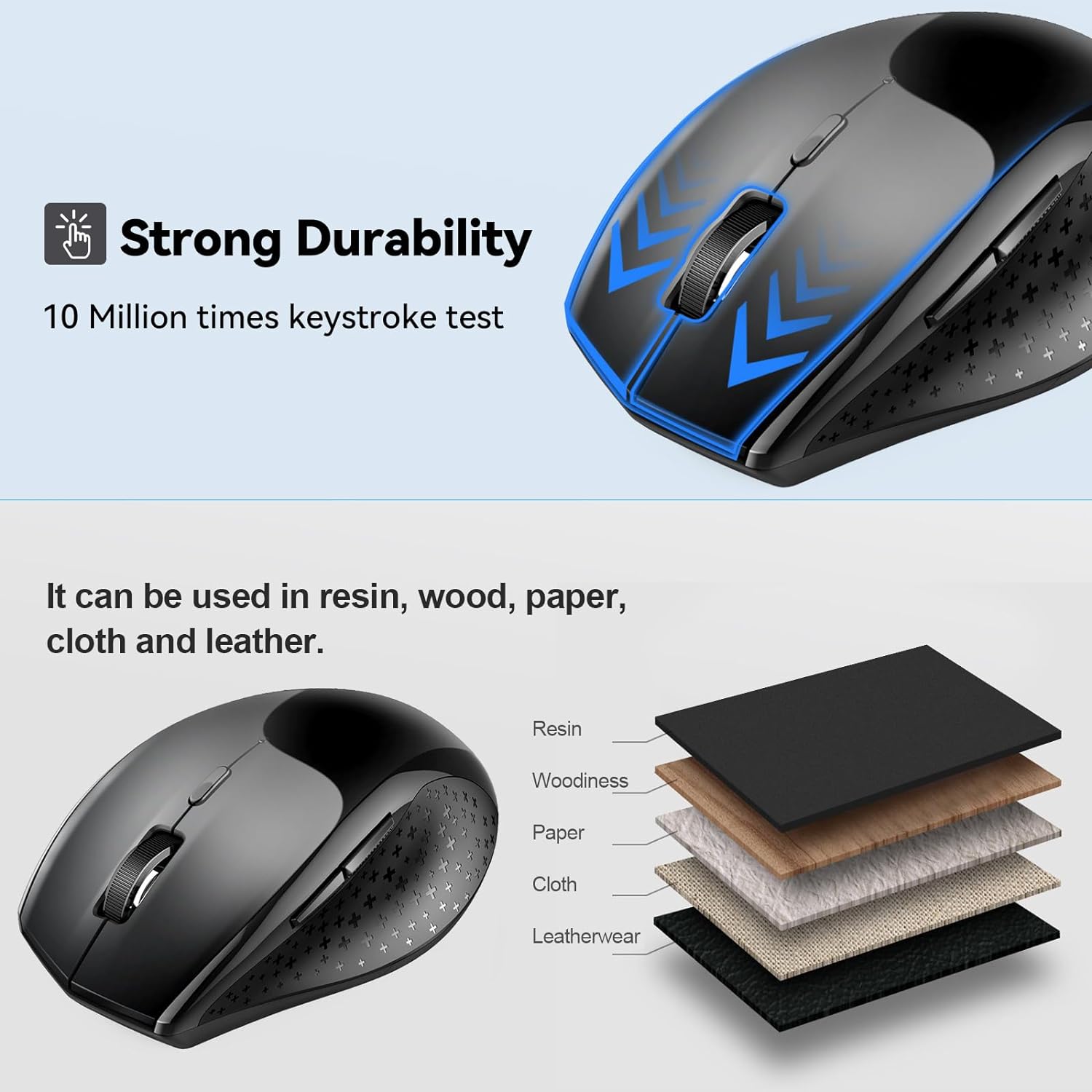
TruWave Technology: The accuracy of TruWave means this wireless mouse works on most surfaces you encounter in daily life. For example: woodines, paper and cloth. And the wireless mouse offers exceptional sensitivity and responsiveness, providing real-time tracking without delay.
Wide Compatibility: TECKNET bluetooth mouse compatible with Windows (Win 11, Win 10, Win 8.1, Win 8, 2003, 2000, XP, VISTA, etc)Suitable for desktop, laptop, PC, MacBook, Chromebook and other devices. (Please Note: Side buttons are not compatible with macOS)
Bluetooth Pairing: 1. Slide mouse switch to Bluetooth 2. Hold pairing button (2-3 sec) until LED flashes. Click “Pairing” on device; wait for “Connected.” (Note: If the mouse is idle for an extended period, it will automatically enter sleep mode. Please click any button to wake it up.)
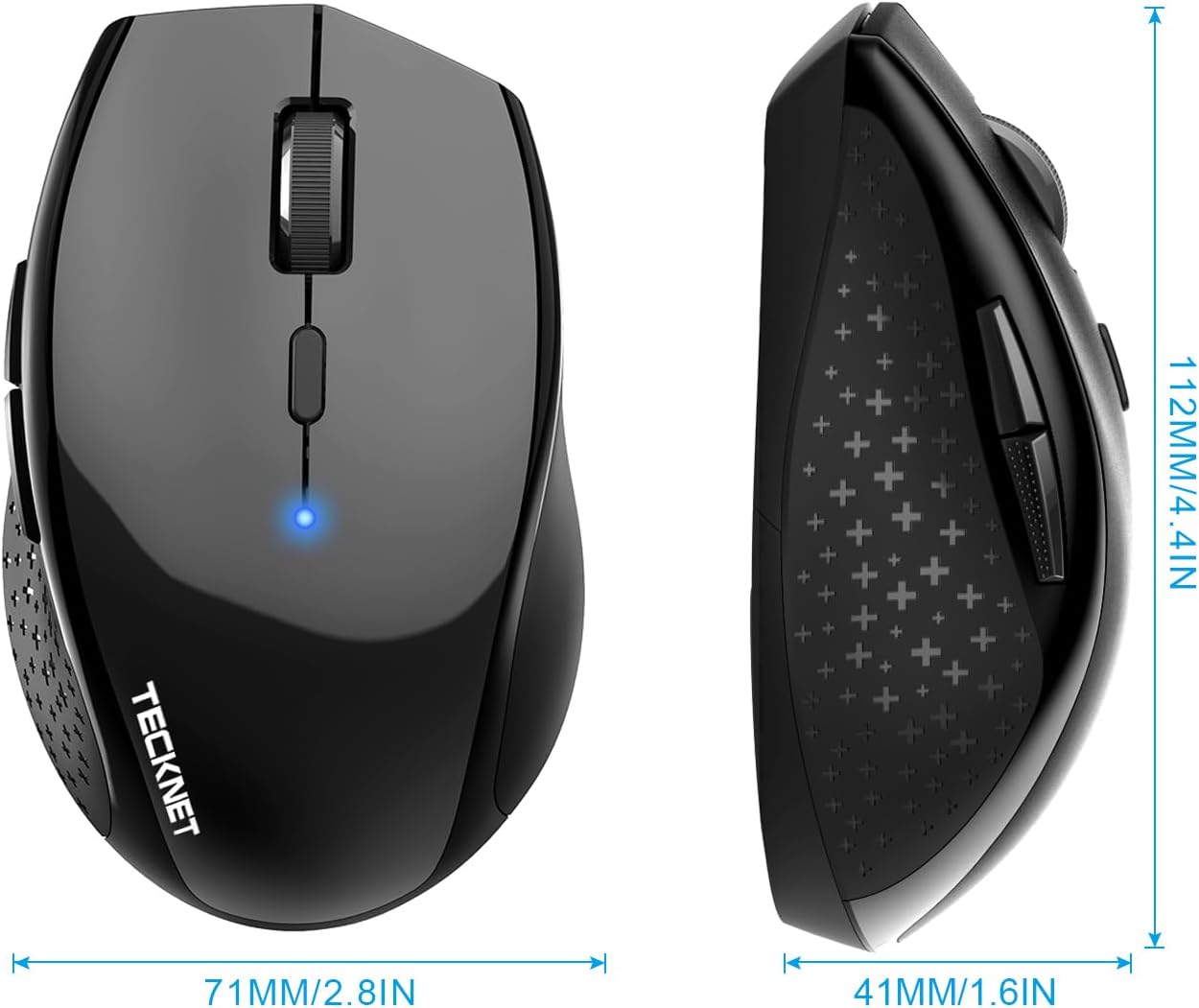
Ergonomic Design: The ergonomic design and soft rubber grip perfect to fit your hand for a comfortable grip while reducing wrist fatigue caused by long working hours. The compact size makes it easy to take with you whether you use your computer at home, at work or anywhere else. (Size: 4.4*2.8*1.6IN/112*71*41MM)
Long Battery Life: TECKNET bluetooth mouse for laptop can up to 24-month battery Life. It takes only 2 AA battery but NOT INCLUDED.
36 MONTHS SUPPORT: If you encounter any problems in using the product, please feel free to contact our professional customer service team, enjoying TECKNET 36 Months Warranty (Registered Only)
9 reviews for TECKNET Bluetooth Mouse, 4800 DPI Wireless Mouse, 2-Year Battery 6 Adjustable DPI, 6 Buttons Compatible with Laptop/Windows/Computer – Black
Add a review

Original price was: $16.99.$10.99Current price is: $10.99.
Loring C –
quality inexpensive mouse, Bluetooth only, catch 22 installation
This mouse works just fine. But beware, to install it to where it works on your PC, you need to open settings>add devices and click on Add new Device. Well, that’s really hard to do unless you have a working mouse… catch 22 unless you have an old wired mouse you can use. But if you are replacing a broken mouse, well… There’s some KB sequences to click on various highlighted screen items but its really laborious.other than that is was easy to connect if you have a working mouse to borrow.Pros: No dongle tying up a USB portCons: set up catch 22, (you practically need a working mouse to install this mouse); your PC must have a working BT port.
Alex Beyer –
Wanted to Turn my Note Pro (12.2″) into a little more than a toy
The price is what sold me on it, but it was the size I was worried about. I don’t have big hands, but I don’t have small hands either (they’re in that annoying in between stage of bigger than average, but smaller than large for an adult male). This mouse is great, though was a pain to pair with android, and I thought it was busted. I ended up testing it on my Windows 8 PC and it worked just fine, then I later figured out how to get it to work on my Android Tablet without any issue. I’ll go into that a little later.Pros:-Not that small, just slightly smaller than my favorite M510 Logitech mouse. It’s the large hump near it’s rear that makes it decent fit for my hands without having to change my grip to something uncomfortable and unusable.-On windows, all the buttons work and did something, again I’ll go into that later.Cons:-None really, the android connection issue is an Android issue that I solved. If I had to pick one, it would be that the printed manual says it has an 8 month battery life as to the 18 that this page claims, kind of a huge difference in time.Android Connection Fix:1st: Connect the device like you would any other. Go into Settings > Bluetooth > Turn it on > Scan. On initial turn on of the mouse it should go into search mode where it should then be discovered by your tablet/phone. If not press the connect button (top middle) on the underside of the device.2nd: Notice how janky the cursor is, that seems to happen every time you pair this mouse for the first time. Turn off your bluetooth, and then on again to kill the connection with the mouse.3rd: When bluetooth is back on, press “Bluetooth 3.0 Mouse” to initiate re-pairing, and on the bottom of the mouse press the connect button to re-establish a link to the tablet. You should notice now that the cursor is smooth and working as it should.Mouse Buttons Functions (Windows):-Orange side buttons = back and forth (top = forward, bottom = back)-Everything else works like it should, right click, scroll wheel/middle click, left click. Works just fine and is very responsive.Mouse Buttons (Android):-Orange (top): seems to not do anything for me-Orange (bottom) and Left Click: acts as an Android “back” button-Right Click: acts like a one finger touch-Scroll Wheel: scrolls between home screens and drawers in launcher, and then normally in apps like Photo Gallery, and Browser-Middle Button: acts like “home” takes you to your launcher, you can also activate the long press “home” feature (which on my Note Pro launches Google Now)Since I’m writing this on my Tablet using/testing a keyboard I don’t know if I can upload pictures from Amazon’s Android App. I’ll do that when I reconnect with my PC and maybe correct any spelling mistakes I might have made but using an external keyboard doesn’t pick up. With that said, I can’t be more pleased with my purchase, after solving that Android Mouse issue. It’s one of those purchases that luckily doesn’t cost much and for me is worth the risk. The manual was in proper English and was rather informative.
Adam –
Great buy for home office/student; or on-the-go travel mouse.
Great little mouse for use on the go or for non-detail oriented usage (such as web browsing, email, etc…). I bought this as a replacement for a Microsoft Wireless Mouse 5000 that had started going bad after about ten years. My primary use of a mouse on this computer is audio and video editing, and some light-weight games from time to time.I found that this was not the mouse for me for daily usage, but is great as my backpack/travel mouse. It’s gets almost daily usage as my on the go mouse at lunch.Overall- This is a great little mouse for everyday usage. If you are using it for your work (web/email/spreadsheets/etc…) or on a student computer it is a great buy. If you are using it for heavily detailed work (such as photo/video/audio editing) I would suggest going with something a little sturdier. I don’t mean this as a knock on this mouse, but as general advice. This is a great mouse for its price point and target.Pros- Nice build quality at the price point- Works out of the box without hassle- Excellent travel mouse- Excellent customer service from the seller. They seem to genuinely care about their customers, which is getting to be a very rare thing these days.Cons- Battery life is shorter than expected. I am a heavy mouse user, and use Duracell Pro-Cell batteries. I am used to a set of batteries lasting 6+ months; but found that these were going dead in under 2 months. To be noted: I am a heavy user, and do not turn the mouse ‘off’ unless it is in a backpack. I am also used to using a wireless mouse instead of bluetooth, and this may just be a difference- A little shorter (length) and taller (height) than I like (subjective) from an ‘ergo’ shaped mouse. It felt a little cramped in my hands during longer use sessions.- A small delay/stutter from time to time. Doesn’t happen much, and would never be noticeable doing daily tasks like browsing/email/spreadsheets etc.Misc- I found that this does work with OSX. It is currently being used with a MacBook Pro running High Sierra. The only issue I have seen is that it will disconnect/reconnect from time to time.
The Grey Elf –
Outstanding, reliable peripheral from a great discount brand
I have to say, TECKNET has become one of my favorite brands for computer peripherals. Their stuff works flawlessly, is easy to setup and use, and is incredibly affordable. I have used this mouse on Windows, Linux, and Atari OS with no problems whatsoever. Scrolling is smooth and functional, and I’ve carried this thing all over the place so I know it’s super durable – it can take a beating. Bluetooth connectivity is smooth, reliable, and consistent. I’m to the point now where between this and the wireless keyboard from them, I’m a convert to TECKNET.
BBT and Bike –
I was looking for a simple Bluetooth mouse for my MacBook Air, and this one has good value and reviews.Mouse size is laptop friendly, the blue tooth set up is very straightforward. Respond of it is also good. Very steable, I had not had to re-Connect my Bluetooth, as soon as I turn it on, my MacBook recognizes it right away, Very happy with the purchase.
ShopSmartReviewer –
I’ve been using the TECHNET Bluetooth Mouse for a few weeks now, and I’m thoroughly impressed! The sensitivity gives me precise control, over whether I’m working. The ergonomic design fits perfectly in my hand, making it comfortable to use for long hours without any strain. It’s incredibly easy to set up with Bluetooth, and the wireless connection is stable with no lag. I also love how portable it is, making it perfect for travel. Overall, this mouse is a fantastic choice for anyone looking for a reliable, high-performance wireless mouse at a great price!
Touhid –
The back and forward button only work while browsing internet. These two buttons do not work in Microsoft apps such as word
Deepak Raheja –
not comfortable not complete product delivered.
Shellie –
I didn’t want to spend a ton on a new mouse for my home office, this had good reviews so I gave it a go. Very happy with the purchase. Connected instantly via Bluetooth, easy to change the speed and a good feel in your hand. It is a bit heavy with the 2 batteries, but I’m not carrying it around the house, and my wrist is not weak…. so I’m not sure why that’s an issue. The only thing is I wish you could customize the side buttons (forward back I don’t use) but if that is a deal breaker, spend the cash on a fancier one. For the price? Great mouse.