
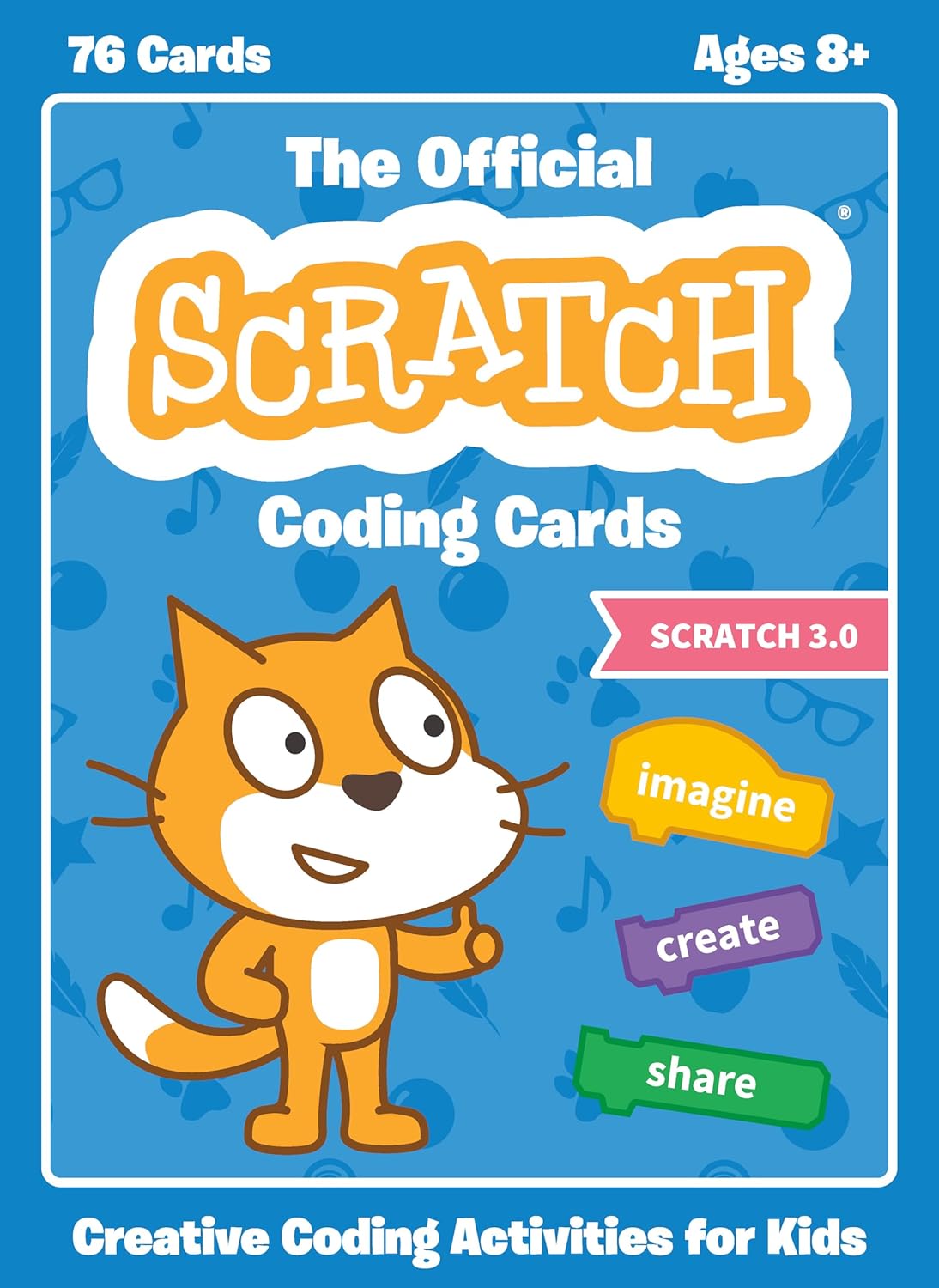
The Official Scratch Coding Cards (Scratch 3.0): Creative Coding Activities for Kids
Original price was: $19.99.$18.52Current price is: $18.52.
Related Products



Kids learn to code with a deck of instructional cards by creating interactive games, stories, music, and animations with Scratch, a popular visual programming language.
Now updated for Scratch 3.0, this 76-card deck features interactive programming projects you can make with Scratch, a free-to-use graphical programming language used by millions of kids around the world. The front of each card shows an activity, like Pong, Write an Interactive Story, Create a Virtual Pet, Play Hide and Seek. The back shows how to put code blocks together to make projects come to life! Along the way, kids learn coding concepts like sequencing, conditionals, and variables.
From the Publisher


‘One of the Best’
“One of the most interesting things about the projects is that in some of them you don’t have to follow the prescribed order. Some of the programs have an end goal you’re working to create, but others just have you experimenting with code and Scratch. This is honestly one of the best ways to do it, as playing about with your code to see different results is a great way to test the limits of what you can do.”
—The MagPi

‘A Great Getting-Started Activity’
“It’s a great getting-started activity, one that you can hand to a child and they can do themselves.”
—GeekDad

‘Hands-On Coding Activities’
“If you are looking for some hands-on coding activities for upper-elementary age kids, this is a great place to start. Some kids are already familiar with the Scratch website for coding, but the addition of the box of Scratch Coding Cards provides a structure that takes them beyond ‘click and guess’ to having a set of instructions that tie the process together.”
—Getting Smart

About the Author
Natalie Rusk is one of the lead developers of Scratch and works as a Research Scientist in the Lifelong Kindergarten Group at the MIT Media Lab. Rusk co-founded The Computer Clubhouse, an international network of after-school centers where young people learn to use new technologies to express themselves creatively.
Who are these cards for? Kids aged 8-12, or younger with parental guidance Parents and educators without any coding knowledge who want to help kids learn to code Parents and teachers who want to help to help kids think creatively and reason systematically
Add to Cart
Add to Cart
Add to Cart
Add to Cart
Add to Cart
Add to Cart
Customer Reviews
4.6 out of 5 stars 293
4.7 out of 5 stars 257
4.8 out of 5 stars 357
4.7 out of 5 stars 36
4.7 out of 5 stars 135
4.4 out of 5 stars 28
Price
$11.21$11.21 $22.12$22.12 $18.52$18.52 $19.95$19.95 $19.95$19.95 $17.95$17.95
Author
Marina Umaschi Bers and Mitchel Resnick Marina Umaschi Bers and Amanda Sullivan Natalie Rusk and the Scratch Team The LEAD Project Max Wainewright Anna Anthropy
Suggested age range
5+ 5+ 8+ 8+ 8+ 10+
User experience level
Beginner Beginner Beginner Beginner Beginner to Intermediate Beginner to Intermediate
Covers Scratch Version
ScratchJr Scratch Jr Scratch 3.0 Scratch 3.0 Scratch 3.0 Scratch 3.0
Description
Hands-on activities introduce young readers to ScratchJr, a visual programming language designed for 5-to-7-year-olds. 75 cards with step-by-step instructions for using ScratchJr to create interactive stories, animations, and games. 75 cards with step-by-step instructions that teach young readers how to code. Best-selling introduction to coding with Scratch. Combines clear instruction with clever comics to teach readers how to make games. 25 full color projects show young coders how to build computer games with Scratch. A playful guide to creating games with Scratch by a professional game designer.
Project examples include:
Animate a cat, build a snowman, and play tag Make a flower grow, play hide and seek, and pick peaches Write an interactive story, create a virtual pet, and play hide and seek Build a soccer game, create an interactive maze, and play music Create mazes, catch snowflakes, gobble up tacos, and dodge donuts in space Build a game map, design animations, and create sound effects for your games
Product description
160 pp. full color book Box of 75 full color coding cards Box of 75 full color coding cards 160 pp. full color book 128 pp. full color book 192 pp. full color book

About the Publisher
No Starch Press has published the finest in geek entertainment since 1994, creating both timely and timeless titles like Python Crash Course, Python for Kids, How Linux Works, and Hacking: The Art of Exploitation. An independent, San Francisco-based publishing company, No Starch Press focuses on a curated list of well-crafted books that make a difference. They publish on many topics, including computer programming, cybersecurity, operating systems, and LEGO. The titles have personality, the authors are passionate experts, and all the content goes through extensive editorial and technical reviews. Long known for its fun, fearless approach to technology, No Starch Press has earned wide support from STEM enthusiasts worldwide.
Publisher : No Starch Press
Publication date : May 28, 2019
Language : English
Print length : 76 pages
ISBN-10 : 1593279760
ISBN-13 : 978-1593279769
Item Weight : 1.81 pounds
Reading age : 7 – 10 years
Dimensions : 5.55 x 1.5 x 7.52 inches
Part of series : Scratch
Grade level : 2 – 5
Best Sellers Rank: #71,383 in Books (See Top 100 in Books) #13 in Children’s Programming Books #15 in Game Programming #92 in Children’s Books on Computer Entertainment & Games
Customer Reviews: 4.8 4.8 out of 5 stars (357) var dpAcrHasRegisteredArcLinkClickAction; P.when(‘A’, ‘ready’).execute(function(A) { if (dpAcrHasRegisteredArcLinkClickAction !== true) { dpAcrHasRegisteredArcLinkClickAction = true; A.declarative( ‘acrLink-click-metrics’, ‘click’, { “allowLinkDefault”: true }, function (event) { if (window.ue) { ue.count(“acrLinkClickCount”, (ue.count(“acrLinkClickCount”) || 0) + 1); } } ); } }); P.when(‘A’, ‘cf’).execute(function(A) { A.declarative(‘acrStarsLink-click-metrics’, ‘click’, { “allowLinkDefault” : true }, function(event){ if(window.ue) { ue.count(“acrStarsLinkWithPopoverClickCount”, (ue.count(“acrStarsLinkWithPopoverClickCount”) || 0) + 1); } }); });
13 reviews for The Official Scratch Coding Cards (Scratch 3.0): Creative Coding Activities for Kids
Add a review

Original price was: $19.99.$18.52Current price is: $18.52.
Amazon Customer –
Kid Friendly
These cards are colorful, sturdy, and kid friendly. My 8 year old learned how to do a lot of different tasks using these cards. Step by step and fun!
Gillian P. –
Great product.
My kid lovesssss these. It really kicked off her learning in coding.
TK –
Exactly as described!
Exactly as described!
Amazon Customer –
Kids felt empowered
After a sessions getting couple elementary aged youth introduced to these cards, they were able to follow and understand them well. Also, these cards were made of good quality material and quality printing.
Sharon C. –
Kids love them
Would like them to have more of a laminate coating. I see these getting worked over. I don’t want to laminate them because it costs so much time and money. But great product for the class.
DC –
Great way to start
Easy to follow cards that got my 8 and 10 year old grandkids excited about coding. Also allowed the to start experimenting and following up on “what if” questions.
Duki –
Coding first steps
Great for beginners. Step by step into the coding world. Then the sky is the limit…
Donnalish –
Very basic and giid
My nine year old does scratch and he likes these. They’re good for beginners.
Stanislav Dimitrov –
I recently got the Official Scratch 3.0 Coding Cards and they are really good quality – sturdy, colorful, and beautifully designed with clear instructions on every card. The deck feels premium and holds up perfectly to enthusiastic kid handling.
Paul –
Zeer handige kaarten voor Scratch. Zoontje pakt ze er geregeld bij om de aparte onderdelen te bekijken en te testen erna. Fijn dat ze zo groot zijn.
Damion Perkins –
Fantastic for use in a small group computing lesson in school! Good quality cards with clear instructions and videos
Luke –
Great item, however my son was able to locate the PDF version online before I could give him. 🙁
Teacher –
Bought these to use whilst covering classes.