


Thrustmaster Sol-R1 Flight Joystick, Hall Effect Technology for Ultra-Precise Gaming, 44 Buttons Ideal for Space Flight Simulation (compatible with PC)
Original price was: $199.99.$184.99Current price is: $184.99.
Related Products



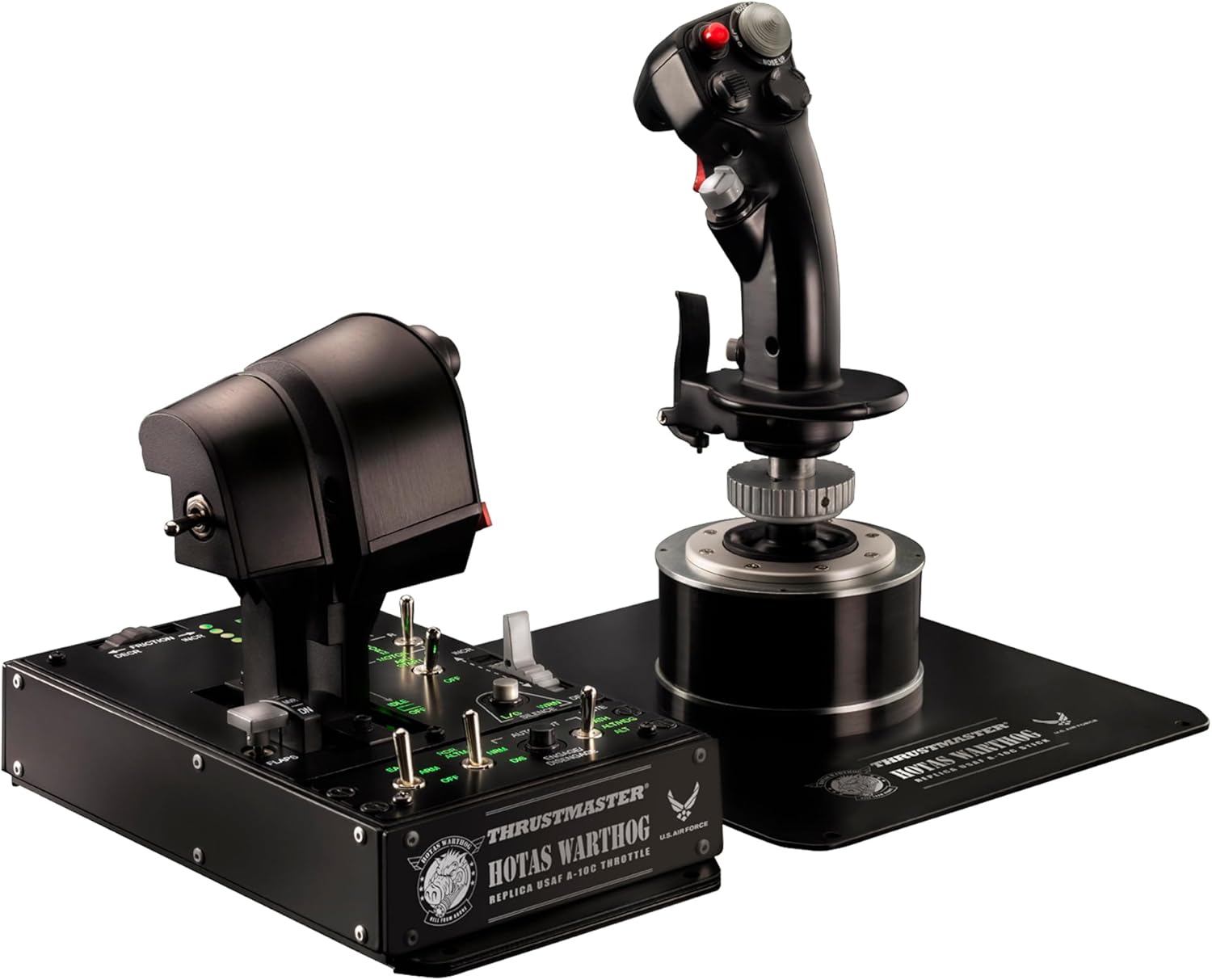


Space is yours with the Sol-R 1 Flightstick, engineered to help you make your mark in the galaxy! Get ready for an out-of-this-world experience with this precise, ambidextrous joystick as you engage in epic battles and cosmic adventures. Its 3 axes of movement (X, Y and Z) along with 5 virtual axes (thumbwheel, throttle, ministick) make it easy to skillfully navigate your spaceship. The Sol-R 1 Flightstick’s versatile controls include buttons, switches, triggers (1 dual position trigger) and a hat switch, which allow you to execute up to 44 actions effortlessly. Make your mark with this iconic design and backlit joystick. Take your setup to the next level: The Sol-R 1 Flightstick is compatible with the AVA base,* and the Sol-R base is designed for compatibility with current* and future* Thrustmaster grips. (*sold separately).
THE PERFECT JOYSTICK TO CONQUER THE STARS: 1 detachable ambidextrous grip and a base including a central throttle, totaling 44 action buttons (Windows 11/10).
MULTI-FUNCTION FLIGHTSTICK: 21 action buttons on the flightstick including 2 triggers, 2 hat switches, 1 ministick and 1 thumbwheel.
AXIS ACCURACY: X, Y and Z axes with H.E.A.R.T. (HallEffect AccuRate Technology) 16-bit accuracy.
AMBIDEXTROUS AND COMFORTABLE GRIP: Interchangeable wrist rest and thumb rest, stability supports for the base.
ICONIC DESIGN: Backlit joystick with design inspired by the greatest science-fiction blockbusters.
ECOSYSTEM COMPATIBLE: The grip and base are compatible with the Thrustmaster ecosystem.
The Sol-R 1 Flightstick’s versatile controls include buttons, switches, triggers (1 dual position trigger) and a hat switch, which allow you to execute up to 44 actions effortlessly.
8 reviews for Thrustmaster Sol-R1 Flight Joystick, Hall Effect Technology for Ultra-Precise Gaming, 44 Buttons Ideal for Space Flight Simulation (compatible with PC)
Add a review

Original price was: $199.99.$184.99Current price is: $184.99.
Aunchient Pistol –
Awesome Space Flight Stick
Okay so I love this stick. First of all, just LOOK at this stick compared to other sticks on the market. There’s nothing like it. This is what you want if you’re flying a spacecraft.Yes, there is assembly out of the box, and at first you freak out because you have a bunch of plastick bags with little pieces you don’t know what they are and the pieces of paper included in the flight stick are things to scan with your phone. Like all men. I don’t really like to read instructions and ignored this. So the first impressions are a little rough because immediately your mind is going to “what am I going to have to do to assemble this”. thankfully when you open there are little diagrams that show you – it’s trivial. The little pieces are optional stablizers that are not gonna be needed in 99 percent of setups and you just need to make sure you orient the stick forward – the way that it makes sense to, before you carefully insert the stick into the base (it has a connector looking something like a small proprietary ps2 keyboard connector from back in the day and small pins, so be careful). Then you just rotate the metal screw until it’s just tight and you’re good to go. Nothing to it.I took a risk on this stick because I’m using it with FreeSpace Open via Knossos.NET on an iMac. Needless to say, this is not supported. So I wasn’t sure if anything would work or if some buttons and features wouldn’t work.What doesn’t work is some colors on the keypads, whatever their windows software does and the 02 light doesn’t light, I don’t know if this is software or not because I don’t care; out of the box this is HID recognized and I can use Freespace Open’s settings to mapp all but 3 of the controls (over 30) which is incredible. The 2 red buttons and spin wheel weren’t recognized, so I used third party free app. Enjoyable to map those to keyboard actions and solved it. So I can use ALL controls for Freespace open !!! on a Mac !!! Unsupported, but I’m posting this to let folks know.This really stepped my game up. I was using a well regarded Logitech 3D Extreme, but the twist axis was used so much it was making the handle of the joystick start to split, and it wasn’t a modern hall effect but potentionmeter so I wanted to upgrade. IMMEDIATELY I’m using all the features, the lovely feeling toggles to cycle through ships, the two different types of switches at the bottom for missile backs and weapons systems and the blue light up buttons for calling wingmates and for shield and system management. This is MUCH faster that looking for the damn “What was that, alt-M ?” where’s alt ?” that I was doing before. It’s much nicer and makes you feel more like you are in a spaceship.So… I have to give 5 stars. Yeah I lose some colors and lights, but who cares, al the buttons work and it looks incredible lit up in the default mode on the desk. Incredible.Kinda pricey at 200 bucks but for me I’m keeping it. It’s also very smooth and precise no issues. I didn’t feel the joystick was made that much worse than the base, Feels solid. There are way more expensive joysticks out there, you have to keep in mind the price point.The only thing I didn’t like is the little button on the bottom, I didn’t map it as I felt it was too easy to hit (was using it for countermeasures until I mapped the second red top button).All in all, Super cool looking stick – it’s Futuristic, Spacey and for Space games like Star Citizen ( I don’t play anymore ) or Freespace Open it’s gonna be perfect.
Blarney77 –
Good HOTAS Replacement for the T16000 Stick – Till it broke!
I have had this for a few weeks, so i cannot speak to longevity. But so far, as an avid Elite Dangerous player, This has been Excellent! My ONLY complaint MIGHT be that the Twist take a bit more force than I am used to with the T16000 stick. But that was just an adjustment. I love button placement, That I can Color Code 8 of the buttons and the “paddle” buttons are well placed. Far more buttons, I’m not even using them all… YET. I’m sure if I get back into Star Citizen I will have buttons for the insane level of bindings for that one. Centers very well without drift.UPDATE! So, After 6 weeks of using this a lot, the RX (rudder) twist on the stick has gone bad. The sensor/resistor inside the vertical handle of the stick barely moved to the left… and a bit too much to the right with a HUGE dead zone going left. I WILL likely get another to replace this, I Do like this stick, but of course it has to work. Amazon has been great about replacing it. IF I get another SOL-R1, I will update later.
J. Glessner –
Good sticks, excellent buttons
These were very easy to get setup and started with. The number and variety of buttons and switches makes them adaptable to pretty much any game, but I’m primarily using them for Star Citizen.The initial quality impression is very high. They are heavy bases with sturdy plastic grips and a metal connection. The spring tension feels great and very linear. They have a pretty far ‘throw’ in X and Y compared to other sticks I’ve tried. The Z twist feels comfortable to get from +/-100% without wrist fatigue and still gives pretty fine control. I use twist for forward/aft thrust and roll and have no issues maintaining precise control.The buttons on the grips are spaced out quite a bit – maybe even too far if you have smaller hands – but I find everything reachable without changing grip position.The buttons and encoders on the bases are where the SOL-R system really separates itself. They are DJ quality button pads and so satisfying to use. Not mushy, no mishits on corners or double presses. The encoders can be set to behave as buttons or as an axis in the software, which helps adapt to different games or needs.The bases are sturdy and I do not find the included extenders necessary to keep them stable on my desk. The individually addressable RGBs on the buttons are also nice to have although I’m only using them decoratively for now.I’ll report back if I have any durability issues, but so far so good.
Scott –
I’ve been using these for a little over a week now in Star Citizen. They have been great so far. It is almost overwhelming the amount of usable buttons. The sticks feel a lot more solid than the older T16000Ms, and with the hall effect sensors for X Y and Z axes, hopefully no more stick drift like the T16000Ms. I can’t say how they stack up against other sticks on the market since I’ve only used the T16000Ms, but I’m enjoying them. On YouTube, TheNOOBIFIER1337 has a great in depth review.
James D K. –
Excellent flight stick! Great configuration capabilities and smooth action. 10/10 would recommend to anyone looking for a flight stick
Étienne –
they feel great but they have issue.. It keep changing # in SC on the Right Joystick so i have to redo my binding between every session or lshift is added so i still have to redo my binding. i dont know what is causing that and its quite frustrating to the point that im thinking about returning them and keep rolling my t16000…Edit: after a while i manage to fix my issue. I had another one. The deadzone on some axes keeped incresing. I had to reset to default axes with a combination of input i found on reddit. It fixed the issue. But overall after all of this they work very well and im happy with my purchase
Steve Broadhead –
Looks well made… has weight to it, not cheap.Haven’t assigned all the buttons yet, which is great…most default to some function in StarCitizen space game anyway.I use the Sol-R1 as a left flight stick. If I need to replace my right stick (VBK) I’d buy another one of these Thrustmaster Sol-R1 units.You can buy a pair under model name Sol-R2.
David –
Nice joysticks with okay control . Not the best but better than the 16000