

Thunderobot Zero 16 i9 4080 Gaming Laptop, 16″ QHD+ 240Hz 2.5K Display, 14th Gen Intel Core i9-14900HX, GeForce RTX 4080, 32GB DDR5 RAM, 1TB SSD, RGB Backlit Keyboard, Wi-Fi 6, Windows 11 Home, White
Original price was: $2,199.00.$1,849.00Current price is: $1,849.00.
Related Products






Product description

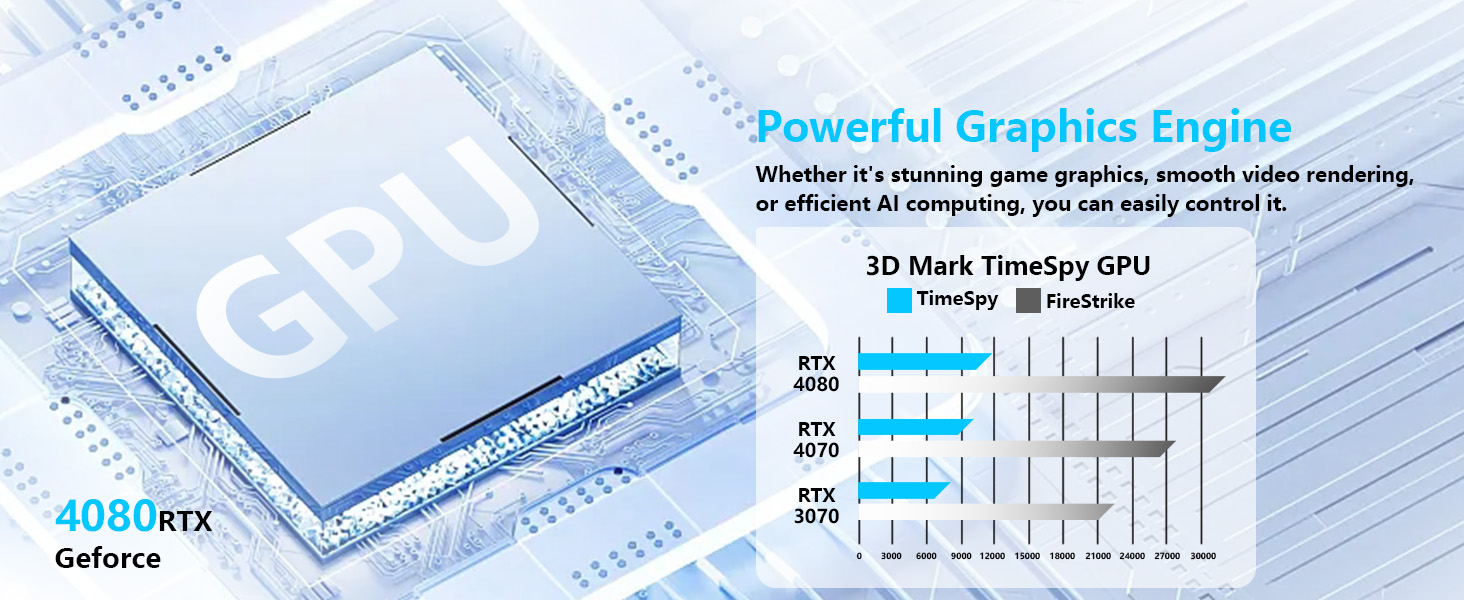

1 GPU
2 CPU
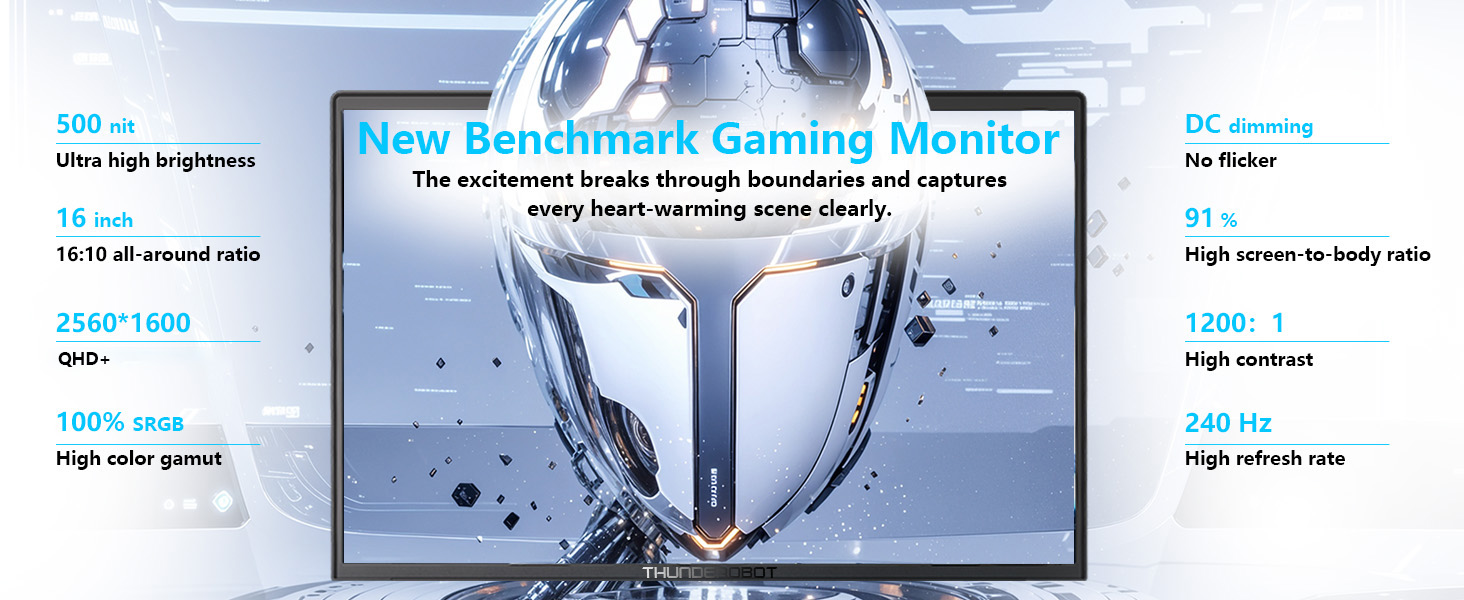


1 UItimate Display
2 RGB Keyboard
3 Audio & Mic
4 Connectivity
5 Wi-Fi


1 Advanced Cooling
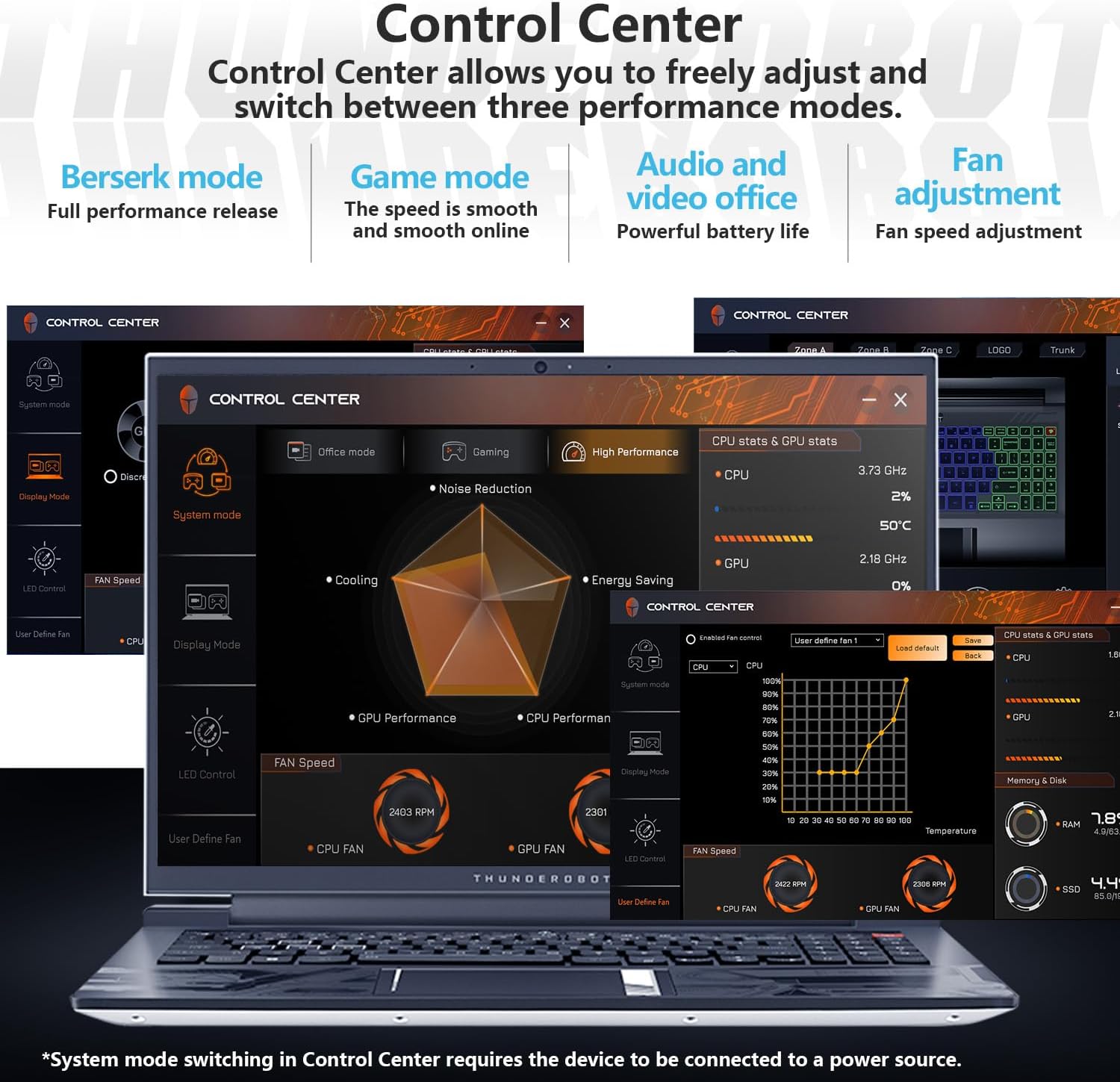
2 Control Center
3 Durability Tests

When do I need the dedicated GPU, and how do I switch between integrated and discrete graphics?
For gaming, creative work, or high-performance tasks, we recommend using discrete GPU mode. Some models also require it to enable the highest refresh rate. Switch via BIOS or Control Center. A restart is usually needed for the change to take effect.
Can I customize my laptop settings?
Yes. You can customize performance modes, keyboard lighting, display settings, and fan control through the Control Center. Some models support per-zone/per-key RGB Customization. When switching system modes, ensure the device is plugged in.
Is it normal for the fan to get loud during gaming?
Fan noise during gaming or heavy use is normal—it’s the cooling system working to maintain stable performance. You can switch between Office, Gaming, and High-Performance modes or set a custom fan curve via the Control Center.
How is battery life optimized on this laptop?
Battery life varies by model and usage. Thunderobot laptops focus on performance with powerful GPUs, cooling, and vivid displays. For gaming or creative tasks, please plug in. For longer battery life, use Office Mode and turn off the discrete GPU.
What should I do if I have a problem while using the computer?
If you have any questions about the product, setup, performance, or usage, feel free to contact pconline with your order number. Our support team will get back to you as soon as possible to help resolve the issue.
[Rapid Memory & Storage: Instant Access, Zero Delays] Experience unparalleled performance with 32GB DDR5 RAM and a 1TB PCIe M.2 SSD, delivering lightning-fast speed and massive storage in a sleek, futuristic design.
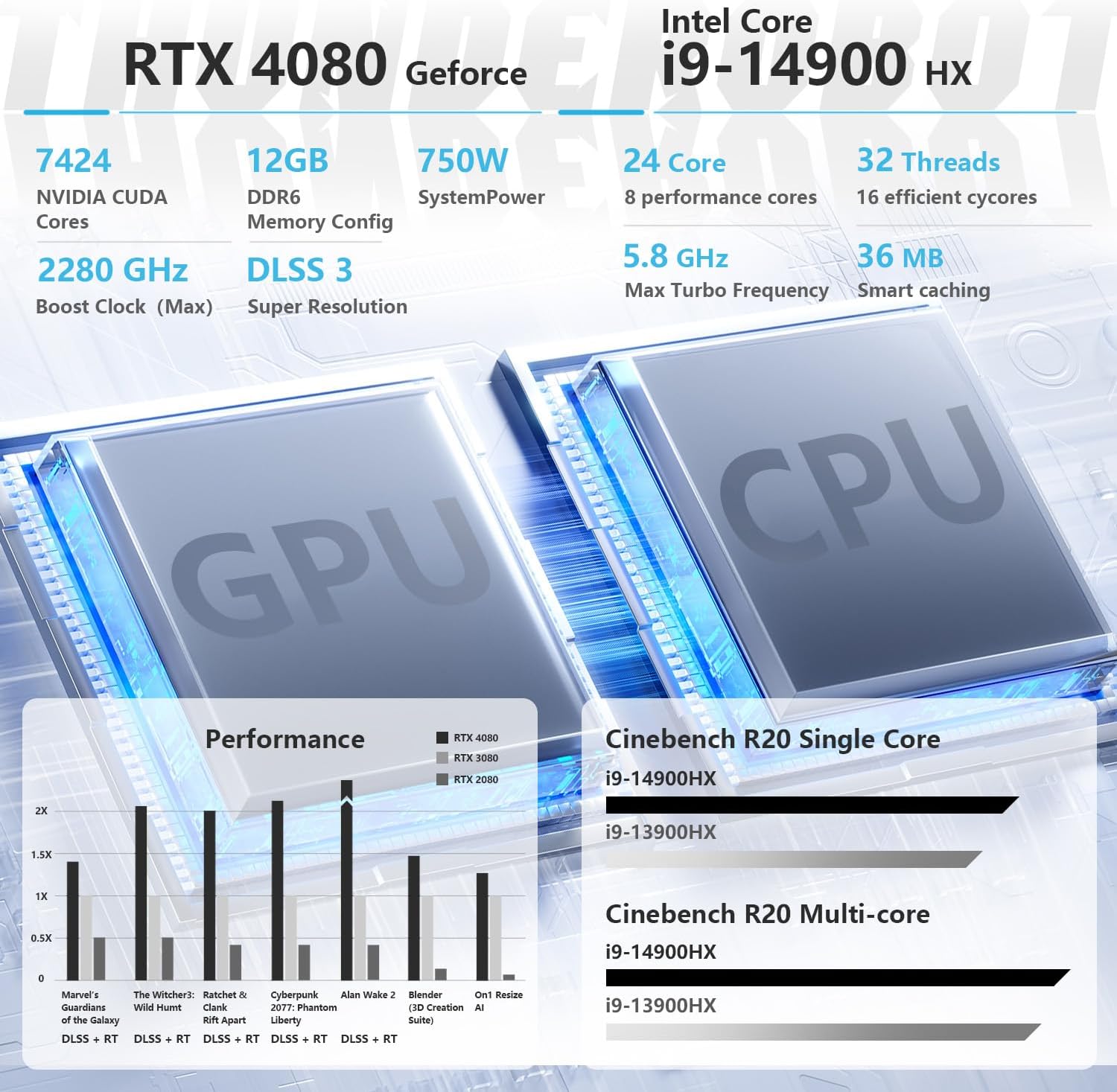
[AI-Driven Power: Ultimate Performance & Graphics] Intel Core i9-14900HX Processor (24 Cores, 32 Threads, 36MB Intel Smart Cache, Base at 1.6 GHz, Up to 5.8 GHz Max Turbo Frequency), with NVIDIA GeForce RTX 4080(12 GB GDDR6)
[Ultra-Crisp Display: Precision in Every Frame] 16″ QHD+ (2560×1440) Ultra-Crisp Display, 240Hz ultra-high refresh rate with pro-grade color accuracy for a seamless gaming and creative experience.
[Next-Level Connectivity: Speed Without Limits] 3 x USB 3.0 Type-A, 1 x USB Type-C, 1 x HDMI, 1 x RJ45, 1 x headphone/microphone combo, 1 x Mini DP 1.4, Webcam, RGB Backlit Keyboard, Wi-Fi 6 and Bluetooth
[Precision-Crafted Excellence] The 16-inch gaming screen combines sleek, futuristic design with robust durability, offering immersive visuals, enhanced cooling, and superior audio. Its portable form ensures a seamless, high-speed gaming and multimedia experience, blending aesthetics with cutting-edge performance.
[Thunderobot] Established in 2014, is dedicated to creating products for the ultimate user experience for every user. Trusted by over 20 million users globally, Thunderobot aims to evoke every gamer’s full potential and crystallize any pro play in the game from the concept
5 reviews for Thunderobot Zero 16 i9 4080 Gaming Laptop, 16″ QHD+ 240Hz 2.5K Display, 14th Gen Intel Core i9-14900HX, GeForce RTX 4080, 32GB DDR5 RAM, 1TB SSD, RGB Backlit Keyboard, Wi-Fi 6, Windows 11 Home, White
Add a review

Original price was: $2,199.00.$1,849.00Current price is: $1,849.00.
Alexander –
Perfecta
Hermosa y poderosa máquina me encanta su apariencia y su rendimiento es impecable
Carlos Gonzalez –
Fast, quick but a little noisy
Things i liked:Very quick processorGood size screenHigh Quality aspectConnects to 2 monitorsFast video cardThings I don’t like too much:The position of the zero key instead of the period key in the numeric keyboard (maybe is a matter of time)Not enough battery (2 hour max)A little loud noise when ventilating (you can’t use it next to your sleeping wife)
Will3000 –
Buen producto puede mejorar
Tengo la version RTX 4080, i9 HX, 32GB ram, es bastante buena y hasta cierto sentido estable, el único problema que he tenido es con el cargador que me ha fallado después de un año de comprarla. También hace bastante ruido así que compraste unos buenos cascos de ahí todo bien.
patricia wilson –
Zero documentation and you have to manually download and install the nessesary drivers
I ordered this laptop because of the absolutely gorgeous specs. However, it came with zero documentation and I had to go to the thunderobot website to download and install the nessesary drivers which thank God didn’t brick my laptop. And the contact us button on their website is broken so there’s no support available even though it says 24/7 support is available. I found an email address for the company and I emailed them a slurry of questions and I’ve yet to hear back from them. I had to use CPU-Z just to find how many mhz the ram operates at so that I can accurately/safely upgrade the ram. For being a high end laptop, I feel like they skimped just a tad on the cooling system as well. The fans are quite loud but still effective
Joshua Gonzalez –
Honest review
So I don’t know computers that well got it because the parts looked like it was a solid set up especially at the price. If the sound of a cooling fan on an old car bothers you be ready because the fans are loud but it keeps it cool if you keep them on. I play high graphic games and it plays well and stays cool with the fans on manual full blast. I recommend for headphone users not for speaker users.