

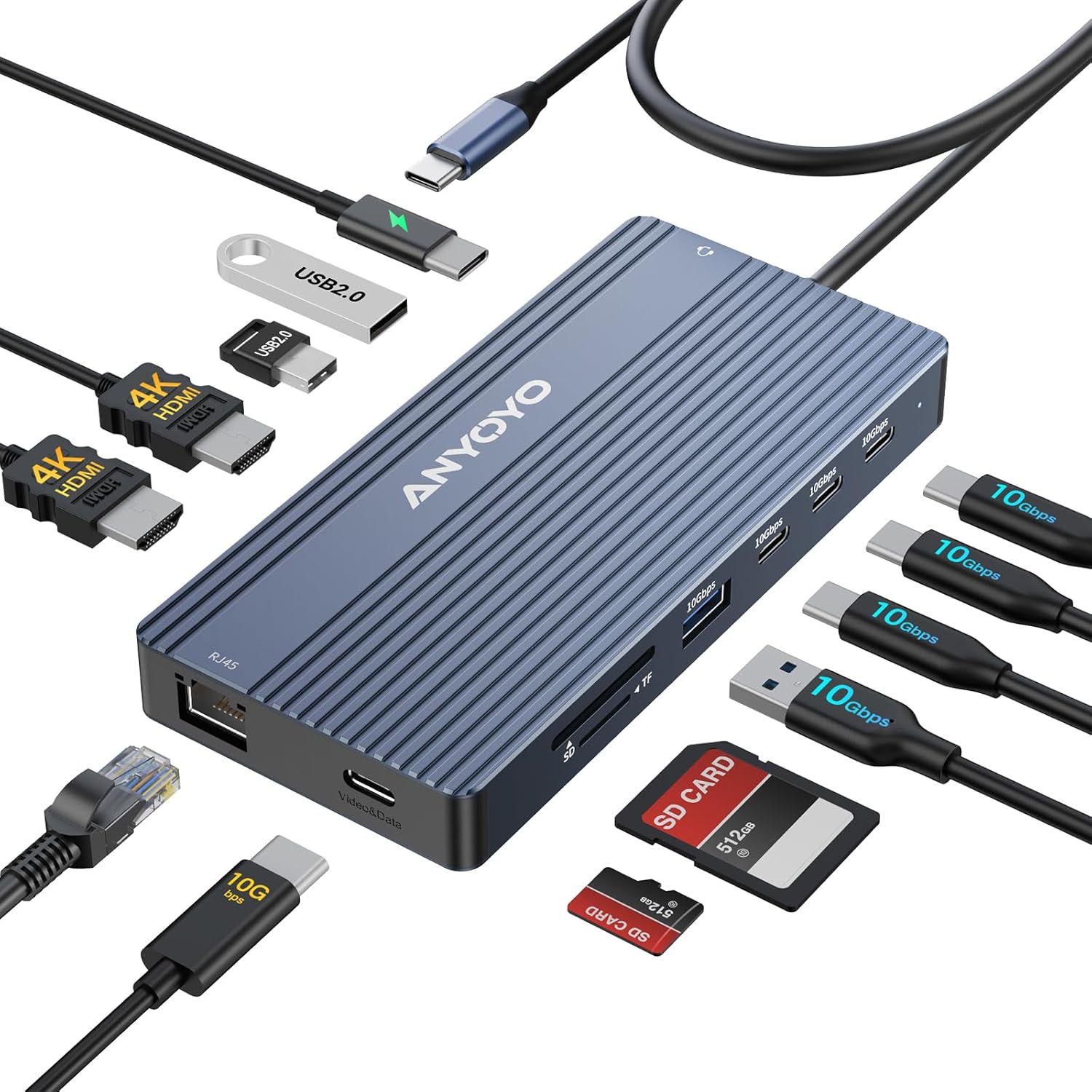
USB C Docking Station, 14 in 1 USB Hub for 3 Monitors, Dual 4K@60Hz HDMI & USB-C Video, 4xUSB-C(10Gbps), 3X USB-A, Ethernet, SD/TF & 3.5mm Audio Jack – Multiport Adapter for Laptop/HP/Dell/Lenovo
Original price was: $64.99.$59.99Current price is: $59.99.
Related Products








Product description


1 4K60Hz
2 One Dock
3 Three Displays


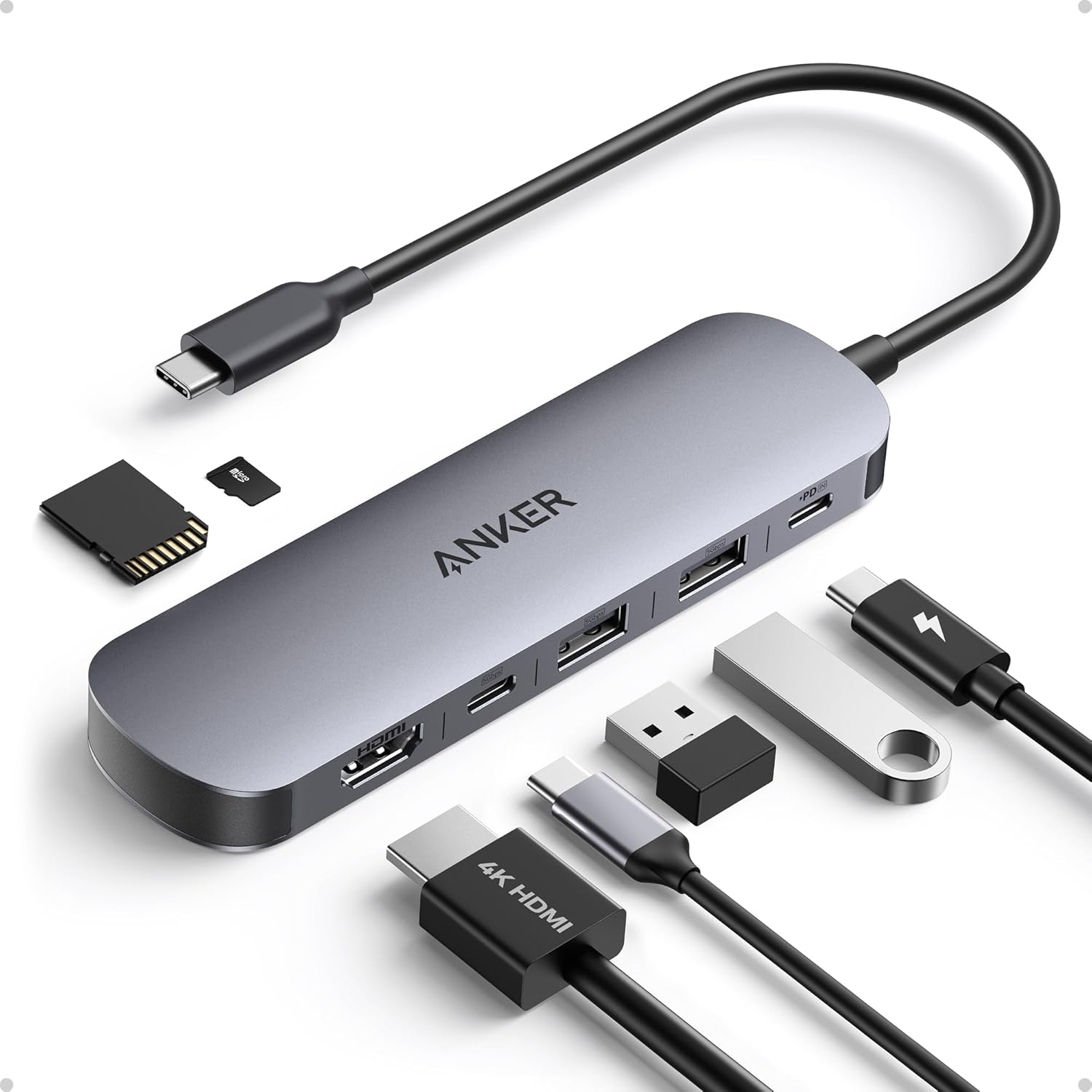
14-in-1 USB-C Docking Station Triple Monitor: This USB-C hub features 2 HDMI ports & 1 USB-C video port supporting 4K display and data transmission, 4 USB-C ports (10Gbps) + 3 USB-A ports, USB-C PD port (100W input), Gigabit Ethernet 10/100/1000Mbps network, SD/TF card readers, and a 3.5mm audio/microphone combo jack. It integrates multiple functions into one convenient device.
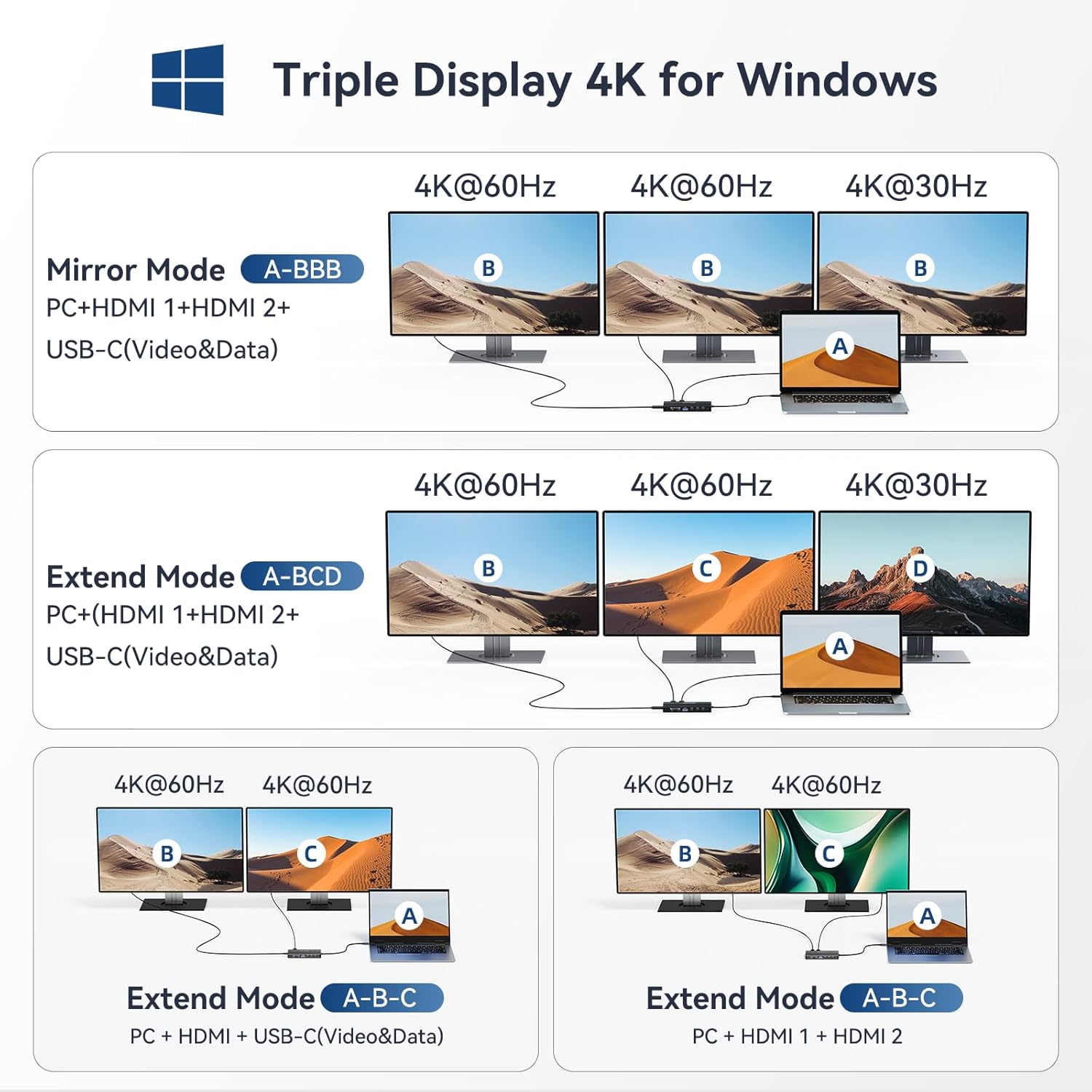
Dual and Triple 4K Monitor Setup: This docking station easily enables dual and triple display configurations for Windows systems. Each single HDMI port supports up to 4K@60Hz, and the USB-C Video port also delivers up to 4K@60Hz. When two monitors are connected, the resolution reaches dual 4K@60Hz. For triple display setups, the output configuration is 4K@30Hz. On Windows, it supports both mirroring and extended modes (displaying 3 independent screens). Please note: macOS only supports mirror mode (SST).
10Gbps High-Speed Data Transfer: Equipped with a total of 7 USB ports—including 4 USB-C (one of which supports video transmission) and 3 USB-A—all delivering speeds of up to 10Gbps for lightning-fast file transfers in seconds. The built-in SD/TF card readers allow you to quickly import and access photos and videos directly on your laptop.
Gigabit Ethernet and Audio/Mic: This universal USB-C hub integrates an RJ45 port that supports 10/100/1000 Mbps Gigabit Ethernet for stable wired internet connections. It also features a 3.5mm audio/microphone combo jack compatible with headphones, microphones, or external speakers for both audio input and output.
100W Pass-Through Charging: This hub supports pass-through charging up to 100W, allowing you to charge your laptop through the hub while in use. The input power required is 85W, with 15W reserved to power the hub and all its connected peripherals. Please note: This device does not charge external monitors or displays. A separate power adapter is required to enable pass-through charging.
4 reviews for USB C Docking Station, 14 in 1 USB Hub for 3 Monitors, Dual 4K@60Hz HDMI & USB-C Video, 4xUSB-C(10Gbps), 3X USB-A, Ethernet, SD/TF & 3.5mm Audio Jack – Multiport Adapter for Laptop/HP/Dell/Lenovo
Add a review

Original price was: $64.99.$59.99Current price is: $59.99.
Ricky –
This dock has everything you need
This isn’t the most aesthetic looking USB C docking station but it offers a ton of connectivity and it’s perfect for converting your laptop, tablet, handheld gaming device or even phone into a multi tasking powerhouse.I use this docking station primarily with my windows 11 ultra book for a work at home setup and my Lenovo Legion Go for multi monitor gaming. The dual HDMI 4k 60hz ports work well to drive my two monitors, one is a 3440×1440 100Hz and the other is a 1920×1080 240Hz and they both work flawless on this dock at the same time at their full native resolution and refresh rates while running multiple peripherals and USB devices simultaneously. Both of my devices charge via USB C at 65w and running a 100w PD USB C power to this dock I can confirm it charges my devices just fine.Build quality is solid and I appreciate the USB C cable coming from the dock is a decent length, enough length to plug into the top port of my legion go while the device is upright on it’s kickstand and allow the dock to still sit flat on the table although some rubber feet would have been nice so there’s less risk of this dock scratching up your desk.Overall it’s a good value. The dock does what it says and it packs a lot of functionality into one device.
Photoid –
🖥️ A Versatile Docking Hub That Brings Real Order to a Multi-Monitor Setup
🔌 First impressionSome docking stations look impressive on paper but feel overcomplicated in use. This one takes the opposite approach: plenty of ports, clear labeling, and a layout that actually makes sense when you start plugging things in. It’s a compact box that quietly handles a lot of work.⭐ What stands outThe highlight is the video support — dual 4K@60Hz HDMI plus a USB-C video port gives you flexibility for a clean three-monitor setup. For laptops with limited output options, this feels like a genuine upgrade.Four USB-C ports at 10Gbps and three USB-A ports keep external drives, SSD enclosures, cameras, and peripherals running without bottlenecks.Ethernet is stable, SD/TF card slots read quickly, and having a 3.5mm jack on the dock is surprisingly convenient when switching between headphones and speakers.In everyday use, the station behaves predictably: no random disconnects, no strange screen flicker, no “why isn’t this monitor waking up today?” moments — a big plus if you use multiple displays for work or editing.🧩 Room for improvementThe housing gets warm under heavy load, especially when driving multiple monitors and transferring large files at the same time. A slightly more robust cooling design would make it feel even more reliable during long sessions.🖱️ Bottom lineA capable, well-organized docking station that handles multi-monitor setups and fast data connections without drama. If your laptop needs more ports than it came with — and you want a cleaner desk instead of a cable jungle — this hub does its job quietly and effectively.
NiemenZ –
Overkill, but in the best way
There is just way too many ports on this one device to truly be used at any one time, but having the option for just about everything in one place is great. This does provide at least 85w of Power Delivery passthrough via its port, and the HDMI port works great for connecting the Mac to the TV. I’m also glad for the old-school headphone jack, as my work laptop still has me using wired connections while on travel and being able to swap my wired headset over to the Mac is excellent.The only issue I found was that having one too many USB ports going at once starts to cause some slowness, but there is only so much bandwidth the dock can handle so it’s not a major fault. Also, the outer shell of the hub feels a bit cheap and could do to be a little more durable or heavy.Overall this is still a great value if you need multiple options for port connections on a Mac-compatible dock.
soulnull –
A shockingly inclusive dock
So the first thing I noticed is the build quality. It’s a nice brushed aluminum feel, and it’s light but substantial, if that makes sense. It’s lighter than you’d think based on the size and rigidity, but doesn’t feel cheap.I plugged it in and connected peripherals. The ports are snug but not overly so. Some cheaper devices feel sloppy or “dirty” when plugging things in, where it almost feels like you’re going to break something plugging it in. This doesn’t. It pulls off that delicate balance between being too snug and feeling gritty vs just feeling secure.The amount of ports and options is staggering. This can absolutely mimick most desktop requirements with ease. HDMI, SD/TF, USB-A, USB-C, RJ45, 3.5mm, it has a ton of options.I used this on a phone and a desktop, and power passthrough worked just fine. It didn’t get hot, a touch warmer than ambient, but nothing at all alarming.File transfers were effectively as quick as natively plugging in.This is a solid little dock, no complaints so far. I’ve had others that are temperamental with what is plugged in where and when, and no such issues with this. It was plug and play and I didn’t have to think about it.Recommended.