

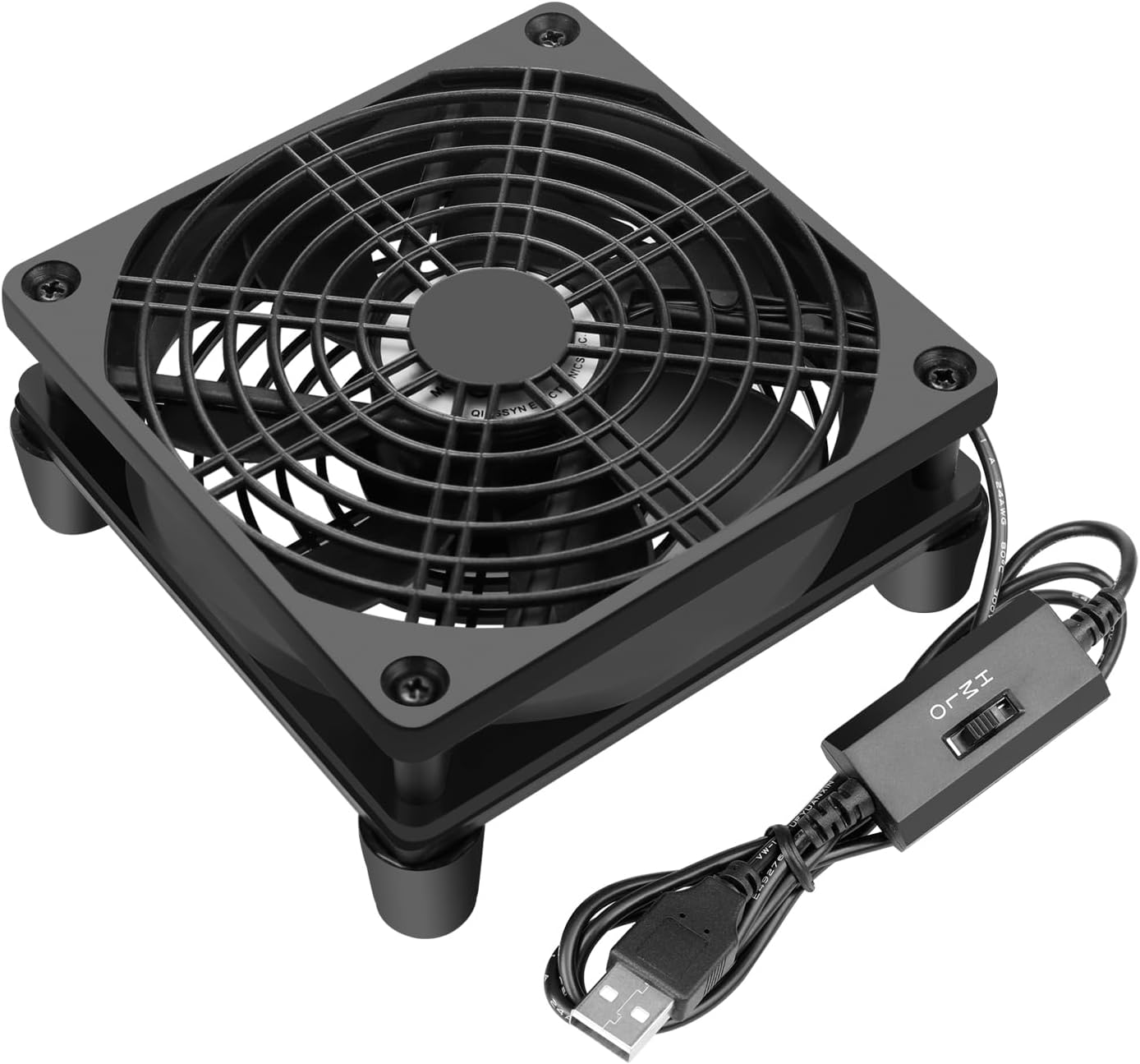
USB Computer Fan Quiet, 5V Powered Fan with Speed Controller for Router Modem Receiver DVR Xbox TV Box Cooling
$13.99
Related Products




Product description

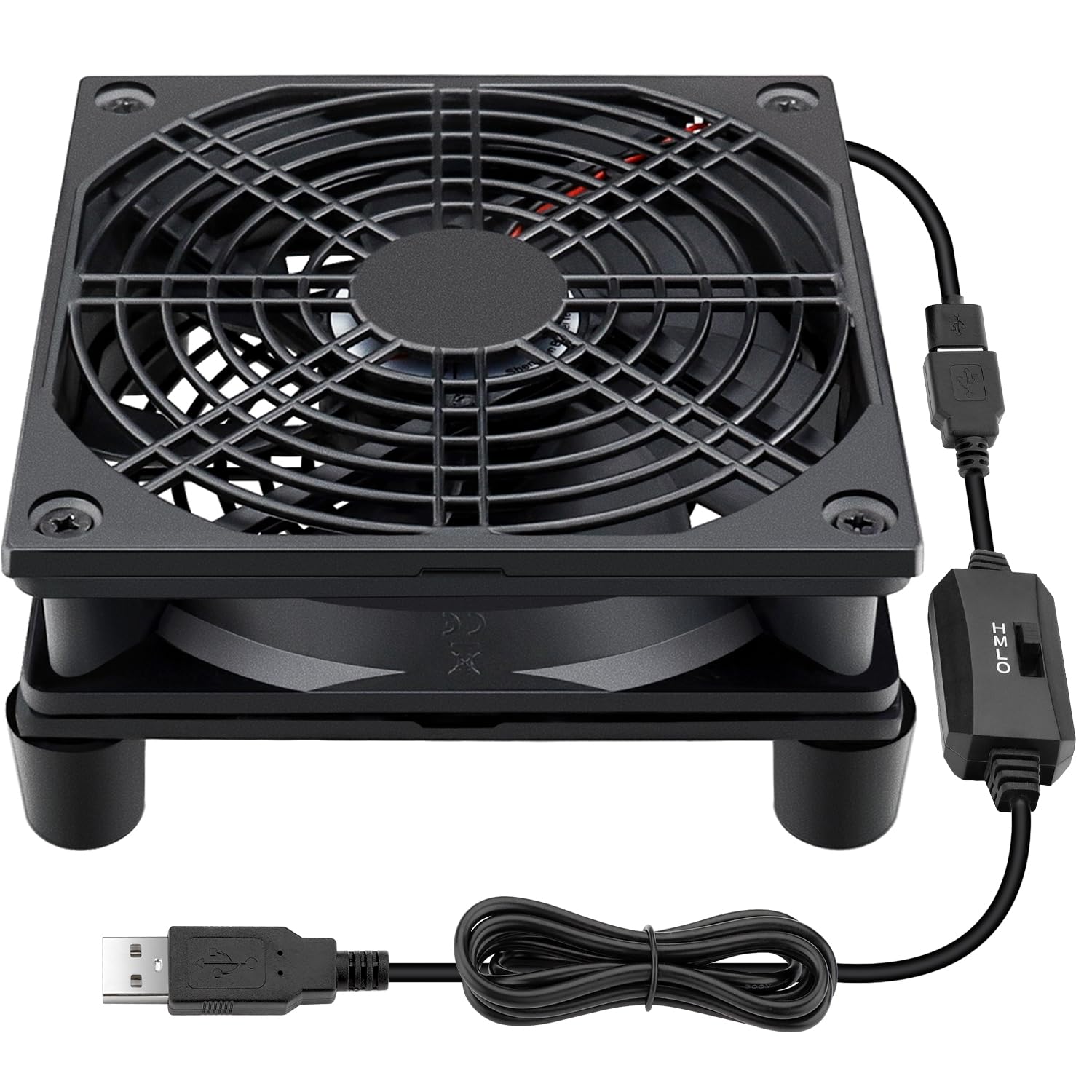
120mm 5V USB FAN
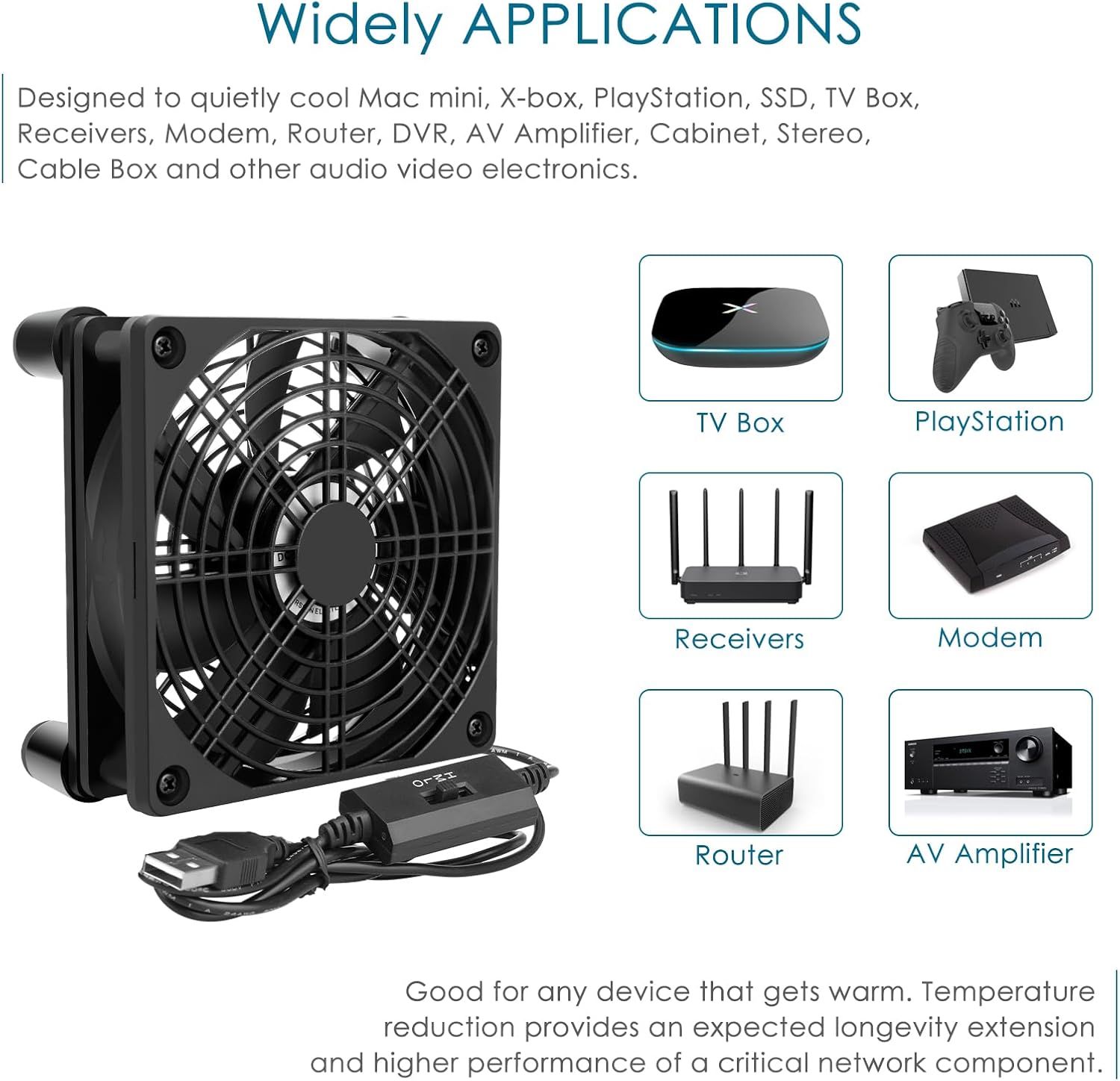
It works great for cabinet, x-box, SSD, Modem, DVR, Receiver, Streaming boxes, Security Camera NVR, android box, stereo, T-Mobile gateway cooling
Buyers’ Voice
I put the Modem on top of this fan and my speeds during the day doubled. I noticed the SNR went down during the day and this fan kept the temperature down and the SNR got better.This fits perfectly under an Eero Pro 6 router. I measured temps using an infrared thermometer. Prior to the fan, the bottom of the router was in the 130s. After a couple hours on top of the fan, the bottom of the router is now in the lows 90s to high 80s.Since using this fan,I solved the problem of the WiFi connection between the T Mobile home Internet gateway and my mobile phone. and throughput speeds are definitely increased.I purchased this for my network router which is always on and very hot. Within a few minutes it was no longer warm to the touch. love the speed controls. I’m very impressed and happy so far.I originally bought this fan to sit on top of my xbox series x and it was helping to pull the hot air out of the unit but I was still experiencing network lag so I put it under my router instead and now my xbox isn’t having connection issues.My modem was running hot, causing it to occasionally lock up. I put this under the modem and I have not had any issues. The modem no longer runs hot to the touch and no longer locks up.


Router Cooling Fan
Specifications
Fan size: 4.7 x 4.7 x 1 inchTotally size: 4.9 x 4.9 x 2.2 inchVoltage: 5 VoltSpeed: 1500 RPMAirflow: 58 CFMCurrent: 0.15 AmpPower: 0.75 WattConnector: USB Accessory Informations
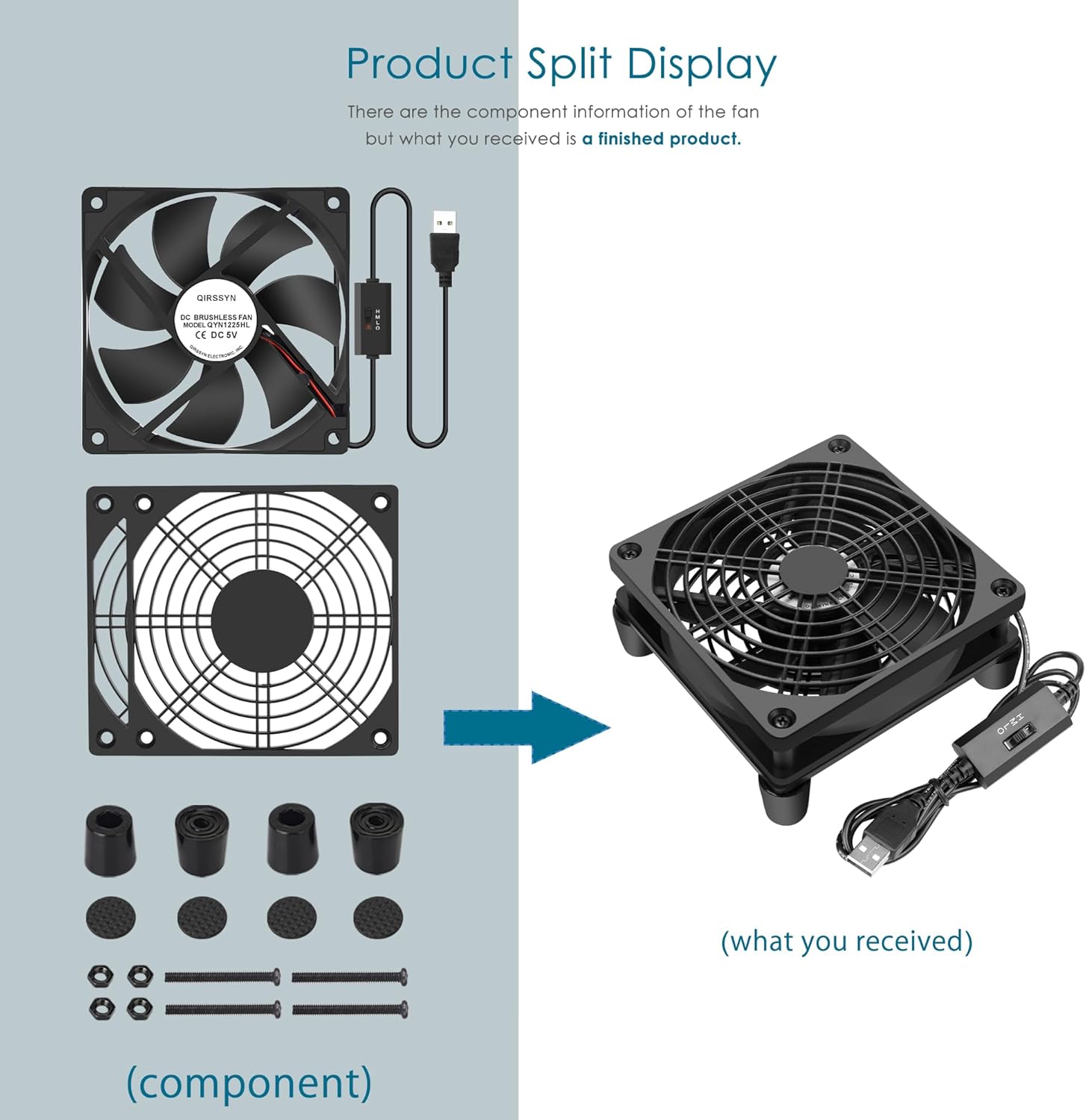
1* 120mm usb fan / 2* Dust filters4* Fixed screws / 4* Damping pads4* feet that optimize air flow
Key Features of fan Circulate Air Plug and Play USB Power Plug Moves Enough Air Easy to use & Set up Fan Speed Adjustable Reduced the Temperature

Key Features of Speed Controller
Parameters of Speed/3
Low (Current: 0.1 A / Speed: 1100 RPM / Airflow: 52 CFM / 0.5W / 19 dBA)Middle (Current: 0.13 A / Speed: 1300 RPM / Airflow: 54 CFM / 0.6W / 21 dBA)High (Current: 0.15 A / Speed: 1500 RPM / Airflow: 56 CFM / 0.7W / 23 dBA)
The Difference Between Other Speed Controller
Our speed controller will run when the unit is turn on, and will automatically turn off when the unit is turned off. Others speed controller is that you need to manually operate the on/off buttons on this unit to make it turn on even if the unit is turned on.
Accessory Informations

Dust filters
It is fixed on both side of the fan,protect
your hands and cables when the fan working,
prevent cables or other foreign objects from
falling into the fan.

Rubber Feet
It is fixed on bottom of the fan,
Optimize air flow. if you don’t need
rubber feet, just remove it
counter-clockwise.

USB Power Plug
This fan has a USB A connector,
Fit for charger, mobile power , laptop,
wall chargers and any other USB-enabled
power supply.
Add to Cart
Add to Cart
Customer Reviews
4.4 out of 5 stars 139
4.4 out of 5 stars 114
4.7 out of 5 stars 326
4.8 out of 5 stars 27
4.5 out of 5 stars 688
Price
— no data
— no data
$13.99$13.99
— no data
$12.99$12.99
Voltage
5V 5V 5V 5V 12V
Speed
1500RPM 1500RPM 1500RPM 1500RPM 3000RPM
Speed Controller
Off/L/M/H Off/L/M/H Off/L/M/H Off/L/M/H 3V to 12V
Protective net cover
Metal grill both on bottom and top of the fan. Metal grill both on bottom and top of the fan. Dust filters both on bottom and top of the fan. Metal grill both on bottom and top of the fan. Metal grill both on bottom and top of the fan.
Life
6-Years 6-Years 5-Years 6-Years 6-Years
【Is Your Router Overheat Easily ?】 It reduced the temperatures of your router by a substantial amount. Whereas before the thing was almost too hot to touch at full load, it will be almost cool after you got this item. Network speeds are commensurately increased. Temperature reduction provides an expected longevity extension and higher performance of a critical network component. These fans are overall very helpful for devices that get a bit hot and start to throttle down.
【Environmental & fireproof Material】Added dust filter between units. Speed selection switch is very durable, long life with 6-Years.
【Variable Speed Controller】 The variable speed is great for turning the speed up or down to your noise comfort level. It is cycles from high-Medium-low and off speed mods. Enables the fan to be powered through an AC outlet.
【Good DIY Cooling Solution】It works great for DIY cooling fan or as an additional cooling fan for your gaming needs. Such as router, cabinet, x-box, SSD, Modem, DVR, Receiver, Streaming boxes, Security Camera NVR, andriod box, stereo, T-Mobile gateway. Good balance of quiet and airflow. Moves enough air at low speed to keep electronics cool.
【Warranty & Packing List】Warranty: One-year quality assurance. Please contact Seller If the product has any quality problems, it will be refunded within 90 days or replaced within one year | Packing list: A finished product.
8 reviews for USB Computer Fan Quiet, 5V Powered Fan with Speed Controller for Router Modem Receiver DVR Xbox TV Box Cooling
Add a review

$13.99
RP Video –
Amazingly quiet and efficient.
One of my best buys…ever! I used this to keep a 8TB SSD external hard drive cool while video editing. Amazingly quiet, efficient and kept the drive cool. Awesome pricing for an awesome product.
David C. –
Great little fan for T-Mobile Gateways
After my previous T-Mobile gateway died, which I’m pretty sure was due to heat, they replaced it with one of the new gateways (G4AR/G4SE). This time I decided I wanted a fan to help with cooling, but nothing too loud nor expensive. This fan fits the bill.As you can see from the picture, I placed the gateway at the front so there was unobstructed flow (avoiding the center section of the fan where there is no air flow) and it works great. I can’t speak to the older style gateway like I used to have, but this new one has vent holes on the bottom, top, and part of the sides. I shined a flashlight under the bottom and looking down from the top I could see all the way through, so air can move somewhat freely all the way up.After setting the gateway on the fan, I could definitely feel a slight bit of warm air coming out the top and a good bit of air coming out the lower side vents… just what I was after. Nothing crazy, just some air movement to get the hot air circulating out.I have this fan on its highest speed, and it’s still very quiet. You can hear it, but it’s one of those things where you have to be consciously listening for it. Otherwise you won’t notice it and it just blends away into the background.The fan feels solid and came with little rubber stick-on pads to attach to the feet for either not scratching a surface or helping it to not slide around. I put them on for the latter reason.This fan was exactly what I was after and works perfectly as I had intended, for the price I couldn’t be happier.
Joel A. –
Quiet Cooling!
Great product! Plugs into the USB port on your device. Fan is very quiet. Has an on-off switch and comes with rubber sound absorbing feet to cushion between your device and desktop. I bought one to try out and went back later and bought a second one. Measure your device to make sure this will work for you as there are various sizes to choose from. I have a mini pc sitting on top of my unit. It keeps it very cool for long period use. Also pulls the air in from the bottom and exhaust it out the top. Fast delivery too!
Terri N. Fulton –
Great Fan
A bit talker than I like fir under my lap top, but sound construction and performance
Amazon Customer –
Works great
I personally used it to cool down my steam deck dock sounds weird but it needed it. It was getting super hot and I didn’t want it to over heat. This this has saved the day I just put the dock on top of the fan with enough space on one side to make sure the air flow is still good and no more overheating issues. At first I thought it wouldn’t work bc it doesn’t blow as aggressively as I thought but like I said it works great and will be buying another for my husband’s docks too
MadPB –
Cools my NUC like a champ, almost as quiet as fanless
I have a small NUC I use for my home firewall and it’s fanless. The case is basically a big heatsink. The CPU temp on it was getting a little too warm for comfort so I had a small fan that I propped up to blow across it, and that worked, but that fan was noisy.I got this one so I could put it right on top of the NUC and cut down on the noise level. It works really well. At first I left it in the default configuration which was to blow air *away* from the NUC (picture this as using the included “legs” to stand on top of the little computer, drawing ambient air across the fins and away).I managed to keep it as cool as the noisy fan I used to have, but I thought it would be better to move the legs to the other side of the fan so that when it’s standing on top of the NUC, ambient air would blow directly onto the case fins. And that works great, managing to cool it off by an extra couple of degrees (from about 44C to 42C). 44C is about what I had when I had the old noisy fan blowing across it, so having this one right on top, blowing down, keeps it even cooler.Without any fans at all the CPU temps were getting up above 55-58C at times, so I’m very happy with a consistent 42C, no matter the workload on the NUC.
QuantumWaffle –
Handy Fan for Cooling Hot AV Equipment
Nice little fan. I plugged it into the USB port on my Xfinity cable box and set it on top to help cool the AV equipment. That box gets really hot, and this fan does a great job keeping it cooler.
RadMan –
Fairly good but has issues
It’s a nice little fan, 3 speed — but on Low and Medium speeds, it has a high-pitched whine that is very annoying. On High, the whine goes away (at least for now), but then you’ve got to deal with the fan sound, It’s not bad, but it is noticeable.