
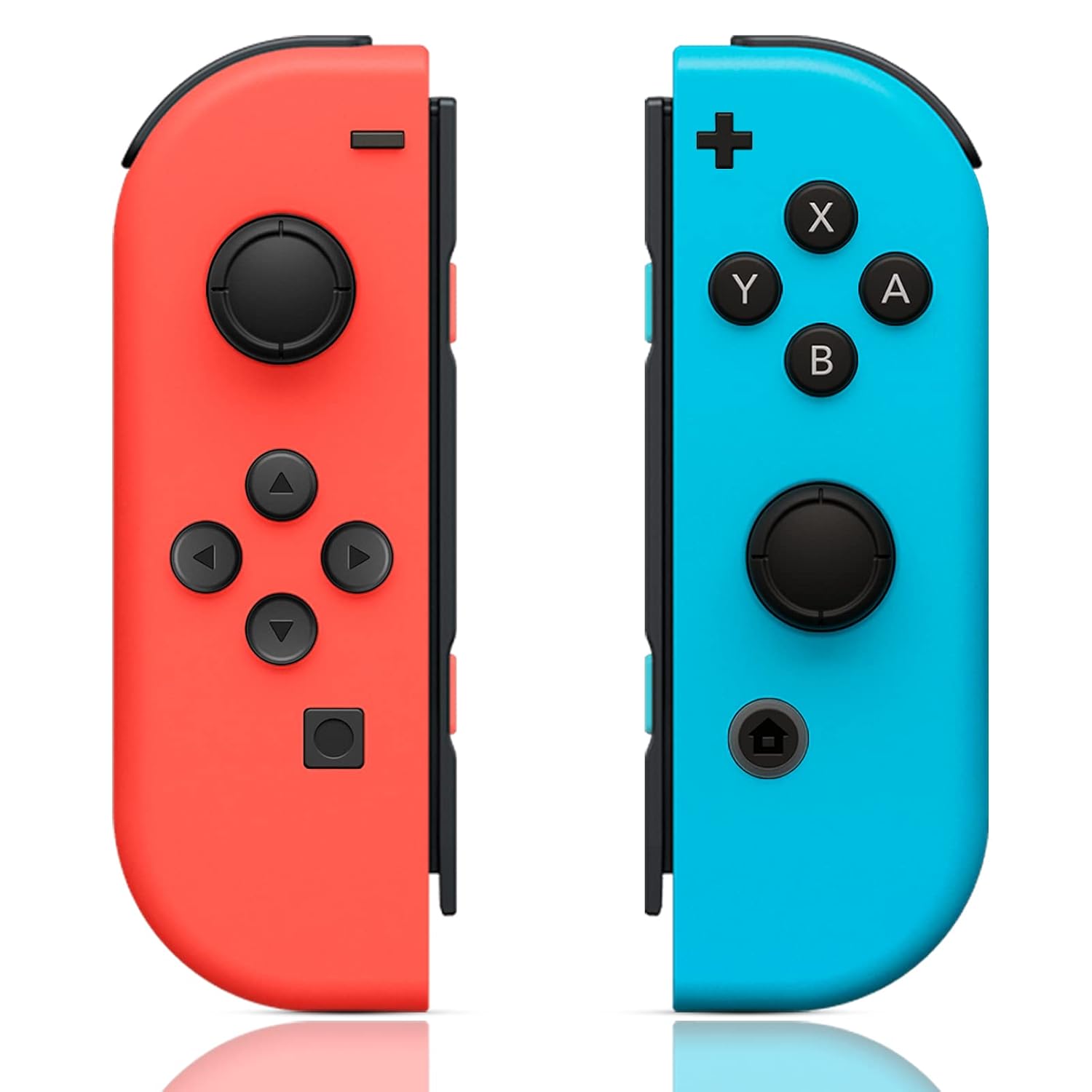
ZHCWM Compatible with Nintendo Switch Controller,Wireless Controller For Nintendo Switch/Lite/OLED,Red/Blue
$30.98
Related Products



Compatible with Nintendo Switch Controller ,Wireless Controller For Nintendo Switch/Lite/OLED,Red Blue
ZHCWM Compatible with Nintendo Switch Controller ,Wireless Controller For NintendoSwitch/Lite/OLED,Red/Blue
Our wireless controller is fully compatible with Nintendo Switch/Lite/OLED console
The controller has a built-in 360° joystick,vibration motor,6-axis gyroscope,and highly sensitivebuttons,controlling distance up to 32 feet,support wake-up and screenshot function,strong anti.interference ability,always provide you with the best gaming experience.(NO NFC or IR sensor)
Two controller has a full set of buttons and motion sensors,can be used independently in each hand,or enjoy group games with friends
The built-in 450mAh lithium battery of the controller can be fully charged in 2 hours,and the working timeis up to 10 hours
If the product can’t be worked, pls try pressing the reset buttons on the sliding rails of both left and right handles simultaneously, then pair them with the console again,it will work
8 reviews for ZHCWM Compatible with Nintendo Switch Controller,Wireless Controller For Nintendo Switch/Lite/OLED,Red/Blue
Add a review

$30.98
Kelly –
Good Back up!
I got this controller as a backup for my kids to use with the Switch, and it’s been awesome. It connected super easily, works just like the original, and they love the red and blue colors. The buttons feel solid and responsive, and the battery life has been surprisingly good. It’s a great option if you don’t want to spend a ton but still want something that feels like good quality. We’ve used it for everything from Mario Kart to Smash Bros with no issues at all. Total win! Some say they see a lag but we haven’t noticed that at all!
Draegos –
Good deal for the price.
Bought a pair of these at Christmas for my nephew so he’d have a spare set for when he and his friends want to play Smash Bros together. I was really impressed at the quality; so far they’re indistinguishable from the official pair that came with nephew’s Switch. Good performance, no connection drops while playing, charges quickly. I’ve encountered no stick drift yet, will update my review if I do.
stephanie –
Perfect!
These are the cheapest ones I found (my kids break them too often) and they work great! The controllers are vibrant colors, the joy cons are responsive and they fit perfectly. Great affordable option!
Vejet Eam –
Perfect joycon replacements for the price
Fantastic replacement joycons for the price. They fit nice and snug on the switch and they wiggle much less than the stock ones. All you need to do is run the joycon calibration in the system settings and you’re good to go. Haven’t had any drift at all since I’ve had them.Just make sure that you run the Joycon calibration tool in the Switch system settings. This is a very important step!
Natasha –
Long & Short story hope this help.
SHORT VERSION: They work but you have to do alot of tweaking to the system to have the joy cons connect and work properly.LONG DETAILED VERSION: When I got them I connected the controllers to the console like i was supposed to. I then tried to calibrate the controllers only the blue ones calibrated. So when I tried to update the controllers to see if that was the problem to the red not calibrate. The red wasn’t updating to I updated the blue controller it worked to I quickly went to the red ones to update. It worked. So I went back to calibrate both, now both joy cons calibrated. So, Now I used the controllers for an hour with the joy cons off the console (in dock mode). I stepped away for 15mins I came back the controllers where off. Ok understandable new controllers. I turned them on only for the blue one to cut back on the red one didnt. So now I connected them back on the console (handheld). Started working(On home screen). So I took the joy cons back off. The red ones still dont turn on. So, now I give up on playing in dock mode. I put the joy cons back on. Went to my room went back to my game. Now none of the buttons on both joy cons worked. Only the home and photo button,But when I exit the game the controllers started to work again on the home screen. Repeating the process of enter in and out the game, Same result . Now I had the idea to delete the joycons by deleting and instantly removing the joy cons from the consle. Now the joy cons are connecting to the console without being attached to the console(dock mode). I go back in game still didnt work so I restarted the game now the joy cons work like they did the first hour I had them. That was alot but hopefully this can help some one cant afford new ones.Update: I would rather use my old broken controllers then use these. The button delay.
Brenda B. Thompson –
Good replacement part
Seem to work. OK no initial problems to report..
Matthew Forkash –
Cool colors
Works great, stays charged, no problems connecting. Same size as nintendo
Evans25 –
Solid third party option with a little risk
It is a great third part option to get extra joycons for a more reasonable price, but the lower price means slightly lower quality compared to Nintendo’s Joycons. One of the buttons doesn’t register every time I push it even though I feel the click. I took it apart and best I can tell, the plastic button is just slightly off alignment with the metal connector on the circuit board. So it is able to depress it enough to click, but not bridge pad under it to made a connection and register the input. This is just one button on one of the joy cons. The other works flawlessly. Could be I just got a faulty one but unfortunately it’s an issue.